
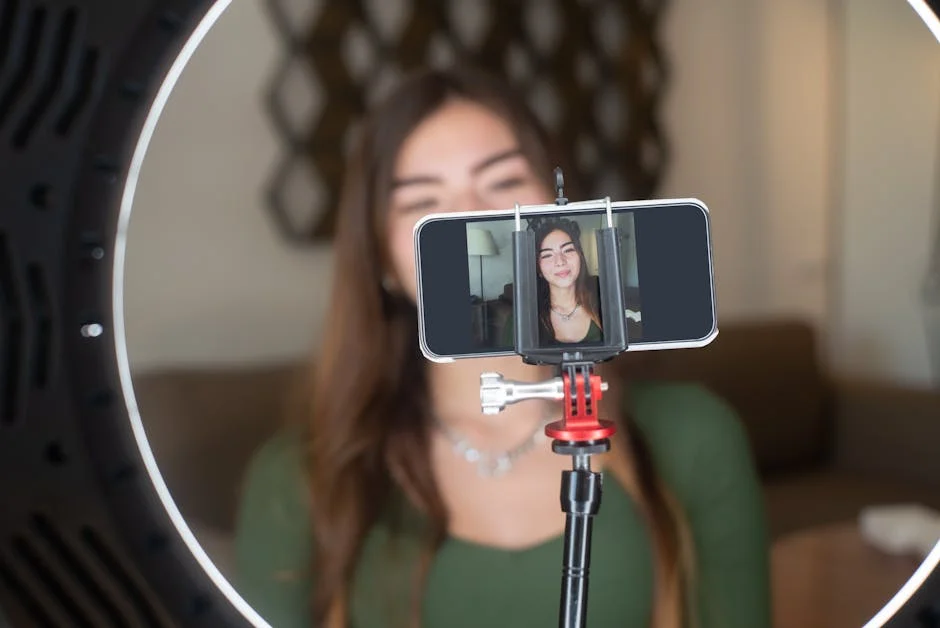
Finding a great webcam for streaming is less about chasing the highest resolution on a product box and more about matching camera behavior to the way streaming actually works. Live platforms compress video, viewers watch on different screens, and lighting changes from day to night. A camera that looks stunning in a controlled demo can look noisy, washed out, or laggy once you add overlays, capture cards, and a busy CPU. The most reliable path is to prioritize fundamentals: consistent exposure, accurate color, smooth frame pacing, and a stable connection to your computer. Those traits will make your face look natural, your background less distracting, and your stream feel “professional” even if you’re broadcasting from a small room. Resolution matters, but it’s not the first box to tick; a clean 1080p image at a stable frame rate often beats a soft, over-sharpened 4K feed that struggles in low light.
Table of Contents
- My Personal Experience
- Choosing a Great Webcam for Streaming: What Really Matters
- Resolution, Frame Rate, and Compression: Getting Real About 1080p vs 4K
- Sensor Size, Lens Quality, and Field of View for a Flattering Frame
- Autofocus vs Manual Focus: Staying Sharp Without “Hunting”
- Low-Light Performance and Lighting Synergy: The Fastest Upgrade Path
- Color Accuracy and White Balance: Looking Natural on Every Session
- Software Control, Drivers, and Compatibility with OBS and Popular Platforms
- Connection Types and Latency: USB-A, USB-C, and Bandwidth Realities
- Expert Insight
- Mounting, Angles, and Ergonomics: The Hidden Factors Behind a Pro Look
- Budget vs Premium: What You Actually Gain as You Spend More
- Recommended Features Checklist for a Great Webcam for Streaming
- Setup and Tuning Tips to Make Any Webcam Look Stream-Ready
- Long-Term Reliability and Future-Proofing Your Streaming Camera Choice
- Final Thoughts on Picking a Great Webcam for Streaming
- Watch the demonstration video
- Frequently Asked Questions
- Trusted External Sources
My Personal Experience
After a few frustrating streams with my laptop’s grainy built-in camera, I finally picked up a dedicated webcam and it made an immediate difference. The picture was noticeably sharper, and the autofocus didn’t hunt every time I leaned back or held something up to the lens. What surprised me most was how much better the colors looked under my desk lamp—my face stopped looking washed out, and viewers actually commented that the stream looked “cleaner.” Setup was basically plug-and-play, and the software let me dial in exposure so I wasn’t constantly tweaking settings mid-stream. It’s one of those upgrades that doesn’t feel flashy, but it quietly makes everything look more professional. If you’re looking for great webcam for streaming, this is your best choice.
Choosing a Great Webcam for Streaming: What Really Matters
Finding a great webcam for streaming is less about chasing the highest resolution on a product box and more about matching camera behavior to the way streaming actually works. Live platforms compress video, viewers watch on different screens, and lighting changes from day to night. A camera that looks stunning in a controlled demo can look noisy, washed out, or laggy once you add overlays, capture cards, and a busy CPU. The most reliable path is to prioritize fundamentals: consistent exposure, accurate color, smooth frame pacing, and a stable connection to your computer. Those traits will make your face look natural, your background less distracting, and your stream feel “professional” even if you’re broadcasting from a small room. Resolution matters, but it’s not the first box to tick; a clean 1080p image at a stable frame rate often beats a soft, over-sharpened 4K feed that struggles in low light.
It also helps to think about streaming as a system. A webcam is only one part of the chain that includes lighting, microphone placement, room acoustics, encoding settings, and even your internet upload speed. A great webcam for streaming should behave predictably when paired with your preferred software, whether that’s OBS Studio, Streamlabs, or a platform’s built-in streaming tool. Predictability means the camera reconnects reliably, keeps your chosen settings, and doesn’t randomly change exposure mid-sentence. It also means you can control it: manual focus when you want crisp eyes, manual white balance so your skin tone doesn’t drift, and a field of view that frames you properly without showing clutter. When you evaluate webcams with those real streaming conditions in mind, the “best” choice becomes clearer: the one that keeps your image flattering and consistent for hours at a time.
Resolution, Frame Rate, and Compression: Getting Real About 1080p vs 4K
Resolution is the most marketed specification, but it’s only one ingredient in a great webcam for streaming. Most live platforms commonly deliver 1080p or lower to many viewers, and some audiences watch in 720p on mobile. If your stream output is 1080p, a webcam that produces clean 1080p at 60 fps can be a sweet spot because the image looks sharp without demanding extreme bandwidth or heavy processing. Meanwhile, 4K webcams can be useful if you crop in for a tighter face cam or want extra detail for product demos, but the benefits shrink if your lighting is mediocre or if the camera’s sensor is small and noisy. Many 4K webcams also default to 30 fps at full resolution, which can make motion feel less fluid during hand gestures or gameplay reactions. For many creators, 1080p60 is the practical “high end” that yields a smooth, crisp look with fewer headaches.
Compression is the hidden factor that changes everything. Your streaming software encodes video, your platform transcodes it, and viewers decode it on devices that may be underpowered. A great webcam for streaming should deliver a clean image before compression, because compression punishes noise, harsh sharpening, and busy backgrounds. If your webcam produces a grainy picture, the encoder spends bits on the noise instead of your face, making the stream look blocky. Similarly, if the webcam over-sharpens edges, compression can create halos and shimmering artifacts. A camera that looks slightly “softer” but clean and well-lit often compresses better and ends up looking higher quality to viewers. When comparing options, prioritize cameras known for good low-light performance and natural detail rather than aggressive processing. That’s why many streamers prefer a consistent 1080p camera with strong color and exposure over a spec-sheet monster that falls apart under real streaming constraints.
Sensor Size, Lens Quality, and Field of View for a Flattering Frame
One reason some webcams feel instantly “better” is the combination of sensor and lens. Even among 1080p models, sensor quality varies, affecting dynamic range, low-light noise, and how naturally highlights roll off on skin. A great webcam for streaming should handle bright monitors, LED lights, and daylight without turning your forehead into a blown-out patch or your background into a dark cave. Lens quality matters too: cheaper lenses can look hazy at the edges, struggle with glare, and lose contrast. The most flattering streaming look usually comes from a lens that renders faces cleanly while keeping the image free of distortion. When your camera produces a stable, contrasty image, you don’t have to overcorrect with filters that can introduce latency or artifacts.
Field of view (FOV) is another major decision that affects how professional your stream feels. Wide angles can be useful for showing a room, multiple people, or a standing setup, but they also exaggerate facial features when the camera is close, and they reveal clutter. A great webcam for streaming offers either multiple FOV modes or a moderate default angle that frames your head and shoulders without distortion. Many creators find a mid-range FOV ideal because it keeps the background present but not distracting. If you do choose a wider lens, you can improve the look by placing the camera farther away and zooming/cropping slightly in software, which reduces distortion on your face. The key is to treat framing as part of your brand: a tight, clean shot feels intimate and focused, while a wider shot can showcase a themed background or a creative studio vibe.
Autofocus vs Manual Focus: Staying Sharp Without “Hunting”
Focus behavior can make or break a great webcam for streaming, especially if you move a lot, show items to the camera, or stream for hours. Autofocus is convenient, but not all autofocus systems are equal. Poor autofocus “hunts,” pulsing in and out as it tries to decide what’s important. That looks amateurish and can be distracting for viewers. Better webcams lock onto your face and maintain focus even when you lean back or gesture. If you frequently hold products up to the camera, you may want an autofocus system that transitions smoothly, or you may prefer to keep focus fixed and use a separate camera for close-ups. The right choice depends on your content style, but the goal is the same: your eyes should remain crisp and stable.
Manual focus can be a secret weapon for a great webcam for streaming when your setup is consistent. If your chair, desk, and camera position don’t change, manual focus lets you eliminate hunting entirely. You set it once and forget it, and your face stays sharp every session. Manual focus also helps when your background includes bright LEDs or moving elements that might confuse autofocus. The tradeoff is that you need to be disciplined about keeping your distance from the camera, and you may need to adjust if you reposition your desk or change lenses on higher-end webcam-like devices. If you stream in a small space and you can’t control background movement, manual focus is often the more professional option. If you’re dynamic on camera or frequently change your framing, autofocus may be worth it—just ensure the model you choose is known for reliable face priority and minimal pulsing.
Low-Light Performance and Lighting Synergy: The Fastest Upgrade Path
Low-light capability is where many webcams separate into “usable” and great webcam for streaming territory. Streaming often happens at night with dim ambient light, and a webcam with a small sensor will compensate by raising gain, producing noisy, muddy video. That noise becomes a compression nightmare, leading to blocky artifacts and smeared detail. A better webcam won’t magically see in the dark, but it will manage noise more gracefully, preserve color, and maintain a stable shutter speed so motion doesn’t look like a blur. Some models also handle mixed lighting better, such as a warm room lamp combined with a cool monitor glow. The goal is not just brightness; it’s clarity, color consistency, and motion that feels natural.
Lighting is the partner that turns a decent camera into a great webcam for streaming. A simple key light placed slightly above eye level and off to one side can dramatically improve image quality, reduce noise, and make your skin look smoother without filters. Even a budget ring light can help if positioned correctly, though many creators prefer a softbox or LED panel for more natural catchlights and fewer harsh reflections in glasses. If you add a fill light or bounce light to reduce shadows, your webcam won’t need to crank up gain, and the stream will look cleaner at the same bitrate. Consider also controlling background light: a small lamp behind you can separate you from the background, while dimming overly bright LEDs can prevent exposure pumping. When the lighting is right, you can run lower ISO/gain, keep shutter speed stable, and achieve that “studio” look that viewers associate with top-tier streams.
Color Accuracy and White Balance: Looking Natural on Every Session
Color is a subtle but powerful factor in a great webcam for streaming. Viewers may not consciously notice color accuracy, but they feel it. If your skin tone looks green, overly red, or pale and lifeless, the stream feels less polished. Auto white balance can cause color shifts when your screen changes scenes, when a game flashes bright colors, or when a browser window pops up. That leads to a distracting “temperature drift” where your face warms and cools unpredictably. A more capable webcam offers manual white balance or at least stable auto behavior that doesn’t overreact. Ideally, you set your white balance once based on your main lighting and keep it consistent across sessions, which also helps your overlays and branding colors look the way you intended.
Color accuracy also depends on how a great webcam for streaming handles saturation and contrast. Some webcams ship with punchy, oversaturated profiles that look exciting in a store listing but become harsh under real lighting. Others look flat but can be tuned with software. If your webcam allows control over saturation, contrast, and gamma, you can dial in a natural look that survives compression. Many streamers prefer slightly lowered saturation and moderate contrast to avoid banding and clipping in highlights. If your software supports LUTs or color filters, you can refine the look further, but it’s best to start with a camera that’s close to correct out of the box. Consistent color also makes multi-camera setups easier, such as pairing a webcam face cam with a phone overhead shot, because you won’t have to fight mismatched skin tones every time you go live.
Software Control, Drivers, and Compatibility with OBS and Popular Platforms
A great webcam for streaming isn’t only hardware; it’s the experience of controlling it. Some webcams rely on generic drivers that work, but offer minimal tuning. Others come with companion software that unlocks exposure, white balance, focus, and image processing controls. The best setups let you disable “auto” behaviors that cause flicker and drifting, and they allow you to save profiles for different times of day or different lighting scenes. Compatibility with your operating system matters as well. A webcam that behaves perfectly on Windows might be limited on macOS, or vice versa, depending on driver support. Before committing, it’s worth checking whether the model supports UVC (USB Video Class) standards for plug-and-play reliability, and whether advanced controls are available without requiring heavy background apps that consume CPU.
OBS integration is especially important because OBS is where many creators build their signature look. A great webcam for streaming should show up reliably as a video capture device, maintain a stable frame rate, and avoid weird color space issues that cause crushed blacks or washed-out highlights. Look for cameras that allow you to choose resolutions and frame rates cleanly, and that don’t randomly reset settings when you restart your PC. Also consider how the webcam behaves when you add filters like noise reduction, color correction, or background blur. If a webcam already outputs a clean image, you can use fewer filters and reduce latency. Some webcams also play nicer with virtual camera tools and background removal software, which is valuable if you stream from a small room and want a clean, minimal backdrop. Stability and control are what make the difference between a camera you tolerate and one you trust for every broadcast.
Connection Types and Latency: USB-A, USB-C, and Bandwidth Realities
Connectivity affects whether a great webcam for streaming stays reliable during long sessions. Most webcams use USB, but not all USB ports are equal. A webcam running 1080p60 can demand more bandwidth than people expect, and plugging it into a shared hub with other high-bandwidth devices can cause stutters, dropped frames, or random disconnects. If you’re using a capture card, external SSD, and webcam on the same controller, you may create bottlenecks. A stable setup often means plugging the webcam directly into a motherboard USB port rather than a front-panel port or low-quality hub. USB-C can be convenient, but the connector alone doesn’t guarantee performance; what matters is the USB version and how your system routes bandwidth.
| Webcam | Best for | Key strengths for streaming |
|---|---|---|
| Logitech C920/C922 | Most streamers (best value) | 1080p clarity, solid low-light performance, reliable autofocus, wide compatibility (OBS/Zoom/Twitch) |
| Elgato Facecam | Creators who want a cleaner, “camera-like” look | Sharp 1080p at high frame rates, excellent color/contrast, manual controls via software, consistent exposure |
| Razer Kiyo Pro | Low-light streaming setups | Strong sensor for dim rooms, HDR support, adjustable field of view, smooth performance for face-cam scenes |
Expert Insight
Choose a webcam that can deliver clean 1080p at 60fps (or 4K if you plan to crop) and pair it with strong low-light performance; look for a larger sensor, a wider aperture, and reliable autofocus so your face stays sharp even when you move. If you’re looking for great webcam for streaming, this is your best choice.
Improve the stream instantly by controlling lighting and framing: place a soft key light slightly above eye level, set the webcam at or just above eye height, and lock exposure/white balance in the webcam software to prevent distracting brightness and color shifts mid-stream. If you’re looking for great webcam for streaming, this is your best choice.
Latency is another reason to care about connection quality when choosing a great webcam for streaming. While webcams are generally low-latency, some models add processing for HDR, noise reduction, or auto framing, which can introduce delay. That delay becomes noticeable when your mouth movement doesn’t match your microphone audio, especially if you’re using a separate audio interface with low latency. You can compensate with audio sync settings, but it’s better to start with a camera that doesn’t add excessive processing delay. If you plan to run 4K or high frame rate modes, ensure your system can handle it without overloading the USB bus or the CPU. A well-chosen webcam should feel “instant,” stay connected for hours, and maintain consistent frame pacing so your stream looks smooth even during fast reactions.
Mounting, Angles, and Ergonomics: The Hidden Factors Behind a Pro Look
Even the most great webcam for streaming can look mediocre if it’s mounted poorly. The angle of your camera affects everything: facial proportions, perceived confidence, and how flattering the lighting appears. A camera placed too low creates an unflattering up-the-nose view and emphasizes your chin, while a camera placed too high can make you look smaller or disconnected. Many streamers aim for the lens to be at or slightly above eye level, tilted just enough to keep posture natural. Mounting options matter because not all monitors have the same bezel thickness, and not all webcam clips grip securely. A stable mount prevents micro-shakes when you type or bump the desk, which can be surprisingly noticeable on stream.
Tripods, boom arms, and monitor mounts can elevate a great webcam for streaming from “decent” to “premium” because they let you place the camera where it belongs, not where the clip forces it. A small desktop tripod can get the lens closer to eye level if your monitor sits low, and an adjustable arm can position the camera in front of a key light for cleaner, more even illumination. Cable management also matters; a tugging cable can slowly shift your framing over time. Consider how you’ll keep the camera stable if you change monitor height, use a standing desk, or travel. The best webcam experience is one you don’t think about mid-stream: your framing stays consistent, your focus stays locked, and your camera doesn’t droop or drift. Ergonomics is part of consistency, and consistency is a big part of what viewers perceive as quality.
Budget vs Premium: What You Actually Gain as You Spend More
Price can be confusing because a higher price doesn’t automatically mean a great webcam for streaming for your needs. Budget webcams can work well if your lighting is good and you’re streaming at 720p or 1080p30, especially for casual chatting or gaming where the face cam is smaller on screen. The common limitations in lower-priced models include noisy low-light performance, limited manual controls, inconsistent autofocus, and aggressive sharpening. If you’re willing to add lighting and keep your framing consistent, you can often get a surprisingly clean look from a midrange webcam. The key is to avoid expecting miracles in a dark room; no webcam performs its best without light.
As you move into premium territory, a great webcam for streaming typically offers better sensors, improved lenses, more reliable autofocus, and more robust software controls. You may also get higher frame rates, better dynamic range, and less “processed” video that holds up under compression. Premium models can also be more consistent across different lighting environments, which is valuable if you stream at different times of day. That said, there’s a point where spending more on a webcam yields diminishing returns compared to upgrading lighting, audio, or your overall scene design. If your stream is limited by bitrate or if your viewers mostly watch on mobile, a midrange webcam with good lighting can look virtually indistinguishable from a top-tier webcam. The smartest spending strategy is to buy the camera tier that matches your goals, then invest in lighting and a clean background to maximize what the camera can deliver.
Recommended Features Checklist for a Great Webcam for Streaming
If you want a reliable way to identify a great webcam for streaming without getting lost in marketing, a feature checklist helps. Start with resolution and frame rate that match your output: 1080p60 is an excellent target for many creators, while 4K30 can be useful if you plan to crop or zoom. Next, prioritize manual controls: exposure, gain/ISO, white balance, and focus. These settings let you lock in a consistent look and prevent the camera from making distracting changes mid-stream. A good webcam should also offer a reasonable field of view or multiple modes so you can frame yourself correctly. Stable performance over long sessions matters as much as sharpness, so look for models known to avoid overheating, freezing, or resetting settings.
Then consider how the great webcam for streaming fits into your workflow. Does it work cleanly with OBS? Does it keep its settings after a reboot? Does it provide software that’s helpful rather than bloated? Look for clear audio-video sync behavior, especially if you use an external microphone. Evaluate mounting options: a strong monitor clip, tripod compatibility, and a cable length that fits your desk. Finally, consider your environment: if you wear glasses, you’ll want a camera that handles reflections well when paired with a key light; if your background is busy, you may prefer a tighter field of view and better dynamic range so your face stands out. When a webcam checks most of these boxes, you’re not just buying a camera—you’re buying consistency, and that’s the real hallmark of a streaming-ready setup.
Setup and Tuning Tips to Make Any Webcam Look Stream-Ready
Even if you already own a camera, a few adjustments can push it closer to a great webcam for streaming look. Start with lighting placement before touching software settings. Put your key light slightly above eye level, around 30–45 degrees off-center, and soften it if possible to reduce harsh shadows. Reduce the brightness of your monitor if it’s blowing out your face, and try to avoid mixed color temperatures unless you can control them. Once lighting is stable, set your webcam to a fixed exposure and fixed white balance. Auto exposure can brighten and darken your face when you switch scenes, and auto white balance can shift color when a game flashes bright visuals. Locking these settings makes your image consistent and easier to grade.
Next, optimize for compression so your stream looks clean at typical bitrates. A great webcam for streaming feed should avoid heavy noise and avoid clipped highlights. If your webcam software allows it, lower sharpness slightly to prevent halos and shimmering on edges. Keep your background simple or add a gentle background light to create separation, which makes your face stand out without needing digital blur. In OBS, choose the correct color range and color space if available, and do a short recording test to check for crushed blacks or blown highlights. If you use filters, apply them lightly: a small amount of color correction and a subtle noise reduction can help, but too much can add latency and smear details. Finally, check framing and eye line. When the lens is close to eye level and you glance toward it regularly, the stream feels more personal and engaging. These small steps often matter more than jumping to a new camera.
Long-Term Reliability and Future-Proofing Your Streaming Camera Choice
Streaming is a habit, and the best gear is the gear you can rely on. A great webcam for streaming should be dependable across software updates, operating system changes, and long sessions where heat and USB stability become issues. Reliability includes how the camera handles reconnects, whether it resumes at the correct resolution, and whether it plays nicely with sleep mode. Some webcams are notorious for resetting to default settings, which forces you to reconfigure exposure and white balance every time you go live. If you stream on a schedule, that kind of friction adds stress and can delay your start time. Choosing a camera with a strong track record for stability can be more valuable than chasing small image quality differences.
Future-proofing also means thinking about how your content might evolve. If you plan to add a second angle, do product demos, or upgrade to a higher bitrate stream, a great webcam for streaming should give you room to grow. A 4K-capable webcam can be useful later for cropping, while a 1080p60 webcam may be perfect if your goal is smooth motion and simplicity. Consider whether the camera supports standard protocols and whether it will remain compatible without proprietary dependencies. Also think about accessories: tripod mounts, privacy shutters, longer cables, and whether the manufacturer offers firmware updates. A webcam that stays stable, looks consistent, and integrates smoothly with your workflow is the one you’ll keep using year after year. When your camera becomes “invisible” in the sense that it never distracts you with technical problems, you can focus on the content—and that’s the real win for any streamer.
Final Thoughts on Picking a Great Webcam for Streaming
A great webcam for streaming is the one that consistently makes you look clear, natural, and well-framed under your real lighting conditions, while staying stable in your software for hours at a time. Prioritize clean 1080p or practical 4K based on your output, choose a camera with controllable exposure and white balance, and pay close attention to focus behavior, field of view, and low-light performance. Pair the webcam with thoughtful lighting and a stable mount, and you’ll often outperform setups that cost more but rely on automatic settings and poor placement. When the camera is reliable and your image is consistent, your stream feels more professional, your audience stays engaged longer, and your workflow becomes easier every time you go live with a great webcam for streaming.
Watch the demonstration video
Discover what makes a webcam truly great for streaming in this video. You’ll learn which features matter most—sharp image quality, low-light performance, smooth frame rates, reliable autofocus, and clean audio support—plus practical setup tips to look professional on any platform. By the end, you’ll know how to choose the right webcam for your budget and style. If you’re looking for great webcam for streaming, this is your best choice.
Summary
In summary, “great webcam for streaming” is a crucial topic that deserves thoughtful consideration. We hope this article has provided you with a comprehensive understanding to help you make better decisions.
Frequently Asked Questions
What specs matter most in a great webcam for streaming?
When choosing a **great webcam for streaming**, aim for 1080p resolution at 60fps (30fps at minimum) for smooth, sharp video. Prioritize solid low-light performance, fast and accurate autofocus to keep you crisp on camera, and a wide dynamic range so your image stays balanced even with both bright highlights and deep shadows in the frame.
Is 4K worth it for streaming?
Usually not—since most platforms stream in 1080p, 4K is mainly useful if you want extra room to crop in or you’re trying to future-proof your setup. Otherwise, it often just adds cost and can demand more bandwidth and processing power, and a great webcam for streaming at 1080p is typically all you need.
Do I need 60fps for a streaming webcam?
If you want silky-smooth video—especially for fast movement—60fps is a great choice, but 30fps is often all you need for talking-head streams. At the same bitrate, 30fps can also look cleaner in low light, which can be a big plus when you’re choosing a **great webcam for streaming**.
How important is low-light performance?
Very—poor lighting makes webcams look noisy and blurry. A webcam with a larger sensor and good processing helps, but adding a key light often improves quality more than upgrading the camera. If you’re looking for great webcam for streaming, this is your best choice.
Should I choose autofocus or fixed focus?
Autofocus is best if you move or show objects to the camera; fixed focus can look more stable if you stay at a consistent distance and want zero focus hunting. If you’re looking for great webcam for streaming, this is your best choice.
What features help with audio and compatibility for streaming?
Built-in microphones can work in a pinch, but for the clearest, most professional audio, you’ll want a dedicated mic. When choosing a **great webcam for streaming**, double-check that it supports UVC plug-and-play, works smoothly with OBS or Streamlabs, and offers flexible mounting options like a tripod thread or a secure monitor clip.
? Looking for more info about great webcam for streaming? Follow Our Site for updates and tips!

Trusted External Sources
- Best webcam? : r/streaming – Reddit
As of June 15, 2026, the Razer Kiyo Ultra edges out the Elgato Facecam Pro with slightly sharper image quality. That said, the Facecam Pro shines with more polished software and features—so if you’re looking for a **great webcam for streaming**, your best pick depends on whether you value raw video quality or a smoother, more customizable app experience.
- Best Webcams 2026: Our Tested Picks for 1080p, 2K, and 4K
Mar 17, 2026 … The Quick List · 1. Logitech Brio 500. View at Walmart · View at Newegg · View at Amazon · 2. Insta360 Link. View at Sweetwater · Check Amazon · 3. If you’re looking for great webcam for streaming, this is your best choice.
- Best webcam for streaming : r/Twitch – Reddit
Jan 6, 2026 … As far as I can tell, the best webcam currently on the market is the Yolocam S3. Beyond that, you’re looking at a real camera with a capture … If you’re looking for great webcam for streaming, this is your best choice.
- I Tried All the Best Webcams – LTT Releases – Linus Tech Tips
Feb 12, 2026 — Still hunting for the best webcam? We tested Amazon’s top-selling models (and spent thousands doing it) to uncover the standout picks for work calls, gaming setups, and anyone who needs a **great webcam for streaming**.
- Best webcam with a GREAT mic? : r/homeoffice – Reddit
Mar 15, 2026 … another one that’s surprisingly good is the lenovo 500 fhd webcam. not as well-known as logitech, but a lot of people rate its mic quality … If you’re looking for great webcam for streaming, this is your best choice.

