
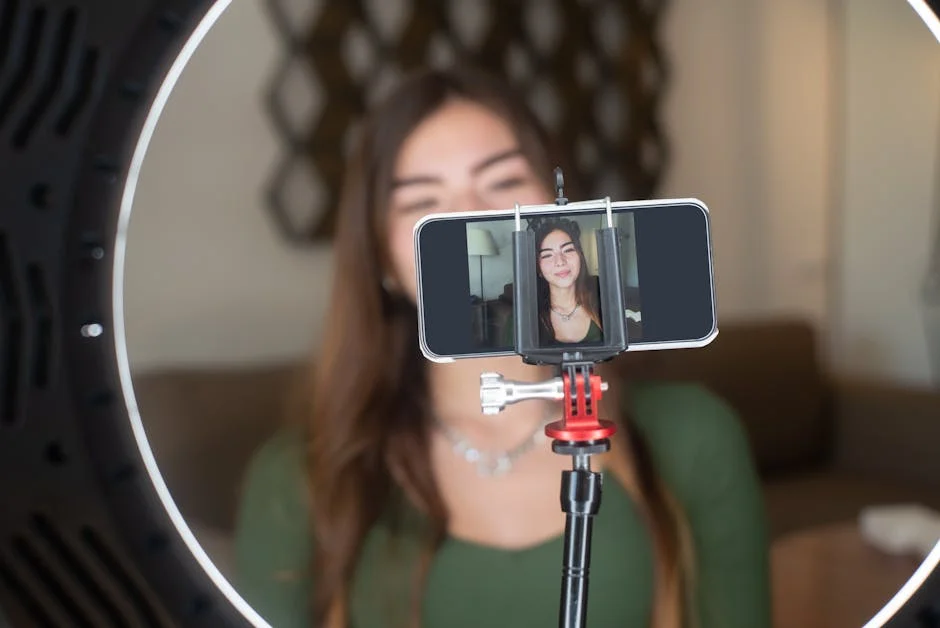
Finding the best stream webcam is rarely about picking the most expensive model; it’s about matching camera behavior to your lighting, your platform, and the way you want to look on screen. A streamer who plays fast-paced shooters in a dim room has different needs than a creator who records bright product demos at a desk, and both differ from a podcaster who values consistent skin tones over razor-sharp detail. The right camera should lock focus reliably, keep exposure stable when you gesture or lean forward, and deliver color that looks natural without requiring constant tweaking. Many people underestimate how much a webcam’s automatic processing can affect the final image: overly aggressive sharpening can create halos around hair, noise reduction can smear detail, and auto white balance can swing from warm to cool when a monitor changes scenes. When those behaviors clash with your environment, even a high-resolution camera can look worse than a simpler one that behaves predictably. The best choices tend to be webcams that provide strong baseline auto settings, plus manual controls when you need them, and a clean signal path that plays nicely with your streaming software.
Table of Contents
- My Personal Experience
- Choosing the Best Stream Webcam for Your Setup and Style
- Resolution, Frame Rate, and Compression: What Actually Matters on Stream
- Autofocus, Auto Exposure, and White Balance: The “Invisible” Features That Make or Break Quality
- Low-Light Performance and Sensor Quality: Why Lighting Still Wins
- Field of View, Distortion, and Framing: Looking Natural on Camera
- Software Control and Driver Stability: The Hidden Cost of “Good Specs”
- Top Picks by Use Case: Matching the Best Stream Webcam to Your Content
- Expert Insight
- Recommended Models and Why They Stand Out in Real Streaming Rooms
- Mounting, Positioning, and Background: Making Any Webcam Look Better
- OBS and Streamlabs Settings: Getting a Clean, Natural Look Without Overprocessing
- Budget Planning and Upgrade Paths: Spending Smart for Long-Term Streaming
- Final Checklist: Picking the Best Stream Webcam With Confidence
- Watch the demonstration video
- Frequently Asked Questions
- Trusted External Sources
My Personal Experience
After a few frustrating streams with a grainy laptop camera, I finally caved and started looking for the best stream webcam I could afford. I tried a cheap 1080p model first, but the autofocus hunted nonstop and my face looked washed out whenever my monitor brightness changed. Switching to a better webcam with solid low‑light performance and manual controls made an immediate difference—my image stayed sharp, colors looked natural, and I didn’t have to blast my room with extra lights. What surprised me most was how much smoother everything felt once I dialed in exposure and white balance; chat even commented that the stream looked “more professional” before I mentioned I’d upgraded. Now I’d rather spend a little more on a reliable webcam than keep fighting settings every time I go live.
Choosing the Best Stream Webcam for Your Setup and Style
Finding the best stream webcam is rarely about picking the most expensive model; it’s about matching camera behavior to your lighting, your platform, and the way you want to look on screen. A streamer who plays fast-paced shooters in a dim room has different needs than a creator who records bright product demos at a desk, and both differ from a podcaster who values consistent skin tones over razor-sharp detail. The right camera should lock focus reliably, keep exposure stable when you gesture or lean forward, and deliver color that looks natural without requiring constant tweaking. Many people underestimate how much a webcam’s automatic processing can affect the final image: overly aggressive sharpening can create halos around hair, noise reduction can smear detail, and auto white balance can swing from warm to cool when a monitor changes scenes. When those behaviors clash with your environment, even a high-resolution camera can look worse than a simpler one that behaves predictably. The best choices tend to be webcams that provide strong baseline auto settings, plus manual controls when you need them, and a clean signal path that plays nicely with your streaming software.

It also helps to define what “best” means for you before comparing specs. Resolution is important, but 1080p with excellent dynamic range and reliable autofocus can outperform 4K with poor low-light handling. Frame rate matters too: 60 fps looks smoother for gameplay reactions and hand movement, but it demands more light and sometimes forces the camera into noisier settings. Field of view affects how the audience perceives your space—too wide and your face becomes small and distorted; too narrow and you feel cramped. Microphones built into webcams are typically a backup rather than a primary audio solution, so it’s wiser to prioritize imaging performance, mounting flexibility, and driver/software stability. If you want the best stream webcam experience day-to-day, you’re really shopping for consistency: a camera that looks good every time you go live, without fighting exposure flicker, focus hunting, or unpredictable color shifts.
Resolution, Frame Rate, and Compression: What Actually Matters on Stream
Resolution is the headline spec everyone notices, but on a live stream your platform and bitrate often decide how much of that resolution viewers can truly see. Many streaming setups output 1080p, and some creators even stream at 720p for stability. A 4K camera can still be valuable because downsampling from 4K to 1080p often produces a cleaner, sharper image with less aliasing, but only if the sensor and processing are good. If the camera uses heavy compression over USB, the extra pixels may not survive the trip to your encoder. Look for webcams that offer efficient, high-quality formats such as MJPEG or H.264 where appropriate, and pay attention to whether the device can output uncompressed or lightly compressed video at your desired resolution and frame rate. The best stream webcam for many creators is the one that delivers a stable 1080p feed at 30 fps with excellent clarity and color, because that aligns with what most viewers will receive reliably.
Frame rate is the next major decision. 60 fps can make motion feel more lifelike, especially if you move your hands a lot, show props, or want your reactions to feel snappy. However, higher frame rates require more light; otherwise the camera will raise ISO, increasing noise and reducing detail. Some webcams advertise 1080p60 but only achieve it under strong lighting or with reduced image quality. If your room lighting is average, a well-tuned 1080p30 feed can look more professional than a noisy 1080p60. Compression also matters because a webcam that pushes overly compressed frames can produce blocky artifacts around hair and in dark backgrounds. For streaming, you want a camera that keeps facial detail intact without turning skin into wax. When evaluating the best stream webcam candidates, try to consider real-world output rather than marketing claims: how it looks in typical indoor lighting, how it handles motion, and whether the image remains clean when your scene includes both bright screens and darker corners.
Autofocus, Auto Exposure, and White Balance: The “Invisible” Features That Make or Break Quality
Autofocus is one of the most noticeable behaviors to an audience because it can either make you look crisp or distract viewers with constant pulsing. The ideal autofocus for streaming is fast, confident, and not easily confused by objects passing in front of you. Some cameras offer face tracking or improved subject detection, which helps keep your eyes sharp even if you lean forward or swivel in your chair. If you mainly sit at a fixed distance, a webcam that supports manual focus can be a hidden advantage: set it once, and you eliminate focus hunting entirely. Auto exposure is equally important because streaming often involves bright monitors, colorful game scenes, and shifting on-screen brightness. Poor auto exposure can cause your face to dim every time a white webpage appears, or it can blow out highlights when you raise a phone screen toward the lens. A best stream webcam choice typically has exposure logic that prioritizes faces and reacts smoothly rather than abruptly.
White balance is another quiet factor that can ruin an otherwise great camera. If the webcam’s auto white balance constantly shifts, your skin tone may swing from orange to blue depending on what’s on your monitor or whether a lamp is in frame. The most stream-friendly webcams let you lock white balance once you have your lighting set, preventing color drift during a live session. Even if you prefer automatic settings, it’s valuable to have the option to override them when the camera gets confused. Creators who use RGB lighting, neon signs, or colored backlights should pay extra attention here, because some webcams interpret colored ambient light as a reason to “correct” everything, resulting in unnatural skin. When comparing the best stream webcam options, prioritize cameras that offer dependable auto behavior plus the ability to lock or fine-tune focus, exposure, and white balance. Those controls are what keep your look consistent across different games, scenes, and times of day.
Low-Light Performance and Sensor Quality: Why Lighting Still Wins
Low-light performance is often marketed aggressively, but it’s more accurate to think of it as “how gracefully the camera fails when lighting is less than ideal.” Webcams with larger sensors and better processing can maintain detail with less noise, but there are limits: if your room is dark, the camera must either slow shutter speed (creating motion blur) or raise gain (creating grain and color speckling). Some webcams apply heavy noise reduction to hide grain, but that can smear facial features and make skin look plasticky. The best stream webcam in a dim environment is usually the one paired with a simple lighting upgrade: a soft key light or ring light that brings your exposure up without harsh shadows. With proper lighting, even midrange webcams look dramatically better, and high-end models look exceptional. If you want a camera that still looks decent when the light drops, look for strong dynamic range, clean shadows, and less aggressive smoothing.

Sensor quality also affects how the camera handles contrast. Streaming setups often create high-contrast scenes: bright monitors, LED strips, and dark backgrounds. A webcam with limited dynamic range may clip highlights on your forehead or lose detail in darker hair. Better sensors retain highlight detail and avoid crushing blacks, creating a more natural, cinematic look even in a small room. Lens quality matters too; a sharper lens with fewer aberrations improves clarity and reduces the “soft corners” look. When you’re shopping for the best stream webcam, consider whether you’re willing to add lighting and whether you want the camera to handle difficult conditions on its own. Many creators find that investing in consistent lighting and a webcam with reliable color is more impactful than chasing maximum resolution. A balanced approach—good light, a stable camera, and sensible settings—usually produces the most professional results for live streaming.
Field of View, Distortion, and Framing: Looking Natural on Camera
Field of view (FOV) determines how much of your room and body the webcam captures. A wide FOV can show your background, LED panels, and collectibles, creating atmosphere. But wide angles also introduce distortion: your face can appear stretched near the edges, and your nose may look larger if you sit close to the camera. For many streamers, a moderate FOV is the sweet spot because it keeps facial proportions natural while still allowing some background context. Some webcams offer adjustable FOV settings, which can be extremely useful if you change layouts between a full-screen “Just Chatting” scene and a smaller facecam overlay for gameplay. A best stream webcam often includes multiple FOV modes or a digital zoom/crop feature that doesn’t degrade quality too much at 1080p output.
Framing is also influenced by where you mount the camera. A webcam perched on top of a monitor tends to angle downward slightly, which can be flattering if it’s near eye level, but unflattering if it’s too high or too low. A tripod mount or a small arm can help you place the camera at eye level and slightly off-center, creating a more cinematic perspective. The more control you have over placement, the easier it is to maintain consistent framing across sessions. If you frequently stand up, show products, or use a green screen, you may prefer a wider FOV and higher resolution to preserve detail after cropping. If you’re mostly seated and want a clean, professional head-and-shoulders shot, a narrower FOV can make you appear larger and more engaging. When deciding on the best stream webcam, it helps to picture your typical scene composition and choose a lens angle that supports it without relying on extreme digital zoom.
Software Control and Driver Stability: The Hidden Cost of “Good Specs”
Webcam software can be the difference between a smooth streaming workflow and constant troubleshooting. Many manufacturers provide control apps that allow you to adjust exposure, ISO, shutter speed, white balance, saturation, and sharpness. Those controls matter because streaming environments are rarely “standard.” If your room light is slightly warm and your monitor adds cool fill light, you may need to lock white balance to avoid color swings. If your camera over-sharpens, you might want to reduce sharpening to prevent crunchy edges. If your camera keeps brightening and dimming as you move, you may need to lock exposure. A best stream webcam is not only about the sensor; it’s also about how easily you can access and save settings that persist after reboots. Some webcams forget manual settings or behave differently across apps, which becomes frustrating when you’re trying to go live quickly.
Driver stability is equally critical, especially on Windows where multiple apps may compete for camera access. A webcam that randomly disconnects, changes resolution, or fails to initialize can derail a stream. Look for models with a strong reputation for consistent performance in OBS Studio, Streamlabs, XSplit, Discord, and video conferencing tools. Also consider whether the webcam supports UVC (USB Video Class) standards, which generally improves compatibility. Some advanced webcams offer onboard profiles or hardware settings that persist without running extra software, which is helpful if you switch between computers. The best stream webcam for a working creator is one that behaves predictably across updates and doesn’t require a fragile chain of background processes to look good. When you’re comparing options, it’s worth reading user experiences about firmware updates, app reliability, and whether settings stay locked during long sessions.
Top Picks by Use Case: Matching the Best Stream Webcam to Your Content
The “best” camera depends on what you stream. For general gaming and chatting, a high-quality 1080p webcam with strong autofocus and good color can be the most practical choice, because it’s easy to run, easy to mount, and looks sharp in a typical facecam box. If you stream art, crafting, or tabletop content, you may want a camera that can handle overhead mounting, offers a wider field of view, and maintains focus on hands and objects. For IRL-style desk content, you might value exposure stability and natural skin tones over maximum sharpness. For creators who want a premium look, a 4K webcam can provide flexibility: you can crop in for a tighter shot without losing detail, or use digital pan-and-scan to create dynamic framing. In all these cases, the best stream webcam is the one that supports your workflow, not the one with the longest spec sheet.
| Webcam | Best for | Key strengths | Trade-offs |
|---|---|---|---|
| Elgato Facecam | Streamers who want a crisp, natural 1080p look | Excellent image quality, strong low-light performance, solid color, reliable for long sessions | No built-in mic; fixed focus (not ideal for close-up product shots) |
| Logitech StreamCam | Creators who want smooth motion and easy setup | 1080p/60fps, fast autofocus, good auto-exposure, flexible mounting | Image can look a bit processed; low-light can get noisy |
| Razer Kiyo Pro | Low-light streaming and high-contrast scenes | Larger sensor, strong dynamic range, detailed image in dim rooms | Can require manual tuning for best results; typically pricier |

Expert Insight
Prioritize a webcam that can deliver consistent 1080p at 60fps with reliable autofocus, then lock exposure and white balance in your capture software to prevent brightness and color shifts mid-stream. Pair it with soft, front-facing lighting (even a small ring light or diffused lamp) to reduce noise and make the image look sharper without cranking up gain. If you’re looking for best stream webcam, this is your best choice.
Choose a model with a wide enough field of view (around 78–90°) and mount it at eye level to create a natural, engaging angle; if the lens is too wide, crop slightly rather than sitting too close. Test audio separately—use a dedicated mic—and run a quick recording to check sync, focus behavior, and low-light performance before going live. If you’re looking for best stream webcam, this is your best choice.
It’s also useful to think in tiers. Entry-level streamers often benefit from a dependable 1080p model that handles auto exposure competently and doesn’t require much tuning. Midrange streamers may want better low-light behavior, adjustable FOV, and more manual control. Advanced creators may prioritize 4K capture, strong dynamic range, and software that supports consistent profiles for different scenes. If you plan to upgrade later to a mirrorless camera with a capture card, a strong webcam can still serve as a secondary angle or travel camera. Conversely, if you need something portable and simple, a webcam is often a better long-term fit than a complex camera chain. Choosing the best stream webcam by use case reduces regret: you avoid paying for features you won’t use and ensure the features you do need—like reliable focus, stable color, and smooth exposure—are actually present and effective in your environment.
Recommended Models and Why They Stand Out in Real Streaming Rooms
Several webcams consistently perform well for streaming because they balance image quality, reliability, and control. The Logitech C920/C922 line remains popular as a budget-friendly baseline, delivering solid 1080p with decent color when lighting is reasonable. The Logitech Brio series adds 4K capability and flexible field of view, appealing to creators who want cropping options and higher detail, though it benefits from careful tuning to avoid overly sharp processing. The Elgato Facecam and Facecam Pro are frequently chosen by streamers who want strong manual controls and a “camera-like” look, especially when paired with good lighting; they also integrate well into streaming workflows. Razer’s Kiyo line is known for streamer-focused design, including models with built-in lighting (useful for minimal setups) and options that target higher frame rates. The best stream webcam among these depends on whether you value simplicity, advanced control, or maximum resolution.
For creators who want a cleaner, more controlled image, webcams that allow locking exposure and white balance are particularly attractive. A camera that looks slightly less sharp but holds consistent color and brightness often appears more professional than a camera that constantly changes its mind. Consider also the physical design: a sturdy mount reduces vibration, and a privacy shutter can be convenient. If you stream for hours, heat management and stability matter; some high-resolution webcams can run warm, which may affect long-session reliability. Another real-world factor is how the camera handles mixed lighting—monitor light plus a lamp plus ambient daylight. Cameras with better color science and less aggressive auto correction tend to produce more natural skin tones. When choosing the best stream webcam from well-regarded models, focus on real streaming behavior: does it keep your face exposed correctly when a bright scene flashes, does it keep focus on you rather than the background, and does it maintain a consistent look across long sessions without constant readjustment?
Mounting, Positioning, and Background: Making Any Webcam Look Better
Even the best stream webcam can look mediocre if it’s placed poorly. Camera placement affects facial proportions, eye contact, and how flattering the angle is. Ideally, the lens should be near eye level, slightly above if needed, and close enough that your face occupies a meaningful portion of the frame without forcing an extreme wide angle. If your webcam sits too low, viewers see up your nose and your posture looks less confident. If it’s too high, you may look small or your forehead may dominate the frame. A small tripod, monitor arm, or clamp mount can dramatically improve your framing. Stability matters as well: a wobbly mount can create subtle shaking that becomes noticeable when you type or bump the desk. The best stream webcam is easier to appreciate when it’s positioned correctly and kept steady.
Background and separation are also key. A clean background with some depth—like a shelf behind you or a softly lit wall—helps your camera create a more pleasing image. If you sit right against a wall, shadows become harsher and the scene looks flat. Add a bit of distance between you and the background, then use a backlight or practical lights to create separation. This reduces the strain on the webcam’s dynamic range and makes your face stand out. If you use a green screen, even lighting across the screen matters more than the camera itself; uneven lighting forces the software to work harder and can create jagged edges. For many streamers, improving placement and background yields a bigger visual upgrade than switching cameras. When your environment supports the camera—good angle, stable mount, controlled background—the best stream webcam delivers what you’re paying for: a clear, consistent, professional-looking image that holds up across different scenes and streaming sessions.
OBS and Streamlabs Settings: Getting a Clean, Natural Look Without Overprocessing
Streaming software can enhance or ruin webcam quality depending on how you configure it. In OBS Studio and Streamlabs, start by ensuring the webcam is running at the correct resolution and frame rate, then disable unnecessary filters until you see a clean baseline. Many creators add sharpening filters on top of webcams that already apply sharpening, leading to harsh edges and noisy skin texture. A better approach is to reduce in-camera sharpening if possible, then apply gentle adjustments in software only when needed. Color correction filters can help you match your camera to your scene, especially if your game capture is cool and your room lighting is warm. However, heavy saturation and contrast can create clipped highlights and unnatural skin tones. If your goal is a professional look, prioritize accurate exposure and white balance first, then make subtle tweaks. The best stream webcam will respond well to small corrections and won’t require extreme filtering to look good.
Exposure stability is another area where software settings matter. If your webcam allows manual exposure and gain, consider locking them once your lighting is consistent. In OBS, you can often access camera properties to adjust these settings directly. Locking exposure prevents the “pumping” effect when bright scenes appear on your monitor. Similarly, locking white balance prevents color shifts mid-stream. If you must use auto settings, try to control your environment instead: reduce the brightness of your monitor, add a soft key light, and avoid strong colored light spilling onto your face. Some streamers also benefit from a mild noise reduction filter in OBS, but too much noise reduction can smear detail and create ghosting during movement. When tuned properly, the combination of a stable environment and sensible software settings can make a midrange camera look premium. That’s why the best stream webcam is partly a hardware decision and partly a configuration habit: consistent lighting, locked settings when possible, and restrained filtering that preserves natural texture.
Budget Planning and Upgrade Paths: Spending Smart for Long-Term Streaming
Budgeting for a webcam should include the supporting pieces that make it shine. If your budget is tight, it may be smarter to buy a solid 1080p webcam and a simple key light than to spend everything on a 4K model while streaming in dim light. Light is the multiplier that makes the image clean, reduces noise, and improves color accuracy. A small soft light placed at a flattering angle can make an entry-level camera look far more professional. Similarly, a stable mount or small tripod can improve framing and reduce shake. When people search for the best stream webcam, they often focus only on the camera, but a complete plan includes lighting, placement, and a bit of time spent on settings. Those additions usually provide a bigger return on investment than a jump in resolution alone.

Think about upgrade paths too. If you expect to move to a more advanced camera later, choose a webcam that will remain useful as a secondary angle, travel camera, or overhead shot. A webcam with 4K resolution can become a versatile “crop camera” for different scenes even after you upgrade. On the other hand, if you value simplicity and reliability, a well-supported 1080p webcam might be the endgame, especially if your stream layout uses a smaller facecam window. Also consider your computer’s USB bandwidth and processing overhead. High-resolution webcams can demand more USB bandwidth and may interact with other devices like capture cards and audio interfaces. A best stream webcam is the one that fits your entire setup without introducing instability. Spending smart means choosing a camera that looks great at the resolution you actually stream, behaves reliably over long sessions, and leaves room in your budget for lighting and accessories that improve your on-camera presence.
Final Checklist: Picking the Best Stream Webcam With Confidence
Before you commit, verify a few practical details that often get overlooked. Confirm the webcam supports the resolution and frame rate you want in the apps you use, not just in marketing materials. Check whether it offers manual control for exposure and white balance, because those settings are the fastest route to a consistent look. Look for reliable autofocus behavior, or manual focus if you sit at a fixed distance. Consider field of view and whether you need adjustable framing. Make sure mounting options fit your space—monitor mount, tripod thread, or compatibility with an arm. Pay attention to real-world reviews that show the camera in typical indoor lighting, not just studio-lit promo footage. Also think about how the webcam integrates into your workflow: does it remember settings, does it require extra software running, and does it behave well with OBS or Streamlabs? These practical checks often matter more than a small difference in resolution. If you’re looking for best stream webcam, this is your best choice.
Once you’ve narrowed your options, the best stream webcam is the one that delivers a stable, flattering image in your room with minimal fuss. A camera that consistently nails skin tone, holds focus on your face, and keeps exposure steady will make you look more professional than a camera that occasionally looks amazing but frequently misbehaves. Pair your choice with simple lighting, set your camera at eye level, lock settings where you can, and keep software filters subtle. With those fundamentals in place, your stream will look clean and intentional, and viewers will focus on your content rather than on technical distractions. If you prioritize consistency, control, and compatibility, you’ll end up with the best stream webcam for your specific style—and you’ll feel confident every time you hit “Go Live.”
Watch the demonstration video
In this video, you’ll learn how to choose the best stream webcam for your setup, including what specs actually matter for streaming—resolution, frame rate, low-light performance, autofocus, and field of view. It also compares top webcam options at different budgets and shares practical tips for getting a sharper, more professional-looking image on stream.
Summary
In summary, “best stream webcam” is a crucial topic that deserves thoughtful consideration. We hope this article has provided you with a comprehensive understanding to help you make better decisions.
Frequently Asked Questions
What makes a webcam good for streaming?
When choosing the **best stream webcam**, prioritize 1080p at 60fps (or higher) for smooth, crisp video, along with strong low-light performance, fast and accurate autofocus, a wide enough field of view to frame you comfortably, a reliable USB connection, and dependable color and white-balance controls for consistent, natural-looking results.
Is 4K worth it for a streaming webcam?
Most live platforms still cap your output at 1080p, so 4K isn’t always necessary for streaming—but it can be a game-changer if you like to crop or punch in while keeping the image crisp. It can also deliver noticeably better quality for recordings, which is why many creators consider a 4K option when choosing the **best stream webcam**.
Should I choose 30fps or 60fps for streaming?
If you want the **best stream webcam** experience, 60fps delivers noticeably smoother motion for fast-paced scenes like gaming or a hand cam—but it also demands more light and higher bandwidth. On the other hand, 30fps is typically easier on your setup and can look cleaner in low-light conditions.
Do I need autofocus and auto-exposure?
Autofocus is great if you tend to lean in and out of frame, while manual focus stays rock-solid for a stationary setup. Likewise, auto-exposure is handy for quick adjustments, but switching to manual exposure keeps your lighting consistent and avoids distracting brightness “pumping” during a live stream—key details when dialing in the **best stream webcam** setup.
What field of view is best for a stream webcam?
For most desk setups, a 78–90° field of view hits the sweet spot—tight enough to keep your face looking natural on camera, but wide enough to feel open and comfortable. Go narrower if you want a more flattering face-cam look, and choose wider when you’re filming with others or want to show more of your space with the **best stream webcam**.
Can lighting matter more than the webcam?
Absolutely—lighting often makes a bigger difference than buying a new camera. A soft key light (or even natural window light) smooths out shadows, cuts down on grainy noise, and can make a standard 1080p setup look like it was shot on the **best stream webcam**.
? Looking for more info about best stream webcam? Follow Our Site for updates and tips!

Trusted External Sources
- Best webcam? : r/streaming – Reddit
As of June 15, 2026, the Razer Kiyo Ultra delivers slightly sharper image quality than the Elgato Facecam Pro. However, the Facecam Pro stands out with more polished software and stronger customization options—so choosing the **best stream webcam** depends on whether you value pure image clarity or a smoother, more feature-rich setup.
- Top 5 4K Webcams 2026 [All Tested]
As of March 6, 2026, the Razer Kiyo Pro Ultra still stands out as the **best stream webcam** you can buy. While competitors’ optics have made noticeable progress and are starting to close the gap, they still don’t quite match the Kiyo Pro Ultra’s overall image quality and performance.
- Best webcam for streaming : r/Twitch – Reddit
Jan 6, 2026 … As far as I can tell, the best webcam currently on the market is the Yolocam S3. Beyond that, you’re looking at a real camera with a capture … If you’re looking for best stream webcam, this is your best choice.
- Best Webcams 2026: Our Tested Picks for 1080p, 2K, and 4K
As of Mar 17, 2026, the latest roundup of the **best stream webcam** options highlights a few standout picks: the Logitech Brio 500 is a top choice for most people thanks to its reliable performance and easy setup, while the Insta360 Link shines for content creators who want sharper visuals and more advanced features.
- Any recommendations for a streaming camera? : r/Twitch – Reddit
As of September 17, 2026, the Logitech C920 remains a solid entry-level option, offering smooth 720p at 60fps or crisp 1080p at 30fps. If you’re aiming for full 1080p at 60fps and want the **best stream webcam** experience, it’s worth stepping up to the Logitech StreamCam.

