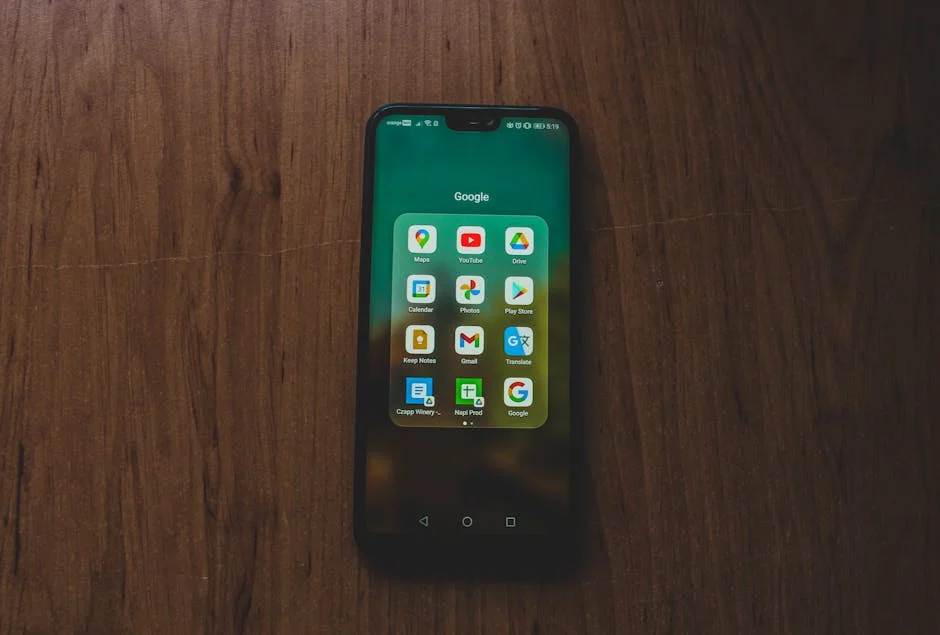
A google play store redeem code is a prepaid, alphanumeric voucher that adds value to a Google account balance or unlocks a specific digital item inside the Play ecosystem. People use it to buy apps, games, subscriptions, movies, books, or in-app content without sharing a credit card or linking a bank account. The code typically comes from a gift card, a promotional campaign, a carrier bundle, or a direct purchase from a retailer. Once entered, the value is applied to the Google Play balance associated with the account, and that balance can be used across supported purchases on Android devices, Chromebooks, and the web version of Google Play, depending on the region. Because the code is essentially a bearer instrument, anyone who redeems it first can often claim the value, which is why it’s treated like cash. That simple reality shapes how users should store it, share it, and verify it before attempting redemption. The most common formats include strings of letters and numbers separated by hyphens, though some regions and partners deliver codes in different layouts. Even though the concept is straightforward, confusion arises from regional restrictions, account country settings, and the differences between gift-card credit and promo credit.
Table of Contents
- My Personal Experience
- Understanding a Google Play Store Redeem Code and Why It Matters
- Where Redeem Codes Come From: Gift Cards, Promos, and Carrier Offers
- How to Redeem a Code on Android Using the Google Play App
- Redeeming a Code on a Computer Through Google Play on the Web
- Common Redemption Errors and What They Usually Mean
- How Google Play Balance Works After You Redeem
- Using Redeem Codes for Subscriptions, In-App Purchases, and Digital Content
- Expert Insight
- Safety Tips: Avoiding Scams, Code Generators, and Unauthorized Sellers
- Region, Currency, and Account Country: The Hidden Rules Behind Redemption
- What to Do If the Code Is Invalid, Already Redeemed, or Not Working
- Best Practices for Storing, Tracking, and Spending Redeemed Balance
- Choosing the Right Redeem Code Amount and Buying from Reliable Sources
- Final Thoughts on Redeeming and Using Play Codes Confidently
- Frequently Asked Questions
My Personal Experience
Last week I bought a Google Play Store redeem code at a grocery store checkout because I didn’t want to use my credit card online. When I got home, I opened the Play Store, tapped my profile icon, went to Payments & subscriptions, and hit Redeem code. The first time it failed because I mixed up an “O” and a zero, but once I retyped it carefully the balance showed up instantly. I used it to pay for a month of an app subscription and a small in‑game purchase, and it was honestly nice seeing the total come out of the Play balance instead of my bank account. I took a quick screenshot of the confirmation just in case, but everything worked smoothly after that initial typo.
Understanding a Google Play Store Redeem Code and Why It Matters
A google play store redeem code is a prepaid, alphanumeric voucher that adds value to a Google account balance or unlocks a specific digital item inside the Play ecosystem. People use it to buy apps, games, subscriptions, movies, books, or in-app content without sharing a credit card or linking a bank account. The code typically comes from a gift card, a promotional campaign, a carrier bundle, or a direct purchase from a retailer. Once entered, the value is applied to the Google Play balance associated with the account, and that balance can be used across supported purchases on Android devices, Chromebooks, and the web version of Google Play, depending on the region. Because the code is essentially a bearer instrument, anyone who redeems it first can often claim the value, which is why it’s treated like cash. That simple reality shapes how users should store it, share it, and verify it before attempting redemption. The most common formats include strings of letters and numbers separated by hyphens, though some regions and partners deliver codes in different layouts. Even though the concept is straightforward, confusion arises from regional restrictions, account country settings, and the differences between gift-card credit and promo credit.

Another reason a google play store redeem code matters is the way it supports budgeting and account control. Parents often prefer gift codes for children’s accounts to limit spending, while adults use them to cap monthly entertainment purchases or avoid recurring charges. Redeem codes can also be used in corporate settings, where an organization provides Play credit for employees to purchase work-related apps. In addition, many people receive a code as a reward for participating in surveys, promotions, or device launches; this makes the redemption process feel like “free money,” but it can also invite scams that promise codes in exchange for personal information. Understanding the purpose of the code helps clarify what it can and cannot do. A redeem code typically cannot be exchanged for cash, transferred between accounts after redemption, or used outside the supported country or currency. When problems occur, they often trace back to mismatched region settings, expired promotions, or attempts to use a code that has already been redeemed. Grasping these fundamentals makes it easier to navigate the practical steps, troubleshoot errors, and avoid common pitfalls that cause unnecessary delays.
Where Redeem Codes Come From: Gift Cards, Promos, and Carrier Offers
The most familiar source of a google play store redeem code is a physical or digital Google Play gift card sold by authorized retailers. Physical cards usually have a scratch-off panel that reveals the code, while digital cards deliver the code via email, receipt printout, or a retailer account page. Authorized channels matter because codes purchased from unofficial marketplaces carry a higher risk of being invalid, already used, obtained through fraud, or geographically restricted. Promotions are another major source. Hardware manufacturers, app publishers, and marketing campaigns sometimes distribute limited-time codes that add a promotional balance or unlock a specific subscription for a defined period. These promo codes can be more restrictive than gift cards, limiting what you can buy or requiring redemption before an expiration date. Users often overlook the fine print, then assume the code is “broken” when it doesn’t apply to a particular purchase. It’s also common for promotional credit to be non-transferable and to disappear if the account changes country or if the terms are violated.
Mobile carriers and internet providers occasionally bundle a google play store redeem code as part of a plan upgrade, a new device activation, or a loyalty reward. These offers may require redemption through a carrier app, a unique link, or a specific account type. Some carriers deliver the code in an SMS or billing statement, which can be easy to miss or accidentally delete. Corporate gifting platforms and HR reward systems can also distribute Play codes, but they may apply country restrictions based on the purchaser’s region. When receiving codes from third parties, it’s wise to confirm the issuer, the expiration window, and whether the code is intended for Google Play credit or for a specific product. In many cases, a code is tied to a currency and can only be redeemed by accounts in the same country. That detail becomes especially important for travelers, expats, and anyone who has moved between regions, because their Google account country setting may not match the origin of the code. Knowing the source of a code often reveals the rules that control redemption.
How to Redeem a Code on Android Using the Google Play App
Redeeming a google play store redeem code on an Android phone or tablet is usually the fastest method, because the Play Store app is already connected to the signed-in Google account. Open the Google Play Store app, tap your profile icon, and look for the “Payments & subscriptions” or “Payment methods” area where “Redeem code” appears. Enter the code carefully, including any hyphens if the field accepts them, and confirm the redemption. Before you finalize, double-check which Google account is active, especially if the device has multiple accounts signed in. Redeeming to the wrong account is one of the most frustrating mistakes because value often cannot be moved afterward. If you’re redeeming a gift card, the balance should update almost immediately, and you can verify it by checking your Play balance in the payment methods section. If you’re redeeming a promotional code, the confirmation screen may show specific terms, such as an expiration date for the credit or restrictions on what it can purchase.
Accuracy and account context matter more than many people expect. A google play store redeem code that seems valid can still fail if the Play Store app is set to a different country than the code’s region, or if your account is part of a Google family group with shared payment methods that complicate the purchase flow. If the code is for a subscription trial, you may be prompted to add a backup payment method even though the code covers the initial period; this is a common requirement to ensure continuity after the promo ends. Another practical tip is to avoid copying the code from untrusted sources. If the code arrives by email, confirm the sender domain and match the order details to your purchase. For physical cards, scratch gently and keep the receipt until you see the balance applied. If you encounter an error, don’t keep hammering the redeem button repeatedly; repeated attempts can trigger security checks. Instead, verify the code characters, restart the Play Store app, ensure the device time is correct, and confirm you’re on a stable network. These small steps resolve a surprising number of redemption hiccups.
Redeeming a Code on a Computer Through Google Play on the Web
Redeeming a google play store redeem code on a computer is convenient when you’re managing multiple accounts, saving receipts, or helping someone remotely. Visit the Google Play website while signed in to the correct Google account. Then locate the redemption option, which is typically accessible through the “Payments & subscriptions” area or via a direct “Redeem” link in the navigation. Enter the code and confirm. The web interface is helpful because it makes it easier to confirm which account is active, and it often displays balance and transaction history in a readable way. If you’re redeeming a code for a specific item, such as an app or subscription, you might be redirected to a purchase page where the discount or credit is applied automatically. For users who prefer not to use the Play Store app, web redemption is a reliable alternative and can be less prone to device-specific glitches.

Even on the web, the same constraints apply to a google play store redeem code: region matching, expiration limits, and prior redemption status. If you see an error message, take note of the exact wording rather than paraphrasing it, because subtle differences can indicate very different causes. A “code not valid” message can mean the code was mistyped, while “code can only be used in X country” points to region mismatch. If you’re signed into multiple Google accounts in one browser, use an incognito/private window or explicitly log out of the other accounts to reduce confusion. It’s also wise to avoid redeeming codes on public computers, as saved sessions and browser autofill can expose account access. After redemption, check the updated Play balance and keep a screenshot of the confirmation page along with the retailer receipt, especially for higher-value cards. This documentation can help if the balance doesn’t appear correctly or if you later need to contact support to investigate a redemption dispute.
Common Redemption Errors and What They Usually Mean
When a google play store redeem code fails, the error message often points to one of a few recurring problems. The most common is a simple typo: confusing “O” with “0,” “I” with “1,” or missing a character hidden under scratch-off residue. Another frequent issue is attempting to redeem a code that has already been claimed. This can happen if the code was previously redeemed on the same account, redeemed on a different account, or compromised before you received it. Region mismatch is also a major cause. Google Play gift cards and many promotional codes are country-specific; if your Google account is set to a different country than the code’s origin, redemption may be blocked even if you are physically located where the card was purchased. Some users run into errors after moving or traveling, because their account country setting can lag behind their new location and may only be changeable under certain conditions. Additionally, certain promo codes only apply to first-time subscribers or new users, so an account with previous subscription history may be ineligible.
Less obvious errors can involve account security and policy restrictions. A google play store redeem code might be rejected if Google detects unusual activity, such as repeated redemption attempts, use of VPNs that conflict with the account’s region, or a payment profile that appears inconsistent. In some cases, the Play Store app cache becomes stale, causing the interface to display outdated balance information or fail to process redemption correctly. Clearing the Play Store cache, updating the app, or switching networks can help. It’s also important to recognize that some codes are not “balance” codes at all. A code might be tied to a specific in-app item or subscription and must be redeemed within that app’s interface rather than the general Play redemption field. If the code came from a third-party promotion, check the redemption instructions carefully; there may be a required link or a partner portal that activates the offer before you can use it. Understanding what the error usually indicates can prevent wasted time and reduce the temptation to buy “replacement codes” from risky sources.
How Google Play Balance Works After You Redeem
After a google play store redeem code is accepted, the resulting Play balance becomes a stored value attached to your Google account. This balance is often used automatically when you purchase eligible content, and it can be combined with other payment methods if the balance is insufficient for the full amount, depending on the purchase type and region. For example, you may be able to use Play balance plus a credit card to cover a subscription renewal, but certain subscriptions might require a backup payment method even if the balance is currently adequate. The balance can typically be used for apps, games, in-app purchases, movies, and books, but some items may be excluded in certain countries. Taxes may also apply, meaning your balance can deplete faster than expected if the displayed price is before tax in your region. It’s useful to check the purchase confirmation screen to see exactly how much will be drawn from the balance and whether any remaining amount will be charged elsewhere.
Promotional credits behave differently than standard gift-card credit even though both can originate from a google play store redeem code. Promo credit may expire, may not be refundable, and may be limited to specific categories like apps or in-app items. Some promo balances cannot be used for subscriptions, and others can only be used for a first purchase within a time window. Google Play may also apply credits in a particular order, such as using expiring promotional credit before non-expiring gift balance. This can be beneficial if you plan purchases strategically, but it can also be confusing if you expect your gift balance to remain untouched. Another detail is that Play balance is generally non-transferable; once redeemed, it stays with that account. If you manage multiple family accounts, consider redeeming on the account that will actually make the purchases. Keeping track of transaction history and balance changes can help spot anomalies early, such as an unexpected charge or a purchase made by someone with device access. In shared-device households, enabling purchase authentication adds an extra layer of protection for your balance.
Using Redeem Codes for Subscriptions, In-App Purchases, and Digital Content
A google play store redeem code can be used in several ways, but the experience differs by product type. For one-time purchases like apps, games, movies, or books, the Play balance typically applies cleanly at checkout. For in-app purchases, the app triggers a Play billing prompt, and your balance is used if eligible. Subscriptions are more nuanced. Many subscription services on Google Play support Play balance, but they often require a backup payment method for renewals, and some publishers restrict certain payment types. If you redeem a code intending to pay for a subscription, verify the subscription’s payment method options on the checkout screen. Also consider timing: if you redeem a large balance and start a subscription, but later change your account country or face a payment profile issue, renewals can fail even with sufficient balance. Additionally, some subscription promos require a specific google play store redeem code that must be applied before you subscribe; redeeming after the fact may not retroactively discount the plan.
| Option | What it’s for | Pros | Cons / Notes |
|---|---|---|---|
| Google Play Gift Card (Redeem Code) | Adds Google Play balance for apps, games, in‑app items, movies, books, and more. | Widely available; easy to redeem; good for gifting; works without a credit card. | Region/currency locked; generally non‑refundable; balance can’t be transferred to another account. |
| Promo Code (Google Play Promotion) | Discounts or credits tied to a specific offer (app, game, subscription, or content). | Can reduce cost significantly; sometimes stacks with Play balance; quick to apply at checkout. | Often expires; may be limited to new users/devices; may apply only to specific items or subscriptions. |
| Direct Payment Method (Card/PayPal/Carrier Billing) | Pay directly for purchases and subscriptions without using a redeem code. | No need to buy codes; supports recurring subscriptions; typically fewer region restrictions. | Requires a supported payment method; may be declined by bank/carrier; less gift‑friendly than codes. |

Expert Insight
Redeem your Google Play Store code only from the official Play Store app or play.google.com, and double-check the account shown before confirming—codes apply to the currently signed-in profile and typically can’t be moved afterward. If you’re looking for google play store redeem code, this is your best choice.
If a code won’t redeem, verify the region and expiration details, then try basic fixes like updating the Play Store app, clearing its cache, and removing/re-adding your Google account; if it still fails, contact Google Play Support with the code and a screenshot of the error. If you’re looking for google play store redeem code, this is your best choice.
For digital rentals and purchases, another practical factor is content availability. A google play store redeem code adds value, but it doesn’t change licensing restrictions; a movie available in one country may not be available in another, even if you have balance. For books and audiobooks, publisher rights can similarly vary. In-app purchases can also have app-level restrictions, such as items not being purchasable in certain regions or requiring a minimum account age. If you are buying in-game currency, pay attention to whether the purchase is consumable, non-refundable, and tied to the game account. When using redeemed balance for gifts, note that Google Play does not universally support gifting apps or content in all regions, so your best “gift” option is often to give the recipient their own code rather than redeeming it yourself. Finally, if you’re using balance for multiple small purchases, consider enabling purchase authentication to prevent accidental taps from consuming value, especially on devices used by children.
Safety Tips: Avoiding Scams, Code Generators, and Unauthorized Sellers
Because a google play store redeem code functions like cash, it is a frequent target for scammers. Fraudsters often pose as support agents, employers, online friends, or even government representatives and demand payment via gift cards. The moment someone asks you to buy a Play gift card and read the code aloud, it is almost certainly a scam; legitimate organizations rarely, if ever, accept gift cards as payment. Another common trap is the promise of “free codes” through generators, cracked apps, or suspicious survey sites. These schemes often steal personal data, install malware, or trick users into paying for subscriptions. Even if a code appears to work, it may be obtained through fraud, which can lead to later account issues if Google reverses the value. Unauthorized resale marketplaces are also risky. Sellers may offer discounted codes that are region-locked, already redeemed, or purchased with stolen payment methods. If you lose access to the code’s value, you may have little recourse.
Good safety hygiene around a google play store redeem code starts with sourcing. Buy from reputable retailers, keep receipts, and avoid sharing photos of the code, even partially. For physical cards, inspect the packaging; tampered cards can be compromised before purchase, with the code already copied and the scratch-off area resealed. At checkout, ask for a receipt that shows the activation, since gift cards sometimes require proper point-of-sale activation. If you receive a code by email, confirm the sender and avoid clicking shortened links; instead, go directly to Google Play and redeem through official interfaces. Enable security features on your Google account, including two-step verification, and lock down device access with a screen lock. For households, set up a family group thoughtfully and require authentication for every purchase. If a scammer has already obtained your code, act quickly: redeeming it yourself may secure the value, but only if you are the rightful owner and the code is legitimate. If you suspect theft or card tampering, contact the retailer and Google support with documentation rather than negotiating with strangers online.
Region, Currency, and Account Country: The Hidden Rules Behind Redemption
Many redemption problems trace back to region rules rather than the code itself. A google play store redeem code is usually issued for a specific country and currency, and Google Play enforces that alignment. Your Google account has a Play country setting that influences available apps, prices, and payment options. If your account is set to a different country than the code, redemption may fail with a region-related error. This can happen even if you are physically present in the code’s country, because the account setting is not purely location-based. It is influenced by factors like payment profiles, Play Store country settings, and sometimes the presence of a local payment method. People who travel frequently, use VPNs, or have multiple payment profiles can accidentally create mismatches that block redemption. Even moving permanently can be tricky, because changing the Play country may be limited to once per year and may require a valid payment method in the new country.
Before purchasing a google play store redeem code, it’s wise to confirm your Play country setting and ensure it matches the card’s region. If you’ve recently relocated, consider whether to update your account country first or to use a code from your current account region. If you already have a code that doesn’t match, forcing it usually doesn’t work and can create more issues. Avoid “fixes” that rely on VPN tricks; they can trigger security flags and still won’t change the underlying country setting. Instead, focus on legitimate alignment: updating the Play country when eligible, using a local payment method if required, and ensuring your Google payments profile reflects the correct country. If you have multiple Google accounts, another legitimate approach is redeeming the code on an account whose country matches the code’s origin, provided you control that account and intend to use the balance there. Understanding these rules saves time and prevents the disappointment of buying a code that cannot be redeemed on the account you use daily.
What to Do If the Code Is Invalid, Already Redeemed, or Not Working
If a google play store redeem code doesn’t work, start with the basics: verify every character, remove spaces, and check for common look-alikes like “B” and “8.” For physical cards, ensure the scratch-off coating is fully removed without damaging the print. Next, confirm you are redeeming on the intended Google account and that your Play country matches the card’s region. Restart the Play Store app or try redeeming on the web to rule out device-specific issues. If the error suggests the code has already been redeemed, consider whether someone else could have accessed it. With digital delivery, check whether the code was exposed in a shared inbox or forwarded. With physical cards, consider possible tampering. If you purchased from an authorized retailer and have a receipt, you have a stronger path to resolution than if the code came from an anonymous seller.
When escalation is necessary, gather documentation before contacting support. For a google play store redeem code bought in-store, keep the receipt, the card itself, and any activation slip. For online purchases, save the order confirmation email, invoice number, and the code delivery details. When contacting Google Play support, provide the code only through official support channels, and be cautious about sharing screenshots that include sensitive account information. If the retailer failed to activate the card properly, the retailer may be the correct first contact, because the issue can be at the point of sale. If the code appears stolen or compromised, report it promptly; delays can reduce the chance of recovery. Avoid purchasing “replacement codes” from third parties who claim they can fix invalid codes, as this often leads to additional losses. A methodical approach—verify, confirm region, try alternate redemption methods, then contact the appropriate support with proof—solves most legitimate redemption failures without unnecessary risk.
Best Practices for Storing, Tracking, and Spending Redeemed Balance
Once you’ve successfully redeemed a google play store redeem code, the next challenge is managing the balance intelligently. Start by checking your Play balance immediately after redemption and recording the amount and date in a secure note or password manager. This is helpful if you redeem multiple codes over time and want to reconcile your spending. Keep receipts until you’ve fully used the balance, especially for higher-value cards. On shared devices, turn on purchase authentication for every purchase to prevent accidental spending. Also consider enabling notifications for purchases so you can spot unexpected activity quickly. For parents, Google’s family tools and supervised accounts can provide additional controls, but they should still be paired with authentication prompts. If you use multiple devices, ensure they are all secured with screen locks and that your Google account has two-step verification enabled, because anyone with device access can sometimes initiate purchases.

Spending strategy matters because some balances, especially promotional credits that come from a google play store redeem code, may expire. Check whether any portion of your balance is promotional and whether it has a time limit. If it does, prioritize purchases you already planned—apps you need, a movie rental you’ll actually watch, or in-app items you’ll use—rather than impulse spending. Watch for subscriptions that might renew unexpectedly; even if you use balance to start a plan, a backup payment method could be charged later if the balance runs out. If you want to avoid that, set calendar reminders for renewal dates and consider canceling immediately after subscribing if the service allows you to retain access until the end of the billing period. Review transaction history periodically to ensure purchases match your expectations, and avoid signing into your account on devices you don’t control. Treat the balance as real money: the more disciplined your tracking and security practices, the more value you’ll actually get from redeemed credit.
Choosing the Right Redeem Code Amount and Buying from Reliable Sources
Choosing the right google play store redeem code amount depends on how you plan to spend. If you’re buying a specific app or game, look up the total cost including tax, then select a card value that covers it with a small buffer. If you’re funding in-app purchases or a subscription for several months, calculate the monthly cost and decide whether you want to preload the entire amount or top up gradually. Smaller amounts reduce risk if something goes wrong, but larger amounts can be more convenient and may be easier for gifting. For parents and budgeters, smaller periodic codes can create a controlled spending rhythm. For frequent buyers, a larger balance can streamline checkout and reduce dependence on cards. The key is aligning the value with your actual usage patterns and your comfort with holding stored value on an account.
Source reliability is equally important. Buy a google play store redeem code from major retailers, official online stores, or trusted local shops with proper activation systems. Be skeptical of unusually steep discounts, especially from marketplace sellers who cannot provide proof of purchase. If you’re gifting, consider sending a digital gift card directly through a reputable platform that delivers to the recipient’s email, reducing the risk of physical tampering. For physical cards, inspect the back and the packaging for signs of scratching, resealing, or damage. At checkout, ensure the cashier provides a receipt and that the card is activated; unactivated cards can look normal but fail at redemption. If you’re buying online, avoid sellers who deliver codes through unsecured messaging apps or images, as those can be intercepted. A little caution at purchase time prevents most redemption headaches later and ensures the code you buy behaves like the straightforward payment tool it’s supposed to be.
Final Thoughts on Redeeming and Using Play Codes Confidently
Using a google play store redeem code is one of the simplest ways to pay for digital entertainment and apps, but smooth redemption depends on a few practical details: correct account selection, careful entry, legitimate sourcing, and region alignment. Once redeemed, managing the balance with authentication settings, transaction monitoring, and awareness of promotional expiration rules helps protect the value and reduce unwanted charges. If something goes wrong, the most effective path is to document everything, avoid risky third-party “fixes,” and work with the retailer or Google support through official channels. With those habits in place, codes become a flexible tool for gifting, budgeting, and safer spending without exposing sensitive payment information.
A google play store redeem code is ultimately most useful when it’s treated like cash: purchased from reliable sources, stored securely, redeemed on the correct account, and spent with a clear plan. Whether you’re topping up for in-app items, paying for a subscription, or giving someone a practical gift, the same principles apply—verify the code’s origin, respect country and currency rules, and keep proof of purchase until the value is fully used. By focusing on security and eligibility from the start, you avoid the common traps that lead to invalid-code errors, region blocks, or lost balances, and you get the full benefit of the credit you intended to add.
Summary
In summary, “google play store redeem code” is a crucial topic that deserves thoughtful consideration. We hope this article has provided you with a comprehensive understanding to help you make better decisions.
Frequently Asked Questions
What is a Google Play Store redeem code?
A **google play store redeem code** is a voucher-style code you can enter to add credit to your Google Play balance or instantly unlock specific content—such as apps, games, subscriptions, or in-app items—without needing to pay at checkout.
How do I redeem a code on the Google Play Store?
To use a **google play store redeem code**, open the Google Play app, tap your profile icon, go to **Payments & subscriptions**, choose **Redeem code**, and then enter your code to apply it to your account.
Can I redeem a Google Play code on a computer?
Yes. Go to play.google.com, sign in, open Payments & subscriptions, choose Redeem, and enter the code.
Why does my Google Play redeem code say it’s invalid?
Common reasons a **google play store redeem code** won’t work include simple typos, an expired or previously used code, regional restrictions, or using a code that isn’t actually meant for Google Play.
Do Google Play redeem codes expire?
Some promo codes come with a clear expiration date, but many gift card codes don’t. To be safe, check the card, your receipt, or the promotion’s terms and conditions for any time limits—especially if you’re using a **google play store redeem code**.
What should I do if my Google Play redeem code was already redeemed?
Verify you’re signed into the correct Google account and check your Play balance and purchase history; if it still doesn’t match, contact Google Play support or the retailer with proof of purchase. If you’re looking for google play store redeem code, this is your best choice.
? Looking for more info about google play store redeem code? Follow Our Site for updates and tips!