A 3d printer print bed is more than a flat platform that holds plastic while a nozzle moves around. It is the foundation of dimensional accuracy, surface quality, and reliability for every job you run, whether you print small calibration cubes or large functional parts. When the bed is stable, flat, properly leveled, and held at the right temperature, the first layer bonds predictably and stays put through the entire build. When it is not, problems cascade: edges lift, corners warp, layers shift, the nozzle scrapes the surface, and the printer wastes time and material. The print bed also affects how easily a finished part releases, how glossy or matte the bottom surface looks, and how consistent the first-layer height is across the full build area. Even printers with excellent motion systems can deliver poor results if the bed is inconsistent, because the first layer is the reference plane for everything that follows. Many beginners focus on slicer settings first, but the bed’s mechanical and thermal behavior often determines whether those settings can work at all. A slightly uneven bed can force you into compromises: over-squishing in one area to compensate for a low spot, or raising the nozzle to avoid a high spot and losing adhesion elsewhere. That is why experienced users treat the build surface like a precision component, not an afterthought.
Table of Contents
- My Personal Experience
- Understanding the 3d printer print bed and why it matters
- Print bed types: heated vs unheated and what to expect
- Build surface materials: glass, PEI, textured plates, and more
- Bed leveling vs mesh compensation: getting the first layer right
- Temperature control and thermal uniformity across the bed
- Adhesion strategies: clean surfaces, adhesives, and release control
- Common print bed problems: warping, elephant’s foot, and first-layer defects
- Expert Insight
- Maintenance and cleaning routines that keep the bed consistent
- Upgrades and accessories: magnetic flex plates, insulation, and enclosures
- Slicer and first-layer settings that interact with the bed
- Material-specific bed guidance for PLA, PETG, ABS/ASA, TPU, and nylon
- Safety, longevity, and best practices for long-term reliability
- Choosing the right 3d printer print bed setup for your workflow
- Watch the demonstration video
- Frequently Asked Questions
- Trusted External Sources
My Personal Experience
The first week I had my 3D printer, I couldn’t figure out why every print kept peeling up at the corners until I realized the print bed was the real problem, not my slicer settings. I’d been wiping it with a paper towel and calling it “clean,” but a quick scrub with isopropyl alcohol and a proper re-level made a huge difference. I also noticed my bed temperature was a little too low for PLA, so I bumped it up and watched the first layer finally lay down smoothly instead of looking like a loose web. Since then, I’ve gotten into the habit of checking the nozzle gap with a sheet of paper before long prints, because one tiny change in the bed can turn a perfect job into a spaghetti mess. If you’re looking for 3d printer print bed, this is your best choice.
Understanding the 3d printer print bed and why it matters
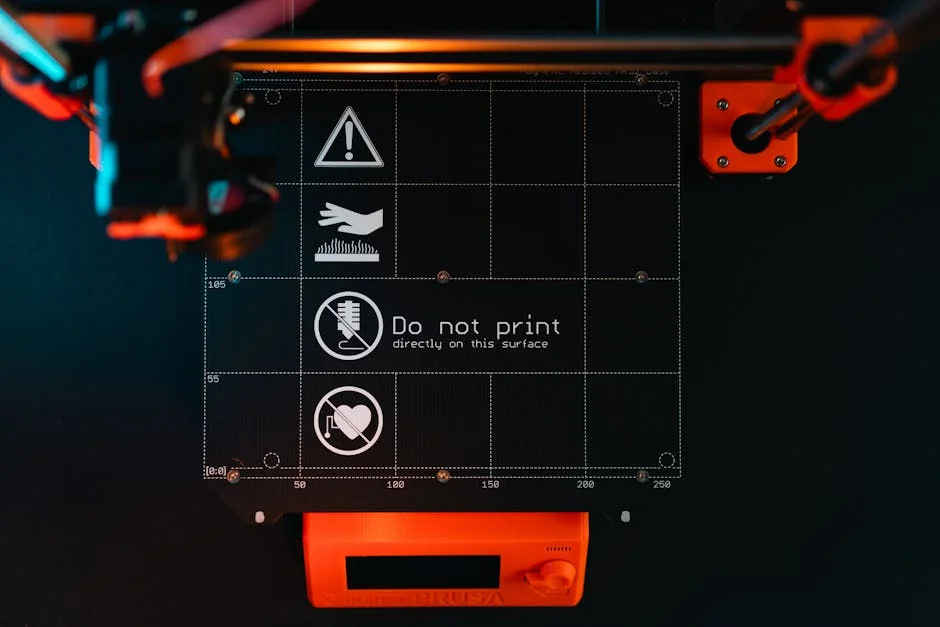
A 3d printer print bed is more than a flat platform that holds plastic while a nozzle moves around. It is the foundation of dimensional accuracy, surface quality, and reliability for every job you run, whether you print small calibration cubes or large functional parts. When the bed is stable, flat, properly leveled, and held at the right temperature, the first layer bonds predictably and stays put through the entire build. When it is not, problems cascade: edges lift, corners warp, layers shift, the nozzle scrapes the surface, and the printer wastes time and material. The print bed also affects how easily a finished part releases, how glossy or matte the bottom surface looks, and how consistent the first-layer height is across the full build area. Even printers with excellent motion systems can deliver poor results if the bed is inconsistent, because the first layer is the reference plane for everything that follows. Many beginners focus on slicer settings first, but the bed’s mechanical and thermal behavior often determines whether those settings can work at all. A slightly uneven bed can force you into compromises: over-squishing in one area to compensate for a low spot, or raising the nozzle to avoid a high spot and losing adhesion elsewhere. That is why experienced users treat the build surface like a precision component, not an afterthought.

The print bed also interacts with your filament choice in a direct way. PLA can tolerate a cooler surface and still stick, while ABS and some nylons demand higher bed temperatures and more controlled cooling to resist shrinkage. The bed’s material and coating determine the adhesion mechanism: chemical bonding to a polymer film, mechanical grip from texture, or mild “suction” when a smooth surface cools. If the bed heats unevenly, a large part can grip well in the center and lift at the edges, even when the average temperature seems correct. If the bed is too hot, you can get elephant’s foot and difficulty releasing parts; too cool and the first layer may not anchor. On top of that, the bed is exposed to repeated thermal cycling, nozzle contact accidents, and cleaning chemicals, so it must be durable and maintain consistent performance. Choosing, tuning, and maintaining a 3d printer print bed is therefore a practical skill that impacts day-to-day success far more than many exotic upgrades. When you understand the bed’s role, you can diagnose failures faster, pick surfaces that match your materials, and get consistent first layers without endless trial and error.
Print bed types: heated vs unheated and what to expect
Most modern machines rely on a heated 3d printer print bed because heat expands the range of materials you can run and stabilizes adhesion. A heated platform reduces the temperature gradient between the molten filament and the build surface, helping the plastic settle and bond before it cools and shrinks. For PLA, a mild bed temperature often improves consistency, particularly on larger prints where the edges might otherwise lift due to drafts or aggressive part cooling. For PETG, heat can improve wetting and reduce the chance of corners peeling up, though too much heat can make PETG grip excessively. For ABS, ASA, and many engineering filaments, a heated bed is not optional; it is a key part of managing shrinkage and warp. Heated beds also make it easier to tune first-layer “squish” because the surface stays at a stable temperature rather than fluctuating with room conditions. That stability matters when you print overnight or in a garage where ambient temperature changes. However, heating introduces its own variables: warm-up time, power delivery, thermal expansion, and the need for proper insulation and wiring. If the heater is underpowered or poorly controlled, you can see slow recovery after the part cooling fan turns on, leading to temperature swings that show up as adhesion inconsistency across long prints.
An unheated 3d printer print bed can still work well for PLA and some specialty low-temperature materials, especially when paired with an adhesive surface designed for cold printing. The advantages are simplicity, lower power consumption, and fewer thermal stresses on the machine. Some compact printers and older designs use unheated beds successfully, particularly when the build area is small and the environment is stable. The downside is reduced material compatibility and increased reliance on surface chemistry, adhesives, and careful draft control. Without bed heat, large PLA parts can still warp if the room is cool or if the first layer cools too quickly. You may need to slow the first layer, reduce fan speed initially, and ensure the bed is exceptionally clean. Another consideration is release behavior: heated surfaces often release parts more easily when cooled, while cold-bed setups may require more prying or flexible plates. If you print only small PLA parts, an unheated bed can be perfectly adequate, but the moment you want PETG, ABS, or nylon with any reliability, a heated bed becomes one of the most practical upgrades. In both cases, the core goal remains the same: keep the build surface flat, stable, and predictable so the first layer forms a uniform footprint across the entire 3d printer print bed.
Build surface materials: glass, PEI, textured plates, and more
The surface on top of a 3d printer print bed determines adhesion strength, bottom finish, and how forgiving the platform is during setup. Glass is popular because it can be very flat and produces a smooth, glossy bottom layer. Many users like borosilicate glass for its thermal stability and resistance to warping. On glass, adhesion often depends on a coating, such as a glue stick, hairspray, or a purpose-made adhesive. Clean glass can work for PLA when properly leveled, but it may be inconsistent if oils build up or if the bed temperature is not tuned. Another common surface is PEI (polyetherimide), available as smooth sheets or textured powder-coated plates. Smooth PEI provides strong adhesion for PLA, PETG, and ABS when clean, and it tends to release parts as the bed cools. Textured PEI creates a matte, grippy bottom finish and can reduce visible first-layer artifacts, but it may require slightly different Z-offset tuning because the texture changes the effective contact points. Spring steel sheets with PEI coatings have become a standard because they combine reliable adhesion with easy part removal by flexing the plate.
Other materials and coatings fill specific niches. BuildTak-style polymer sheets can provide strong grip but can be damaged by nozzle crashes and may hold PETG too tightly unless you use a release agent. Garolite (G10/FR4) is valued for nylon and some composites because it offers a mechanical bite without needing extreme temperatures, though surface preparation and cleanliness are important. Some users print on polypropylene sheets for polypropylene filament, or use specialty surfaces designed for TPU to prevent over-adhesion. Each option has trade-offs: a surface that grips aggressively can prevent warping but may tear the first layer during removal; a surface that releases easily can cause corners to lift on long jobs. The best approach is to match the build surface to the materials you print most and to your tolerance for maintenance. A surface that performs brilliantly when freshly cleaned might degrade if it is repeatedly wiped with the wrong solvent or scraped with metal tools. Treat the top of the 3d printer print bed as a consumable system: the heater and plate are long-term components, while the removable surface may be replaced periodically to keep adhesion consistent and to avoid chasing problems that are actually caused by a worn coating.
Bed leveling vs mesh compensation: getting the first layer right
“Leveling” a 3d printer print bed is really about tramming: aligning the bed plane so it is parallel to the nozzle’s motion plane. Manual tramming typically uses screws at the corners (and sometimes the center) to raise or lower the platform. The goal is a consistent nozzle gap across the build area so the first layer is neither too squished nor too airy. If the nozzle is too close, the filament can smear, the extruder may click, and the bottom surface can show ridges; too far and the bead won’t bond, resulting in gaps and weak adhesion. Traditional paper methods work because they provide a repeatable feel, but they can mask subtle unevenness if the bed is warped or if the gantry is not square. It also matters that the bed and nozzle are at printing temperature when you tram, because thermal expansion can change the geometry. A bed that seems perfect when cold may shift enough when hot to cause problems. Many users also forget that the nozzle tip can accumulate plastic, altering the effective height; cleaning the nozzle before leveling prevents chasing errors that aren’t really bed-related.
Mesh compensation, often driven by an inductive probe, BLTouch-style sensor, or load cell, maps the height variations across the 3d printer print bed and adjusts Z in real time to follow the surface. This is not a substitute for basic tramming; it is a way to compensate for minor imperfections and manufacturing tolerances. A well-trammed bed with a mesh produces the most consistent first layers, because the mesh corrections remain small and smooth. If the bed is severely tilted, the probe may still create a mesh, but the required corrections can become large, increasing the risk of artifacts and inconsistent extrusion. Another key factor is Z-offset calibration: the probe measures relative distance, but you must set the nozzle-to-bed “zero” precisely. Too high and the mesh won’t save adhesion; too low and you can gouge the surface. It helps to validate with a first-layer test pattern that covers the full build area. Watch for uniform line width and consistent sheen. If one area looks transparent or scratchy, the nozzle is too close there; if lines are round and not touching, it’s too far. With the right combination of tramming, mesh, and Z-offset, a 3d printer print bed becomes predictable, letting you focus on part design and material behavior rather than constant first-layer drama.
Temperature control and thermal uniformity across the bed
Heat management on a 3d printer print bed is not only about reaching a target number in the firmware; it is about maintaining a uniform temperature across the usable area and keeping it stable throughout the print. Many beds heat from the center outward, and edges can run cooler, especially on larger platforms or when the bed heater is underpowered. This matters because polymers respond strongly to temperature gradients. If the center is warm and the edges are cool, the first layer may bond in the middle while corners lift as they cool and shrink. Even a 5–10°C difference can be enough to trigger warping on ABS or ASA, or to cause intermittent lifting on PETG. Thermal uniformity is influenced by heater design (silicone mat, PCB traces, AC vs DC), the thickness and material of the bed plate (aluminum is common for good conduction), and whether the underside is insulated. Adding a high-temperature insulation layer can reduce heat loss downward and improve warm-up time, but it must be installed safely and kept clear of moving parts and wiring. Enclosures also change the equation by reducing convective heat loss from the top surface and by keeping the air around the part warmer, which reduces internal stress and improves adhesion on demanding filaments.

Control accuracy depends on the thermistor placement and the tuning of the PID or bang-bang control. If the sensor is poorly coupled to the plate or located in a spot that does not represent the average temperature, the displayed value can be misleading. A surface thermometer or thermal camera can reveal real differences across the 3d printer print bed, especially near corners. Once you know the gradient, you can adapt: raise the bed temperature slightly for large parts, use a brim to increase edge grip, or shift the part toward the center where heat is more consistent. It also helps to let the bed “soak” for a few minutes after it reaches target temperature, allowing the entire plate and surface to equalize. This is particularly important for glass, which can lag behind the heater due to its thermal mass. Another overlooked factor is part cooling airflow: strong fans can chill the bed surface near the front edge, causing localized adhesion loss. Redirecting airflow, reducing fan for the first layers, or using a draft shield can keep the first layer stable. When the 3d printer print bed is thermally consistent, you gain a wider processing window: settings that used to work only on small prints start working on larger ones, and adhesion becomes repeatable rather than dependent on luck.
Adhesion strategies: clean surfaces, adhesives, and release control
Reliable adhesion starts with cleanliness, because the 3d printer print bed is constantly exposed to fingerprints, airborne dust, and residue from previous prints. Oils from skin can create invisible low-adhesion zones that show up as random corner lifts or lines that refuse to stick. A routine of wiping the surface with the right solvent makes performance predictable. For many surfaces, isopropyl alcohol is a good day-to-day cleaner, but it may only smear some residues rather than remove them completely. Periodic washing with warm water and dish soap can restore adhesion dramatically, especially on PEI, because it removes oils that alcohol leaves behind. The key is to use a clean sponge, rinse thoroughly, and avoid touching the surface afterward. For glass, a clean razor scraper can remove stubborn films, but it should be used carefully to avoid scratches. For textured plates, avoid aggressive abrasion that can polish the texture and reduce grip over time. If you use adhesives, treat them as a controlled interface rather than a random fix. A thin, even layer is more consistent than thick patches, and it prevents the bottom of the print from picking up lumps or glossy spots.
Adhesives also serve a second purpose: release control. Some filaments bond too strongly to certain surfaces, and a release layer prevents damage to the surface or the part. PETG is notorious for over-adhering to bare glass and can chip it; a glue stick layer acts as a sacrificial barrier. TPU can grip textured PEI so well that it tears; a light adhesive layer can reduce bonding. ABS and ASA often benefit from specialized adhesives or slurry solutions, but these should be used with ventilation and care. Another strategy is choosing the right first-layer settings: a slightly wider first-layer line, a slower first-layer speed, and a moderate first-layer height can improve wetting and contact area on the 3d printer print bed. Brims, mouse ears, and rafts are geometry-based adhesion helpers that increase the footprint or isolate the part from the surface, though they add cleanup time and can affect bottom finish. Environmental control matters as well: drafts can defeat even the best adhesive by cooling edges too quickly. When you combine a clean bed, a compatible surface, and a deliberate adhesion method, you avoid the cycle of constantly changing slicer settings to compensate for a bed that is simply contaminated or mismatched for the filament. Consistent adhesion is not about making the print stick at all costs; it is about making it stick during printing and release safely afterward.
Common print bed problems: warping, elephant’s foot, and first-layer defects
Many failures blamed on the filament or slicer are rooted in the 3d printer print bed. Warping is one of the most common, especially on large parts and higher-shrink materials. It occurs when the part cools unevenly and internal stress pulls corners upward, breaking the bond to the bed. Bed temperature that is too low, a surface that is not suited to the filament, strong drafts, or insufficient contact area can all contribute. Even PLA can warp on a cold day if the printer is near an open window. Another issue is elephant’s foot, where the bottom edge bulges outward. This often comes from a bed that is too hot, a first layer that is too squished, or too much time spent with the lower layers softened by heat. Elephant’s foot can be reduced by lowering bed temperature after the first few layers, adjusting Z-offset slightly, enabling slicer compensation features, or adding a small chamfer to the model. First-layer ripples and ridges can indicate the nozzle is too close, causing excess material to be pushed sideways. Conversely, gaps between lines or poor bonding indicate the nozzle is too high or the surface is contaminated.
Expert Insight
Level the print bed with the nozzle and bed at operating temperature, then verify with a simple first-layer test pattern. Aim for a consistent “paper drag” feel at all corners and the center, and re-check after moving the printer or changing nozzles. If you’re looking for 3d printer print bed, this is your best choice.
Improve first-layer adhesion by matching the surface to the material: clean glass or PEI with isopropyl alcohol, lightly scuff glossy PEI if needed, and use a thin glue stick layer for tricky filaments like PETG to prevent over-bonding. Keep bed temperatures stable and avoid drafts to reduce warping and edge lift. If you’re looking for 3d printer print bed, this is your best choice.
Bed-related defects also include inconsistent first-layer thickness across the platform, often caused by a warped plate, loose screws, uneven spring tension, or a sagging gantry. Mesh leveling can hide some of this, but if the underlying mechanics are unstable, the mesh changes from print to print. Another problem is nozzle scraping the 3d printer print bed, which can happen after a crash, a changed nozzle, or a shifted Z-endstop. Scratches on PEI or BuildTak reduce consistency and can create permanent “hot spots” where adhesion differs. Glass can chip if PETG bonds too strongly or if you pry aggressively. A less obvious issue is micro-bubbles or blisters in PEI sheets, sometimes caused by overheating beyond the surface’s rating, which can create localized bumps that ruin the first layer. Diagnosing these problems is easier when you separate variables: run a large first-layer test, observe where it fails, and correlate that region with bed flatness, temperature gradient, or contamination. Treat the bed as a system: mechanical alignment, thermal behavior, surface chemistry, and slicer settings all interact. When you fix the root cause—often a simple cleaning, a Z-offset correction, or a bed temperature adjustment—the rest of your print profile becomes more stable and repeatable.
Maintenance and cleaning routines that keep the bed consistent
A 3d printer print bed performs best with a routine that prevents gradual performance drift. Start with simple habits: avoid touching the surface where parts print, and handle removable plates by the edges. After each print, remove leftover purge lines, skirts, and adhesive residue before it hardens. For spring steel sheets, flexing to pop parts off is better than scraping with metal tools, which can gouge coatings. If you must scrape, use a plastic tool and keep the blade flat to avoid digging into the surface. Regular cleaning depends on surface type. Smooth PEI often responds well to periodic soap-and-water washes, followed by a final wipe with isopropyl alcohol to remove water spots and speed drying. Textured plates can trap residue in the texture, so a gentle scrub with a soft brush and dish soap can restore grip. Glass benefits from occasional deep cleaning to remove invisible films; some users use dedicated glass cleaners, but ensure they don’t leave residues that reduce adhesion. If you use glue stick or liquid adhesives, clean and reapply in thin layers rather than letting thick buildup accumulate, since uneven adhesive thickness creates uneven first-layer height.
| Print Bed Type | Best For | Pros | Cons |
|---|---|---|---|
| PEI Spring Steel (Magnetic Flex Plate) | Everyday printing (PLA/PETG/ABS) with easy part removal | Excellent adhesion; flex-to-release; durable; smooth or textured options | Textured finish may show on parts; PETG can over-adhere without release agent |
| Borosilicate Glass | Flatness-critical prints and glossy first layers | Very flat; easy to clean; consistent surface; great with adhesives | Heavier/slower heat-up; parts can stick too well; can chip if mishandled |
| BuildTak-Style / Textured Sheet | PLA-focused printing and strong grip on small footprints | Strong adhesion; quick setup; hides minor bed imperfections | Can wear/tear; may require careful nozzle height; harder removal for some materials |

Mechanical maintenance also affects the 3d printer print bed. Check that leveling screws or knobs are snug and that springs or silicone spacers are providing consistent tension. Loose hardware can cause the bed to drift during long prints due to vibration. Inspect the bed carriage wheels or linear bearings for play, and ensure the bed moves smoothly without rocking. If you have a removable magnetic sheet system, keep the magnet layer clean and flat; trapped debris can create bumps that show up in the first layer. Wiring is another maintenance item: heated beds draw significant current, and damaged insulation or loose connectors can cause intermittent heating or safety hazards. Periodically inspect strain relief, cable chains, and solder joints, especially on beds that move back and forth. Firmware and calibration maintenance matters too: if you change the surface thickness (for example, switching from glass to a spring steel sheet), recalibrate Z-offset and rerun mesh probing if available. Keep notes on what cleaning method and bed temperature works for each filament. Consistency comes from repeating a known-good process rather than constantly improvising. With a stable routine, the 3d printer print bed becomes a dependable foundation, and prints start successfully with minimal babysitting.
Upgrades and accessories: magnetic flex plates, insulation, and enclosures
Upgrading a 3d printer print bed can dramatically improve daily usability. Magnetic flex plate systems are among the most impactful changes because they simplify part removal and reduce the temptation to pry aggressively. A typical setup uses a magnetic base attached to the heated platform and a spring steel sheet that snaps into place. The steel sheet may be coated with smooth or textured PEI, giving you a reliable adhesion surface that can be removed and flexed to release prints. This reduces stress on the printer’s mechanics and helps protect the surface from tool damage. Another upgrade is bed insulation on the underside, which improves heat efficiency and can reduce temperature gradients. By reducing heat loss downward, the bed reaches target temperature faster and maintains it with less power. This is especially useful for larger beds or printers that struggle to reach higher temperatures for ABS or ASA. When insulating, it’s important to use materials rated for the temperatures involved and to keep them clear of wiring and moving components.
Enclosures and draft shields are accessories that indirectly improve the 3d printer print bed’s performance by stabilizing the environment around the part. Warping is often driven by uneven cooling, and an enclosure keeps ambient air warmer and more consistent. Even for PLA, an enclosure can reduce random edge lift caused by airflow from HVAC vents or open doors, though you may need to manage internal temperature to avoid heat creep in the extruder. For ABS and ASA, an enclosure can be the difference between repeated failures and consistent success, because it reduces the thermal shock between the bed and the upper layers. Other useful accessories include bed clamps designed for specific surfaces (for example, glass clips that don’t interfere with nozzle travel), silicone bed spacers that replace springs for better long-term stability, and higher-quality thermistors for more accurate temperature readings. Some users also install an AC-powered heater for faster warm-up and stronger heating on large beds, but this requires careful electrical work and safety practices. The best upgrades are the ones that reduce variability: easier removal, more stable temperature, and fewer mechanical shifts. When the 3d printer print bed is predictable, you spend less time troubleshooting and more time producing parts that match your intended dimensions and finish.
Slicer and first-layer settings that interact with the bed
Slicer settings can either support or undermine the performance of a 3d printer print bed. The first layer is the most sensitive, and small changes in speed, width, and height can determine whether the print anchors properly. A slower first-layer speed gives filament time to wet the surface and reduces the chance that the nozzle drags partially adhered lines out of place. Many profiles use a first layer around 15–30 mm/s for reliability, even if the rest of the print runs much faster. First-layer line width is another lever: increasing it slightly can improve contact area and adhesion, particularly on textured surfaces. First-layer height should be chosen to match your nozzle size and bed flatness; a slightly taller first layer can be more forgiving on beds with minor variation, while a very thin first layer demands excellent tramming and a consistent surface. Extrusion multiplier or flow for the first layer can be increased modestly to ensure solid contact, but too much flow can create ridges and make the nozzle plow through excess material, especially if Z-offset is already tight.
Temperature settings also interact with the 3d printer print bed in a practical way. Many filaments benefit from a slightly higher nozzle temperature on the first layer to improve bonding, paired with a stable bed temperature. Cooling settings matter: disabling or reducing part cooling for the first few layers often improves adhesion by preventing the edges from chilling too quickly. After the base is established, fan speed can ramp up to improve overhangs and surface quality, depending on the material. Retraction and travel settings can affect first-layer integrity as well; excessive travel acceleration can tug at fresh lines, and aggressive retraction can cause under-extrusion at the start of a line, leading to gaps that weaken adhesion. Features like brims, rafts, and skirts are also slicer-level tools that compensate for challenging geometry or materials. A brim increases the effective footprint and helps stabilize corners, while a raft creates a sacrificial interface that can be helpful on rough or worn surfaces. However, these features add material and cleanup, so it’s often better to tune the bed and first-layer parameters first. When you align slicer choices with the behavior of your bed surface—rather than fighting it—you get a first layer that is uniform, strong, and visually clean across the entire 3d printer print bed.
Material-specific bed guidance for PLA, PETG, ABS/ASA, TPU, and nylon
Different filaments place different demands on a 3d printer print bed, and matching the surface and temperature to the material reduces failures. PLA is generally the easiest: it can adhere well to PEI, textured plates, and even clean glass with the right Z-offset. Bed temperatures commonly fall in a moderate range, but the bigger factor is cleanliness and avoiding drafts for large parts. PLA can also over-adhere on some surfaces when the nozzle is too close, leading to a rough bottom finish or difficult removal, so dialing in first-layer height matters. PETG tends to like a warmer bed and a surface that provides consistent grip without bonding permanently. Smooth PEI can work well, but PETG can sometimes stick too aggressively; using a thin release layer, adjusting Z-offset to reduce squish, or choosing a textured plate can help. PETG also strings and blobs more than PLA, and those blobs can drag across the first layer if adhesion is marginal, so a stable bed surface is important. ABS and ASA need higher bed temperatures and benefit greatly from an enclosure. They shrink more as they cool, so adhesion must be strong and uniform, and the environment should minimize cooling gradients. Specialized adhesives or surfaces, along with a properly heated bed, make these materials far more predictable.

Flexible filaments like TPU introduce a different challenge: they can grip textured surfaces so strongly that removal becomes difficult, and they can deform during removal if the bond is too strong. On a 3d printer print bed, TPU often behaves best with a surface that provides moderate adhesion and a controlled release, sometimes using a light adhesive layer as a separator. Printing TPU also benefits from careful first-layer tuning because the filament can compress and smear if the nozzle is too close. Nylon and nylon composites are among the most demanding common materials. They often require higher bed temperatures, low moisture content in the filament, and a surface that provides mechanical grip, such as Garolite, certain textured plates, or specialized nylon adhesives. Nylon warps significantly and can pull itself free late in a print if the bed bond is not strong enough. For all materials, the same principles apply: keep the bed clean, ensure consistent temperature, and calibrate Z-offset for the chosen surface. Instead of chasing a universal bed setup, it’s often smarter to maintain a couple of interchangeable plates for different materials, each tuned and documented. That approach turns the 3d printer print bed into a flexible platform that adapts to your projects rather than limiting them.
Safety, longevity, and best practices for long-term reliability
A 3d printer print bed is one of the highest-power components in many machines, and safe operation should be part of your routine. Heated beds draw sustained current, and that means wiring, connectors, and control boards must be in good condition. Periodically check for discoloration on connectors, brittle insulation, or loose terminals, especially on printers that have been upgraded or run at high temperatures. Strain relief is important because the bed moves repeatedly; without proper cable management, wires can fatigue and fail. If your printer uses an AC heater or high-wattage upgrade, use a solid-state relay rated appropriately, ensure proper grounding, and follow electrical safety standards. Thermal runaway protection should be enabled in firmware so the heater shuts down if the sensor fails or readings become abnormal. From a longevity perspective, avoid scraping aggressively with metal tools, and don’t run bed temperatures beyond the rating of your surface coating. Overheating can shorten the life of PEI sheets, deform magnetic layers, and weaken adhesives that bond surfaces to plates.
Best practices also include process habits that protect the 3d printer print bed from accidental damage. Always home the printer carefully after changing a nozzle or hotend component, because even a small change in nozzle length can cause a crash into the surface. Recalibrate Z-offset whenever you change build surfaces or add/remove a sheet. Let the bed cool before removing prints when possible; many surfaces release naturally upon cooling, reducing the force needed and preventing bending or chipping. Keep solvents and cleaners compatible with your surface: some chemicals can cloud plastics, degrade adhesives, or leave residues that reduce adhesion. Store spare plates flat to prevent warping, and keep them dust-free. If you print abrasive filaments, be mindful that stray particles can embed in softer surfaces and create scratch patterns that affect the first layer. Finally, document your working settings—bed temperature, cleaning method, Z-offset, and adhesion aids—for each filament and surface combination. That documentation turns troubleshooting into a quick check rather than a guessing game. With safe wiring, controlled temperatures, gentle handling, and consistent calibration, the 3d printer print bed stays reliable for years and supports repeatable results across many materials and part sizes.
Choosing the right 3d printer print bed setup for your workflow
Choosing a 3d printer print bed configuration is ultimately about matching your workflow, materials, and tolerance for maintenance. If you prioritize a glossy bottom finish and maximum flatness for dimension-critical parts, glass can be appealing, especially when paired with a consistent adhesive routine. If you value quick part removal and minimal downtime, a magnetic flex plate with PEI—smooth for a clean finish or textured for robust grip—often provides the best balance. If you print a wide range of materials, consider keeping multiple removable plates and labeling them by material: one tuned for PLA and PETG, another for ABS/ASA, and a dedicated surface for nylon. This approach reduces cross-contamination from adhesives and keeps your Z-offset adjustments predictable. For large-format printing, focus on thermal uniformity and stability: insulation, a well-tuned heater control loop, and an enclosure can matter more than the specific surface coating. If you mainly print small items, a simpler setup can be perfectly effective, but it should still be clean, stable, and properly calibrated.
Your day-to-day success depends on treating the 3d printer print bed as a controlled interface rather than a mystery variable. Keep the surface clean, handle it carefully, and verify first-layer performance with a wide test pattern whenever you change something significant. If adhesion is inconsistent, investigate systematically: confirm temperature stability, check for drafts, recheck tramming and Z-offset, and inspect the surface for wear or residue. When a bed surface starts to require increasingly extreme measures—excessive glue, very low Z-offset, or constant brim use—it may simply be worn and ready for replacement. A fresh sheet or plate can restore reliability instantly and often costs less than the filament wasted on repeated failures. Over time, the best setup becomes the one that lets you start a print confidently, knowing the first layer will anchor evenly and release cleanly when finished. With the right surface choice, stable heating, and a repeatable routine, the 3d printer print bed becomes a dependable production tool rather than a frequent source of troubleshooting.
Watch the demonstration video
In this video, you’ll learn how a 3D printer’s print bed affects first-layer adhesion and overall print quality. It explains common bed types and surfaces, how to level and calibrate the bed, and how to set the right temperature. You’ll also pick up quick fixes for warping, shifting, and poor sticking. If you’re looking for 3d printer print bed, this is your best choice.
Summary
In summary, “3d printer print bed” is a crucial topic that deserves thoughtful consideration. We hope this article has provided you with a comprehensive understanding to help you make better decisions.
Frequently Asked Questions
What is a 3D printer print bed?
The **3d printer print bed** is the build surface where your model’s first layer is deposited, providing the grip it needs to stay securely in place throughout the entire print.
Why is bed leveling important?
Proper leveling ensures a consistent first-layer gap, improving adhesion and preventing warping, scraping, or failed prints.
What bed temperature should I use?
It depends on the filament: PLA often 50–60°C, PETG 70–90°C, ABS 90–110°C; follow your filament’s recommendations.
How do I improve first-layer adhesion on the bed?
Start by wiping down the **3d printer print bed** with isopropyl alcohol to remove oils and residue, then re-level it and dial in the correct Z-offset for a solid first layer. Make sure your nozzle and bed temperatures match your filament’s needs, and if adhesion is still tricky, try a light layer of glue stick or switch to a textured build sheet.
What are common print bed surface types?
Common surfaces include glass, PEI sheets (smooth/textured), BuildTak-style sheets, and flexible spring steel plates with coatings.
How do I clean and maintain a print bed?
To keep your **3d printer print bed** in top shape, wipe away dust and skin oils often and try not to touch the surface with your fingers. For everyday maintenance, clean it with a little IPA, and every so often, give it a deeper wash with warm, soapy water—provided your bed surface material is compatible.
? Looking for more info about 3d printer print bed? Follow Our Site for updates and tips!

Trusted External Sources
- What type of printbed do you use? : r/3Dprinting – Reddit
As of Feb 16, 2026, we’re diving into the most common types of print beds for 3D printing and how to choose the right surface for your setup. You’ll also find practical tips to boost PLA bed adhesion, easy fixes when filament won’t stick (or sticks too well), and a few innovative ideas for getting more out of your **3d printer print bed** beyond everyday prints.
- 3D Printer Bed: How to Choose Your Build Plate/Surface – All3DP
The **3d printer print bed**—often called the build plate—is one of the most critical parts of any FDM machine. It’s the surface your first layer depends on, and without a stable, well-prepped bed, even the best filament and settings can’t save a print from warping, shifting, or failing early.
- How big of a print bed did you “actually” need? : r/3Dprinting – Reddit
Aug 15, 2026 … What is the biggest size the largest personal use 3d printer can print off? … What 3d printer bed size is good enough for 3d printing inserts? 6. If you’re looking for 3d printer print bed, this is your best choice.
- 3d Printer Bed – Amazon.com
ENOMAKER Bamboo Lab 3D printer bed adhesive is a reliable 3D print glue designed for a heated 3d printer print bed, helping prevent warping and improving first-layer grip. It delivers strong, consistent adhesion for ABS, PLA, PETG, and TPU across a variety of build plates, making prints easier to start and cleaner to remove when finished.
- 3D printer bed types explained – AzureFilm
A **3d printer print bed** can be made from glass, metal, PEI, or a magnetic surface, and each option comes with its own strengths. Depending on what you’re printing and the filament you’re using, one material may offer better adhesion, easier part removal, or a smoother finish than another.