
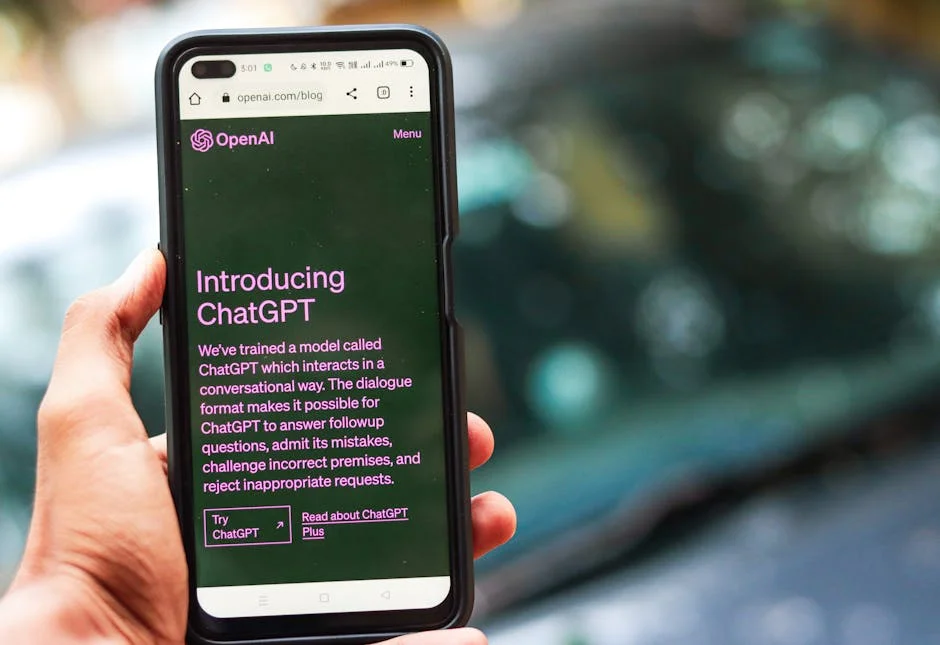
Learning chat gpt how to use begins with a simple mindset: treat the tool like a fast, conversational assistant that responds best when you provide context, constraints, and a clear goal. Many people open a chat and type a short prompt such as “Tell me about marketing” or “Help me write something,” then feel disappointed when the response sounds generic. The difference between an average result and a highly useful one often comes down to the clarity of your request. Start by stating what you want, who it’s for, and what success looks like. For example, instead of “Write an email,” try “Draft a friendly, 120-word email to a customer who hasn’t used their subscription in 30 days, offering a one-time 15% discount, and ask one question to learn why they paused.” That level of specificity helps the assistant choose the right tone, structure, and details. If you’re unsure what details to include, ask the assistant to interview you: “Ask me the minimum questions you need to draft the email.” This approach turns the chat into a guided workflow rather than a one-shot request.
Table of Contents
- My Personal Experience
- Getting Started: Chat GPT How to Use for Everyday Questions
- Setting Up Your Account and Choosing the Right Access Method
- Writing Better Prompts: Clarity, Context, and Constraints
- Using Chat GPT for Research Without Getting Misled
- Drafting and Editing Content: Emails, Reports, and Blog Posts
- Learning and Studying: Explanations, Quizzes, and Practice
- Work and Productivity: Planning, Checklists, and Decision Support
- Creative Uses: Brainstorming, Storytelling, and Idea Expansion
- Expert Insight
- Using Chat GPT for Coding Help and Technical Problem Solving
- Business and Marketing: Positioning, Ads, and Customer Support
- Privacy, Safety, and Accuracy: Using the Tool Responsibly
- Advanced Workflows: Iteration, Role Prompts, and Reusable Templates
- Troubleshooting Common Issues: Vague Answers, Wrong Tone, and Repetition
- Putting It All Together: A Practical Routine You Can Reuse
- Watch the demonstration video
- Frequently Asked Questions
- Trusted External Sources
My Personal Experience
When I first tried ChatGPT, I treated it like a search engine and got generic answers, so I changed my approach. I started giving it context—what I’m working on, who it’s for, and what I’ve already tried—and the responses got noticeably better. For example, instead of asking “How do I write an email?”, I’ll paste my rough draft and say, “Make this clearer, keep it friendly, and cut it to under 120 words.” I also learned to ask follow-up questions like “Give me three options” or “What assumptions are you making?” and to double-check anything factual before using it. Now I mostly use it as a brainstorming partner and editor, and it saves me time without feeling like it’s doing the work for me. If you’re looking for chat gpt how to use, this is your best choice.
Getting Started: Chat GPT How to Use for Everyday Questions
Learning chat gpt how to use begins with a simple mindset: treat the tool like a fast, conversational assistant that responds best when you provide context, constraints, and a clear goal. Many people open a chat and type a short prompt such as “Tell me about marketing” or “Help me write something,” then feel disappointed when the response sounds generic. The difference between an average result and a highly useful one often comes down to the clarity of your request. Start by stating what you want, who it’s for, and what success looks like. For example, instead of “Write an email,” try “Draft a friendly, 120-word email to a customer who hasn’t used their subscription in 30 days, offering a one-time 15% discount, and ask one question to learn why they paused.” That level of specificity helps the assistant choose the right tone, structure, and details. If you’re unsure what details to include, ask the assistant to interview you: “Ask me the minimum questions you need to draft the email.” This approach turns the chat into a guided workflow rather than a one-shot request.

Another practical part of chat gpt how to use is understanding the iterative nature of prompting. You do not need to get everything perfect in one message. A strong workflow is to start with a rough prompt, review the output, then refine. If the response is too long, say “Shorten to 90 words and keep the same meaning.” If it’s too formal, say “Make it more conversational and remove corporate jargon.” If it misses a key point, add that point and ask for a revision. You can also ask for multiple options: “Give me three subject lines with different styles: playful, direct, and curiosity-driven.” For everyday tasks—summaries, brainstorming, planning meals, explaining a concept, drafting messages—this back-and-forth is the real advantage. The assistant is not only producing text; it’s helping you think through choices, trade-offs, and alternatives quickly, as long as you steer it with concrete feedback and a clear destination.
Setting Up Your Account and Choosing the Right Access Method
When people search for chat gpt how to use, they often mean more than typing a prompt—they want a smooth setup that matches how they work. Start by choosing where you’ll use it most: web browser, mobile app, or both. A browser is ideal for long writing, research-style exploration, and copying content into documents. The mobile app is useful for quick questions, on-the-go drafting, and capturing ideas the moment they appear. If you switch devices frequently, sign in with the same account so your conversations remain accessible. Keep an eye on privacy settings and data controls available within your account; if you handle sensitive material, you may want to avoid pasting personal identifiers, private contracts, or confidential client data. A good habit is to redact names, addresses, and unique identifiers before sharing any text for editing or summarizing.
To make chat gpt how to use more productive from day one, organize your workflow around repeatable conversation patterns. For example, keep one chat thread for a single project (like a website rewrite) so the assistant retains continuity within that conversation. Keep another thread for career documents, another for study notes, and so on. This reduces the need to re-explain your preferences each time. If you notice you keep repeating the same instructions—tone, formatting, audience—save them as a reusable snippet in your notes. You can paste something like: “Use a friendly, confident tone. Keep paragraphs short. Prefer bullets for lists. Avoid buzzwords.” Over time, this becomes your personal “prompt template.” Choosing the right access method also includes picking where you’ll store outputs: a document app, a task manager, or a knowledge base. The assistant can draft, but you should own the final system for organizing and verifying what you keep.
Writing Better Prompts: Clarity, Context, and Constraints
Mastering chat gpt how to use is largely about prompt quality. A strong prompt typically contains four parts: goal, context, constraints, and format. The goal is what you want to achieve, like “generate product descriptions.” Context includes who the product is for, what the brand voice is, and what differentiates it. Constraints cover word count, reading level, compliance requirements, or keywords to include. Format defines how you want the output delivered: headings, bullet points, table-like sections, or JSON if you’re working with structured data. If you skip these elements, the assistant guesses, which can lead to bland or misaligned results. Even a small change—adding the audience and tone—can transform the output. For instance, “Explain compound interest to a 12-year-old using a story about saving for a bike” produces a much more targeted explanation than “Explain compound interest.”
Constraints are particularly important in chat gpt how to use because they prevent the assistant from drifting into unnecessary detail. If you need a quick answer, say so: “Answer in 5 bullets, no more than 12 words per bullet.” If you need creativity, specify the type: “Give me 10 names that sound modern and trustworthy, two syllables, easy to pronounce globally.” If you need accuracy, ask for uncertainty handling: “If you’re not sure, say what you’re unsure about and suggest how to verify.” You can also ask it to show its work in a practical way without demanding internal reasoning: “List assumptions you made” or “Provide a checklist of facts I should confirm.” When you build prompts with these components, you’ll find the assistant behaves less like a generic chatbot and more like a specialized collaborator that follows your rules and outputs content in a usable shape.
Using Chat GPT for Research Without Getting Misled
A common challenge in chat gpt how to use is using the tool for research while staying grounded in reliable sources. The assistant can be excellent for outlining a topic, suggesting angles, generating interview questions, summarizing provided material, and explaining concepts in plain language. Where users get into trouble is treating it like a perfect database. A safer approach is to use it as a research organizer: ask for a structured overview, key terms to search, and a list of questions to validate. For example, if you’re researching “customer retention strategies for SaaS,” request “a categorized list of retention tactics by lifecycle stage, plus metrics to track.” Then use that list to guide your own fact-checking in authoritative sources. You can also paste excerpts from articles, reports, or your own notes and ask for a summary or comparison, which keeps the assistant anchored to the text you provide.
To make chat gpt how to use effective and responsible for research, build a verification habit into your prompts. Ask for caveats: “What are the common exceptions?” or “Where do people often misunderstand this?” Request multiple perspectives: “Summarize the argument for and against this approach.” If you need citations, be careful: the assistant may produce plausible-sounding references that are not real. A better workflow is to ask for “suggested sources to look up,” such as types of publications, standards bodies, or well-known organizations, and then confirm them yourself. Another strong tactic is to provide your candidate sources and ask the assistant to extract key claims, compare findings, or identify gaps. This keeps your output grounded and reduces the risk of repeating inaccuracies. Ultimately, the assistant should speed up comprehension and synthesis, while you remain the decision-maker who confirms what’s true before using it in business, school, or published content.
Drafting and Editing Content: Emails, Reports, and Blog Posts
One of the most practical answers to chat gpt how to use is content drafting. If you write emails, proposals, performance reviews, documentation, or marketing copy, the assistant can reduce blank-page time dramatically. The key is to provide raw ingredients rather than asking for “something good.” Include the objective, the reader, the tone, and the must-include facts. For an email, that might be: why you’re writing, what you’re asking for, deadlines, and any relevant background. For a report, include the outline you want, the audience’s expertise level, and the key metrics. You can also paste a rough draft and ask for improvements: “Rewrite for clarity, keep my voice, and remove repetition.” If you worry about sounding too stiff or too casual, ask for two versions in different tones and choose the best fit.

Editing is where chat gpt how to use becomes even more valuable. You can ask for line edits, structural edits, or both. Line edits improve sentences and word choice; structural edits improve flow, headings, and argument order. A useful prompt is: “First, list the top five issues in this draft (clarity, structure, tone, missing info). Then rewrite it with those fixes.” If you need to preserve compliance or brand style, add constraints like “Do not make medical claims” or “Keep it consistent with a friendly, expert voice.” For longer pieces, ask for a content map: “Create a section-by-section outline of what I wrote and point out where it goes off-topic.” You can also request readability improvements: “Reduce reading level to grade 8 without losing meaning.” When you treat the assistant as a writing partner—drafting quickly, then iterating with focused edits—you get cleaner, more persuasive content with less time spent on rework.
Learning and Studying: Explanations, Quizzes, and Practice
Another strong use case for chat gpt how to use is learning. The assistant can explain complex topics in simpler language, provide analogies, and create practice questions. If you’re studying a subject like biology, economics, coding, or history, ask for explanations in layers: “Explain it in 3 levels: beginner, intermediate, advanced.” This helps you build intuition first, then deepen understanding. You can also ask it to tailor explanations to your interests: “Explain supply and demand using examples from sneaker reselling.” If you’re preparing for an exam, request a study plan based on your timeline and current level. A prompt like “I have 14 days, 45 minutes per day, and I struggle with chapters 4 and 7—build a schedule with review and quizzes” will produce a more realistic plan than a generic study guide.
Practice is where chat gpt how to use can feel like a personal tutor. Ask it to generate quizzes with answers hidden until you attempt them. For example: “Create 15 multiple-choice questions on photosynthesis. After I answer, grade me and explain why each correct answer is correct.” You can also simulate oral exams: “Ask me five short-answer questions one at a time; wait for my response before continuing.” If you’re learning to write, request feedback with a rubric: “Grade my paragraph on clarity, evidence, and organization; give one actionable improvement per category.” For language learning, ask for dialogues at your level, then request corrections: “Have a conversation with me in Spanish about ordering food. Correct my mistakes and explain the rule briefly.” These interactive loops keep you engaged and reveal gaps faster than passive reading, as long as you verify any factual details with trusted materials when accuracy matters.
Work and Productivity: Planning, Checklists, and Decision Support
Many professionals searching chat gpt how to use want help getting organized. The assistant can turn vague goals into concrete plans, break projects into tasks, and generate checklists tailored to your situation. If you’re managing a project, provide the objective, constraints, stakeholders, and deadline. Then ask for a work breakdown structure: “List tasks, dependencies, and risks.” You can also request a timeline: “Create a two-week sprint plan with daily deliverables and a buffer day.” For meetings, ask for agendas and follow-ups: “Draft a 30-minute agenda with discussion topics and decisions needed.” After a meeting, paste your messy notes and ask for clean action items with owners and due dates. This is especially useful if you struggle to translate conversations into next steps.
Decision support is another practical angle of chat gpt how to use. While you should not outsource critical decisions blindly, you can use the assistant to surface options and trade-offs. Ask for a decision matrix: “Compare these three software tools by cost, learning curve, integrations, and security.” If you’re hiring, ask it to create interview questions tied to competencies, or to draft a scorecard you can use consistently. If you’re negotiating, ask for a script with boundaries: “Write a polite message requesting a higher budget, including justification and a fallback option.” You can also use it to anticipate objections: “List the top objections a stakeholder might raise and draft responses.” The assistant is strongest when it helps you think more clearly, prepare more thoroughly, and document processes so you don’t reinvent the wheel each time.
Creative Uses: Brainstorming, Storytelling, and Idea Expansion
For creative work, chat gpt how to use is less about “write it for me” and more about “help me explore.” If you’re brainstorming business ideas, content themes, product names, or campaign concepts, ask for variety and constraints. A prompt like “Give me 20 TikTok video ideas for a home fitness coach, grouped by beginner/intermediate/advanced, each with a hook and a call to action” yields actionable results. For storytelling, provide the genre, tone, setting, and character goals. If you already have a concept, ask for expansions: “List five plot twists that fit this premise and explain how each affects the main character.” You can also ask for alternative angles: “Give me three ways to open this story: action, dialogue, and mystery.” This helps you escape your first idea and find stronger options.
| Use Case | How to Use ChatGPT | Best Practices |
|---|---|---|
| Quick Answers & Explanations | Ask a clear question and add context (goal, audience, constraints). | Specify the level of detail, request examples, and ask follow-up questions to refine. |
| Writing & Editing | Provide a draft or outline and request improvements (tone, length, format). | Include style guidelines, ask for multiple versions, and request a final proofread checklist. |
| Planning & Problem Solving | Describe the problem, current state, and desired outcome; ask for step-by-step options. | Ask for assumptions, trade-offs, and a prioritized action plan with next steps. |
Expert Insight
Start with a clear goal and context: state what you want, who it’s for, the format (bullet list, email, outline), and any constraints (word count, tone, deadline). Then add one strong example or a “must-include” list to guide the output. If you’re looking for chat gpt how to use, this is your best choice.
Iterate with targeted follow-ups: ask for 2–3 alternatives, request a shorter or more detailed version, and specify what to change (e.g., “make it more persuasive,” “remove jargon,” “add steps”). Copy the best parts, then run a final pass asking for a checklist to verify accuracy, completeness, and consistency. If you’re looking for chat gpt how to use, this is your best choice.
To get the most from chat gpt how to use creatively, use iterative constraints. First, ask for broad output; then narrow. For example, request 30 brand names, then choose five and ask for taglines, then pick one and ask for a brand voice guide. If you’re a designer or creator working with visuals, you can ask for creative direction: “Describe a mood board in words: colors, textures, typography style, and photography vibe.” If you write scripts, ask for beat sheets: “Create a 60-second script with timestamps, on-screen text, and voiceover.” If you’re blocked, ask for a “bad first draft” on purpose: “Write a deliberately messy version so I can react to it.” Counterintuitively, reacting to something imperfect can be easier than generating from nothing. The assistant becomes a creative sparring partner that keeps momentum high, provided you keep steering with specific feedback and selections.
Using Chat GPT for Coding Help and Technical Problem Solving
Another popular interpretation of chat gpt how to use is “how do I use it to code?” The assistant can help explain errors, generate small code snippets, refactor functions, and suggest approaches. The best results come from sharing the minimum necessary context: the language, framework, what you expected, what happened, and any error messages. Instead of pasting an entire codebase, isolate the relevant part and describe the environment: “Node 20, Express, PostgreSQL, running on Windows.” Then ask for a targeted outcome: “Why does this query return empty results?” or “Rewrite this function to be more readable and add input validation.” You can also ask for step-by-step debugging plans: “Give me a checklist to isolate whether this is a CORS issue, a server routing issue, or a client fetch issue.”

For reliable chat gpt how to use in technical work, verify and test everything. Treat generated code as a draft that needs review for security, performance, and correctness. Ask the assistant to include edge cases and tests: “Provide unit tests for these functions using Jest.” If you’re learning, ask for explanations alongside code: “Explain each line briefly and describe common mistakes.” If you’re working with APIs, ask for example requests and responses and how to handle failures. A strong prompt might be: “Write a Python function that calls this API, retries on 429 with exponential backoff, and returns a clean error object on failure.” Also ask for safer patterns: “Are there any security concerns with this approach?” The assistant can flag common issues like injection risks, missing input sanitization, or secrets accidentally stored in code. Used thoughtfully, it accelerates problem-solving, but your final step should always be running the code, reading logs, and validating outcomes in your real environment.
Business and Marketing: Positioning, Ads, and Customer Support
Businesses often look up chat gpt how to use to improve marketing speed and consistency. The assistant can help define positioning by turning product features into customer benefits, clarifying target personas, and drafting messaging frameworks. If you sell a product, provide a feature list, pricing, target customer, and competitors, then ask for a positioning statement and supporting pillars. You can also request ad variations: “Write 10 Google Ads headlines under 30 characters and 4 descriptions under 90 characters, emphasizing speed and reliability.” For social media, ask for content calendars with themes and hooks, but keep control of brand voice by specifying tone, banned phrases, and compliance boundaries. If your industry is regulated, include constraints like “Avoid promising results” or “Do not mention medical outcomes.”
Customer support is another area where chat gpt how to use can be transformative. You can draft response templates for common issues, then personalize them with customer-specific details. A useful workflow is to paste a customer message (redacting personal data) and ask for three replies: empathetic, direct, and premium-brand tone. You can also ask for troubleshooting trees: “Create a decision tree for diagnosing login issues.” For internal enablement, request a knowledge base outline, macros, and escalation guidelines. If you manage reviews, ask for responses that acknowledge concerns and offer next steps without sounding defensive. The assistant can also help analyze feedback: paste a batch of comments and ask for themes, sentiment, and suggested fixes. The advantage is not just writing faster; it’s responding more consistently and thoughtfully, while still keeping a human in the loop to ensure accuracy, policy alignment, and genuine empathy.
Privacy, Safety, and Accuracy: Using the Tool Responsibly
Responsible chat gpt how to use includes understanding what not to share and when to double-check. Avoid entering sensitive personal data, financial account details, private health information, or confidential business information unless you have explicit permission and a clear policy that allows it. If you need editing help on sensitive text, anonymize it: replace names with roles, remove addresses, and generalize unique identifiers. For workplace use, align with your organization’s security rules. Even when you’re working on something harmless, keep in mind that the assistant may produce confident-sounding statements that require verification. This is especially important for legal, medical, and financial topics. Use it to generate questions to ask a professional, draft a list of options, or explain terminology, but do not treat it as a substitute for qualified advice when stakes are high.
Accuracy habits are the backbone of chat gpt how to use safely. Ask for uncertainty and checks: “What parts of this answer are most likely to be wrong?” Request source types rather than exact citations if you cannot verify them quickly: “Which standards body or textbook topic should I consult?” If you provide your own sources, ask the assistant to quote only from what you pasted and to label assumptions clearly. For decisions, ask it to propose a verification plan: “List steps to confirm this claim.” Also be mindful of bias: if you ask for hiring advice, performance feedback, or sensitive interpersonal guidance, request neutrality and fairness: “Avoid stereotypes, focus on observable behaviors, and suggest multiple interpretations.” Used with these guardrails, the assistant becomes a powerful helper rather than a risky shortcut, improving productivity without compromising privacy or trust.
Advanced Workflows: Iteration, Role Prompts, and Reusable Templates
Once you understand the basics of chat gpt how to use, advanced workflows can multiply the value. One technique is role prompting, where you ask the assistant to adopt a professional perspective: “Act as a UX writer,” “Act as a recruiter,” or “Act as a project manager.” Roles work best when paired with boundaries and deliverables, such as “Provide three options and explain the trade-offs.” Another technique is multi-step prompting: ask for an outline first, then expand each section, then polish for tone, then create a final checklist. This mirrors how humans produce higher-quality work. If you’re writing a long document, request a structure with headings, then approve it before generating full text. This prevents wasted effort and keeps the output aligned with your intent.

Templates make chat gpt how to use consistent across repeated tasks. Create reusable prompt blocks for common outputs: meeting agendas, project plans, SEO briefs, lesson plans, client proposals, and job descriptions. A template might include placeholders like [audience], [tone], [length], [must-include points], and [banned terms]. You can also ask the assistant to help you build these templates: “Create a prompt template I can reuse to generate weekly status updates with risks, blockers, and next steps.” If you frequently revise content, use a two-pass system: first pass for structure, second pass for style. For example: “First, reorganize for logical flow without changing the wording much. Second, rewrite for clarity and concision.” These workflows reduce randomness and make the assistant feel like a dependable process tool rather than a one-off text generator.
Troubleshooting Common Issues: Vague Answers, Wrong Tone, and Repetition
Even after learning chat gpt how to use, you may run into outputs that feel off: too generic, repetitive, overly long, or not matching your voice. The fastest fix is to provide explicit feedback. If the answer is vague, ask for specificity: “Add concrete examples, numbers, and steps.” If it’s too long, set a hard limit: “Rewrite in 120 words.” If it repeats itself, say “Remove redundant sentences and keep only distinct points.” Tone issues are common; specify what you want and what you don’t: “Warm and professional, not salesy, avoid exclamation points.” When the assistant misunderstands the task, restate your goal in one sentence and list the deliverables. For instance: “Deliverable: 5 bullet points for a slide, each under 10 words, focused on outcomes.” Clear deliverables reduce drift.
Another troubleshooting skill in chat gpt how to use is asking for alternatives rather than forcing a single output to work. If a paragraph feels wrong, request three rewrites with different styles, then merge the best parts. If you’re not sure what you want, ask for a diagnostic: “What’s unclear about my request? Ask up to five questions.” If the assistant makes assumptions you dislike, tell it explicitly: “Do not assume we have a large budget” or “Assume the audience is non-technical.” For complex tasks, break them into stages and confirm each stage before moving on. This reduces compounding errors. Finally, if you suspect factual mistakes, ask it to separate what it knows from what it’s guessing: “List verified statements vs assumptions.” The assistant becomes far more dependable when you treat it like a collaborator that needs direction and feedback, not a mind reader.
Putting It All Together: A Practical Routine You Can Reuse
A simple routine makes chat gpt how to use feel natural and repeatable. Start each chat with a clear one-sentence objective, then add context in bullets: who the audience is, what tone you want, what constraints apply, and what format you need. Next, request an outline or options first, especially for anything longer than a page. Choose the best direction, then ask for a draft. After you get the draft, run two quick refinement passes: one for structure (does it flow, does it cover the goal, is anything missing), and one for style (clarity, concision, tone). If the output will be used externally, add a verification step: ask for a checklist of claims to confirm, or paste the final version back in and ask “Highlight any statements that might be inaccurate or need a source.” This workflow turns the assistant into a predictable system rather than a random generator.
The fastest way to improve results is to keep a personal library of prompts that consistently work for you, and to keep refining them as you learn what the assistant responds to best. Over time, chat gpt how to use becomes less about discovering tricks and more about building a habit: define the goal, supply the right context, constrain the output, iterate with feedback, and verify anything that matters. Whether you’re drafting emails, studying for exams, planning projects, coding, or generating marketing ideas, the same principles apply. If you remember only one thing, make it this: the assistant performs best when you tell it exactly what “good” looks like and you treat the conversation as a guided loop rather than a single command. With that approach, chat gpt how to use turns into a practical skill you can apply daily to save time, improve quality, and think more clearly.
Watch the demonstration video
In this video, you’ll learn how to use ChatGPT effectively—from setting up clear prompts to refining responses with follow-up questions. It covers practical tips for getting better answers faster, avoiding common mistakes, and using ChatGPT for everyday tasks like writing, brainstorming, studying, and planning. If you’re looking for chat gpt how to use, this is your best choice.
Summary
In summary, “chat gpt how to use” is a crucial topic that deserves thoughtful consideration. We hope this article has provided you with a comprehensive understanding to help you make better decisions.
Frequently Asked Questions
What is ChatGPT and what can I use it for?
ChatGPT is an AI assistant that helps with writing, brainstorming, summarizing, coding help, explanations, planning, and Q&A. You type a prompt and it generates a response you can refine with follow-up questions. If you’re looking for chat gpt how to use, this is your best choice.
How do I start using ChatGPT?
To get started, open the ChatGPT app or visit the website, then sign in if prompted. Type your question or request into the message box and hit Send. If you’re wondering **“chat gpt how to use”**, the key is to keep the conversation going—ask follow-up questions, уточify what you mean, and refine your prompt until you get the result you want.
How do I write a good prompt?
To get the best results, clearly state what you’re trying to accomplish and add any helpful context. Include constraints like length, tone, and format, and share examples if you have them. If you’re wondering **“chat gpt how to use”**, one of the simplest tips is to ask for the exact output style you want—whether that’s bullet points, a table, or a polished email draft.
How can I get more accurate or useful answers?
Start by giving clear, essential details and stating any assumptions upfront—especially if you’re searching for **chat gpt how to use** tips. Then, ask the model to point out any uncertainties or questions it needs answered before it responds. If the output seems inaccurate or incomplete, flag what’s wrong, correct it, and request a revised version that addresses those issues.
Can ChatGPT browse the internet or use my files?
It depends on the version and enabled features. Some setups can browse or analyze uploaded files; others cannot. If browsing/files aren’t available, paste the relevant text or data into the chat. If you’re looking for chat gpt how to use, this is your best choice.
What should I avoid sharing with ChatGPT?
Never post passwords, private keys, SSNs, or any confidential personal or business details. If you need help on a sensitive issue—especially when searching “chat gpt how to use”—remove or mask anything that could identify you before you share it.
? Looking for more info about chat gpt how to use? Follow Our Site for updates and tips!

Trusted External Sources
- 10 Ways to Use ChatGPT So Well It Feels Illegal (Tutorial) – YouTube
Sep 4, 2026 … … channel Charlie Chang · ChatGPT Tutorial: How to Use Chat GPT For Beginners. Charlie Chang•4.6M views · 16:28. Go to channel Smart Tech For Any … If you’re looking for chat gpt how to use, this is your best choice.
- What ways do you use chat GPT in your daily lives? – Reddit
Apr 24, 2026 … I use it for research and learning about new topics. I use it to help me plan travel. I use it as a sommelier to help me pair wines. I’ve used … If you’re looking for chat gpt how to use, this is your best choice.
- How To Use Chat GPT to Actually Change Your Life – YouTube
Mar 20, 2026 — Before we go any further, I want to get clear on what I truly need from this conversation. Then I’d like help finding words that are honest without being hurtful or destructive. And finally, I’m looking for a step-by-step guide—*chat gpt how to use*—so I can say what I mean, keep the tone respectful, and move the discussion toward something constructive.
- How to Use Chat GPT with Excel! : r/ExcelTips – Reddit
Jan 6, 2026 — Start by explaining your dataset and pointing to the relevant reference cells. From there, you’ll usually get a few different starting directions to explore. If you’re wondering **chat gpt how to use** for this step, try asking it to suggest clearer wording for your prompt and recommend the next questions to ask based on your data.
- ChatGPT Tutorial: How to Use Chat GPT For Beginners – YouTube
Apr 4, 2026 … Comments · 10 Ways to Use ChatGPT So Well It Feels Illegal (Tutorial) · 12 ChatGPT Life Hacks That Will Blow Your Mind! Charlie Chang•87K views. If you’re looking for chat gpt how to use, this is your best choice.

