
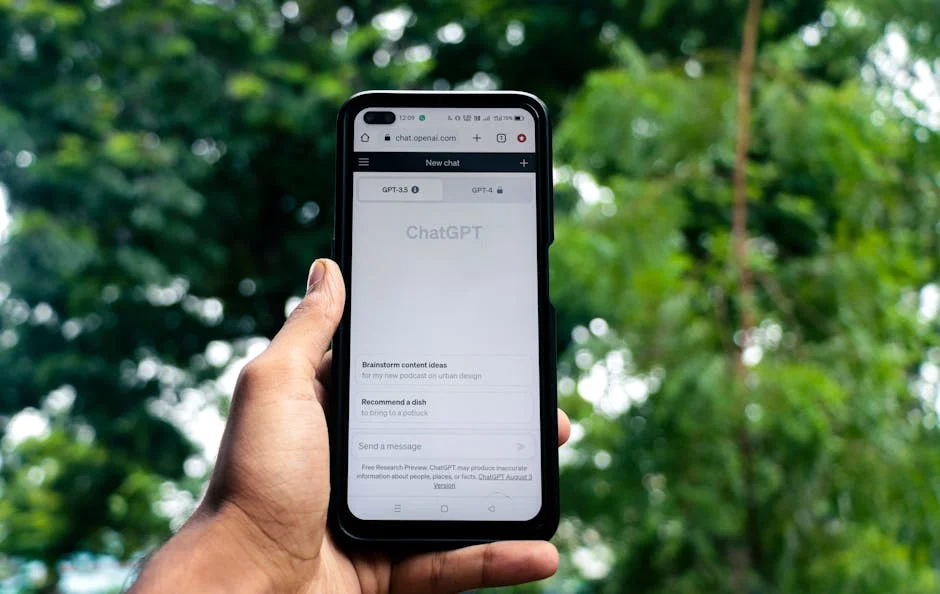
Learning how use chat gpt begins with understanding what you are actually interacting with. ChatGPT is a conversational AI system designed to generate text responses based on prompts you type. It can answer questions, draft content, summarize long passages, brainstorm ideas, translate between languages, and help you think through problems step by step. The key is that it does not “know” facts the way a human expert does; it predicts likely responses from patterns in data it was trained on. That distinction matters because it changes how you should ask questions and how you should evaluate answers. If you treat it like a search engine that always returns verified sources, you may accept incorrect or outdated information. If you treat it like a fast, tireless assistant that can draft, suggest, and refine while you remain the editor and decision-maker, you will get far better results. The most effective users approach ChatGPT as a collaborative tool: you provide the goal, context, constraints, and examples, and it provides drafts, options, and structured thinking.
Table of Contents
- My Personal Experience
- Getting Started With How Use Chat GPT: What It Is and Why It Matters
- Access and Setup: Choosing Where to Use ChatGPT and Configuring Basics
- Prompting Fundamentals: How to Ask Questions That Produce Useful Answers
- Using Roles and Context: Getting Specialized Output Without Overcomplicating
- Everyday Productivity: Emails, Planning, Notes, and Personal Organization
- Writing and Editing: Drafting Content, Improving Clarity, and Keeping Your Voice
- Learning and Skill-Building: Study Plans, Explanations, and Practice
- Expert Insight
- Work and Business Use: Customer Support, Sales, Operations, and Strategy
- Technical and Coding Help: Debugging, Documentation, and Safer Use
- Creative Uses: Brainstorming, Storytelling, Branding, and Idea Expansion
- Accuracy, Safety, and Ethics: Verifying Outputs and Avoiding Common Pitfalls
- Advanced Workflows: Iteration, Templates, and Building a Repeatable Prompt Library
- Getting the Most Value Long-Term: Habits, Metrics, and Continuous Improvement
- Watch the demonstration video
- Frequently Asked Questions
- Trusted External Sources
My Personal Experience
I didn’t really know how to use ChatGPT at first—I treated it like a search engine and kept getting generic answers. What helped was being specific about what I wanted and giving context, like my goal, audience, and any constraints (word count, tone, deadline). For example, when I was stuck writing an email to a client, I pasted my rough draft and asked ChatGPT to rewrite it to sound clearer but still like me, then I tweaked the final version so it didn’t feel robotic. I also started asking follow-up questions (“give me three options,” “what would you change and why?”), which made the responses way more useful. Now I use it most when I’m brainstorming, outlining, or checking my wording—basically as a second set of eyes, not a replacement for my own work. If you’re looking for how use chat gpt, this is your best choice.
Getting Started With How Use Chat GPT: What It Is and Why It Matters
Learning how use chat gpt begins with understanding what you are actually interacting with. ChatGPT is a conversational AI system designed to generate text responses based on prompts you type. It can answer questions, draft content, summarize long passages, brainstorm ideas, translate between languages, and help you think through problems step by step. The key is that it does not “know” facts the way a human expert does; it predicts likely responses from patterns in data it was trained on. That distinction matters because it changes how you should ask questions and how you should evaluate answers. If you treat it like a search engine that always returns verified sources, you may accept incorrect or outdated information. If you treat it like a fast, tireless assistant that can draft, suggest, and refine while you remain the editor and decision-maker, you will get far better results. The most effective users approach ChatGPT as a collaborative tool: you provide the goal, context, constraints, and examples, and it provides drafts, options, and structured thinking.

When people struggle with how use chat gpt effectively, it’s usually not because the tool is difficult, but because the prompt is vague. “Write something about marketing” invites generic output. “Create a 7-day email sequence to re-engage inactive SaaS users, friendly tone, 120–160 words per email, include one clear CTA, avoid discounts, and include subject lines” produces something much closer to what you want. Another common challenge is expecting perfect accuracy in sensitive topics like legal, medical, financial, or compliance decisions. For those areas, ChatGPT can help you organize questions, generate checklists, or draft a message to a professional, but you should verify details with authoritative sources. Finally, it’s worth noting that the system responds differently based on how you frame your request: asking for “three options” yields variety; asking for “one best answer” yields focus; asking it to “ask me clarifying questions first” yields a more consultative workflow. Getting started is mainly about adopting that mindset and building a habit of giving clear instructions.
Access and Setup: Choosing Where to Use ChatGPT and Configuring Basics
To master how use chat gpt in daily life or work, start by choosing the environment that fits your needs. Many users access ChatGPT through a web interface, while others use mobile apps or integrate it into workflows via third-party tools. Your choice affects speed, convenience, and how you handle files or voice input. On desktop, it’s easier to manage long prompts, copy and paste content, and compare multiple drafts side by side. On mobile, it’s easier to capture ideas quickly, dictate prompts, or use it on the go. If you frequently work with documents, you may prefer a setup where you can paste sections of text, ask for summaries, and iterate. If you’re using it for brainstorming and quick Q&A, mobile may be enough. The goal is to reduce friction so you can use the tool consistently rather than only when you “have time.”
Configuration also matters. Use a consistent naming convention for chats when possible, especially if you return to them later. If the platform supports custom instructions or a profile, set it up with your preferred tone, role, and formatting standards. For example, you might specify that you like concise bullet points for plans, or that you prefer British spelling, or that you want the assistant to ask clarifying questions when the request is ambiguous. This reduces repeated instructions and improves output quality. Another practical setup step is creating prompt templates you can reuse: a template for summarizing meeting notes, a template for writing product descriptions, and a template for generating social captions. Over time, these templates become your “AI shortcuts.” The best way to improve results is not to hope the model guesses your intent, but to build a small system around it: a place to store prompts, a routine for verifying outputs, and a habit of giving context. That foundational setup turns occasional use into reliable productivity. If you’re looking for how use chat gpt, this is your best choice.
Prompting Fundamentals: How to Ask Questions That Produce Useful Answers
Most of the skill in how use chat gpt comes down to prompting: the art of giving instructions that are specific, contextual, and testable. A strong prompt usually includes four elements: the goal, the context, the constraints, and the desired format. The goal is the outcome you want, such as “draft a client proposal” or “explain a concept to a beginner.” Context includes the background information ChatGPT needs: the audience, industry, product details, or what you’ve already tried. Constraints define boundaries: word count, reading level, tone, banned phrases, legal disclaimers, or formatting requirements. The desired format tells it how to present the result: a table, a numbered list, a JSON structure, a set of headings, or a short email. When these elements are present, the output becomes more aligned and less generic. When they are missing, the model fills in gaps with assumptions, which may not match your reality.
Another high-impact technique is to ask for a process rather than a single answer. For example, instead of “Give me a business name,” ask “Generate 30 business name ideas, group them into 3 styles (modern, playful, premium), and explain the reasoning for the top 5.” Or ask it to “provide two versions: one conservative, one bold.” You can also instruct ChatGPT to interview you first: “Ask me 10 questions to clarify my target audience and offer, then draft the landing page.” This turns the interaction into a guided discovery session. If you need accuracy, ask it to state assumptions and highlight uncertainty: “If you’re not sure, say so and suggest what I should verify.” Finally, iterate. Treat the first response as a draft. Follow up with targeted edits: “Shorten by 20%,” “Make the tone more direct,” “Add examples,” “Remove jargon,” “Rewrite for a 9th-grade reading level.” Prompting is less like asking one perfect question and more like steering a conversation toward a clear deliverable. If you’re looking for how use chat gpt, this is your best choice.
Using Roles and Context: Getting Specialized Output Without Overcomplicating
A practical way to improve how use chat gpt is to assign a role that matches the outcome you need. Roles help the model adopt a perspective and produce a more structured response. For instance, you can say, “Act as a career coach,” “Act as a product manager,” “Act as a high-school science teacher,” or “Act as a customer support agent for an e-commerce brand.” The role should be paired with your audience and purpose: a “teacher” role is great for explanations, while an “editor” role is ideal for rewriting and polishing. The role approach works because it nudges the model toward conventions that people in that role typically follow, such as using steps, rubrics, examples, or empathetic language. It’s not magic, but it reduces randomness and helps you get closer to professional-grade output with less back-and-forth.
Context is the other half. If you want a strong email, provide the relationship details: who you are, who the recipient is, what happened, what you want, and what tone is appropriate. If you want a marketing asset, provide the product’s differentiators, pricing tier, target customer, and primary objection. If you want a technical explanation, provide the reader’s skill level and what they’re trying to build. You can also provide examples of what “good” looks like, such as a sample paragraph in your brand voice. ChatGPT is much better at matching and extending patterns than inventing them from nothing. When you include a few sample lines or a style guide, the output becomes more consistent. Also, be explicit about what to avoid: “Do not use hype,” “Avoid exclamation points,” “No clichés,” “No mention of AI.” These guardrails are often more helpful than adding more instructions. Using roles plus context is one of the fastest ways to transform vague prompts into outputs that feel tailored, credible, and ready to use. If you’re looking for how use chat gpt, this is your best choice.
Everyday Productivity: Emails, Planning, Notes, and Personal Organization
Many people learn how use chat gpt by starting with simple tasks that save time immediately. Email drafting is a classic example: you can paste a rough outline or a few bullet points and ask for a polished message that matches your tone. You can also ask for multiple versions: a short reply, a more detailed reply, and a version that sounds warmer or more assertive. Planning is another area where ChatGPT shines. You can describe a goal—like preparing for a presentation, organizing a home project, or building a workout routine—and request a step-by-step plan with milestones, estimated time, and a checklist. If you have scattered notes, you can paste them and ask for a structured summary with action items. You can also use it for decision support: list options, compare pros and cons, and identify hidden assumptions. The benefit is not that it “decides” for you, but that it helps you think clearly and quickly.
Personal organization becomes easier when you treat ChatGPT like a flexible assistant. For example, you can paste a schedule and ask it to propose an optimized day plan with focus blocks, breaks, and buffer time. You can ask it to convert meeting notes into a follow-up email and a task list, or to create a weekly review template. If you’re learning something new, you can ask for a study plan, practice questions, and explanations of mistakes. If you struggle with procrastination, you can ask it to break a task into the smallest next steps and suggest a 15-minute “starter sprint.” The best results come when you include your constraints: “I only have 45 minutes,” “I have two calls in the afternoon,” “I need low-energy tasks today.” Over time, you can build a personal library of prompts: “turn these notes into tasks,” “rewrite this politely,” “make this clearer,” “summarize and extract decisions.” These small wins build confidence and show you that the tool is most valuable when it reduces friction in repetitive communication and planning, leaving you more attention for work that requires judgment. If you’re looking for how use chat gpt, this is your best choice.
Writing and Editing: Drafting Content, Improving Clarity, and Keeping Your Voice
Content creation is one of the most popular reasons people explore how use chat gpt, but the best outcomes come from treating it as a drafting and editing partner rather than a one-click author. If you ask for a full blog post with no guidance, you often get generic paragraphs and predictable structure. Instead, provide an outline or ask ChatGPT to propose a few outlines based on your topic and audience. Then pick one and ask for a first draft in sections. This staged approach gives you control and makes it easier to inject your expertise, examples, and unique perspective. For editing, you can paste your own writing and ask for improvements: “Make this clearer without changing the meaning,” “Tighten the language,” “Reduce passive voice,” or “Rewrite to sound more confident.” You can also ask for readability adjustments, such as simplifying complex sentences or removing jargon.
Keeping your voice is crucial. One effective technique is to provide a short “voice sample” of your writing and ask ChatGPT to match it. Another is to define voice traits: “Direct, practical, slightly witty, no hype, short sentences, occasional rhetorical questions.” You can also ask it to create a style guide from your sample text, then use that guide for future drafts. If you are writing for SEO, you can ask it to generate variations of meta titles and descriptions, propose internal link anchor text, or suggest semantic keywords related to the main term. Still, you should review for originality, accuracy, and compliance with your brand standards. If you publish content, add real-world details: your own data, stories, or product specifics. AI-generated text becomes far more valuable when combined with human experience. Finally, use ChatGPT to refine structure: ask for stronger headings, smoother transitions, and clearer calls to action. The tool is excellent at polishing, reorganizing, and offering alternatives, which can dramatically reduce the time between a rough idea and a publishable piece. If you’re looking for how use chat gpt, this is your best choice.
Learning and Skill-Building: Study Plans, Explanations, and Practice
Another powerful way to understand how use chat gpt is to apply it to learning. You can ask for explanations of concepts at different levels: beginner, intermediate, or advanced. If a topic feels confusing, ask for analogies, step-by-step reasoning, and examples that relate to your interests. For instance, if you are learning statistics, you can ask it to explain p-values using everyday scenarios, then request practice questions and detailed solutions. If you are learning a language, you can ask for dialogues, vocabulary lists, and corrections of your writing. The advantage is that the interaction is adaptive: you can say “I didn’t understand that part” and request a new explanation from a different angle. This makes learning more personalized than static materials, especially when you need multiple attempts to “click” with a concept.
Expert Insight
how use chat gpt: Start with a clear goal and context: state what you want, who it’s for, and any constraints (tone, length, format). Then paste the exact text, data, or examples you’re working with and ask for a specific output, such as “Draft a 150-word email with three subject lines.”
Iterate with targeted follow-ups: request revisions like “make it more concise,” “add two alternatives,” or “rewrite for a beginner audience.” If the result misses the mark, point to what’s wrong and provide a better sample so the next version matches your style and requirements. If you’re looking for how use chat gpt, this is your best choice.
Practice is where ChatGPT becomes especially useful. You can simulate interviews, client calls, sales objections, or exam questions. For example, you can ask it to act as an interviewer for a specific job role and then provide feedback on your answers. You can ask it to generate quizzes based on a chapter you paste, or to create flashcards with spaced repetition suggestions. If you are learning a technical skill, you can ask for small exercises that gradually increase in difficulty. You can also use it to debug your thinking: present your solution and ask it to find errors or edge cases. However, you should be careful with topics that require precise correctness. Use it as a tutor and practice partner, then verify with textbooks, official documentation, or instructors. The most effective approach is to combine the speed of AI-generated practice with the reliability of trusted sources. When you treat ChatGPT as a learning companion that adapts to your questions and provides unlimited practice, you can progress faster while keeping control over what you accept as true. If you’re looking for how use chat gpt, this is your best choice.
Work and Business Use: Customer Support, Sales, Operations, and Strategy
In a business context, how use chat gpt often comes down to improving communication and systematizing knowledge. For customer support, you can draft response templates for common tickets, ensuring a consistent tone and clear troubleshooting steps. Provide the product details, typical issues, and your brand voice, then ask for a library of reusable replies. For sales, you can generate discovery questions, objection-handling scripts, and follow-up emails tailored to different buyer personas. For operations, you can turn messy process notes into standard operating procedures, checklists, and onboarding guides. The value is speed and consistency: instead of writing from scratch every time, you start from a solid draft and then adjust for the specific situation. This is particularly helpful for small teams that need to move quickly without sacrificing professionalism.
| Approach | Best for | How to use ChatGPT (quick steps) |
|---|---|---|
| Quick answers | Getting a fast explanation, definition, or summary | Ask a specific question, add context (who/what/why), and request a format (bullets, steps, 2–3 sentences). |
| Content drafting | Emails, posts, outlines, scripts, and first drafts | Provide your goal, audience, tone, and key points; ask for an outline first; then request a polished draft and a shorter/longer version. |
| Problem-solving & iteration | Improving work through feedback and revisions | Paste your draft/code, state constraints (length, style, tools), ask for critiques + fixes, and iterate with follow-up prompts until it fits. |

For strategy work, ChatGPT can help you explore options and structure thinking. You can ask for a SWOT analysis, a competitive positioning map, or a list of risks and mitigations for a new initiative. If you have a meeting coming up, you can ask it to generate an agenda, pre-read questions, and a decision framework. If you’re launching a product, you can ask for messaging pillars, a customer journey outline, and a content calendar. The key is to provide real inputs: customer feedback, product features, pricing, and constraints. Without those, you get generic strategy that feels plausible but doesn’t fit your market. Also, treat strategic outputs as hypotheses rather than conclusions. Use them to spark discussion, not to replace research. When used responsibly, ChatGPT becomes a multiplier for business writing and planning, enabling faster drafts, clearer documentation, and more structured decision-making across teams. If you’re looking for how use chat gpt, this is your best choice.
Technical and Coding Help: Debugging, Documentation, and Safer Use
Many developers and non-developers alike explore how use chat gpt for coding because it can explain concepts, generate snippets, and help debug errors. You can paste an error message and ask what it likely means, what common causes are, and what steps to try. You can ask it to write a function, refactor code for readability, or convert code from one language to another. You can also ask for documentation: “Explain what this function does,” “Write docstrings,” or “Create a README outline.” For people learning to code, ChatGPT can act like a patient tutor, walking through logic and suggesting exercises. For experienced engineers, it can speed up boilerplate and help brainstorm architectures, test cases, and edge conditions.
Safer coding use requires good habits. Never paste secrets such as API keys, passwords, private certificates, or proprietary code you are not allowed to share. If you need help, redact sensitive parts and provide a minimal reproducible example. Ask for tests: “Include unit tests and explain how to run them.” Ask for security considerations: “What are the risks of this approach?” Also, verify output by running it, reading it, and checking official docs. AI-generated code may compile but still be inefficient, insecure, or incorrect for your specific environment. A useful approach is to ask for alternatives and trade-offs: “Provide two implementations, one simple and one optimized, and explain complexity.” You can also request that it annotate code with comments so you can understand and maintain it later. Used thoughtfully, ChatGPT can reduce time spent on repetitive coding tasks and increase understanding, but it should not replace code review, testing, and secure engineering practices. If you’re looking for how use chat gpt, this is your best choice.
Creative Uses: Brainstorming, Storytelling, Branding, and Idea Expansion
Creativity is a fun and surprisingly practical area to practice how use chat gpt. Brainstorming works best when you ask for volume and variety. For example, request 50 tagline ideas in different styles, or 20 campaign concepts grouped by theme. If you are stuck, ask it to generate prompts for you: “Ask me 12 questions that will uncover a unique angle for this topic.” For storytelling, you can ask for plot outlines, character backstories, or dialogue options. For branding, you can explore brand archetypes, tone-of-voice descriptors, and messaging frameworks. You can also ask it to combine unrelated concepts to spark novelty, such as mixing a product category with a cultural reference or a design style. The goal is not to accept the first idea, but to use the output as raw material.
Idea expansion becomes more powerful when you guide constraints. Constraints create originality: a story told in second person, a brand voice that is calm and minimalist, or a campaign that avoids common tropes. You can also ask for “anti-ideas,” such as what not to do, or clichés to avoid. Another technique is remixing: paste your existing concept and ask for five variations that change one variable at a time—audience, tone, channel, or benefit. If you are building a content strategy, you can ask for clusters of related topics and then request angles for each cluster. For design-adjacent work, you can ask for mood-board keywords, color palette suggestions described in words, or UX microcopy options for buttons and error messages. Creative output still needs your taste and editing, but ChatGPT can quickly generate options, reduce blank-page anxiety, and help you explore directions you might not have considered. If you’re looking for how use chat gpt, this is your best choice.
Accuracy, Safety, and Ethics: Verifying Outputs and Avoiding Common Pitfalls
Understanding how use chat gpt responsibly requires a clear approach to accuracy. Because the model generates text that sounds plausible, it can sometimes produce errors, outdated details, or confident statements without reliable grounding. The practical solution is verification. For factual claims, ask for sources you can check, then confirm with authoritative references such as official documentation, government websites, academic publications, or reputable news outlets. For numbers, ask it to show calculations or assumptions. For nuanced topics, ask it to present multiple viewpoints and note uncertainty. You can also use cross-checking: ask the same question in two different ways and compare. Another technique is to request a “risk list” for the answer: “What parts of your response are most likely to be wrong?” This encourages caution and helps you focus your validation efforts.
Privacy and ethics matter just as much. Avoid sharing personal data, confidential business details, or sensitive customer information. If you are using ChatGPT at work, follow your organization’s policies and consider redacting identifying details. Be cautious with medical or legal guidance: use the tool to prepare questions for a professional rather than treating it as a final authority. Also consider bias: AI outputs can reflect biases present in training data, so review tone and assumptions, especially in hiring, performance reviews, or sensitive communications. If you use AI to draft public-facing content, ensure it aligns with your brand values and does not mislead readers. A responsible workflow often looks like this: prompt with clear constraints, review critically, verify key claims, edit for accuracy and voice, and only then publish or send. When you adopt these habits, ChatGPT becomes a powerful assistant rather than a source of avoidable mistakes. If you’re looking for how use chat gpt, this is your best choice.
Advanced Workflows: Iteration, Templates, and Building a Repeatable Prompt Library
Once you are comfortable with the basics of how use chat gpt, the next level is creating workflows that are repeatable. Instead of writing a new prompt every time, build templates for common tasks. A template might include placeholders like: audience, goal, tone, length, constraints, and examples. For instance, a “meeting summary” template can ask for decisions, action items, owners, deadlines, and risks. A “content brief” template can ask for target keyword, search intent, competing pages, outline, and internal links. A “client email” template can ask for relationship context, desired outcome, and any phrases to avoid. Templates reduce cognitive load and make results more consistent across days and team members.
Iteration is the engine of quality. A strong workflow often uses multiple passes: first generate options, then select one, then refine. For example, you can ask for three outlines, pick the best, ask for a draft, then request a tighter rewrite, then ask for a final polish in your voice. You can also use critique prompts: “Review this and suggest improvements,” “Find logical gaps,” “Make it more persuasive without exaggeration,” or “Identify where a reader might get confused.” Another advanced technique is to ask for structured outputs that you can reuse elsewhere, such as tables for content calendars or bullet lists for slide decks. Over time, store your best prompts and results in a document so you can reuse them. This “prompt library” becomes an internal asset. The difference between casual and expert use is not secret commands; it’s the discipline of building a process where ChatGPT consistently produces drafts that are easy to verify, easy to edit, and aligned with your goals. If you’re looking for how use chat gpt, this is your best choice.
Getting the Most Value Long-Term: Habits, Metrics, and Continuous Improvement
Long-term success with how use chat gpt is less about occasional clever prompts and more about habits. Decide where it fits into your routine: drafting emails, outlining documents, summarizing notes, practicing interviews, or brainstorming content. Track the tasks where it saves the most time and the tasks where it creates extra work. A simple metric is “time to first draft.” If ChatGPT reduces the time from idea to usable draft, it’s doing its job. Another metric is consistency: are your messages clearer, are your plans more structured, are you missing fewer action items? You can also measure quality by asking for feedback from colleagues or by comparing performance outcomes such as email response rates, customer satisfaction scores, or content engagement. The goal is not to use AI everywhere, but to use it where it reliably increases speed and clarity.
Continuous improvement comes from reviewing what worked and refining your prompt library. When an output is great, save the prompt. When it misses the mark, identify why: missing context, unclear constraints, or the wrong format. Then adjust the template. Over time, you’ll develop a personal style of prompting that matches your work. Keep a verification habit for anything high-stakes, and keep privacy boundaries firm. Also, stay open to experimentation: try asking for alternatives, asking it to critique its own draft, or asking for a checklist before generating the final output. The tool is most valuable when you remain the editor and decision-maker, using AI to handle repetitive drafting, idea generation, and structure. With that approach, how use chat gpt becomes a practical skill you can apply across writing, learning, planning, and business communication while maintaining control over accuracy and quality.
Watch the demonstration video
In this video, you’ll learn how to use ChatGPT effectively—from setting clear goals and writing better prompts to refining answers with follow-up questions. You’ll see practical tips for brainstorming, summarizing, drafting emails, and solving problems faster, plus common mistakes to avoid so you get more accurate, useful results. If you’re looking for how use chat gpt, this is your best choice.
Summary
In summary, “how use chat gpt” is a crucial topic that deserves thoughtful consideration. We hope this article has provided you with a comprehensive understanding to help you make better decisions.
Frequently Asked Questions
What is ChatGPT and what can it do?
ChatGPT is a versatile AI assistant that can answer your questions, break down complex topics, write or polish your content, brainstorm fresh ideas, summarize long material, and support you with planning and problem-solving—especially if you’re learning **how use chat gpt** effectively for everyday tasks.
How do I write a good prompt in ChatGPT?
To get the best results when learning **how use chat gpt**, start by clearly stating your goal and adding any helpful background details. Then set simple constraints—like the tone you want, the ideal length, or the format (bullet points, a table, a script). Finally, ask for the exact deliverable you need, whether that’s a checklist, an email draft, a step-by-step plan, or a comparison chart.
Can I use ChatGPT for school or work tasks?
Absolutely—learn **how use chat gpt** to brainstorm fresh ideas, draft content, build outlines, and summarize long material faster. Just be sure to double-check any facts it provides, follow your organization’s rules, and don’t submit AI-generated text as your own when that isn’t permitted.
How do I get more accurate or useful answers?
To get better results, ask follow-up questions, provide clear examples or relevant source text, and request step-by-step reasoning (including any assumptions it’s making). If you’re learning **how use chat gpt** effectively, also tell it to ask you clarifying questions whenever anything is unclear.
Is it safe to share personal or confidential information?
Avoid sharing sensitive personal data, passwords, or confidential business information; if needed, anonymize details and keep inputs minimal.
What should I do if ChatGPT gives a wrong or biased answer?
Treat ChatGPT’s responses as helpful suggestions—not final answers. Always cross-check key details with reliable sources, and if something seems off, point it out and ask for corrections backed by citations or alternative perspectives. As you learn **how use chat gpt** effectively, keep refining your prompts to remove ambiguity and get clearer, more accurate results.
? Looking for more info about how use chat gpt? Follow Our Site for updates and tips!

Trusted External Sources
- ChatGPT Tutorial: How to Use Chat GPT For Beginners – YouTube
Apr 4, 2026 — Comments are buzzing about tutorials like “10 Ways to Use ChatGPT So Well It Feels Illegal” and “5 Genius Ways to Make Money with ChatGPT,” with Gillian Perkins’ video pulling in over 601K views. If you’re wondering **how use chat gpt** to get better results—whether for productivity, creativity, or income—these popular guides are a great place to start.
- How can I tell when my students use Chat GPT or other ai writers?
Dec 10, 2026 … To protect your work, run it through a plagiarism checker that can also spot AI-generated writing. Then compare the content to the assignment topic and ask whether the style feels unusually advanced or out of character—especially if the student hasn’t shown they know **how use chat gpt** responsibly.
- How To Use ChatGPT – For Beginners – YouTube
Jul 10, 2026 … … how to use Chat GPT, the groundbreaking AI chatbot developed by OpenAI, used for generating text, code or images. We’ll start by showing you how … If you’re looking for how use chat gpt, this is your best choice.
- How to Use Chat GPT with Excel! : r/ExcelTips – Reddit
Jan 6, 2026 — Start by explaining your dataset and pointing out the key reference cells. From there, you’ll usually get a few different directions you can take. If you’re unsure what to say next, ask **how use chat gpt** to help you phrase your question, refine your wording, and choose the strongest approach.
- 10 Ways to Use ChatGPT So Well It Feels Illegal (Tutorial) – YouTube
Sep 4, 2026 … Go to channel Charlie Chang · ChatGPT Tutorial: How to Use Chat GPT For Beginners. Charlie Chang•4.6M views · 16:32 · Go to channel Dan Martell … If you’re looking for how use chat gpt, this is your best choice.

