Roomba entered everyday vocabulary because it solved a simple, persistent problem: floors get dirty constantly, and most people don’t want to spend their free time vacuuming. The appeal is less about novelty and more about habit-building. A robot vacuum can run on a schedule, quietly collecting dust, crumbs, and pet hair while you work, sleep, or leave the house. That convenience compounds over time, especially in busy homes where daily mess accumulates faster than anyone can keep up. When a Roomba is set to clean regularly, the floor rarely reaches the “needs a deep clean” stage. Instead, it stays in a steady state of being acceptably clean, which is often the real goal for families, pet owners, and anyone juggling a lot of responsibilities.
Table of Contents
- My Personal Experience
- Why Roomba Became a Household Name in Robot Vacuuming
- How Roomba Navigation and Mapping Actually Work
- Cleaning Performance: What a Roomba Does Well and Where It Struggles
- Roomba Models and Feature Tiers: Choosing What Fits Your Home
- Roomba for Pet Hair: Realistic Expectations and Best Practices
- Roomba and Allergies: Dust, Filters, and Indoor Air Quality
- Daily Life with a Roomba: Scheduling, Zones, and Household Routines
- Expert Insight
- Maintenance and Longevity: Keeping a Roomba Performing Like New
- Roomba vs Traditional Vacuum: Complement or Replacement?
- Smart Home Integration: Apps, Voice Control, and Automation
- Cost, Value, and What You’re Really Paying For
- Preparing Your Home for Better Roomba Results
- Final Thoughts on Making Roomba Part of a Cleaner Routine
- Frequently Asked Questions
My Personal Experience
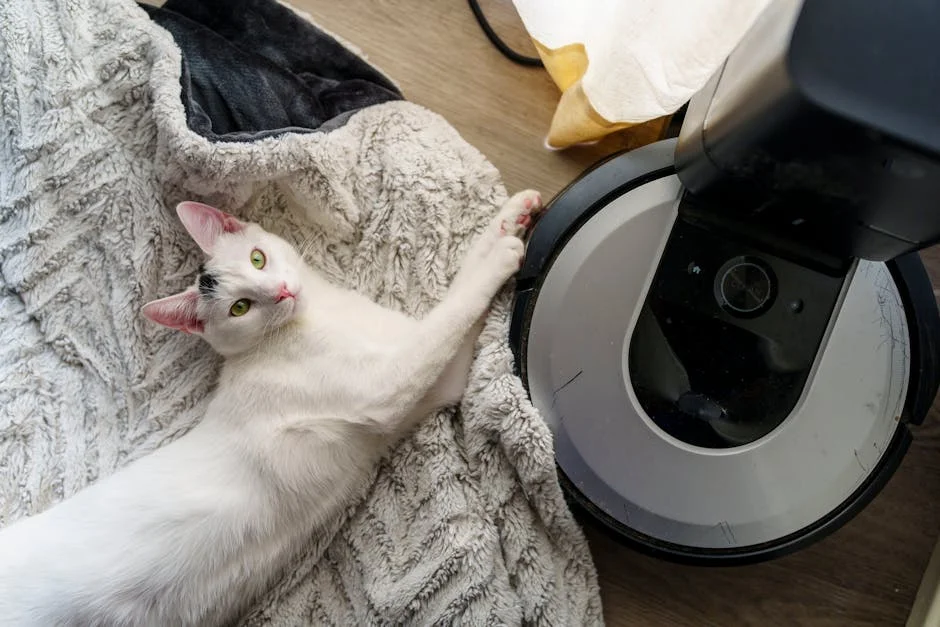
I bought a Roomba after getting tired of sweeping up crumbs and cat hair every day, and at first I thought it would be one of those gadgets I’d forget about. The first week was a little chaotic—one morning it nudged a shoelace around the living room like it was trying to “clean” it, and another time it got stuck under the couch and kept beeping until I rescued it. But once I learned to pick up cords and move the dining chairs, it settled into a routine. Now I run it while I’m making coffee, and it’s weirdly satisfying to come back to those neat little vacuum lines on the rug. It doesn’t replace a deep clean, but it’s cut down the daily mess enough that my place feels consistently tidy without me thinking about it.
Why Roomba Became a Household Name in Robot Vacuuming
Roomba entered everyday vocabulary because it solved a simple, persistent problem: floors get dirty constantly, and most people don’t want to spend their free time vacuuming. The appeal is less about novelty and more about habit-building. A robot vacuum can run on a schedule, quietly collecting dust, crumbs, and pet hair while you work, sleep, or leave the house. That convenience compounds over time, especially in busy homes where daily mess accumulates faster than anyone can keep up. When a Roomba is set to clean regularly, the floor rarely reaches the “needs a deep clean” stage. Instead, it stays in a steady state of being acceptably clean, which is often the real goal for families, pet owners, and anyone juggling a lot of responsibilities.
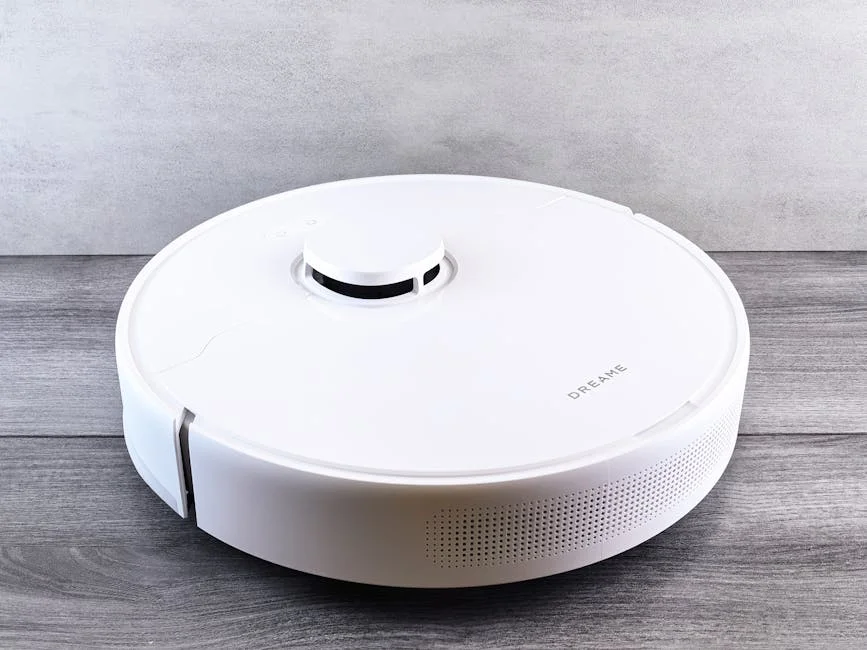
Part of the brand’s staying power comes from the way Roomba models evolved alongside changing expectations. Early robot vacuums proved the concept, but later generations added stronger suction, improved brushes, better navigation, smarter mapping, and app-based control. As those features became more reliable, the robot vacuum shifted from a gadget to a practical appliance. People began to evaluate a Roomba the same way they’d evaluate a traditional vacuum: performance on carpet versus hard floors, effectiveness with pet hair, filter quality for allergies, noise levels, and long-term maintenance costs. The result is that the name Roomba often functions as shorthand for the category itself, even when buyers are comparing multiple robot vacuum brands. That recognition doesn’t guarantee it’s the perfect fit for every home, but it does explain why the product line is so frequently considered first when someone decides to automate floor cleaning.
How Roomba Navigation and Mapping Actually Work
Modern Roomba navigation is designed to turn an unpredictable environment—chairs, table legs, toys, thresholds—into a manageable cleaning route. Depending on the model, the robot may use a combination of sensors, floor tracking, and camera-based or structured-light systems to understand where it is and where it has already cleaned. The practical outcome is coverage and efficiency. Instead of bouncing randomly until the battery runs low, a mapping-capable Roomba can follow more logical passes, return to missed areas, and reduce redundant travel. This matters for larger homes or spaces with many rooms, because battery life is finite and every unnecessary lap around the same coffee table is time and power wasted.
Mapping also enables features that feel “smart” but are really about control and predictability. A Roomba that can identify rooms lets you send it to the kitchen after dinner, focus on the entryway during muddy seasons, or avoid a playroom when small parts are on the floor. Some setups support no-go zones or keep-out areas, which is particularly useful near pet bowls, delicate rugs, or cords that can snag. In day-to-day use, the biggest benefit is that the robot’s behavior becomes more consistent. You’re less likely to find it stuck under furniture, and more likely to see it finish the job and return to the dock. That reliability is what turns scheduled cleaning from a hopeful experiment into a routine you can trust.
Cleaning Performance: What a Roomba Does Well and Where It Struggles
A Roomba typically excels at light-to-moderate daily debris: dust, tracked-in grit, crumbs, and pet hair. Used frequently, it reduces the amount of debris that gets ground into carpet and keeps hard floors from developing that gritty feel. Many households notice the biggest difference around high-traffic zones—hallways, kitchens, dining areas—where mess appears fastest. Brush design and suction power vary by model, but the overall approach is similar: side brushes pull debris from edges, main rollers agitate and lift dirt, and the vacuum motor draws it into a bin. When the robot runs often, it becomes a “maintenance cleaner,” preventing buildup rather than replacing every deep-cleaning session.
Limitations are just as important to understand, because they determine whether a Roomba will feel like a breakthrough or a mild convenience. Thick carpets, shag rugs, or heavily soiled areas can require multiple passes or a traditional vacuum. Edge cleaning is improved compared to early generations, yet baseboards and tight corners may still need occasional manual attention. Cables, small socks, and certain fringe rugs can cause tangles or repeated stoppages unless your home is prepared. If you expect a Roomba to deliver a once-a-week “perfect vacuum lines” experience, you may be disappointed; if you expect it to quietly keep floors consistently cleaner with minimal effort, you’ll likely be impressed. The best results usually come from pairing robot cleaning with periodic deep cleaning, especially in homes with pets, kids, or lots of carpet.
Roomba Models and Feature Tiers: Choosing What Fits Your Home
Roomba models are often differentiated by navigation sophistication, suction strength, brush design, and convenience features like auto-empty docks. Entry-level options may offer basic scheduling and sensor-based navigation that covers the area reasonably well, especially in smaller apartments or open layouts. Midrange choices typically add smarter mapping, better obstacle handling, and stronger cleaning performance on mixed flooring. Higher-end models may combine advanced mapping with features that reduce daily involvement, like automatic dirt disposal, more consistent room-by-room cleaning, and improved detection of common obstacles. The “best” model is rarely the most expensive one; it’s the one that matches your floor plan, your tolerance for maintenance, and how much you value hands-off operation.
To choose wisely, start with the home rather than the spec sheet. A small, mostly hard-floor space may not need premium mapping, while a multi-room home with lots of furniture often benefits from a Roomba that can understand rooms and follow efficient paths. Pet owners tend to care about brush design that resists tangles and filters that capture fine allergens. People who dislike emptying dust bins may find an auto-empty base transformative, because it turns robot vacuuming into a genuinely low-touch routine. Also consider noise and cleaning timing: if you plan to run the Roomba at night or during work calls, quieter operation and predictable routes matter. By focusing on your habits and layout, you avoid paying for features you won’t use and reduce the risk of frustration after the novelty wears off.
Roomba for Pet Hair: Realistic Expectations and Best Practices
Pet hair is one of the strongest reasons many people buy a Roomba, because hair accumulates quickly and tends to migrate into corners, along baseboards, and under furniture. Frequent robot cleaning is especially effective here: instead of waiting for tumbleweeds to form, the robot collects hair daily or every other day. On hard floors, the difference can be immediate. On carpet, results depend on pile height and how much hair your pets shed, but consistent runs usually reduce visible hair and the amount that ends up on socks. Many households also appreciate that a Roomba can reach under beds and sofas more easily than an upright vacuum, which helps with hidden buildup that can contribute to odors and allergies.
That said, pet hair introduces maintenance needs. Brushes and rollers can wrap with long hair, and bins fill faster in shedding season. A Roomba remains most effective when you treat it like an appliance that needs routine care: check rollers, clear hair, wipe sensors, and replace filters as recommended. If your pet’s water bowl area is messy, consider setting a keep-out zone to prevent the robot from dragging damp debris across the floor. For homes with multiple pets, an auto-empty dock can reduce the frequency of manual emptying, but you still need to inspect the robot periodically. The goal is not to eliminate all manual cleaning forever; it’s to reduce the frequency and effort. When paired with a quick weekly check and an occasional deep vacuum, a Roomba can meaningfully lower the daily burden of managing pet hair.
Roomba and Allergies: Dust, Filters, and Indoor Air Quality
For allergy-prone households, a Roomba can be helpful because it encourages more frequent cleaning, which reduces dust accumulation over time. Dust is not just what you see; it settles in corners, under furniture, and along edges, then gets stirred up by footsteps and airflow. Running a robot vacuum regularly can reduce the reservoir of dust available to become airborne. Many Roomba models use filters designed to capture fine particles, and when the robot is maintained properly, it can contribute to a cleaner-feeling home. People often notice that floors feel less gritty, and that visible dust in high-traffic areas decreases with consistent schedules.
However, allergy benefits depend on how the Roomba is used and maintained. A clogged filter reduces suction and can lead to more dust being redistributed rather than captured. Emptying the bin can also release a puff of dust if done carelessly; auto-empty systems can help by containing debris, though the base still needs periodic bag changes or bin emptying depending on the design. If allergies are a primary concern, it’s wise to run the robot when fewer people are in the room and to keep up with filter replacement intervals. Also remember that robot vacuuming is only one piece of indoor air quality: entry mats, HVAC filtration, and humidity control matter too. Used as part of a broader routine, a Roomba can support a cleaner baseline, but it won’t replace targeted cleaning of upholstery, curtains, or the deep dust that accumulates on shelves and vents.
Daily Life with a Roomba: Scheduling, Zones, and Household Routines
Living with a Roomba is less about watching it work and more about integrating it into the rhythm of the home. Scheduling is the simplest lever: choose times when floors are clear and the robot won’t be underfoot. Many people run it after breakfast to catch crumbs, or during school and work hours to avoid noise and interruptions. If your model supports room targeting, you can create routines that match real mess patterns—kitchen and dining area more frequently, bedrooms less often, entryway after rainy days. Over time, the robot becomes a background helper, and the home feels more consistently tidy without the “big clean” pressure building up.
| Model | Best for | Key features |
|---|---|---|
| Roomba 694 | Budget-friendly everyday cleaning | Wi‑Fi/app control, basic scheduling, adaptive navigation |
| Roomba i3+ EVO | Hands-off cleaning with auto-empty | Clean Base auto-empty, smart mapping (Imprint), strong suction |
| Roomba j7+ | Homes with pets and clutter | Obstacle avoidance (PrecisionVision), Clean Base auto-empty, targeted room cleaning |
Expert Insight
Run your Roomba on a consistent schedule (daily for high-traffic areas) and do a quick pre-pass: pick up cords, small toys, and loose socks so it can finish without getting stuck.
Maintain performance by emptying the bin after every few runs, cleaning the filter weekly, and removing hair from the brushes and caster wheel; these small habits improve suction, reduce noise, and extend battery life. If you’re looking for roomba, this is your best choice.
A small amount of preparation makes a big difference. Cords, delicate items, and lightweight rugs can cause problems if left in the robot’s path. Some households adopt a quick “floor reset” habit: pick up toys, tuck away charging cables, and straighten small mats. This takes a minute or two and can prevent the majority of interruptions. It also helps to think in zones. If you have a messy craft area or a room with frequent clutter, you can keep that door closed or set a boundary so the Roomba focuses on the areas where it can succeed reliably. When the robot completes runs consistently, it earns trust, and you’re more likely to keep the schedule. That consistency is what transforms the Roomba from a sometimes-useful device into a daily system that reduces the mental load of keeping floors presentable.
Maintenance and Longevity: Keeping a Roomba Performing Like New
Roomba maintenance is straightforward, but it must be consistent if you want strong performance over the long term. The most common tasks are emptying the bin, cleaning hair from rollers, wiping sensors, and replacing consumables like filters and brushes. These steps are not just about cleanliness; they directly impact navigation and suction. Dirty sensors can cause docking issues or erratic movement, while clogged filters reduce airflow and make the robot less effective, especially on carpet. If you treat maintenance as a quick weekly routine, the robot is more likely to finish cleaning cycles without getting stuck, and you’ll spend less time troubleshooting.
Longevity also depends on using the Roomba in ways that reduce unnecessary wear. Keeping floors relatively free of cords and small objects prevents repeated jams that strain the brush motor. Avoiding wet messes protects internal components, since most robot vacuums are not designed to handle liquids. If your home has thresholds or transitions, consider whether the robot frequently bumps or struggles; small ramps or adjustments can reduce impacts. Battery health matters too: docking properly, avoiding extreme heat, and letting the robot complete its charge cycles can help. Over time, you may need to replace the battery, brushes, or wheels, but many users find that a well-maintained Roomba remains useful for years. The practical takeaway is that the robot is not a “set it and forget it forever” appliance; it’s closer to a lawn mower or coffee machine—easy to maintain, but best when cared for routinely.
Roomba vs Traditional Vacuum: Complement or Replacement?
A Roomba can reduce how often you reach for a traditional vacuum, but whether it replaces it depends on your standards and your home’s surfaces. In many homes, the best setup is complementary: the robot handles daily maintenance, while a stick or upright vacuum handles deep cleaning, stairs, upholstery, and spot messes. This division of labor is practical because robot vacuums are optimized for autonomy and consistency, not for specialized tasks. They can’t easily clean couch cushions, they don’t do stairs, and they may struggle with thick rugs or embedded debris compared to a powerful upright. Yet they excel at the boring daily work that most people procrastinate on.
When considering whether a Roomba can be the primary vacuum, think about edge cases. If your home is mostly hard floors with low-pile rugs, you may find the robot covers most needs, with only occasional manual cleaning. If you have multiple levels, you may need to carry the robot or buy more than one unit, which changes the cost equation. Homes with kids and pets often benefit from both: the Roomba keeps crumbs and hair under control, while a traditional vacuum tackles deeper carpet cleaning and quick emergencies. The value is not only cleanliness but time. Even if you still deep clean, the time between deep cleans can feel more comfortable because the floors don’t degrade as quickly. For many households, that’s the real win: fewer “catch-up” sessions and more steady cleanliness.
Smart Home Integration: Apps, Voice Control, and Automation
Smart features can make a Roomba feel more seamless, especially when paired with routines. App control allows you to start a cleaning session from anywhere, check status, and adjust schedules without touching the robot. For people with unpredictable days, that flexibility is useful: you can run the robot after guests leave, send it to the kitchen after cooking, or pause it if a meeting starts. Mapping-enabled models may let you label rooms and create targeted commands, which turns cleaning into a simple instruction rather than a full-house event. Over time, these controls reduce friction—less time thinking about cleaning, more time letting the system handle it.
Voice assistants and automation can also be practical, but only if used thoughtfully. A quick voice command to start the Roomba can be convenient when your hands are full, yet it’s most effective when the home is prepared—floors clear, doors open, and obstacles minimized. Some users create routines tied to leaving the house, so the robot runs when no one is around. Others link cleaning to specific triggers, like running after dinner or on certain weekdays. The key is to avoid over-automating in a way that creates frequent failures; a robot that gets stuck regularly becomes annoying, even if the automation is clever. When the smart features are aligned with your real-life habits and the robot’s capabilities, they feel like a genuine upgrade, turning floor care into a background process rather than a recurring chore.
Cost, Value, and What You’re Really Paying For
The price of a Roomba can vary widely, and the difference is usually about convenience and consistency rather than basic cleaning ability alone. Higher-priced models tend to offer better navigation, improved obstacle handling, stronger performance on mixed surfaces, and features that reduce user involvement, such as auto-emptying bases. Those upgrades can matter a lot if you have a larger home, pets, or a busy schedule. If the robot runs frequently and reliably, it delivers value not only in cleanliness but in time saved and reduced stress. For many people, that time savings is the most meaningful return on investment, especially when cleaning is a constant background task.
It’s also important to account for ongoing costs. Filters, brushes, bags (for certain docks), and occasional replacement parts add up over the life of the device. A Roomba that is used daily will consume consumables faster than one used weekly, though daily use often keeps the home cleaner and can reduce the need for other cleaning services or supplies. Value depends on fit: an expensive robot in a cluttered environment where it gets stuck may underperform compared to a midrange model used in a well-prepared space. Consider your tolerance for maintenance and your goals. If you want the lowest involvement possible, paying more for auto-emptying and robust mapping can be justified. If you mainly want a helper to keep dust down in a small space, a simpler Roomba may deliver most of the benefit without the premium price.
Preparing Your Home for Better Roomba Results
Small adjustments to your environment can dramatically improve Roomba performance. The robot’s job is easiest when floors are clear of items that can snag brushes or block movement. Common troublemakers include charging cables, shoelaces, thin socks, and lightweight bath mats. If you routinely leave these on the floor, the robot may stop mid-clean, which undermines the whole point of automation. A simple routine—quick pickup before scheduled runs—can make cleaning far more reliable. Furniture layout matters too: if chairs are tightly packed or there are many narrow passages, the robot may spend more time maneuvering than cleaning. In those cases, small layout changes, like spacing chairs slightly or lifting them onto the table before a run, can improve coverage.
Floor transitions and rugs deserve special attention. Some thresholds are just high enough to block a robot vacuum, which can leave certain rooms untouched unless you move the Roomba manually. If that’s a common issue, solutions include threshold ramps or focusing the robot on one level at a time. Rugs with fringe can tangle, and very lightweight rugs can bunch up, creating repeated failures. Consider using rug grippers, choosing robot-friendly rugs, or setting boundaries so the Roomba avoids problematic areas. Pet spaces can be optimized as well: keep toys contained, place feeding mats in stable locations, and consider keep-out zones if spills are common. The goal isn’t to redesign your life around a robot; it’s to remove the handful of predictable obstacles that cause the most interruptions. Once those are addressed, the Roomba is much more likely to run consistently and keep your floors in that “always pretty clean” state.
Final Thoughts on Making Roomba Part of a Cleaner Routine
A Roomba works best when it’s treated as a system rather than a one-time purchase. The most satisfied owners typically do three things: they choose a model that matches their layout and mess level, they run it frequently enough to prevent buildup, and they maintain it with simple, regular care. When those pieces come together, the robot becomes a reliable helper that reduces daily cleaning pressure and keeps floors looking and feeling better with minimal effort. It won’t replace every type of cleaning, but it can take over the repetitive work that most people don’t want to do, especially in homes where dust and pet hair reappear almost immediately after a manual vacuum session.
If your goal is a home that stays consistently presentable without constant effort, Roomba can be a practical investment—particularly when you align expectations with reality. It thrives in routines, benefits from a little floor preparation, and rewards basic upkeep with better performance and fewer interruptions. Over time, many households find that the robot changes how they think about cleaning: instead of waiting for the floor to get bad, they keep it from getting bad in the first place. That shift is the real value, and it’s why so many people continue to consider a Roomba when they want to automate one of the most frequent chores in the home.
Summary
In summary, “roomba” is a crucial topic that deserves thoughtful consideration. We hope this article has provided you with a comprehensive understanding to help you make better decisions.
Frequently Asked Questions
What is a Roomba?
A Roomba is an autonomous robot vacuum made by iRobot that navigates your floors to vacuum dust, dirt, and pet hair with minimal manual effort.
How does a Roomba navigate and avoid obstacles?
Depending on the model, a **roomba** relies on sensors and sometimes camera- or LiDAR-based mapping to map out your floors, plan smart cleaning routes, spot drop-offs like stairs, dodge obstacles, and clean more efficiently.
Do Roombas work on carpet and hard floors?
Yes—many models can automatically adapt as they move from hard floors to carpet. A **roomba** will typically handle both surfaces well, although results can vary depending on the specific model and how thick or plush the carpet is.
How often should I empty the bin and clean the brushes/filters?
To keep your **roomba** running smoothly, empty the dust bin after each cleaning (or whenever it’s getting full), pull hair and debris off the brushes once a week, and tap out or replace the filter as your manual recommends—usually every 1–2 months, depending on how often you use it.
Can a Roomba handle pet hair?
Yes. Many models are designed for pet hair, but regular brush cleaning is important to prevent tangles and maintain suction.
What should I do if my Roomba isn’t charging or won’t start?
Check the dock is powered, clean charging contacts, reboot the Roomba, reseat the battery (if applicable), and ensure the battery isn’t end-of-life; consult the app/error code for specifics.
📢 Looking for more info about roomba? Follow Our Site for updates and tips!