
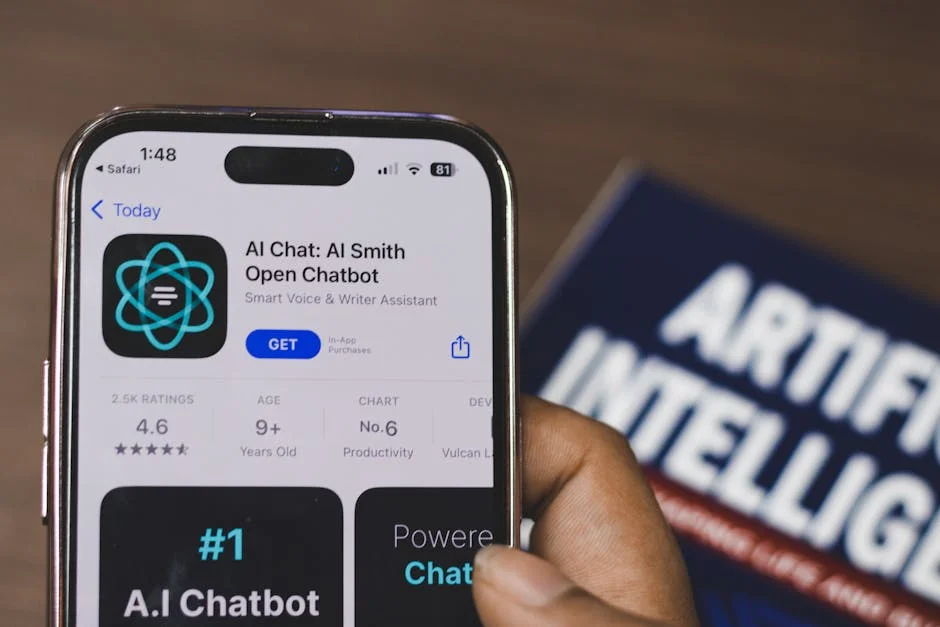
Learning how to use ai chatbot tools effectively starts with understanding what they are doing behind the scenes and what they are not doing. An AI chatbot is a software system designed to interpret your messages, predict the most helpful response, and generate text (and sometimes images, code, or structured data) based on patterns learned from large datasets. In practical terms, this means a chatbot can draft emails, summarize documents, brainstorm ideas, explain concepts, create checklists, and help you reason through decisions. It also means you should treat the output as a “draft from a fast assistant,” not as a final authority. The best results come when you approach the chatbot as a collaborator: you provide context, goals, constraints, and examples, and then you review, edit, and validate the response against your real-world needs. This mindset reduces frustration because you are not waiting for perfection; you are steering a system that responds to guidance.
Table of Contents
- My Personal Experience
- Understanding how to use ai chatbot in everyday work
- Choosing the right chatbot platform and access method
- Setting up your account, preferences, and guardrails
- Writing prompts that produce accurate, useful responses
- Using an AI chatbot for research, summarization, and learning
- Drafting and editing content with an AI chatbot
- Applying chatbots to customer support and service workflows
- Expert Insight
- Using AI chatbots for planning, productivity, and decision support
- Integrating chatbots with tools, documents, and workflows
- Privacy, security, and compliance when using AI chatbots
- Troubleshooting common issues: vague answers, hallucinations, and tone mismatches
- Building repeatable workflows and prompt libraries for long-term value
- Practical examples you can copy to start using a chatbot today
- Watch the demonstration video
- Frequently Asked Questions
- Trusted External Sources
My Personal Experience
When I first started using an AI chatbot, I treated it like a smarter search bar and kept getting vague answers. What helped was learning to be specific: I’d paste the exact email or paragraph I was working on, explain the goal (“make this sound friendly but firm”), and add constraints like word count or tone. If the response felt off, I’d follow up with what I didn’t like (“too formal,” “needs a clearer next step”) and ask for two alternatives. I also got into the habit of double-checking facts and links, because it occasionally sounded confident while being wrong. Now I use it most for drafting, brainstorming, and turning messy notes into an outline, and I save time by reusing a few prompts I know work. If you’re looking for how to use ai chatbot, this is your best choice.
Understanding how to use ai chatbot in everyday work
Learning how to use ai chatbot tools effectively starts with understanding what they are doing behind the scenes and what they are not doing. An AI chatbot is a software system designed to interpret your messages, predict the most helpful response, and generate text (and sometimes images, code, or structured data) based on patterns learned from large datasets. In practical terms, this means a chatbot can draft emails, summarize documents, brainstorm ideas, explain concepts, create checklists, and help you reason through decisions. It also means you should treat the output as a “draft from a fast assistant,” not as a final authority. The best results come when you approach the chatbot as a collaborator: you provide context, goals, constraints, and examples, and then you review, edit, and validate the response against your real-world needs. This mindset reduces frustration because you are not waiting for perfection; you are steering a system that responds to guidance.
To get consistent value, focus on a few foundational habits. First, decide what outcome you want (a polished paragraph, a plan, a comparison table, a list of options) and state it clearly. Second, provide the chatbot with the relevant background: who the audience is, the tone, the length limits, and any required facts. Third, ask for structure, such as headings, bullet points, or a step-by-step sequence, because structure makes the output easier to evaluate. Finally, keep a verification step in your workflow. AI chatbots can produce plausible-sounding but inaccurate details, especially with niche topics, fresh news, or proprietary information. When you understand these strengths and limitations, you can use them for speed without sacrificing quality. This balanced approach is the real foundation of how to use ai chatbot systems productively across writing, research, customer support, and personal organization.
Choosing the right chatbot platform and access method
One of the most overlooked parts of how to use ai chatbot services is selecting the platform that matches your goals, privacy needs, and integration requirements. Some chatbots are general-purpose and excel at writing, brainstorming, and summarizing. Others are specialized for coding help, customer service, or enterprise workflows. Before committing, consider where the chatbot will live: in a browser tab, on a phone, inside a team collaboration tool, or embedded into a website. A browser-based interface is convenient for quick tasks and long-form drafting. A mobile app is better for voice dictation, quick reminders, or on-the-go Q&A. An enterprise deployment may offer stronger data controls, single sign-on, audit logs, and the ability to connect to internal knowledge bases. Matching the access method to your daily routine makes the chatbot feel like a natural extension of your workflow rather than another tool competing for attention.
Evaluate key features in a practical checklist. Look for conversation history and search, because the ability to revisit prior prompts saves time and helps you build repeatable processes. Check whether the platform supports file uploads, since uploading PDFs, spreadsheets, or transcripts dramatically improves summarization and extraction tasks. If you plan to use the chatbot for business writing, assess whether it can follow brand voice instructions consistently and whether it offers “system” or “custom instructions” that persist across chats. For teams, collaboration features matter: shared prompts, shared workspaces, and permission controls can turn a chatbot into a knowledge accelerator. Finally, review data handling policies. If you will paste client details, legal text, or confidential strategy, you need a clear policy on retention and training. Choosing well is not about chasing the newest model; it’s about selecting a reliable environment where your approach to how to use ai chatbot tools remains safe, repeatable, and efficient.
Setting up your account, preferences, and guardrails
After choosing a platform, the next step in how to use ai chatbot tools effectively is configuring preferences and guardrails. Many chatbots allow you to set a default tone (professional, friendly, concise), a preferred format (bullets, tables, headings), and sometimes a role (editor, analyst, tutor). These defaults reduce repetitive prompting. If the platform supports custom instructions, use them to clarify your typical audience, the reading level you want, and any words or formats to avoid. For example, you can tell the chatbot to avoid clichés, use active voice, and ask clarifying questions when requirements are ambiguous. This helps the chatbot behave more consistently across sessions, which is especially valuable when you rely on it for business writing, internal documentation, or recurring customer communications.
Guardrails matter just as much as preferences. Decide what you will never share with a chatbot: passwords, personal identifiers, protected health information, payment card details, or confidential client data unless you have an approved enterprise setup. If you are using the chatbot for research or claims, set a rule that anything factual must be verified with a primary source. You can also instruct the chatbot to cite sources when possible or to clearly label uncertainty. Another practical guardrail is asking for “assumptions” at the top of the answer; that way you can quickly spot where the chatbot filled in gaps. For teams, document a short internal policy: what’s allowed, what’s not, and how to store outputs. When preferences and guardrails are in place, how to use ai chatbot tools becomes less about improvisation and more about a dependable, low-risk process you can repeat daily.
Writing prompts that produce accurate, useful responses
Prompting is the core skill behind how to use ai chatbot systems well. A prompt is not just a question; it is a set of instructions that defines the task, context, constraints, and expected output. High-quality prompts often include four pieces: a role (“act as a technical editor”), a goal (“rewrite this for clarity”), context (“the audience is non-technical managers”), and constraints (“keep it under 150 words, preserve key terms, avoid jargon”). When you provide these details, the chatbot can generate a response that is closer to what you actually need. If you ask a vague question, you will often get a vague answer. If you request a specific deliverable, like a checklist, decision matrix, or email draft with subject line options, you will get something easier to review and use.
It also helps to think in iterations. Start with a broad prompt to get a first draft, then refine. Ask the chatbot to produce three variations with different tones, or to create an outline before writing the full text. When accuracy matters, ask it to list uncertainties or to identify what additional information it would need to be confident. For complex tasks, break the work into stages: planning, drafting, editing, and final polishing. You can even ask the chatbot to “show its work” in a limited way, such as listing steps or assumptions, while keeping sensitive reasoning private. The most practical way to master how to use ai chatbot tools is to build a small library of prompt templates for your common tasks—summarizing meeting notes, drafting proposals, generating social captions, and outlining blog sections—then adjust them based on what performs best.
Using an AI chatbot for research, summarization, and learning
Many people first explore how to use ai chatbot tools through research and learning. A chatbot can quickly summarize long passages, extract key points, and reorganize information into a study guide. If you have a dense report, you can paste sections and ask for an executive summary, then ask for a list of risks, opportunities, and open questions. For learning, you can request explanations at different levels: “Explain this like I’m new to the topic,” then “Now explain it with technical depth,” and finally “Give me a quick quiz.” This layered approach makes the chatbot a flexible tutor. It can also help you build mental models by comparing concepts, defining terms, and providing examples that match your industry. When used this way, the chatbot becomes a fast way to reduce cognitive load and focus your attention on the most important ideas.
However, research use requires discipline. AI chatbots can generate convincing text that may include outdated or incorrect claims. To keep your workflow reliable, ask for a list of verifiable points and then confirm them using official sources, peer-reviewed publications, or documentation from trusted organizations. When summarizing, provide boundaries: specify whether you want only what is stated in the text or whether inferences are allowed. If you are using the chatbot to learn a process—like configuring software or following a compliance standard—ask it to produce a step-by-step plan and then cross-check against the official manual. You can also ask the chatbot to highlight where the source material is ambiguous or where additional context might change the conclusion. With these habits, how to use ai chatbot tools for research becomes a structured process: generate understanding quickly, then validate before acting.
Drafting and editing content with an AI chatbot
A major advantage of knowing how to use ai chatbot tools is accelerating writing without sacrificing your voice. For drafting, the chatbot can generate outlines, headlines, introductions, transitions, and alternative phrasing. If you struggle with a blank page, you can provide a few bullet points and ask for a coherent first draft. If you already have a draft, you can ask for editing passes: clarity, brevity, tone alignment, or grammar cleanup. You can also ask it to adapt content for different channels, such as turning a long explanation into a short email, a LinkedIn post, or a set of talking points for a meeting. This kind of transformation work is where chatbots shine, because they can preserve meaning while changing structure and tone quickly.
To keep the content high-quality and authentic, give the chatbot examples of your preferred style. Paste a paragraph you wrote and ask it to match that voice. Provide a list of “must-use” terms (product names, legal phrases, brand taglines) and a list of “avoid” terms. For editing, ask the chatbot to return two things: a revised version and a brief list of changes with reasons, so you can learn and maintain control. If you need SEO-friendly content, specify the primary keyword, secondary terms, target audience intent, and a natural tone. Also ask it to avoid keyword stuffing and to use synonyms when appropriate. Mastering how to use ai chatbot tools for writing is less about letting it “write for you” and more about directing it to produce drafts you can confidently refine into final work.
Applying chatbots to customer support and service workflows
Another practical area for how to use ai chatbot tools is customer support, where speed and consistency matter. A chatbot can draft responses to common questions, propose troubleshooting steps, and help agents maintain a consistent tone. Even if you do not deploy a chatbot directly to customers, you can use one internally as an agent-assist tool. For example, a support representative can paste a customer message (with sensitive details removed) and ask the chatbot to suggest a response that is empathetic, clear, and aligned with policy. The chatbot can also generate variations: a short answer, a detailed answer, and an answer that includes links or next steps. This reduces response time while keeping the human agent in control of the final message.
Expert Insight
Start with a clear goal and context: state what you’re trying to achieve, who it’s for, and any constraints (tone, length, format). Then ask for a specific output, like “Draft a 150-word email with three subject lines,” to get usable results faster. If you’re looking for how to use ai chatbot, this is your best choice.
Iterate with targeted follow-ups: request revisions (“make it more concise,” “add examples,” “use bullet points”), and paste in your draft or key details for refinement. Always verify important facts and tailor the final wording to match your audience and intent. If you’re looking for how to use ai chatbot, this is your best choice.
To make support use reliable, build a small knowledge pack the chatbot can reference: approved troubleshooting steps, escalation criteria, refund policy language, and product limitations. If the platform supports connecting to a knowledge base, ensure the content is up to date and written clearly. If not, you can paste policy snippets into the conversation when needed. Always instruct the chatbot to avoid making promises it cannot verify, like delivery times or warranty coverage, unless those details are provided. A strong pattern is to ask the chatbot to produce a draft plus a “risk check” section that flags any statements that might be uncertain or policy-sensitive. When implemented thoughtfully, how to use ai chatbot tools in support becomes a system for faster drafting, better consistency, and fewer errors, while still preserving human oversight and accountability.
Using AI chatbots for planning, productivity, and decision support
Beyond writing and support, many people explore how to use ai chatbot tools as planning companions. A chatbot can help you break down projects into milestones, define deliverables, estimate timelines, and identify dependencies. If you are planning a product launch, you can ask for a checklist covering messaging, documentation, stakeholder approvals, and post-launch monitoring. If you are organizing a personal goal, you can ask for a weekly schedule and a set of habits to support it. The key is to provide real constraints: available hours, budget limits, team size, and deadlines. With constraints, the chatbot can create a plan that is realistic rather than generic. You can also ask it to propose alternative plans, such as a “minimum viable” version and an “ideal” version, which helps you decide where to invest effort.
| Use case | Best way to prompt an AI chatbot | What to include for better results |
|---|---|---|
| Research & learning | Ask for a structured explanation and a quick summary | Your current level, the goal, constraints (time/length), and request for sources or key terms to verify |
| Writing & editing | Provide a draft and specify the desired tone, audience, and format | Purpose, word count, examples to emulate, must-keep points, and a request for suggestions + a revised version |
| Problem-solving & planning | Describe the problem, then ask for options and a recommended plan | Context, constraints (budget/tools/deadline), success criteria, and a request for step-by-step actions and risks/trade-offs |
For decision support, chatbots can be useful for clarifying trade-offs. You can ask for a pros-and-cons list, a risk register, or a decision matrix with weighted criteria. You can also ask it to role-play different stakeholders, such as a CFO focused on cost, a customer focused on usability, or a security lead focused on risk. This kind of structured thinking can expose blind spots and help you prepare for real conversations. Still, treat the output as a thinking aid, not a final decision. Validate any numbers, and remember that the chatbot does not know your organization’s internal realities unless you provide them. When used correctly, how to use ai chatbot tools for productivity becomes a way to externalize thinking, reduce planning friction, and arrive at clearer next steps.
Integrating chatbots with tools, documents, and workflows
Once you are comfortable with basic usage, a powerful next step in how to use ai chatbot systems is integration. Many platforms can interact with documents, spreadsheets, calendars, ticketing tools, and automation services. Even without deep technical integration, you can create lightweight workflows: paste meeting notes and ask for action items, then copy the action items into your task manager; upload a CSV and ask for insights, then export a summary to your team. If your chatbot supports file handling, you can use it to extract key fields from contracts, summarize policy documents, or analyze survey responses. This reduces manual effort and helps you focus on interpretation rather than formatting.
For more advanced workflows, consider building reusable prompt “recipes” tied to specific tasks. For example: a weekly status update generator that takes bullet points and returns a polished update in a consistent format; a sales call follow-up generator that produces a recap email, next steps, and CRM notes; or a content repurposing workflow that turns a webinar transcript into blog sections and social snippets. When integrations allow, you can connect the chatbot to approved internal knowledge so it can answer questions from your documentation rather than guessing. The best integrations are those that reduce copying and pasting while maintaining privacy controls. If you keep security and accuracy in mind, how to use ai chatbot tools in integrated workflows becomes a practical advantage: less busywork, more standardization, and faster execution across teams.
Privacy, security, and compliance when using AI chatbots
A critical part of how to use ai chatbot tools responsibly is understanding privacy and security implications. Chatbots can store conversation history, and some services may use interactions to improve models unless you opt out or use an enterprise plan. That means anything you paste could potentially be retained, reviewed, or used in ways you did not intend. The safest approach is to treat public chatbot interfaces as untrusted for sensitive data. Remove personal identifiers, redact account numbers, and avoid sharing confidential business strategy. If you need to work with sensitive material, use an approved environment with clear contractual terms, data retention controls, and access management. For regulated industries, confirm whether the solution supports required compliance standards and whether it offers audit trails and administrative oversight.
Compliance is also about output, not just input. If the chatbot drafts customer communications, ensure the language meets legal and regulatory requirements. If it helps with hiring content or performance reviews, be cautious about bias and fairness, and keep humans accountable for decisions. If it generates code or security guidance, validate it through testing and peer review. A practical safeguard is to build a review checklist: confirm factual claims, confirm policy alignment, confirm tone, and confirm that no sensitive data is included. You can also instruct the chatbot to avoid generating personal data and to flag when a request appears sensitive. When privacy and compliance are treated as core requirements, how to use ai chatbot tools becomes sustainable and trustworthy rather than risky and ad hoc.
Troubleshooting common issues: vague answers, hallucinations, and tone mismatches
Even with good prompts, you may encounter problems that affect how to use ai chatbot tools efficiently. Vague answers often happen when the prompt lacks context or when the request is too broad. The fix is to specify the audience, the format, and the decision you are trying to make. If you ask, “How do I market my business?” you may get generic advice. If you ask, “Create a 30-day marketing plan for a local accounting firm targeting small businesses, with weekly goals, daily tasks, and estimated time per task,” you will get something more actionable. Another common issue is tone mismatch—responses that feel too formal, too enthusiastic, or too robotic. You can correct this by providing a short sample paragraph in your preferred style and asking the chatbot to mirror it, or by giving clear tone constraints like “direct, calm, and professional; avoid hype; avoid exclamation points.”
Hallucinations—confident but incorrect statements—are a known limitation. To reduce them, ask the chatbot to separate verified information from assumptions, and to include a “needs verification” list for any claims it cannot confirm. When working with technical or legal content, paste the authoritative text and instruct the chatbot to rely only on that material. You can also ask for multiple options rather than a single definitive answer, which makes it easier to spot questionable suggestions. If the chatbot refuses a request or becomes overly cautious, reframe the prompt with permissible goals, such as requesting general guidance rather than instructions that could be unsafe or disallowed. Troubleshooting is part of mastery: knowing how to use ai chatbot tools means knowing how to steer, correct, and validate outputs so they remain useful in real work.
Building repeatable workflows and prompt libraries for long-term value
To move from occasional use to real leverage, treat how to use ai chatbot tools as a system you can standardize. Start by identifying recurring tasks: weekly reports, meeting summaries, onboarding documentation, client proposals, content outlines, or internal announcements. For each task, create a reusable prompt template that includes the role, objective, context, constraints, and output format. Then store these prompts in a shared document or within the chatbot’s saved prompts feature, if available. Over time, refine templates based on what works. Add examples of good outputs, and include “do not” rules like avoiding confidential data or avoiding unsupported claims. This approach reduces mental effort and ensures consistent quality, especially when multiple people on a team use the chatbot.
Workflow design also benefits from clear checkpoints. A simple pattern is: input preparation, chatbot draft, human review, and final publication. Input preparation might include cleaning up notes, removing sensitive data, and listing required facts. Human review should include fact-checking, tone alignment, and approval. If you use outputs externally, consider a second reviewer for high-stakes material. You can also track performance: time saved, error rates, and user satisfaction, then adjust prompts and policies accordingly. When chatbots are used for creative tasks, build in room for exploration by requesting multiple alternatives and then combining the best parts. The long-term win is not a single brilliant response; it is a dependable process. With prompt libraries and checkpoints, how to use ai chatbot tools becomes a scalable habit that improves speed, clarity, and consistency across many kinds of work.
Practical examples you can copy to start using a chatbot today
If you want immediate traction, it helps to have a few copy-ready prompt patterns that demonstrate how to use ai chatbot tools without overcomplicating things. For summarization, a strong prompt is: “Summarize the text below in 6 bullet points for a busy manager. Then list 3 unanswered questions and 3 recommended next steps. Use only the information provided.” For writing, try: “Draft a professional email to [recipient] about [topic]. Tone: calm and direct. Include a clear call to action and propose two meeting times. Keep it under 170 words.” For editing, use: “Rewrite the paragraph below for clarity and concision. Keep the meaning, remove fluff, and maintain a friendly professional tone. Return both the revised paragraph and a short list of the main edits you made.” These prompts work because they define the output shape and reduce ambiguity.
For planning and decision support, you can use: “Create a 2-week execution plan for [goal] given these constraints: [time], [budget], [team]. Output a day-by-day checklist and highlight the top 5 risks with mitigations.” For customer support drafting, try: “Write a reply to this customer message. Requirements: acknowledge the issue, ask 2 clarifying questions, provide 3 troubleshooting steps, and explain escalation criteria. Keep it empathetic and avoid promising timelines.” For learning, use: “Teach me [topic] in three layers: beginner explanation, intermediate explanation with examples, and an advanced checklist. Then quiz me with 5 questions and provide answers.” These patterns can be adapted to your role and industry. The key is to keep refining based on results, because mastering how to use ai chatbot tools is an iterative skill built from small improvements in clarity, context, and verification.
Watch the demonstration video
In this video, you’ll learn how to use an AI chatbot effectively—from setting it up and writing clear prompts to refining responses and asking follow-up questions. You’ll also see practical examples for everyday tasks like brainstorming, summarizing, planning, and troubleshooting, plus tips to avoid common mistakes and get more accurate results. If you’re looking for how to use ai chatbot, this is your best choice.
Summary
In summary, “how to use ai chatbot” is a crucial topic that deserves thoughtful consideration. We hope this article has provided you with a comprehensive understanding to help you make better decisions.
Frequently Asked Questions
What is an AI chatbot and what can it do?
An AI chatbot is a tool you chat with in natural language to get answers, write and edit text, brainstorm ideas, summarize content, and help with tasks like planning, coding, or customer support. If you’re looking for how to use ai chatbot, this is your best choice.
How do I write a good prompt for an AI chatbot?
To get the best results when learning **how to use ai chatbot**, start by clearly stating your goal and sharing the most important background details. Then tell it exactly what format you want—like bullet points, a table, or an email draft—and add any constraints that matter, such as tone, length, target audience, or specific examples it should model.
What information should I include for better results?
To get the best answers when learning **how to use ai chatbot**, share a bit of context upfront: include any helpful background, key definitions, relevant data (and links if they’re allowed), your current draft or notes, and what “success” looks like for you. Also mention what you’ve already tried and what didn’t work—so the chatbot can understand your goals and tailor its response to fit your situation.
How can I make the chatbot’s answers more accurate?
When learning **how to use ai chatbot** effectively, start by asking it to clarify any assumptions it’s making, and request a step-by-step explanation or a practical checklist you can follow. If possible, have it cite sources for key claims, and always double-check important details against trusted references before you act on its response.
Can an AI chatbot help with files, images, or long documents?
Absolutely—many chatbots can summarize content, pull out key points, and answer questions about text you paste in or files and images you upload. If you’re working with a long document, it helps to share it in sections or request a structured overview first. This is a practical approach when learning **how to use ai chatbot** tools effectively for faster reading and clearer insights.
What are the safety and privacy best practices when using an AI chatbot?
When learning **how to use ai chatbot** tools safely, avoid entering sensitive personal or confidential information, anonymize details whenever you can, double-check responses for mistakes or bias, and always follow your organization’s data-handling, compliance, and security policies.
📢 Looking for more info about how to use ai chatbot? Follow Our Site for updates and tips!

Trusted External Sources
- How To Use ChatGPT by OpenAI For Beginners – YouTube
Dec 8, 2026 … In this tutorial, I’ll be showing you how to use ChatGPT, the revolutionary AI chatbot created by OpenAI to generate text or code. I’ll be … If you’re looking for how to use ai chatbot, this is your best choice.
- Understanding AI and Chatbots: A Beginner’s Guide : r/ChatGPT
As of Mar 27, 2026, chatbots generally fall into two categories: rule-based systems that follow predefined scripts and respond based on set conditions, and AI-powered chatbots that use machine learning to interpret what users mean and reply more naturally. If you’re learning **how to use ai chatbot** tools effectively, understanding this difference helps you choose the right option—whether you need strict, predictable answers or more flexible, conversational support.
- Build AI Chatbots: Beginner to Pro (Full Easy-Mode Tutorial)
Dec 31, 2026 … full courses which won first place in the GoHighLevel course contest (instant access to any more I create in the future) · outreach scripts & … If you’re looking for how to use ai chatbot, this is your best choice.
- How Should I Use A.I. Chatbots Like ChatGPT? – The New York Times
Apr 8, 2026 — Wondering **how to use ai chatbot** tools like ChatGPT effectively? Try asking them to explain the same idea at different difficulty levels, help you polish your writing with edits and constructive feedback, or brainstorm and organize your thoughts when you’re getting started.
- How to Use an AI Chatbot – YouTube
Apr 24, 2026 … AI can be your best business partner — you just have to know how to talk to it! Clear prompts, tweaks, and fact-checking are key to using AI … If you’re looking for how to use ai chatbot, this is your best choice.

