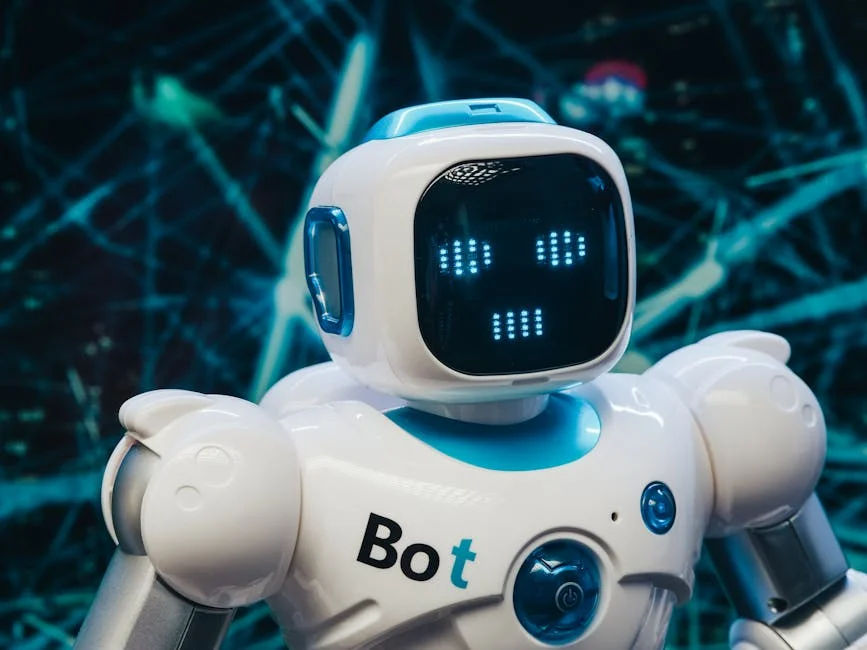
Bee bot is a small, child-friendly programmable robot designed to help young learners grasp foundational coding and sequencing concepts through hands-on play. Unlike screen-based apps that can feel abstract for early childhood, bee bot turns instructions into physical movement, giving children immediate feedback they can see and touch. A typical session involves pressing directional buttons—forward, backward, left, right—and then pressing “go” to watch the robot travel along a path. That simple cause-and-effect relationship supports cognitive development in a way that feels like a game, yet it steadily builds logic, prediction, and error correction skills. Many classrooms and homes use the robot on themed mats (letters, numbers, maps, shapes, community scenes), so the learning isn’t limited to coding alone; it can integrate literacy, math, social studies, and language development. Because the robot is friendly in design and intentionally uncomplicated, it suits children who are still developing fine motor control and attention span. The device often becomes a social tool, too—kids naturally collaborate, take turns, and negotiate routes, which strengthens communication and self-regulation while they practice computational thinking.
Table of Contents
- My Personal Experience
- What a Bee Bot Is and Why It Matters in Early Learning
- Key Features: Buttons, Movement, Memory, and Child-Friendly Design
- How Bee Bot Builds Coding Foundations Without Screens
- Classroom Uses: Literacy, Numeracy, and Cross-Curricular Activities
- Home Learning and Play: Making Bee Bot Engaging Beyond School
- Age Range and Skill Progression: From First Steps to Confident Sequencing
- Lesson Planning and Group Management Strategies for Teachers
- Expert Insight
- Common Challenges: Left/Right Confusion, Counting Errors, and Debugging Frustration
- Creative Activity Ideas: Games, Mats, Storytelling, and Challenges
- Choosing Accessories and Alternatives: Mats, Cards, and Similar Robots
- Safety, Durability, and Practical Tips for Long-Term Use
- Measuring Learning Outcomes: What Progress Looks Like Over Time
- Conclusion: Making Bee Bot a Meaningful Part of Play and Learning
- Watch the demonstration video
- Frequently Asked Questions
- Trusted External Sources
My Personal Experience
I used a Bee-Bot for the first time while helping in my niece’s kindergarten class, and I was surprised by how quickly it pulled everyone in. The kids treated it like a little pet, but they also got serious about planning its moves—arguing (politely) over whether it should go forward twice or turn first. I tried a route myself and immediately messed up because I forgot to clear the previous commands, so the Bee-Bot shot off in a completely different direction than I expected. After that, I started thinking out loud and counting steps with them, and it actually felt like a simple, hands-on way to practice problem-solving without anyone realizing they were “doing coding.” By the end, even the shyest student was volunteering to press the buttons and test the plan. If you’re looking for bee bot, this is your best choice.
What a Bee Bot Is and Why It Matters in Early Learning
Bee bot is a small, child-friendly programmable robot designed to help young learners grasp foundational coding and sequencing concepts through hands-on play. Unlike screen-based apps that can feel abstract for early childhood, bee bot turns instructions into physical movement, giving children immediate feedback they can see and touch. A typical session involves pressing directional buttons—forward, backward, left, right—and then pressing “go” to watch the robot travel along a path. That simple cause-and-effect relationship supports cognitive development in a way that feels like a game, yet it steadily builds logic, prediction, and error correction skills. Many classrooms and homes use the robot on themed mats (letters, numbers, maps, shapes, community scenes), so the learning isn’t limited to coding alone; it can integrate literacy, math, social studies, and language development. Because the robot is friendly in design and intentionally uncomplicated, it suits children who are still developing fine motor control and attention span. The device often becomes a social tool, too—kids naturally collaborate, take turns, and negotiate routes, which strengthens communication and self-regulation while they practice computational thinking.
Beyond the novelty factor, bee bot matters because it introduces core programming ideas at a developmentally appropriate level. Children practice sequencing when they plan a set of steps, and they learn debugging when the robot doesn’t reach the intended destination. Those are the same mental habits used later in more advanced coding environments, but here they are presented without intimidating syntax or reading requirements. Many educators also appreciate that the robot’s limitations are a feature: it encourages planning, because you must decide the full route before pressing start. That requirement nudges children to visualize movement, consider turns, and count steps—skills closely tied to early numeracy and spatial reasoning. Parents often notice that children become more patient and persistent as they attempt routes repeatedly, adjusting after each try. When used thoughtfully, the robot supports inclusive learning: children with different language levels can participate because the primary interaction is visual and tactile. In short, bee bot functions as a bridge between playful exploration and structured thinking, helping young learners build confidence with step-by-step reasoning long before they ever type a line of code.
Key Features: Buttons, Movement, Memory, and Child-Friendly Design
A big part of bee bot’s appeal is that its interface is intentionally minimal, with large, clear buttons that align with how young children learn best. Most versions include directional controls plus a “go” command and a “clear” or reset function. Each button press adds a step to the robot’s internal sequence, and then the robot executes the full set of commands in order. That stored sequence is an important feature because it requires children to plan ahead rather than react moment-to-moment. The movement is typically in consistent increments, which makes it easier to count steps and measure distance, especially when paired with grid mats. This predictability supports early math: children can estimate how many moves are needed, check their result, and revise. The design is usually durable and easy to clean, which matters in classrooms and playrooms where devices get frequent handling. The friendly “bee” aesthetic reduces intimidation and invites imaginative play, letting children create stories while they practice sequences and turns.
Another feature that educators and parents value is the immediate feedback loop. When a child programs bee bot and presses “go,” the robot either reaches the target or doesn’t—and that outcome is clear to everyone watching. That clarity makes the concept of debugging tangible. Instead of hearing that something is “wrong” in an abstract sense, children can see that the robot overshot a square or turned the wrong way, and they can connect that error to a specific button press. Many children also benefit from the auditory cues and movement sounds that indicate the robot is working through the sequence. The device’s simplicity supports inclusive participation: children who are still learning to read can still program it, and children who are learning a second language can join group tasks because the commands are physical symbols rather than text. The robot also supports turn-taking routines: one child can plan, another can press buttons, another can check the route, and another can verify the final position. That structure helps groups collaborate and reduces conflict, while still keeping the learning active and playful.
How Bee Bot Builds Coding Foundations Without Screens
Bee bot helps children internalize early coding concepts by translating them into movement. Sequencing is the most obvious skill: children must place commands in the correct order to reach a goal. That skill connects to everyday routines—first, next, last—which makes it easier for young learners to understand. The robot also introduces the idea of an algorithm, even if the word isn’t used: a planned set of steps that solves a problem. When kids attempt a path, they are essentially creating a simple algorithm. If the robot ends up in the wrong place, the child learns that changing the algorithm changes the outcome. This is the essence of programming. Because the activity is screen-free, children are free to focus on spatial reasoning, body movement, and social interaction. Many teachers pair the robot with “unplugged” activities where children act out the commands first—walking forward three steps, turning left, then moving forward again—before programming the robot. That embodied learning helps children remember sequences and understand orientation, which can be challenging at early ages.
Another major concept bee bot supports is debugging, the process of finding and fixing mistakes. Debugging is often where resilience grows, because the first attempt rarely works perfectly for beginners. With a robot, the feedback is immediate and neutral; it’s not a grade or a judgment, it’s simply the outcome of the inputs. This encourages a growth mindset: children learn that mistakes are part of the process and that trying again is expected. The robot also supports decomposition—breaking a bigger route into smaller parts. A child might plan to reach a picture of a library on a town map, then realize they can solve it by first getting to the park, then turning, then heading to the library. That mental habit is essential in later coding and problem-solving across subjects. Pattern recognition also emerges naturally. Kids notice that some routes repeat the same moves, or that turning and moving can be combined into “chunks” they remember. Over time, these chunks become strategies, and children begin to plan more efficiently, demonstrating genuine computational thinking through play.
Classroom Uses: Literacy, Numeracy, and Cross-Curricular Activities
Bee bot fits smoothly into early years classrooms because it can reinforce many curriculum goals beyond coding. In literacy centers, teachers often place letter cards or phonics images on a grid, then ask children to program the robot to land on the sound that matches a word. This turns phonemic awareness into a physical, interactive task. Children can practice beginning sounds, rhyming targets, or simple word building by navigating to letter tiles in sequence. Because the robot’s movement is step-based, it also supports storytelling: children can program a journey through a story map, moving from setting to problem to solution. That can help children retell narratives, identify story elements, and practice speaking in complete sentences. In multilingual classrooms, the robot can be used with picture vocabulary cards, allowing learners to demonstrate understanding without relying heavily on text. The activity becomes collaborative language practice, as children explain their plan and describe the robot’s route using positional words like “forward,” “next to,” “between,” and “turn.”
In numeracy, bee bot naturally supports counting, addition, and early measurement. Children count how many steps forward are required, compare shorter and longer routes, and begin to estimate. Teachers can create number lines on mats and ask students to program the robot to land on a number that solves a simple problem. For example, a child might start at 2 and move forward 3 to reach 5, physically representing addition. Shapes and geometry can be explored by creating routes that trace squares, rectangles, or simple patterns, reinforcing the idea of sides and turns. In social studies, a community map mat can be used to discuss places and roles—hospital, fire station, grocery store—while the robot travels from one location to another. Science connections are also common: children can program the robot to visit life cycle images in order, or to move between habitats. The robot becomes a “messenger” that carries tasks across a themed grid, and the learning remains active, concrete, and easy to differentiate for varied abilities.
Home Learning and Play: Making Bee Bot Engaging Beyond School
Bee bot can be just as effective at home as it is in a classroom, especially when adults focus on playful challenges rather than formal lessons. A simple grid made from masking tape on the floor can replicate a mat, and household items can become targets: a stuffed animal in one square, a book in another, a snack plate in a third. Children love mission-style prompts, such as “deliver the note to the teddy” or “find the treasure,” and those prompts naturally encourage planning and sequencing. Parents can gently introduce vocabulary like “program,” “sequence,” and “debug,” but the real value comes from the child explaining their thinking. When a child says, “It needs two forward, then turn,” they are practicing structured reasoning and language skills. Because the robot is tactile, it works well for children who learn best through movement. It can also be a helpful alternative for families trying to reduce passive screen time while still offering technology-rich play.
To keep engagement high, home activities benefit from variety and small increases in difficulty. Start with straight-line routes and clear visual targets, then add turns, obstacles, and “must visit” checkpoints. Families can create themed days: a “zoo day” with animal pictures, a “space day” with planets, or a “grocery day” with pretend foods. Bee bot can also be used in cooperative ways with siblings: one child designs the course, another programs, and another checks the result. That division of roles reduces frustration and encourages teamwork. For children who become upset when the robot misses the target, adults can normalize the idea that the first attempt is a draft. A helpful routine is “predict, run, check, fix.” The child predicts where the robot will go, runs the sequence, checks the outcome, and fixes one part at a time. This approach keeps the tone positive and teaches persistence. With consistent, playful use, the robot becomes more than a toy; it becomes a tool for thinking, language development, and family interaction.
Age Range and Skill Progression: From First Steps to Confident Sequencing
Bee bot is commonly used with children in early childhood through early primary years, but the real determining factor is not age alone; it is readiness for sequencing, attention, and turn-taking. Beginners often start by learning what each button does and how the robot moves in fixed increments. At this stage, the most important skill is linking a single command to a single action. Adults can support this by asking children to press one button and predict what will happen before pressing “go.” Once the child understands basic movement, they can progress to two- and three-step sequences, such as “forward, forward, go.” Many children need time to understand turning, especially left and right from the robot’s perspective. A helpful strategy is to place a small marker on the robot’s “front” and have the child physically face the same direction as the robot to practice orientation. This builds spatial awareness and reduces confusion, making later tasks smoother.
As children become more confident, they can handle longer sequences and more complex goals. A common progression involves moving from open-ended exploration to targeted challenges: reach a specific picture, avoid an obstacle, or visit multiple squares in a set order. At this stage, planning becomes a real cognitive workout. Children begin to count steps more carefully, anticipate turns, and hold a longer sequence in working memory. Some learners benefit from writing or drawing the command sequence using arrows on paper, which bridges the gap between concrete play and symbolic representation. Group activities can also become more sophisticated: teams can race to solve the same route with the fewest commands, or they can create “programming cards” that another child must follow. Bee bot supports differentiation well because the same mat can serve multiple levels: one child might aim for a nearby target with three steps, while another aims for a farther target with a more complex route. This flexibility helps keep children challenged without making the experience feel exclusive or overly difficult.
Lesson Planning and Group Management Strategies for Teachers
Successful bee bot sessions in a classroom often depend on clear routines and purposeful grouping. Because the robot is highly engaging, children can become excited and impulsive, pressing buttons rapidly without planning. Establishing a simple structure helps: “plan first, then press, then run.” Some teachers use a planning mat or a laminated grid where children place arrow cards to represent the sequence before entering it into the robot. This slows the process just enough to encourage thinking without removing the fun. Small groups work best, typically two to four children per robot, with roles to ensure everyone participates. One child can be the “planner,” another the “programmer,” another the “checker,” and another the “resetter.” Rotating roles every attempt reduces conflict and ensures equitable practice. Teachers can also set norms such as “hands off the robot unless it’s your role” and “one sequence per turn,” which keeps the activity orderly.
Expert Insight
Start with a “plan first” routine: place Bee-Bot on a clear start square, have learners point to the goal, then say the full button sequence out loud before pressing anything. Keep early challenges to 4–6 moves and add one new constraint at a time (like a turn or an obstacle) to build confidence and accuracy. If you’re looking for bee bot, this is your best choice.
Use quick debugging habits to reduce frustration: if the route fails, press CLEAR, retrace the path with a finger on the mat, and change only one step before trying again. Encourage learners to record successful sequences with arrow cards or a simple tally so they can repeat, compare, and improve their programs. If you’re looking for bee bot, this is your best choice.
Assessment can be informal and observation-based. Teachers can listen for language that signals computational thinking: children explaining steps, predicting outcomes, and identifying errors. A simple checklist might track whether a child can count moves accurately, understand turns, or persist through debugging. It can also capture collaboration skills, such as sharing, waiting, and explaining ideas. To reduce bottlenecks, stations can be created: one station with the robot, another with arrow-card planning, and another with unplugged movement where children act out sequences. That rotation keeps all students active even if there are limited devices. When introducing new challenges, it helps to model a mistake on purpose and show how to debug calmly. Children learn that errors are expected and solvable. Over time, teachers can increase complexity by adding constraints—such as “reach the flower without touching the water squares”—which encourages deeper reasoning while keeping the same familiar tool. If you’re looking for bee bot, this is your best choice.
Common Challenges: Left/Right Confusion, Counting Errors, and Debugging Frustration
Bee bot activities can reveal predictable stumbling blocks, and anticipating them makes the experience smoother for both children and adults. Left and right confusion is one of the most common issues, especially when children are still developing body awareness. The challenge increases when children think from their own perspective rather than the robot’s. A practical fix is to have children “be the robot” first: stand behind the robot, face the same direction, and physically turn when the robot would turn. Another approach is to add a visual cue, such as a colored sticker on the robot’s left side, and match it with a colored arrow card. Counting errors are also frequent. Children may press “forward” too many times or miscount squares on the mat. Encouraging them to point to each square as they count, or to move a small token along the path while planning, can make counting more accurate. These strategies build one-to-one correspondence, an early math skill that transfers to other tasks.
| Option | Best for | Key features |
|---|---|---|
| Bee-Bot (standard) | Early learners (KS1/ages 3–7) getting started with sequencing | Button-based coding; simple forward/back/turn moves; durable classroom robot |
| Blue-Bot | Adding apps + collaboration to Bee-Bot-style lessons | Bluetooth control via tablet/PC; supports on-robot buttons; compatible with many Bee-Bot mats |
| Bee-Bot Pro/Bundle (robot + mats/activities) | Teachers who want ready-to-run Bee-Bot sessions | Includes themed mats/cards; structured activities; faster lesson setup and progression |
Debugging frustration can arise when children expect the robot to “understand” their intention rather than follow exact commands. When the robot misses the target, some children feel they failed, or they may blame the device. Adults can reframe the situation by treating the robot as a faithful helper: it always does what it is told, so the job is to give clearer instructions. A calm routine helps: clear the program, identify the first point where the route went wrong, and change only one thing before trying again. This step-by-step approach prevents random guessing and teaches systematic problem-solving. Another issue is forgetting to clear the previous program, which leads to unexpected extra moves. Making “clear” a standard part of every turn can solve this, as can having a designated “resetter” role in groups. Finally, some children may press buttons quickly without planning, leading to chaotic sequences. Using a “quiet hands” rule during planning and requiring children to say the commands out loud before pressing them can slow the pace and improve accuracy while still keeping the activity fun. If you’re looking for bee bot, this is your best choice.
Creative Activity Ideas: Games, Mats, Storytelling, and Challenges
Bee bot becomes more powerful when it’s used as a platform for creative tasks rather than a single repeated exercise. One engaging game is “mystery destination,” where a child secretly chooses a target square and gives the group clues using positional language: “It’s three steps forward and one turn away.” The group then programs the robot to test their guess. Another idea is “delivery service,” where the robot must deliver pretend mail to different houses on a neighborhood mat in a specific order. This adds memory and sequencing demands while encouraging narrative play. Storytelling is also a strong fit: children can create a beginning-middle-end story across a grid, placing picture cards in sequence, then programming the robot to travel through the plot. Each stop prompts the child to narrate what happens next, strengthening oral language and comprehension. For art integration, children can design their own mats on paper or cardboard, drawing themed worlds such as farms, oceans, or fantasy lands, then using the robot to explore them.
Challenge-based tasks keep older or more experienced learners engaged. “Fewest commands” challenges encourage efficiency: children compare different routes and choose the shortest sequence. “No-go zones” introduce constraints: certain squares are lava, water, or traffic, and the robot must avoid them. This forces children to plan around obstacles and consider alternative paths. Cooperative puzzles can be created where each child is responsible for one segment of the route, and the group must combine segments into a full program. Another creative twist is to pair the robot with physical objects such as cups or blocks as barriers, turning the mat into a 3D maze. Teachers and parents can also incorporate vocabulary practice by placing picture cards on the grid and asking children to program the robot to land on items that match a category, such as foods, animals, or words that start with a certain sound. These variations maintain novelty while reinforcing the same core skills: sequencing, prediction, communication, and debugging. If you’re looking for bee bot, this is your best choice.
Choosing Accessories and Alternatives: Mats, Cards, and Similar Robots
Bee bot can be used on its own, but accessories often expand its educational value and make setup easier. Grid mats are among the most popular additions because they provide a clear structure for counting and turning. A good mat has consistent squares that match the robot’s step size, with visuals that support learning goals—letters, numbers, shapes, maps, or thematic scenes. Reusable blank mats are also useful because teachers and parents can customize them with dry-erase markers or laminated picture cards. Arrow cards, whether printed or store-bought, support planning and help children externalize their thinking. Children can place the cards in a line to represent the program before entering it, which reduces random button pressing and strengthens sequencing. Storage and charging solutions matter in shared environments; a dedicated bin for the robot, mats, and cards reduces downtime and keeps parts from being lost. For classrooms, having multiple identical sets can simplify management, because children can rotate without relearning a different layout.
Some families and schools compare bee bot with other beginner coding robots and tools. Alternatives might include different floor robots, block-based coding toys, or app-connected devices. When choosing, it helps to consider the learning goal: if the focus is screen-free, tactile sequencing, a simple floor robot is often ideal. If the focus is on more advanced coding concepts like loops or conditionals, an older child might benefit from a tool that supports those features. Still, many educators prefer starting with a straightforward robot because it builds confidence quickly and reduces cognitive overload. Accessories can also help bridge skill levels: for example, adding challenge cards that specify constraints or multi-stop missions can increase complexity without changing the hardware. When evaluating options, durability, ease of cleaning, battery life, and button responsiveness matter just as much as features. A robot that is reliable and predictable supports learning better than one with flashy extras but inconsistent behavior, especially for young children who need stable feedback to understand cause and effect.
Safety, Durability, and Practical Tips for Long-Term Use
Bee bot is designed for young users, but practical habits help it last longer and remain safe in busy learning environments. Supervision is important, not because the robot is typically dangerous, but because children may put objects in the robot’s path, attempt to carry it while it’s moving, or press buttons aggressively in excitement. Setting simple rules—such as placing the robot on the floor before pressing “go” and keeping fingers away from the wheels—helps prevent pinches and reduces wear. Keeping the activity area clear of loose strings, small pieces, or thick carpet fringes can also protect the wheels and ensure movement remains consistent. If the robot uses batteries or charging cables, adults should handle charging routines, especially with younger children. A consistent charging schedule prevents the frustration of weak movement or unexpected stops mid-sequence, which can confuse children and disrupt lessons.
For durability, gentle cleaning and careful storage make a noticeable difference. Wiping the robot with a slightly damp cloth and mild cleaner can remove classroom grime, but it’s important to avoid excess moisture near seams or charging ports. Mats should be rolled or stored flat to prevent creases that can affect the robot’s path. Button care matters as well: teaching children to press firmly but not forcefully keeps the controls responsive over time. If you notice the robot drifting or not moving the expected distance, check the surface first; uneven floors, thick rugs, or sticky residue on wheels can change performance. Establishing a “robot check” routine can help: clear the memory, test a single forward move, then begin the activity. In classrooms, labeling robots and accessories reduces mix-ups and makes it easier to track missing pieces. When children see the robot treated like a valued learning tool—returned to its spot, handled with care—they often mirror that respect. These practical steps keep bee bot reliable, and reliability is crucial because predictable behavior is what makes the learning outcomes clear and repeatable.
Measuring Learning Outcomes: What Progress Looks Like Over Time
Progress with bee bot can be seen in both the child’s thinking process and the social behaviors that emerge during group work. Early on, progress may look like understanding that a button press corresponds to a specific movement, or remembering to press “go” after entering commands. Soon after, children begin to predict outcomes: they can say where the robot will end up before it moves. That prediction skill is significant because it shows the child is building an internal model of how sequences work. As competence increases, children become more accurate with counting steps and managing turns. They start planning routes without trial-and-error at every move, and they can explain their reasoning using clear positional language. Another sign of growth is the ability to debug calmly. Instead of starting over randomly, children identify what went wrong—“I turned too soon” or “I needed one more forward”—and change a specific part of the program. This reflects developing executive function and problem-solving discipline.
Social and communication outcomes are also meaningful. In group settings, children gradually improve at taking turns and listening to peers’ ideas. They learn to justify choices—why one route is better than another—and they practice compromise when teammates disagree. Teachers and parents can document growth through simple observations: how often the child persists after an error, whether the child can follow a peer’s plan, and whether the child can create a plan others can understand. For learners with language goals, it can be useful to track the use of directional vocabulary and sequencing words like “first,” “then,” and “after.” For math goals, adults can note whether the child counts accurately, recognizes patterns, or chooses efficient routes. Importantly, progress isn’t only about longer programs; it’s about clearer thinking. A child who writes or lays out arrow cards before programming, predicts the outcome, and adjusts one step at a time is demonstrating strong computational thinking even with short sequences. Over time, these habits transfer to other learning tasks, supporting reasoning, planning, and resilience well beyond the robot activity. If you’re looking for bee bot, this is your best choice.
Conclusion: Making Bee Bot a Meaningful Part of Play and Learning
Bee bot works best when it is treated as a thinking tool wrapped in playful exploration. Its simple interface invites young children into the world of programming without requiring reading, typing, or prolonged screen attention, and that accessibility is a major reason it remains popular in early education. The most valuable moments often come from the pauses: when children plan before pressing buttons, predict where the robot will go, and talk through why a route did or didn’t work. Those moments build sequencing, spatial reasoning, early math, language, and persistence in a way that feels natural. With thoughtful routines—clear roles in groups, consistent resetting, and gentle encouragement to debug—children can experience success quickly while still being challenged to think more deeply as their skills grow.
Whether used on a classroom mat tied to curriculum themes or on a taped grid at home with imaginative missions, bee bot can support both structured learning goals and open-ended creativity. The key is variety: mix direct challenges with storytelling, integrate vocabulary or counting targets, and gradually add constraints that encourage better planning. Over time, children begin to approach problems with more patience and clarity, showing that early coding is less about devices and more about habits of mind. When adults focus on conversation, prediction, and reflection rather than speed, the robot becomes a consistent catalyst for meaningful growth. With that approach, bee bot remains engaging long after the first day, helping children connect play with purposeful thinking from the very start.
Watch the demonstration video
In this video, you’ll learn how to use Bee-Bot, a friendly robot that helps you practice early coding skills. You’ll see how to program simple moves, use direction buttons, and plan a route step by step. The video also shares tips for problem-solving, sequencing, and debugging when Bee-Bot doesn’t go as expected. If you’re looking for bee bot, this is your best choice.
Summary
In summary, “bee bot” is a crucial topic that deserves thoughtful consideration. We hope this article has provided you with a comprehensive understanding to help you make better decisions.
Frequently Asked Questions
What is a Bee-Bot?
Bee-Bot is a simple, programmable floor robot designed to teach young children basic coding and sequencing skills.
What age group is Bee-Bot best for?
It’s most often used with children ages 3–7 (from preschool through early primary), but **bee bot** activities can easily be adapted for older learners by adding more complex challenges and problem-solving tasks.
How do you program a Bee-Bot?
Use the buttons on the bee bot’s back to tap in a sequence of moves—forward, back, left, right, or pause—then hit **Go** to watch it run your program.
How far does Bee-Bot move with each step?
Typically one command moves it about 15 cm per step, and each turn is 90 degrees.
How do you clear a Bee-Bot program?
Press the Clear button to erase the stored sequence before entering a new set of commands.
What skills does Bee-Bot help develop?
It supports sequencing, directional language, problem-solving, debugging, collaboration, and early computational thinking.
📢 Looking for more info about bee bot? Follow Our Site for updates and tips!

Trusted External Sources
- Bee-Bot – Terrapin Logo
This colorful, friendly, and easy-to-use **bee bot** is a fantastic hands-on tool for helping children learn counting, sequencing, directionality, problem-solving, estimation, and more through playful exploration.
- Bee-Bot – Apps on Google Play
The app harnesses the bee bot’s core features to help children build confidence with directional language and learn how to create and follow simple programming sequences.
- Bee-Bot – App Store – Apple
The Bee-Bot App from TTS brings the fun and learning of our award-winning Bee-Bot floor robot to the screen. Using the same key controls and familiar features, the app lets children plan, program, and explore step-by-step—just like they would with a **bee bot**—making early coding skills interactive, engaging, and easy to grasp.
- Use Bee-Bot to Teach Early Coding and Robotics – Pitsco Education
Bee-Bot is a screen-free, button-programmed robot designed for ages 3–8. Blue-Bot adds Bluetooth connectivity, a see-through shell, and app-based programming …
- Bee-Bot – App Store – Apple
Designed to extend and enrich your primary computer science lessons, the new **bee bot** app helps students take what they’ve learned even further—building coding confidence while exploring other relevant subjects and activities across the curriculum.