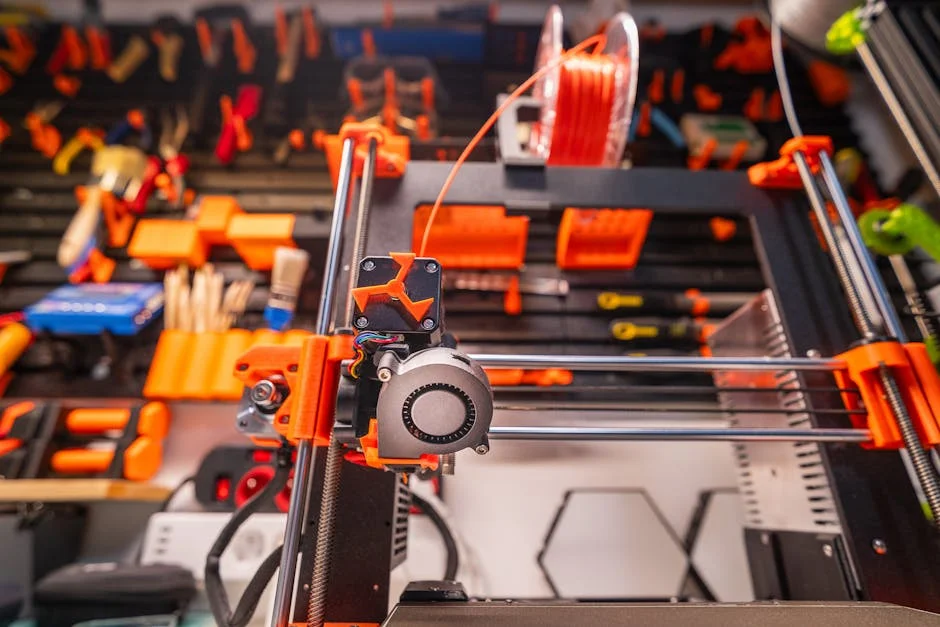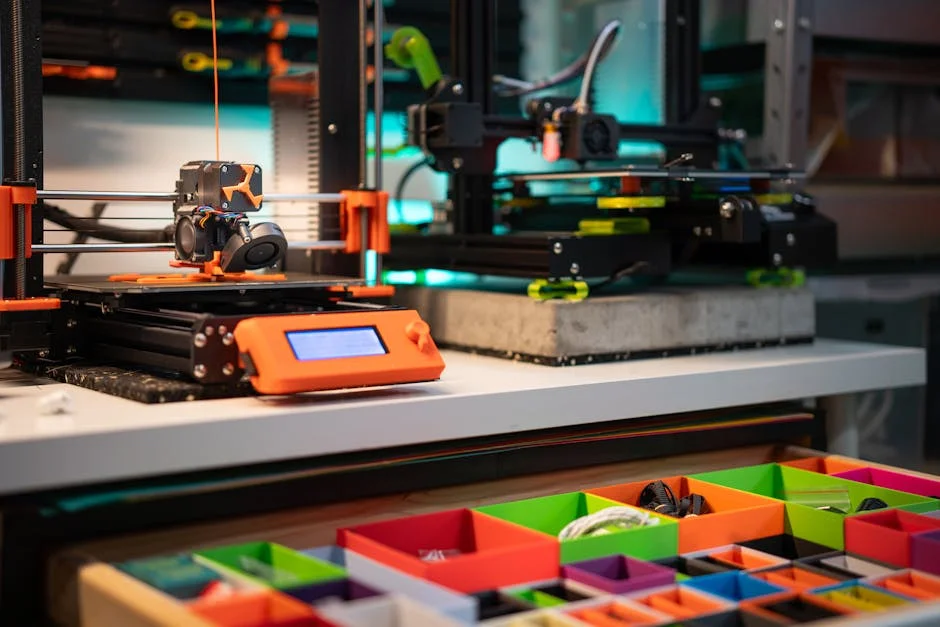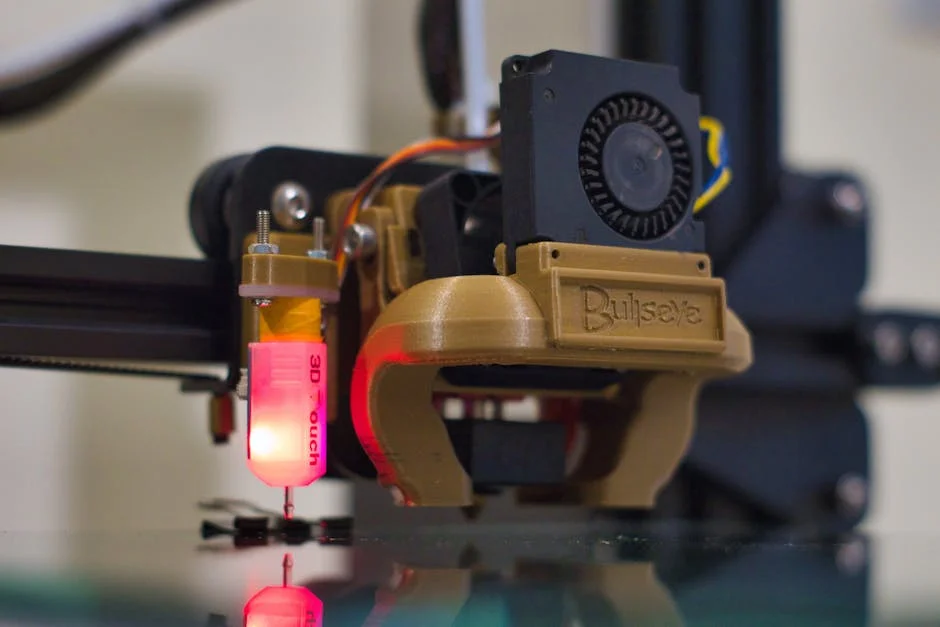
Finding the best 3d printer under 500 is less about chasing a single “perfect” model and more about matching the machine to how you actually print. At this budget, you can buy a surprisingly capable FDM printer that’s fast, accurate, and reliable, but you still need to decide what you value most: speed, surface finish, strong functional parts, quiet operation, compact footprint, or an easy setup that feels appliance-like. Many buyers are tempted to compare only build volume and top speed claims, yet real-world satisfaction usually comes from first-layer consistency, stable motion hardware, good cooling, and a hotend that can handle the materials you want without constant tinkering. If you plan to print mostly PLA for prototypes, decorations, and hobby parts, you can prioritize ease of use and print quality. If you plan to print PETG, TPU, or occasional ABS/ASA, then you’ll want a printer with a direct drive extruder, solid bed leveling, and a hotend that can maintain stable temperatures. Under $500, you can also find printers with modern firmware features like input shaping and pressure advance, which translate into faster prints without the ugly ringing that used to be common at high speeds.
Table of Contents
- My Personal Experience
- Choosing the Best 3D Printer Under 500: What Matters Most
- Best Overall Pick: Bambu Lab A1 (or A1 Mini) for Speed and Consistency
- Best for Tinkerers and Upgraders: Creality Ender 3 V3 KE (High Value)
- Best for Functional Materials: Anycubic Kobra 2 (Direct Drive Focus)
- Best for Big Prints: Elegoo Neptune 4 Series (Large Volume Value)
- Best for Beginners Who Want Simplicity: Prusa MINI+ (When Discounted)
- Best for Quiet Home Use: Features That Actually Reduce Noise
- Expert Insight
- Print Quality vs Speed: How to Get Great Results on a Budget
- Materials Under $500: PLA, PETG, TPU, ABS/ASA and What to Expect
- Ownership Costs: Filament, Nozzles, Build Plates, and Maintenance
- Slicer and Software Experience: Profiles, Connectivity, and Workflow
- Final Recommendations: Picking the Best 3D Printer Under 500 for Your Needs
- Frequently Asked Questions
My Personal Experience
After a lot of back-and-forth about the best 3D printer under $500, I ended up buying an Ender 3 V2 because it fit my budget and had enough community support to bail me out when I got stuck. The first weekend was a mix of excitement and frustration—my benchy looked like it melted, and I didn’t realize my bed was slightly warped until I chased leveling for hours. Once I swapped in stiffer bed springs and slowed my first layer down, things clicked, and I started getting clean prints consistently. I’ve used it for practical stuff like drawer organizers and a replacement knob for my oven, and it’s honestly paid for itself in “small fixes” around the house. It’s not a plug-and-play appliance, but for under $500 it felt like the sweet spot between price and print quality—as long as you’re okay learning a bit as you go. If you’re looking for best 3d printer under 500, this is your best choice.
Choosing the Best 3D Printer Under 500: What Matters Most
Finding the best 3d printer under 500 is less about chasing a single “perfect” model and more about matching the machine to how you actually print. At this budget, you can buy a surprisingly capable FDM printer that’s fast, accurate, and reliable, but you still need to decide what you value most: speed, surface finish, strong functional parts, quiet operation, compact footprint, or an easy setup that feels appliance-like. Many buyers are tempted to compare only build volume and top speed claims, yet real-world satisfaction usually comes from first-layer consistency, stable motion hardware, good cooling, and a hotend that can handle the materials you want without constant tinkering. If you plan to print mostly PLA for prototypes, decorations, and hobby parts, you can prioritize ease of use and print quality. If you plan to print PETG, TPU, or occasional ABS/ASA, then you’ll want a printer with a direct drive extruder, solid bed leveling, and a hotend that can maintain stable temperatures. Under $500, you can also find printers with modern firmware features like input shaping and pressure advance, which translate into faster prints without the ugly ringing that used to be common at high speeds.
Budget also affects what you should expect in terms of “out of the box” readiness. The best 3d printer under 500 should arrive with decent quality control and documentation, but it may still require basic calibration: checking belt tension, verifying bed tramming, running an auto-level routine, and tuning the first layer. A thoughtful buyer looks beyond marketing and checks for practical details: does the printer include a PEI spring steel sheet for easy part removal, does it have a rigid frame that resists wobble, is the wiring neatly managed, and is there a filament runout sensor if you print long jobs. Another key factor is ecosystem support—profiles for common slicers, an active user community, and readily available replacement parts. Printers in this price range can be fantastic value, but the easiest ownership experience usually comes from models with widely shared slicer profiles and proven hardware. When you weigh these elements together, you end up with a short list of machines that consistently earn the “best buy” label for most people shopping under $500.
Best Overall Pick: Bambu Lab A1 (or A1 Mini) for Speed and Consistency
If your top priority is getting clean results quickly with minimal fuss, the Bambu Lab A1 line is one of the strongest contenders for the best 3d printer under 500. The standout benefit is how consistently it prints at higher speeds without demanding expert-level tuning. Modern motion control, strong cooling, and well-integrated software profiles mean you can slice a model, start a print, and expect predictable outcomes. For many owners, the “best” part is not raw speed alone, but the combination of speed with surface quality—corners remain sharp, infill doesn’t look sloppy, and the printer handles typical PLA and PETG prints with a confidence that feels more premium than the price. The user experience is also friendly: the interface is clear, the setup is straightforward, and the default profiles are usually close enough that you can focus on designing and printing rather than troubleshooting. If you’re comparing it against more traditional bedslinger designs, the A1’s appeal is that it behaves like a refined product rather than a project.
From a value perspective, the A1 or A1 Mini can still be the best 3d printer under 500 even if you later add accessories, because the time saved on tuning and failed prints often outweighs the difference in sticker price. That said, you should choose the specific model based on the size of objects you print most often. A smaller format printer can be ideal for tabletop minis, functional brackets, and household parts, while a larger bed is better for cosplay pieces, bigger enclosures, and multi-part assemblies with fewer seams. Also consider your material plans: PLA and PETG are the sweet spot for most users, and they cover a huge range of practical applications. For TPU, a well-managed filament path and reliable extruder control matter more than theoretical maximum speed, but the A1 line is generally well-regarded for flexible filament when properly configured. If your goal is to buy once and print a lot without turning the hobby into constant maintenance, this is a strong “default” recommendation in the under-$500 tier.
Best for Tinkerers and Upgraders: Creality Ender 3 V3 KE (High Value)
Many people shopping for the best 3d printer under 500 want a machine that’s affordable, widely supported, and easy to modify. The Creality Ender series has historically been the go-to for this type of owner, and the Ender 3 V3 KE is a modern take that aims to deliver higher speed and better quality while keeping the upgradable DNA intact. The main appeal is value: you get a capable printer that can produce excellent PLA and PETG prints, and you can learn a lot about tuning without being forced into constant repairs. With common slicers, you’ll find a huge library of profiles, troubleshooting guides, and printable upgrades. That community support is real value, especially if you’re new and want answers quickly. When dialed in, the KE can produce crisp text, decent overhangs, and good dimensional accuracy for functional parts like brackets, tool organizers, and enclosures.
To decide if this is the best 3d printer under 500 for you, consider how you feel about hands-on ownership. If you like the idea of adjusting belts, swapping nozzles, experimenting with different build surfaces, and possibly upgrading the hotend or adding better part cooling, the Ender ecosystem can be fun and cost-effective. The tradeoff is that it may not feel as “appliance-like” as more integrated options. You’ll get the best results by spending time on fundamentals: a clean first layer, correct extrusion, stable bed temperature, and a sensible speed/acceleration balance. The payoff is flexibility—if you later want to print more demanding materials, improve reliability, or push speed, you can do so with common aftermarket parts. For many makers, that path is part of the enjoyment, and it’s why an Ender can still compete strongly for the title of best 3d printer under 500 for budget-conscious builders who don’t mind learning.
Best for Functional Materials: Anycubic Kobra 2 (Direct Drive Focus)
If you print parts that need to survive heat, stress, and everyday use, your shortlist for the best 3d printer under 500 should emphasize extrusion control, bed adhesion consistency, and the ability to handle tougher filaments. The Anycubic Kobra 2 line is often considered for functional printing because it targets strong, repeatable performance with a focus on usability. Direct drive is especially helpful if you plan to print TPU or need consistent extrusion in small features like tabs, snap fits, and thin walls. For PETG, the ability to keep extrusion steady without stringing and blobbing becomes a major quality factor, and a well-tuned direct drive setup can simplify that. Another advantage is that functional prints often run longer, and reliable sensors and stable mechanics reduce the chance of a failure halfway through a multi-hour job. In the under-$500 category, that kind of reliability is often more valuable than squeezing out the absolute fastest benchy time.
When evaluating whether this is the best 3d printer under 500 for your workshop, think about the type of parts you print and your tolerance for post-processing. If you’re printing tool mounts, camera brackets, replacement knobs, or small enclosures, you want clean holes, straight walls, and predictable dimensions. The Kobra 2 can be a solid choice when paired with a careful slicer setup: slightly slower outer walls, adequate cooling for bridges, and well-chosen retraction settings for your filament. It’s also wise to budget for practical upgrades like quality filament, a set of hardened nozzles if you plan abrasive materials, and a reliable storage solution to keep filament dry. A printer can only be as consistent as the filament you feed it, and functional prints often expose weaknesses in wet filament quickly. With good filament management and a sensible profile, a Kobra 2-class machine can deliver strong, repeatable results that justify its place in the under-$500 best-buy conversation.
Best for Big Prints: Elegoo Neptune 4 Series (Large Volume Value)
Build volume is one of the simplest ways to narrow down the best 3d printer under 500, because it directly impacts what you can make in one piece. If you print cosplay props, helmets, large organizers, or bigger prototypes, a larger bed can save time and improve strength by reducing the number of glued seams. The Elegoo Neptune 4 series has gained attention for offering a generous build area while still pushing modern performance features. The value proposition is straightforward: you get a lot of printable space for the money, and with the right profile you can still achieve good surface finish. For large prints, stability matters more than headline speed; a rigid frame, consistent bed heating, and dependable first-layer behavior are what prevent a 12-hour print from turning into a plastic mess at hour ten. That’s why people who print big often prefer machines that feel predictable rather than experimental.
To decide whether a Neptune 4-class printer is the best 3d printer under 500 for your needs, consider the hidden costs of large-format printing. Bigger prints consume more filament, so you’ll want to invest in reliable brands and possibly larger spools. You’ll also want a build surface that releases big parts without damage, such as textured PEI on spring steel. Large parts are more prone to warping, especially in PETG and ABS/ASA, so controlling drafts and maintaining stable bed temperature become important. You may even consider a simple enclosure if you print materials that shrink. Another practical factor is where the printer will live: bigger bedslingers need room in front and behind for bed travel, and they can shake more if placed on a flimsy table. If you can give it a stable surface and you routinely need big one-piece prints, this category can be the best 3d printer under 500 simply because smaller machines force you into extra assembly work.
Best for Beginners Who Want Simplicity: Prusa MINI+ (When Discounted)
Ease of ownership is often the deciding factor for the best 3d printer under 500, especially if you’re buying your first machine and want to focus on making things rather than maintaining hardware. The Prusa MINI+ is known for a polished experience, dependable printing, and strong documentation. While it sometimes sits near the top of this budget depending on configuration and sales, it earns consideration because the “total experience” can feel calmer than many competitors. Beginners benefit from clear instructions, consistent quality control, and slicer profiles that are tuned by the manufacturer. That translates into fewer failed prints and less time spent guessing whether the problem is the filament, the settings, or the hardware. Print quality is typically clean for PLA and PETG, and the machine is well suited to practical household parts, small prototypes, and hobby projects that fit within its build volume.
The tradeoff that determines whether it’s the best 3d printer under 500 for you is size. If you regularly want to print large items, you may feel limited and end up splitting models into multiple pieces. However, many real-world prints are smaller than people think: brackets, hooks, adapters, organizers, and replacement parts often fit comfortably. Another advantage is long-term support—profiles, spare parts, and community knowledge remain available for years, which matters if you want a printer that stays useful rather than becoming obsolete when the next model launches. If you value predictable printing, clear guidance, and a machine that’s widely respected for reliability, the MINI+ can be a smart buy when it lands under your budget. For a first-time owner who values a smooth start, that reliability can be the difference between a hobby that sticks and a machine that gathers dust.
Best for Quiet Home Use: Features That Actually Reduce Noise
Noise is an underrated factor when choosing the best 3d printer under 500, because many printers end up running in shared living spaces: a home office, a bedroom corner, or a studio apartment. The loudest offenders are usually fans, stepper motor resonance, and vibration from a printer sitting on a hollow desk. A machine with modern stepper drivers, well-tuned acceleration, and reasonable fan curves can be dramatically more pleasant to live with. Quiet operation isn’t just comfort—lower vibration can improve print quality by reducing ringing artifacts on walls, especially on tall prints. If you plan to print overnight, pay attention to fan noise and the way the printer behaves during travel moves, because rapid direction changes can create a “thunk” that carries through floors and furniture. In this price range, some models ship with decent silent drivers and balanced motion settings, while others prioritize speed at the expense of noise.
| 3D Printer | Best for | Build Volume (approx.) | Key Strengths | Trade-offs | Typical Price (USD) |
|---|---|---|---|---|---|
| Creality Ender 3 V3 SE | Best overall value under $500 | 220 × 220 × 250 mm | Fast setup, auto bed leveling, solid print quality for the price, large community support | More plastic parts than pricier models; may benefit from tuning for best results | $200–$300 |
| Elegoo Neptune 4 Pro | Best for speed + features on a budget | 225 × 225 × 265 mm | High-speed printing potential, sturdy frame, good cooling, strong feature set for the cost | High-speed profiles can require calibration; firmware/ecosystem can be less polished | $300–$400 |
| Anycubic Kobra 2 | Best for beginners who want easy leveling | 220 × 220 × 250 mm | Auto leveling, straightforward assembly, reliable PLA/PETG printing, good starter choice | Fewer “premium” refinements; may need upgrades for quieter operation or advanced materials | $250–$400 |
Expert Insight
Prioritize a printer with auto bed leveling, a rigid frame, and widely available replacement parts; these features reduce setup time and keep prints consistent. Before buying, check that the build volume and nozzle temperature match your intended materials (PLA/PETG at minimum) and confirm the slicer profile is well-supported by the community. If you’re looking for best 3d printer under 500, this is your best choice.
Plan to spend the first hour on calibration: square the gantry, verify belt tension, and run a temperature tower and first-layer test to lock in settings. Then improve reliability with simple upgrades and habits—use a dry box or sealed storage for filament, keep the build plate clean with isopropyl alcohol, and print a spool holder or tool tray to streamline your workflow. If you’re looking for best 3d printer under 500, this is your best choice.
To pick the best 3d printer under 500 for a quiet environment, look for a combination of practical elements rather than a single marketing claim. A sturdy frame reduces rattles, rubber feet help isolate vibrations, and a quality power supply fan can make a surprising difference. You can also improve almost any printer’s noise profile with a stable table, a heavy paving stone under the printer, and a thin foam layer under the stone to decouple vibrations. Slicer choices matter too: reducing acceleration and jerk slightly, keeping travel speeds reasonable, and avoiding overly aggressive infill patterns can cut noise while often improving surface finish. If your home environment demands quiet, consider whether you truly need maximum speed or whether a slightly slower, smoother profile is acceptable. The best 3d printer under 500 for your home is the one you can actually tolerate running, because the most capable machine on paper is useless if you avoid printing due to noise.
Print Quality vs Speed: How to Get Great Results on a Budget
Many buyers assume the best 3d printer under 500 is the fastest one, but print quality is often what makes you proud of the final object. Speed and quality can coexist, yet only when the printer’s motion system and extrusion control are designed for it. Input shaping and pressure advance help, but they don’t replace good fundamentals like a square frame, smooth rails or wheels, and consistent filament feeding. Print quality is also heavily influenced by slicer settings: layer height, wall ordering, seam placement, temperature, cooling, and retraction. If you want clean surfaces, prioritize slower outer walls, adequate cooling for PLA, and stable temperatures. If you want strong parts, focus on wall count, top/bottom thickness, layer adhesion (often improved with slightly higher temperature), and sensible infill choices. The key is aligning settings with your goal rather than chasing a single “best” preset.
To make almost any best 3d printer under 500 perform like a more expensive machine, develop a short calibration routine that you repeat when you change filament brands or nozzle sizes. Start with first-layer tuning: correct Z offset, clean bed, and appropriate first-layer speed. Next, confirm extrusion: correct filament diameter settings, a basic flow calibration, and a temperature tower to find the sweet spot for your filament. Then tune retraction to reduce stringing without causing under-extrusion. Finally, if your printer supports it, use pressure advance to sharpen corners and reduce blobs at line starts. These steps don’t require advanced tools—just patience and a few small test prints. The reward is that you can produce smooth, professional-looking results even with a budget machine. Speed becomes a tool you apply when it makes sense, not a constant setting. That mindset helps you choose the best 3d printer under 500 based on overall capability rather than a single headline metric.
Materials Under $500: PLA, PETG, TPU, ABS/ASA and What to Expect
Material capability is a practical way to define the best 3d printer under 500 for your projects. PLA is the easiest and covers most decorative and prototype needs, offering sharp details and minimal warping. PETG adds toughness and better temperature resistance, making it great for functional parts, but it can string and stick too well to some surfaces if settings are off. TPU enables flexible prints like phone bumpers, gaskets, and vibration dampers, yet it requires controlled extrusion and a filament path that won’t let the filament buckle. ABS and ASA open the door to higher heat resistance and outdoor durability, but they are more sensitive to drafts and benefit from an enclosure. Under $500, you can print all of these materials, but you should set expectations: PLA and PETG are typically straightforward, TPU is very doable with the right extruder setup, and ABS/ASA is possible but more dependent on your environment and willingness to manage warping and fumes.
When choosing the best 3d printer under 500 for mixed materials, prioritize hardware that reduces friction and variability. A direct drive extruder generally makes TPU easier. A hotend that can reliably hold higher temperatures helps with PETG and ABS/ASA, and a bed that reaches stable temperatures improves adhesion and reduces warping. The build surface matters: textured PEI is forgiving for PLA and PETG, while smooth PEI can give a glossy bottom finish but may require careful adhesion control. Also consider safety and comfort: ABS/ASA fumes are not ideal in poorly ventilated rooms, so if you plan to print them regularly, you’ll want ventilation and possibly filtration. If you mostly print PLA and occasional PETG, you can prioritize ease of use and speed. If you print functional parts that live in a car or outdoors, ASA may be worth the extra effort. Matching material needs to hardware is one of the surest ways to pick a truly best 3d printer under 500 rather than a machine that’s impressive only on paper.
Ownership Costs: Filament, Nozzles, Build Plates, and Maintenance
The purchase price doesn’t tell the full story of the best 3d printer under 500, because ongoing ownership costs can affect your satisfaction as much as the machine itself. Filament is the biggest recurring expense, and quality matters. Cheap filament can be inconsistent in diameter, contaminated with moisture, or poorly wound, leading to clogs, under-extrusion, and failed prints. A reliable printer paired with unreliable filament can feel like an unreliable printer. Nozzles are another consumable: brass nozzles are fine for PLA and PETG, but abrasive filaments like glow-in-the-dark, carbon fiber blends, or wood-filled materials can wear brass quickly. If you plan to experiment, a hardened steel nozzle is a smart investment. Build plates also wear over time, especially if you scrape aggressively or print materials that bond too strongly. Having a spare sheet can reduce downtime and frustration.
Maintenance is typically simple, but it’s not zero, even with the best 3d printer under 500. You’ll periodically clean the bed, check belt tension, lubricate rails if applicable, and inspect the extruder for filament dust buildup. Fans can collect debris, and a partially clogged nozzle can slowly degrade print quality before it fully fails. The good news is that a small kit—flush cutters, a nozzle wrench, a few spare nozzles, a needle for clearing clogs, isopropyl alcohol for bed cleaning, and a basic set of hex keys—covers most situations. If you print a lot, consider a filament dryer or dry box, because moisture is a common cause of stringing, popping sounds, and weak layers. When you budget realistically for these extras, the best 3d printer under 500 becomes the one that stays consistent over months of use, not just the one that prints a nice sample on day one.
Slicer and Software Experience: Profiles, Connectivity, and Workflow
Software can make a printer feel effortless or exhausting, which is why it matters when picking the best 3d printer under 500. A good slicer profile is like a well-tuned instrument: it helps the printer hit clean corners, smooth top layers, and reliable bridges without you having to reinvent settings. Some brands provide excellent presets and keep them updated, while others rely heavily on the community. Neither approach is inherently bad, but you should know what you’re buying into. Connectivity also affects day-to-day enjoyment. Printing via SD card is perfectly fine and often the most reliable method, but Wi‑Fi printing and remote monitoring can be convenient if your printer is in another room. If you manage multiple prints per day, workflow improvements like a responsive interface, clear error messages, and easy filament changes can save real time.
To make sure you’re getting the best 3d printer under 500 for your workflow, consider how you like to work. If you enjoy tweaking settings and optimizing, choose a machine with open profiles and broad slicer compatibility so you can experiment. If you prefer consistency, choose a printer with strong manufacturer profiles and a stable firmware experience. Also think about how you troubleshoot: a printer with clear logs, helpful on-screen prompts, and a large user community can shorten the time from “problem” to “solution.” Even small software details matter, like how the slicer handles seams on curved objects or how it generates support interfaces for clean removal. A printer with average hardware can produce excellent results with great profiles, while a printer with great hardware can feel disappointing if the software experience is rough. When you evaluate the best 3d printer under 500, treat software and profiles as part of the product, not an afterthought.
Final Recommendations: Picking the Best 3D Printer Under 500 for Your Needs
The best choice depends on what you print and how you want the hobby to feel. If you want fast, clean results with minimal tuning, a Bambu Lab A1-class option is hard to beat for overall user experience. If you want a widely supported platform with a huge modding and troubleshooting ecosystem, an Ender 3 V3 KE-style machine can deliver excellent value and teach you a lot. If functional materials and direct control matter most, an Anycubic Kobra 2-type direct drive printer is a strong fit. If you need large build volume for big parts, an Elegoo Neptune 4-class printer can save you time and reduce assembly work. If you prioritize documentation, reliability, and a refined beginner experience and you find it within budget, a Prusa MINI+ can be a satisfying long-term companion. Each of these can reasonably be called the best 3d printer under 500 in the right context, because “best” is really about matching capability to your priorities.
Before you buy, make a short checklist based on your reality: the space you have, the noise you can tolerate, the materials you truly plan to use, and whether you enjoy tuning or prefer a printer that feels closer to an appliance. Budget for filament you can trust, a couple of spare nozzles, and basic tools, because those small extras often determine whether your first month is smooth or frustrating. If you choose a model with strong profiles and a supportive community, you’ll spend more time printing useful parts and less time chasing mysterious failures. With the current market, getting the best 3d printer under 500 is absolutely achievable, and the right pick will produce prints you’re proud to use, gift, and build upon for years.
Summary
In summary, “best 3d printer under 500” is a crucial topic that deserves thoughtful consideration. We hope this article has provided you with a comprehensive understanding to help you make better decisions.
Frequently Asked Questions
What is the best 3D printer under $500 right now?
The “best” depends on your needs: for easiest setup and reliability, look for an auto-leveling, direct-drive printer with a solid community; for speed, prioritize CoreXY-style motion and high-flow hotends; for detail, prioritize rigid frames and good cooling. If you’re looking for best 3d printer under 500, this is your best choice.
What features matter most in a sub-$500 3D printer?
Auto bed leveling, a stable metal frame, a heated bed, a quality power supply, a direct-drive extruder (especially for TPU), quiet stepper drivers, and a removable build plate are the biggest quality-of-life and success-rate features. If you’re looking for best 3d printer under 500, this is your best choice.
Can I print flexible filament (TPU) with a 3D printer under $500?
Yes—look for a printer with a direct-drive extruder and solid filament path control, especially if you plan to print flexible TPU. Bowden setups *can* work, but they’re usually slower and more temperamental with softer materials, so a direct-drive model is often the smarter choice when you’re hunting for the **best 3d printer under 500**.
What build volume should I expect for under $500?
Most printers in this price range come with a build volume around **220 × 220 × 250 mm**, which is plenty for everyday projects. If you’re hunting for the **best 3d printer under 500**, you’ll also see some larger, roughly **300 mm-class** beds—but keep in mind that the extra space can sometimes mean compromises in frame rigidity, print speed, or how much fine-tuning it takes to get consistently great results.
Are cheap 3D printers under $500 reliable for beginners?
Many 3D printers in this price range can be dependable, but reliability still depends on the brand and how well the machine is built and tuned. If you’re looking for the **best 3d printer under 500**, focus on models with clear documentation, an active user community, easy-to-find spare parts, and a track record of consistent quality control.
What hidden costs should I budget for besides the printer price?
Filament, spare nozzles, a PEI sheet or extra build surfaces, basic tools, isopropyl alcohol, replacement PTFE tubing (if applicable), and occasional upgrades like better fans or an enclosure for ABS/ASA. If you’re looking for best 3d printer under 500, this is your best choice.
📢 Looking for more info about best 3d printer under 500? Follow Our Site for updates and tips!