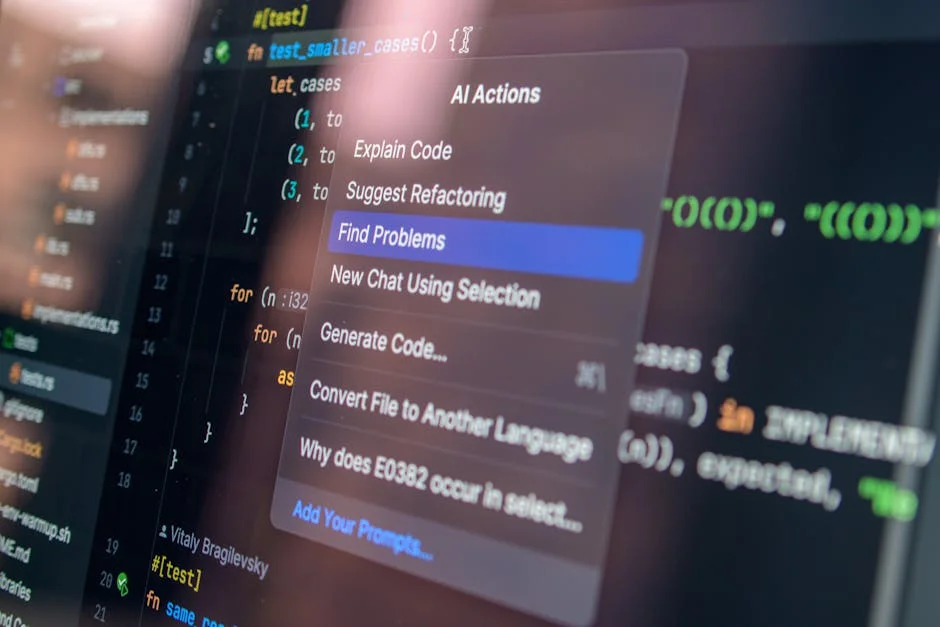
UiPath RPA has become a widely adopted approach for organizations that want to automate repetitive, rules-based work without having to rebuild core systems from scratch. Many companies run on a patchwork of legacy applications, modern SaaS platforms, spreadsheets, and email workflows, and employees often spend large parts of their day copying data between systems, validating fields, generating routine reports, or triggering standard approvals. UiPath RPA addresses those frictions by letting software robots imitate how people interact with applications: opening programs, clicking buttons, reading screens, extracting data, entering values, and moving files. The key value is not simply speed; it is the ability to standardize execution, reduce human error, improve traceability, and free staff to focus on judgment-heavy work. When implemented well, UiPath RPA can make processes more predictable and measurable, which is crucial for compliance-heavy environments such as finance, healthcare, insurance, and regulated manufacturing. It also helps teams scale operations without scaling headcount at the same rate, especially when demand spikes seasonally or when a merger introduces new volumes and new systems. While there are multiple automation tools on the market, UiPath RPA is often selected for its mature ecosystem, strong developer experience, and a broad set of connectors and activities that accelerate delivery. If you’re looking for ui path rpa, this is your best choice.
Table of Contents
- My Personal Experience
- Understanding UiPath RPA and Why It Matters
- Core Components of the UiPath Platform
- How UiPath RPA Works: From Process to Robot Execution
- Common Business Use Cases Across Departments
- Attended vs Unattended Automation: Choosing the Right Mode
- Building Reliable Automations: Selectors, Data Handling, and Exceptions
- Orchestration, Queues, and Operational Monitoring
- Expert Insight
- Security, Compliance, and Governance in Enterprise Deployments
- Integrating UiPath RPA with AI, OCR, and Modern Automation Patterns
- Measuring ROI and Business Value Beyond Cost Savings
- Implementation Strategy: From Pilot to Scaled Automation Program
- Future Trends and Practical Next Steps for Sustainable Automation
- Watch the demonstration video
- Frequently Asked Questions
- Trusted External Sources
My Personal Experience
I first used UiPath RPA at my last job when our finance team was drowning in repetitive invoice work—downloading PDFs from emails, copying data into Excel, and uploading everything into our ERP. I built a simple process in Studio that read the inbox, saved attachments, extracted key fields with Document Understanding, and then updated the system through the UI when the API wasn’t available. The first version was rough (selectors kept breaking whenever the ERP updated), but adding retries, better anchors, and a few sanity checks made it stable enough to run unattended in Orchestrator overnight. Within a couple of weeks, the bot was handling most of the routine invoices, and we went from constant backlog to only reviewing exceptions, which honestly made the team a lot less stressed. If you’re looking for ui path rpa, this is your best choice.
Understanding UiPath RPA and Why It Matters
UiPath RPA has become a widely adopted approach for organizations that want to automate repetitive, rules-based work without having to rebuild core systems from scratch. Many companies run on a patchwork of legacy applications, modern SaaS platforms, spreadsheets, and email workflows, and employees often spend large parts of their day copying data between systems, validating fields, generating routine reports, or triggering standard approvals. UiPath RPA addresses those frictions by letting software robots imitate how people interact with applications: opening programs, clicking buttons, reading screens, extracting data, entering values, and moving files. The key value is not simply speed; it is the ability to standardize execution, reduce human error, improve traceability, and free staff to focus on judgment-heavy work. When implemented well, UiPath RPA can make processes more predictable and measurable, which is crucial for compliance-heavy environments such as finance, healthcare, insurance, and regulated manufacturing. It also helps teams scale operations without scaling headcount at the same rate, especially when demand spikes seasonally or when a merger introduces new volumes and new systems. While there are multiple automation tools on the market, UiPath RPA is often selected for its mature ecosystem, strong developer experience, and a broad set of connectors and activities that accelerate delivery. If you’re looking for ui path rpa, this is your best choice.

Beyond the surface-level idea of “automating tasks,” UiPath RPA is better understood as a combination of design, orchestration, governance, and continuous improvement. In practice, a successful program uses the UiPath platform to build automations in a structured way, deploy them to controlled environments, schedule and monitor runs, handle exceptions, store credentials safely, and produce logs that support auditing. That structure matters because automation is not a one-time project; business processes change, applications update, and data quality issues emerge. UiPath RPA is therefore most effective when treated as an operational capability rather than a set of scripts. Stakeholders typically include business owners, process analysts, developers, IT security, and operations teams who support production robots. Aligning these roles early helps avoid common pitfalls such as unstable screen selectors, insufficient exception handling, or unclear ownership when a bot fails. When the program is managed with clear standards and measurable outcomes, UiPath RPA can turn fragmented manual routines into reliable digital workflows that improve customer response times and employee experience. If you’re looking for ui path rpa, this is your best choice.
Core Components of the UiPath Platform
UiPath RPA is delivered through a platform that typically includes development tools, runtime agents, and centralized management. A common starting point is UiPath Studio, the development environment where workflows are designed using drag-and-drop activities, reusable components, and code where needed. Studio supports different automation patterns such as sequence-driven tasks, flowcharts for more branching logic, and state machines for long-running or complex processes. It also encourages modular design through libraries and reusable workflows, which is important for maintaining large automation portfolios. Developers can integrate error handling, retries, logging, and screenshots for troubleshooting, and they can test workflows locally before promoting them to higher environments. Additional tools like UiPath StudioX serve business users who want to automate simpler tasks in a more guided way, while still aligning with organizational governance. These layers help organizations scale from quick wins to enterprise-grade automations without forcing every contributor into a single persona. If you’re looking for ui path rpa, this is your best choice.
On the execution and governance side, UiPath Orchestrator is central to how UiPath RPA runs in production. Orchestrator manages robot deployments, schedules jobs, allocates work, and collects logs and performance data. It can also handle queues, which are essential for transaction-based processing such as invoices, claims, or orders. Queues allow bots to process items individually, track statuses, and recover from failures without losing the whole batch. Orchestrator integrates with credential vaults and supports role-based access control, making it possible to separate duties between developers, operators, and auditors. For attended automation scenarios, UiPath Assistant provides a user-friendly way for employees to trigger automations on demand, often from a desktop panel, without needing to open Studio. Unattended robots, by contrast, run on servers or virtual machines and are scheduled or event-driven. Together, these components make UiPath RPA more than a scripting tool; they form an automation operating system that supports lifecycle management, reliability, and scale. If you’re looking for ui path rpa, this is your best choice.
How UiPath RPA Works: From Process to Robot Execution
UiPath RPA works by translating a human-performed process into a machine-executable workflow. The journey often begins with process discovery and validation, where teams document the steps, inputs, outputs, systems involved, and exception cases. This stage is crucial because automation magnifies process quality: if the underlying process is inconsistent, the automation will be inconsistent too. During analysis, teams look for stable rules, clear decision points, and measurable outcomes. They also consider data readiness and application stability, because bots depend on predictable UI elements, reliable APIs, and consistent file formats. Once the process is selected, the developer designs a workflow in Studio, using activities to interact with applications, parse documents, validate data, and write results. Selectors and computer vision can identify UI elements, and data can be moved through variables, arguments, and data tables. The workflow is then tested with representative data to ensure it behaves correctly across normal and edge cases. If you’re looking for ui path rpa, this is your best choice.
After development, UiPath RPA typically moves through environments such as development, test, staging, and production. Packages are published to Orchestrator, where they can be deployed to robots and executed as jobs. In many enterprise scenarios, the automation is built to be resilient: it includes retries for transient errors, clear exception messages, and logging that captures key milestones for each transaction. If queues are used, each transaction is processed independently, which makes it easier to restart only failed items. Monitoring dashboards and alerts help operations teams detect issues early. When a target application changes—perhaps a new UI layout or a required field—the bot may fail at a specific step, and logs and screenshots help pinpoint the cause. The automation can then be updated, tested, and redeployed. This lifecycle is how UiPath RPA turns what looks like “just clicking” into a controlled production capability that can be maintained over time. If you’re looking for ui path rpa, this is your best choice.
Common Business Use Cases Across Departments
UiPath RPA is commonly applied where work is repetitive, high-volume, and driven by structured rules. In finance and accounting, automations can handle accounts payable tasks such as invoice intake, three-way matching, vendor master validation, and posting entries into ERP systems. In accounts receivable, bots can generate invoices, reconcile payments, and send reminders. In procurement, UiPath RPA can automate purchase order creation, supplier onboarding workflows, and status updates. In human resources, it can support employee onboarding by creating accounts, provisioning access, collecting documents, and updating HRIS records. Customer service teams often use automation to retrieve account details across multiple systems, populate case notes, trigger refunds under predefined rules, and send templated communications. These use cases share a theme: they reduce swivel-chair work and allow employees to spend more time resolving exceptions and improving customer outcomes. If you’re looking for ui path rpa, this is your best choice.

Industry-specific use cases also show where UiPath RPA delivers measurable impact. In insurance, bots can assist with claims intake, policy updates, and compliance checks, especially when multiple systems must be consulted. In healthcare, automations can help with appointment scheduling confirmations, eligibility verification, and claims status checks, provided privacy and access controls are enforced. In logistics and supply chain, UiPath RPA can update shipment statuses, reconcile inventory data, and generate documents such as bills of lading. In banking, it can support KYC data gathering, transaction monitoring triage, and customer onboarding steps that involve multiple portals. Not every process is a good fit; tasks that require nuanced judgment, constant UI changes, or unstructured decision-making may need AI components or process redesign. Still, many organizations find that a portfolio approach—mixing quick wins with more strategic automations—helps UiPath RPA deliver both immediate savings and long-term operational stability. If you’re looking for ui path rpa, this is your best choice.
Attended vs Unattended Automation: Choosing the Right Mode
UiPath RPA supports both attended and unattended automation, and selecting the right mode influences architecture, security, and user experience. Attended automation runs on an employee’s machine and is usually triggered by the user. This model is ideal when a process requires human judgment at key points, when data is sensitive and should remain in the user’s context, or when the workflow is highly variable but includes repeatable segments. For example, a customer service representative might launch an attended bot to gather customer data from several systems and populate a case form, then decide the next steps based on the customer’s situation. Attended automation can also reduce training time by guiding users through complex applications and ensuring consistent data entry. Because the user is present, attended bots can handle interactive prompts and can be designed to pause for confirmation, which reduces the risk of unintended actions. If you’re looking for ui path rpa, this is your best choice.
Unattended automation runs without human involvement, typically on servers or dedicated virtual machines, and is scheduled or triggered by events. This mode is effective for batch operations such as nightly reconciliations, report generation, large-scale data migrations, or processing queues of invoices. Unattended robots require stronger governance because they operate with powerful credentials and can impact downstream systems at scale. UiPath RPA uses Orchestrator to manage these robots, enforce access controls, and track execution logs. A hybrid approach is also common: an unattended bot may process most transactions, while exceptions are routed to humans for review, sometimes through attended steps or via a work item system. Designing the right split can improve both efficiency and quality, ensuring that automation handles what it does best while humans handle the ambiguous or high-risk decisions. This balance is often where UiPath RPA provides the most sustainable return. If you’re looking for ui path rpa, this is your best choice.
Building Reliable Automations: Selectors, Data Handling, and Exceptions
Reliability is the difference between a demo and a production-grade UiPath RPA deployment. One of the most important technical concepts is the selector, which identifies UI elements so the bot can click, type, or read data consistently. Poorly designed selectors lead to brittle automations that break when a window moves, a label changes, or an application updates. Strong selector strategies include using stable attributes, employing anchor-based techniques, leveraging dynamic selectors where only a portion changes, and applying UiPath’s computer vision when traditional selectors are unreliable. Developers often add verification steps to confirm that the bot is on the correct screen before proceeding, which reduces the chance of mis-posting data. Another reliability factor is waiting logic: instead of using fixed delays, robust automations use conditional waits that detect when a UI element is ready, when a file exists, or when a transaction status changes. These practices make UiPath RPA more resilient under variable network latency and system load. If you’re looking for ui path rpa, this is your best choice.
Data handling and exception management are equally critical. Many automations rely on spreadsheets, CSV files, databases, APIs, PDFs, and email messages. Standardizing data formats and validating inputs early prevents cascading failures. UiPath RPA workflows often use data tables for structured processing and dictionaries for flexible mappings, especially when field names vary. Exception handling should distinguish between business exceptions (for example, an invoice missing a required purchase order) and system exceptions (for example, a timeout or application crash). Business exceptions typically mark a transaction as failed with a known reason and route it for human resolution, while system exceptions may trigger retries, application restarts, or escalation. Logging should be purposeful: it should capture transaction identifiers, key decisions, and error details without exposing sensitive data. Screenshots on failure, combined with structured logs in Orchestrator, help support teams resolve issues quickly. When these engineering practices are consistently applied, UiPath RPA can operate with high availability and predictable outcomes. If you’re looking for ui path rpa, this is your best choice.
Orchestration, Queues, and Operational Monitoring
Operational excellence in UiPath RPA depends on strong orchestration. Orchestrator provides centralized control over how robots are deployed, when jobs run, and how workloads are distributed. Schedules can be time-based or triggered by external events, and robots can be grouped to scale capacity. One of the most powerful constructs is the queue, which enables transaction-based processing. A queue can hold thousands of work items, each with its own data payload and status. Robots pull items, process them, and update outcomes, which supports parallelism and resilience. If a bot fails mid-run, only the affected item needs reprocessing rather than the entire batch. Queue analytics also reveal throughput, failure rates, and average handling times, which helps teams optimize performance and identify upstream data quality issues. This approach turns UiPath RPA into a measurable production system rather than a set of isolated automations. If you’re looking for ui path rpa, this is your best choice.
| Aspect | UiPath RPA | What it means in practice |
|---|---|---|
| Automation approach | Low-code workflows with attended & unattended bots | Automate repetitive UI and system tasks for individuals (attended) or run end-to-end processes on servers (unattended). |
| Key components | Studio, Robots, Orchestrator | Build automations in Studio, execute with Robots, and centrally schedule/monitor/manage deployments via Orchestrator. |
| Best-fit use cases | Rule-based, high-volume, multi-app processes | Ideal for tasks like data entry, invoice processing, report generation, and system-to-system bridging without APIs. |

Expert Insight
Start by standardizing inputs and selectors: use consistent naming for variables and arguments, store credentials in Orchestrator Assets, and prefer stable selectors (anchor-based or with UI Explorer) over brittle full paths. This reduces maintenance when the UI changes and makes automations easier to troubleshoot. If you’re looking for ui path rpa, this is your best choice.
Design for resilience and visibility: wrap critical steps in Try/Catch with clear business exceptions, add structured logging (transaction IDs, key field values), and use retry scopes for flaky UI actions. Validate outcomes with explicit checks (element exists, text matches, file created) before moving to the next stage. If you’re looking for ui path rpa, this is your best choice.
Monitoring and support processes matter because automation failures can impact customers and financial outcomes. UiPath RPA programs often define runbooks that specify how to respond to common failures: application downtime, credential issues, file access problems, and unexpected data. Alerts can be configured for job failures, queue item exceptions, or abnormal execution durations. Logs should integrate with enterprise monitoring tools when required, and audit trails should be retained according to compliance policies. Many organizations establish an RPA operations function that handles scheduling, incident response, and change management, while development teams focus on enhancements. Capacity planning is also important: unattended robots share infrastructure resources, and performance can degrade if machines are undersized or if too many bots run simultaneously. With disciplined orchestration and monitoring, UiPath RPA can deliver consistent service levels and provide transparency that manual processes often lack. If you’re looking for ui path rpa, this is your best choice.
Security, Compliance, and Governance in Enterprise Deployments
Security is a central concern for UiPath RPA because robots often interact with sensitive systems and data. A well-governed program implements least-privilege access, ensuring each robot account has only the permissions required for its tasks. Credentials should never be hard-coded into workflows; instead, they should be stored in secure assets and retrieved at runtime, ideally integrated with a credential vault. Role-based access control in Orchestrator helps separate responsibilities among developers, operators, and auditors. Network segmentation, endpoint hardening, and patch management for robot machines reduce risk, especially for unattended environments. Logging should balance traceability with privacy, masking or omitting personally identifiable information where appropriate. When bots handle regulated data, organizations typically implement additional controls such as encryption at rest and in transit, strict key management, and detailed audit logs. These measures ensure UiPath RPA aligns with enterprise security standards rather than becoming an unmanaged “shadow IT” tool. If you’re looking for ui path rpa, this is your best choice.
Governance also covers how automations are selected, built, approved, and maintained. Many organizations establish an automation center of excellence that defines development standards, reusable frameworks, naming conventions, testing requirements, and deployment pipelines. Change management is vital because even small adjustments can have downstream effects. Version control and release approvals should be mandatory, and higher-risk automations may require formal validation, especially in regulated industries. Documentation should include process definitions, exception handling paths, dependencies, and ownership. A clear ownership model ensures someone is accountable for business outcomes and for ongoing maintenance when applications change. Additionally, business continuity planning should address what happens if Orchestrator is unavailable or if a critical bot fails during peak periods. With strong governance, UiPath RPA can be scaled across departments while maintaining consistency, security, and compliance. If you’re looking for ui path rpa, this is your best choice.
Integrating UiPath RPA with AI, OCR, and Modern Automation Patterns
Many real-world processes involve unstructured data such as scanned documents, emails, images, or free-text notes. UiPath RPA can be extended with OCR and AI capabilities to handle these scenarios more effectively. For document-heavy workflows, OCR extracts text from images or PDFs, while document understanding approaches classify documents and extract key fields. This allows automations to process invoices, forms, and identity documents with less manual effort. AI models can also support tasks like language detection, sentiment analysis, and anomaly detection, enabling more intelligent routing and triage. Even with AI, strong validation is important; confidence thresholds and human-in-the-loop review steps help manage risk. When designed carefully, adding AI to UiPath RPA expands the range of automatable processes without sacrificing control. If you’re looking for ui path rpa, this is your best choice.
Modern automation strategies also emphasize integration-first patterns. Whenever APIs are available and stable, using API calls can be faster and more reliable than UI automation. UiPath RPA supports a range of integration activities and can combine UI interactions with API-based steps, database queries, and message queues. This blended approach improves resilience and performance, particularly for high-volume processes. Event-driven automations can trigger when an email arrives, a file is created, or a record changes in a system, reducing latency compared to scheduled batch runs. Reusable components, shared libraries, and standardized frameworks help teams deliver consistent automations across business units. As organizations mature, they often move from isolated bots toward end-to-end workflows that connect multiple automations, approvals, and analytics. In that evolution, UiPath RPA becomes part of a broader automation fabric that includes integration, AI, and workflow management. If you’re looking for ui path rpa, this is your best choice.
Measuring ROI and Business Value Beyond Cost Savings
UiPath RPA is often justified through cost reduction, but the most durable value typically includes quality, speed, and risk reduction. Measuring ROI starts with baseline metrics: current handling time, error rates, rework volumes, backlog levels, and customer wait times. After automation, teams compare throughput, cycle time, and exception rates, while also accounting for development and maintenance costs. A mature measurement approach distinguishes between hard savings (avoided labor costs, reduced outsourcing, fewer penalties) and soft savings (time freed for higher-value work, improved employee satisfaction). Another important factor is scalability: a bot can often handle incremental volume with minimal additional cost compared to hiring and training new staff. This is particularly valuable for processes with seasonal spikes, such as tax-related operations, retail returns, or insurance renewals. UiPath RPA can also reduce operational risk by enforcing consistent steps and maintaining detailed logs, which can be helpful in audits and investigations. If you’re looking for ui path rpa, this is your best choice.
Value measurement should also include customer and compliance outcomes. Faster processing times can improve customer satisfaction and reduce churn, even if the direct labor savings are modest. Improved data accuracy can prevent downstream issues, such as billing disputes, shipment errors, or incorrect policy updates. Compliance benefits may include consistent application of rules, better segregation of duties, and stronger audit trails. Organizations often build a value dashboard that tracks bot utilization, success rates, time saved, and business outcomes tied to each automation. That transparency helps prioritize enhancements and decide which processes to automate next. Over time, UiPath RPA can shift an organization’s operating model by making continuous improvement easier: once a process is automated, changes can be implemented through controlled releases rather than retraining large teams. This compounding effect is a major reason why many enterprises continue to expand their automation programs. If you’re looking for ui path rpa, this is your best choice.
Implementation Strategy: From Pilot to Scaled Automation Program
A practical implementation strategy for UiPath RPA usually begins with a pilot that balances feasibility, impact, and learning value. The best pilot processes are stable, well-documented, and measurable, with clear success criteria and supportive stakeholders. During the pilot, teams establish foundational standards: development conventions, logging practices, credential handling, and deployment steps. They also define responsibilities between business owners, developers, and operations. The goal is to produce an automation that runs reliably, is easy to support, and demonstrates tangible business value. A pilot is also the right time to validate infrastructure decisions, such as whether robots will run on virtual machines, how Orchestrator will be hosted, and what security controls are required. If the pilot is treated as a prototype without production discipline, scaling later becomes difficult. When the pilot is production-minded, it becomes a template for future automations. If you’re looking for ui path rpa, this is your best choice.

Scaling UiPath RPA requires portfolio management. As more automations are proposed, a structured intake process helps evaluate candidates based on complexity, expected benefit, data readiness, and risk. A backlog of automation opportunities can be prioritized using a scoring model, ensuring that development capacity is used effectively. Standard frameworks and reusable components reduce build time and improve consistency. Testing becomes more formal, often including regression tests when applications change. Release management helps coordinate deployments and avoid disruptions during critical business periods. Training and enablement are also part of scaling; business users may need guidance on how to work with attended automations, how to handle exceptions, and how to request improvements. Over time, organizations often expand from a small team to a federated model, where a central governance group sets standards and multiple delivery teams build automations. With the right strategy, UiPath RPA can grow from a single pilot to a robust automation program that supports multiple departments and evolving business needs. If you’re looking for ui path rpa, this is your best choice.
Future Trends and Practical Next Steps for Sustainable Automation
The future of UiPath RPA is increasingly tied to broader automation and AI capabilities, but the fundamentals of process quality and operational discipline remain decisive. Organizations are moving toward more end-to-end automation where bots, integrations, and human approvals form a cohesive workflow. Event-driven triggers, better observability, and more standardized reusable components are becoming expectations rather than advanced features. AI-assisted development and testing can reduce build time and improve reliability, while document processing and conversational interfaces expand the range of automatable work. At the same time, governance and security scrutiny is increasing, particularly around access management and data privacy. This means teams adopting UiPath RPA should invest in strong foundations: version control, standardized frameworks, secure credential handling, and clear ownership. Sustainable automation is less about building many bots quickly and more about building the right automations that can survive application changes and shifting business rules. If you’re looking for ui path rpa, this is your best choice.
For organizations evaluating their next steps, a practical approach is to select a small set of high-impact processes, define measurable outcomes, and build with production support in mind from day one. Establish clear documentation, exception handling, monitoring, and a plan for maintenance. Encourage collaboration between business and IT so that automations align with enterprise architecture and security standards. When expanding the portfolio, prioritize processes with clean data, stable applications, and clear decision rules, then incrementally take on more complex workflows that may incorporate OCR or AI. The most reliable indicator of long-term success is whether the automation program treats change as normal and has a repeatable way to update, test, and redeploy workflows. With that mindset, UiPath RPA can remain effective as systems evolve, workloads fluctuate, and expectations for speed and accuracy increase, ensuring that ui path rpa continues to deliver value in real operational environments.
Watch the demonstration video
In this video, you’ll learn how UiPath RPA automates repetitive business tasks using software robots. It covers the basics of building workflows, recording actions, working with data, and handling exceptions. You’ll also see how to run, monitor, and optimize automations to improve speed, accuracy, and productivity across common processes. If you’re looking for ui path rpa, this is your best choice.
Summary
In summary, “ui path rpa” is a crucial topic that deserves thoughtful consideration. We hope this article has provided you with a comprehensive understanding to help you make better decisions.
Frequently Asked Questions
What is UiPath RPA?
UiPath is a powerful automation platform that uses software robots to handle repetitive, rules-driven tasks across multiple applications and systems—helping teams save time, reduce errors, and focus on higher-value work with **ui path rpa**.
What are the main UiPath components?
Studio (build automations), Robots (run automations: attended/unattended), Orchestrator (deploy, schedule, manage), and additional tools like AI Center and Insights.
What is the difference between attended and unattended robots?
Attended robots work right on a user’s machine and kick off when the user starts or prompts them, while unattended robots run independently on servers or virtual machines—centrally scheduled, monitored, and managed to keep processes moving without human intervention. This distinction is a core concept in **ui path rpa** deployments.
What kinds of processes are best suited for UiPath automation?
Ideal candidates for **ui path rpa** are high-volume, repetitive, and stable tasks that follow clear rules and rely on structured data—like invoice processing, report generation, data entry, and system reconciliations.
How does UiPath handle credentials and security?
UiPath makes it easy to securely store and retrieve sensitive credentials for **ui path rpa** using Orchestrator Assets, Windows Credential Manager, or trusted external vaults. It also strengthens security with role-based access control, detailed auditing, and flexible encryption options to help keep your data protected end to end.
How do you deploy and monitor UiPath automations?
Publish your automations from Studio to Orchestrator, then turn them into reusable processes with triggers and schedules. With **ui path rpa**, you can monitor everything in one place—job status, detailed logs, queues, and overall robot performance—using Orchestrator’s dashboards.
? Looking for more info about ui path rpa? Follow Our Site for updates and tips!

Trusted External Sources
- What is Robotic Process Automation – RPA Software – UiPath
Robotic process automation (RPA) uses software robots to automate repetitive, rule-based tasks like data entry and system integration.
- Honest thoughts about UiPath Studio? : r/rpa – Reddit
As of Feb 24, 2026, UiPath continues to stand out as one of the strongest options for automating complex, multi-step workflows that rely on graphical user interfaces. With **ui path rpa**, teams can streamline repetitive tasks end to end, and it’ll be especially interesting to watch how the platform’s latest updates shape what automation can do next.
- UiPath: Agentic Business Orchestration & Automation Platform
Transform enterprise operations with **ui path rpa** and UiPath’s agentic orchestration and automation platform—bringing AI agents, robots, and people together to streamline workflows, boost productivity, and deliver secure, compliant outcomes at scale.
- UiPath Academy: Automation, RPA and AI Training – Build Your …
Level up your automation journey with UiPath Academy and build in-demand **ui path rpa** and AI skills. Explore free, hands-on training paths, earn industry-recognized certifications, and learn practical techniques you can apply right away to stay ahead in a fast-changing digital world.
- Free RPA and Automation courses – UiPath
Our automation courses span the skills you need to build smarter workflows—from automation and AI to **ui path rpa**, intelligent document processing, and test automation.