
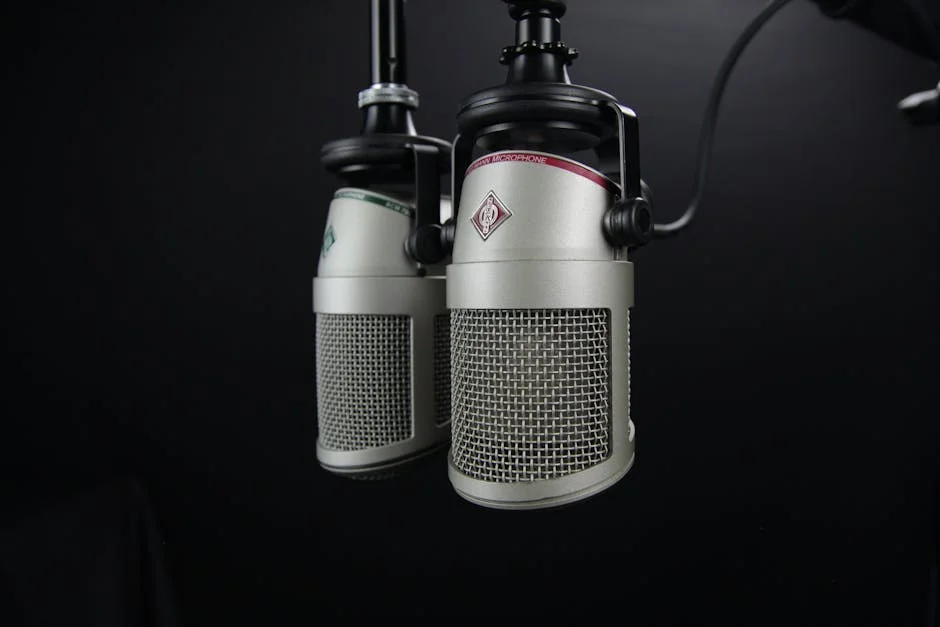
A mic arm is one of those pieces of gear that looks simple until you start using it every day. The moment the microphone is no longer stuck on a desk stand in the middle of your workspace, the entire setup becomes easier to live with: your keyboard area opens up, your mouse movement stops bumping into a base, and your voice capture becomes more consistent because the mic can sit exactly where it needs to be. A mic arm also makes it possible to keep the microphone closer to your mouth without forcing you to lean forward, which is a subtle ergonomic improvement that matters during long sessions. Many creators buy a better microphone first and only later realize the real performance improvement is often getting that microphone positioned properly. A mic arm is essentially a positioning tool, and positioning is what determines how much room sound, keyboard noise, and reflections enter the recording. When the mic stays in a fixed, repeatable spot, the tone stays steady from day to day, which is valuable for podcasts, streaming, voiceover, remote work, and online teaching.
Table of Contents
- My Personal Experience
- Why a Mic Arm Changes the Way Audio Feels on Camera and on Calls
- Types of Mic Arm Designs and What Each One Is Best At
- Choosing the Right Mic Arm for Your Microphone Weight and Use Case
- Desk Clamps, Grommets, and Wall Mounts: Stability Starts at the Base
- Positioning Techniques: Getting Clean Sound with Less Room Noise
- Cable Management on a Mic Arm: Quiet Movement and a Cleaner Look
- Shock Mounts, Pop Filters, and Windscreens: Accessories That Pair Well
- Expert Insight
- Ergonomics and Workflow: Keeping the Mic Close Without Getting in the Way
- Build Quality Signals: Joints, Springs, Bearings, and Long-Term Reliability
- Using a Mic Arm with Different Microphone Types: USB, XLR, Dynamic, Condenser
- Common Problems and Practical Fixes: Sagging, Squeaks, and Desk Vibration
- Making a Mic Arm Look Professional on Any Desk Setup
- Long-Term Care and Smart Upgrades for a Mic Arm Setup
- Watch the demonstration video
- Frequently Asked Questions
- Trusted External Sources
My Personal Experience
I finally bought a mic arm after getting tired of my desk mic picking up every little thump whenever I moved my keyboard. Setting it up was more annoying than I expected—my desk edge is thick, so the clamp barely fit, and I had to rearrange everything to keep the arm from bumping my monitor. But once it was in place, it felt like an instant upgrade. I could pull the mic close when I was on a call, push it out of the way when I needed space, and my recordings sounded cleaner because the mic wasn’t sitting on the same surface as my hands. The only downside is I’m constantly tightening one joint that slowly loosens over time, but it’s still way better than the old setup.
Why a Mic Arm Changes the Way Audio Feels on Camera and on Calls
A mic arm is one of those pieces of gear that looks simple until you start using it every day. The moment the microphone is no longer stuck on a desk stand in the middle of your workspace, the entire setup becomes easier to live with: your keyboard area opens up, your mouse movement stops bumping into a base, and your voice capture becomes more consistent because the mic can sit exactly where it needs to be. A mic arm also makes it possible to keep the microphone closer to your mouth without forcing you to lean forward, which is a subtle ergonomic improvement that matters during long sessions. Many creators buy a better microphone first and only later realize the real performance improvement is often getting that microphone positioned properly. A mic arm is essentially a positioning tool, and positioning is what determines how much room sound, keyboard noise, and reflections enter the recording. When the mic stays in a fixed, repeatable spot, the tone stays steady from day to day, which is valuable for podcasts, streaming, voiceover, remote work, and online teaching.

Beyond sound quality, a mic arm changes how your setup looks and how you feel using it. When a microphone floats in from the side on a clean boom, you can keep your face unobstructed for video calls and keep the desk surface clear for notes, tablets, or mixing controllers. A mic arm can also reduce the temptation to constantly handle the microphone, which lowers accidental bumps, cable tugging, and those low thuds that ruin otherwise clean audio. If you have limited space, a compact mic arm that folds back on itself can make a small desk workable, letting you reclaim the area when the microphone is not in use. Even for casual meetings, the ability to swing the mic out of the way quickly is a quality-of-life upgrade. The practical benefit is repeatability: once you find the sweet spot—distance, angle, and height—you can return to it instantly, and that consistency is what makes your voice sound “finished” instead of “random” from session to session.
Types of Mic Arm Designs and What Each One Is Best At
Mic arm designs generally fall into a few familiar categories, and understanding them prevents mismatched purchases. The classic scissor-style mic arm uses spring tension and a folding, parallelogram structure to extend over the desk. This style is popular because it offers a wide reach and folds away neatly, but it can transmit vibration if the joints are loose or if the springs resonate. A higher-quality scissor design uses better bearings, tighter tolerances, and internal springs or dampers to reduce mechanical noise. Another common option is the studio boom arm with a solid tube construction and internal cable routing. This type of mic arm often feels more premium, moves smoothly, and holds heavier microphones with less drift. It is especially helpful when you need precise placement for dynamic microphones, or when you want a clean look on camera with fewer visible springs and exposed hardware.
There are also low-profile broadcast-style arms designed to sit below your monitor line. This mic arm style is ideal when you want the microphone to approach from underneath or from the side at a lower angle, keeping the boom out of frame for video. For multi-purpose desks, a compact desktop boom with shorter reach can be enough, provided you measure the distance from mounting point to your preferred mic position. If your desk cannot be clamped—glass tops, unusual edges, or thick lips—a grommet mount or wall mount can be the right approach, moving the mic arm’s load to a stable surface. Each design choice affects movement feel, stability, and how much the arm “remembers” its position. People who reposition frequently during streams may prefer a smooth, internally sprung mic arm; those who set it once and forget it might be fine with a well-built scissor arm, as long as it supports the microphone’s weight without sagging or squeaking.
Choosing the Right Mic Arm for Your Microphone Weight and Use Case
Mic arm selection becomes straightforward when you start with the microphone’s weight and how you plan to use it. Dynamic broadcast microphones and some large-diaphragm condensers can be surprisingly heavy once you add a shock mount, a pop filter, and an XLR cable. A mic arm with an optimistic weight rating may hold the mic at first but slowly droop over time, forcing you to tighten joints until they become stiff and noisy. Look for realistic load capacity and a reputation for holding position without constant adjustment. If you switch between microphones—say a lightweight USB mic for calls and a heavier XLR mic for recording—consider a mic arm with easy tension adjustment so you can rebalance quickly. The goal is controlled movement: the arm should glide when you move it and stay put when you stop, without needing to over-tighten knobs that wear out threads or strip clamps.
Your use case matters as much as weight. For streaming, you may want a mic arm that can swing in close when you go live and retract when you’re done, with minimal cable snagging. For podcasting, repeatable placement is key, so a mic arm with reliable joints and a stable base reduces the chance of position drift between episodes. For voiceover, you might want extra reach and height adjustment to place the microphone slightly above mouth level, angled down to reduce plosives and mouth noise. For gaming or office calls, the priority can be clearance: a mic arm that doesn’t block your monitor, doesn’t interfere with a second screen, and doesn’t hit a lamp or shelf behind the desk. Consider the mounting location and reach. Measure from the desk edge to your mouth position, then ensure the mic arm can reach comfortably without being extended to its limit, because arms are most stable when not fully stretched.
Desk Clamps, Grommets, and Wall Mounts: Stability Starts at the Base
The best mic arm can still disappoint if the mounting method doesn’t match your desk. Desk clamps are common because they are fast and reversible, but clamp quality varies dramatically. A sturdy clamp with a large contact surface distributes pressure and reduces desk damage, especially on softer woods or laminated tops. If the clamp is small and narrow, it can leave dents and allow micro-movement that transfers into the microphone as low-frequency rumbles. Many users improve stability by adding a thin rubber pad or a small hardwood block under the clamp to increase grip and protect the finish. A mic arm should feel like part of the desk, not an accessory that shifts when you type. If your desk has a beveled edge or a metal frame that blocks clamping, you may need a different approach rather than forcing a clamp to bite on an uneven surface.
Grommet mounting is often the cleanest solution for a permanent setup. By bolting the mic arm through a pre-drilled hole (or through an existing cable management grommet), you eliminate most side-to-side wobble and gain a more professional, studio-like feel. This is especially helpful with heavier microphones where clamp flex becomes noticeable. Wall mounting can also be excellent when desk space is limited or when you want the boom to come from behind or above. A wall-mounted mic arm reduces desk vibration transfer, but it requires solid anchoring into studs or proper wall anchors; otherwise it can loosen over time. If you are in a rental situation, consider whether you can patch holes later. Regardless of method, cable routing should be planned from the base outward. A mic arm with internal routing can keep things tidy, but even external routing can look clean with reusable cable ties and a little slack at pivot points so movement doesn’t tug on the microphone connector.
Positioning Techniques: Getting Clean Sound with Less Room Noise
Microphone placement is the hidden advantage of a mic arm, and it is where the biggest audio improvements happen. The closer the microphone is to your mouth, the stronger your voice signal is relative to background noise, computer fans, and room reflections. A mic arm allows you to place the mic within a consistent working distance—often 4 to 8 inches for many dynamic microphones—without having to hunch forward. Angle matters too: positioning the microphone slightly off-axis, so you speak across the capsule rather than directly into it, can reduce plosives and harsh breath sounds. With a mic arm, you can hold that exact angle every time, which is difficult on a small desk stand that slides around. The arm also lets you experiment: above-mouth placement can reduce keyboard noise, while side placement can keep the microphone out of the camera frame and reduce the chance of bumping it while gesturing.

Room noise control is rarely about expensive foam panels; it is about geometry and consistency. A mic arm helps you keep the microphone away from reflective surfaces like the desk itself, which can bounce sound back into the capsule and create a hollow tone. By suspending the mic in the air and aiming it properly, you reduce the influence of the desktop reflection. If you use a cardioid microphone, point the rear of the mic toward your loudest noise source—often the PC tower or an air vent—because the rear rejection is strongest there. A mic arm makes it practical to maintain that orientation. You can also keep the microphone at a steady height, which helps with tonal consistency: speaking up into a mic versus down into it changes the way the voice resonates. When you combine stable positioning with a pop filter and sensible gain staging, you can often reduce the need for aggressive noise reduction or heavy compression, preserving a more natural voice sound.
Cable Management on a Mic Arm: Quiet Movement and a Cleaner Look
Cable management affects both aesthetics and noise. A mic arm that moves smoothly can still create unwanted sounds if the cable rubs against joints, taps the desk, or pulls on the microphone connector. The simplest approach is to attach the cable along the mic arm with soft, reusable ties spaced at intervals, leaving small service loops near pivot points. Those loops are important: if the cable is stretched tight, every movement translates into torque on the connector and can cause crackling over time, especially with XLR connectors that are repeatedly stressed. A mic arm with internal cable routing can look sleek, but it still needs slack where the arm rotates. If you route internally, check that the cable doesn’t pinch when the arm folds. Pinched cables can transmit vibration and eventually fail, and the troubleshooting can be frustrating because the problem hides inside the arm.
Movement noise is another cable-related issue. When you reposition a mic arm during a live session, the cable should glide rather than scrape. Using a braided cable can reduce tangling, but some braided sleeves can be slightly noisier when they rub against metal. A smoother jacketed cable can be quieter. If you are using a USB microphone on a mic arm, pay attention to the connector strain: USB ports are less mechanically secure than XLR, so consider a short USB extension with a strain-relief clip mounted to the arm, letting the extension absorb movement while the microphone’s port remains protected. For XLR setups, a right-angle connector can reduce protrusion and keep the cable path tidy. Good cable management also makes your workspace feel calmer. When the mic arm swings out of the way, the cable should follow predictably without snagging on monitor stands, lamps, or headset hooks.
Shock Mounts, Pop Filters, and Windscreens: Accessories That Pair Well
A mic arm becomes even more effective when paired with the right accessories. A shock mount is designed to isolate the microphone from mechanical vibrations—desk taps, typing thumps, and accidental bumps. While a mic arm already reduces some vibration compared to a desk stand, the arm is still connected to the desk or wall, and vibrations can travel through that structure. A shock mount adds a second layer of isolation and is especially valuable for sensitive condenser microphones. For dynamic microphones, a shock mount may still help if you tend to adjust the mic often or if your desk is prone to vibration. The key is compatibility: ensure the shock mount fits your microphone body diameter and that its total weight still falls within the mic arm’s load rating. A heavy shock mount can push an otherwise adequate mic arm into sagging territory.
Expert Insight
Mount the mic arm so the microphone approaches from the side and sits 2–4 inches from your mouth, slightly off-axis to reduce plosives and breath noise. Lock the joints just enough to prevent drift, then do a quick tap-and-speak test to confirm the arm isn’t transmitting desk vibrations.
Route your cable along the arm with Velcro ties, leaving a small service loop near each hinge so movement doesn’t tug the connector or create handling noise. If the arm sags over time, increase spring tension or reposition the mic closer to the pivot point to balance the load. If you’re looking for mic arm, this is your best choice.
Pop control is the other big win. A pop filter mounted on the mic arm or directly on the microphone helps reduce plosive bursts from “P” and “B” sounds. A foam windscreen can also help, and it’s faster to set up, but it can slightly reduce high-frequency detail depending on thickness and material. Many people combine a mic arm with a pop filter on a flexible gooseneck, allowing precise placement a couple inches in front of the mic. This is particularly useful when you keep the microphone close for a warm, intimate sound. Another accessory worth considering is a quick-release mount, which makes it easy to swap microphones or remove the mic for travel without rethreading adapters. Whatever you add, keep balance in mind: every accessory changes the center of gravity, and a mic arm that was stable before may need tension adjustment after you add a pop filter, a larger shock mount, or a heavier cable.
Ergonomics and Workflow: Keeping the Mic Close Without Getting in the Way
A mic arm supports better posture by letting you bring the microphone to you instead of bringing your body to the microphone. When people rely on a desk stand, they often lean forward and tuck their chin down, which can compress the airway and subtly change vocal tone while increasing fatigue. With a mic arm, you can sit back, keep shoulders relaxed, and place the mic at a consistent distance that doesn’t force you to hover near the desk edge. This matters for long recordings, marathon streams, or back-to-back meetings. A comfortable posture also improves performance: your voice tends to be steadier, you breathe more naturally, and you can maintain energy without sounding strained. If you are on camera, a mic arm also helps keep the microphone positioned just out of frame, preserving a clean visual while still capturing a close, broadcast-like sound.
| Mic Arm Type | Best For | Key Pros | Key Cons |
|---|---|---|---|
| Boom Arm (Desk Clamp) | Streaming, podcasting, voice-over at a desk | Flexible positioning, frees desk space, easy to swing away when not in use | Can transmit desk vibrations; clamp may not fit thick/fragile desks |
| Low-Profile Arm | Clean setups with monitors/cameras in frame | Keeps the arm out of sightlines, stable routing under monitors, tidy cable management | Less vertical reach than tall boom arms; may limit mic placement options |
| Floor Stand (Boom Stand) | Mobile setups, standing recording, instruments | No desk mounting required, easy to reposition around a room, works with many mic weights | Takes floor space; more likely to be bumped; cable management can be messier |

Workflow benefits show up in small moments. When you need to take notes, you can swing the mic arm slightly away to create space, then bring it back to the exact spot without reconfiguring anything. If you have a standing desk, a mic arm with enough vertical range can adapt as the desk rises and falls, though you may need to adjust tension to keep movement smooth. For shared workspaces, the ability to fold the mic arm away reduces clutter and makes the area usable for non-audio tasks. Some users even keep two positions: one for serious recording and one for casual calls, marked by subtle reference points on the arm joints. Over time, the mic arm becomes part of your routine, and the friction of “setting up” goes away. When setup friction disappears, you record more consistently and show up to calls sounding like you intended to, rather than sounding like you happened to be sitting far from a laptop mic.
Build Quality Signals: Joints, Springs, Bearings, and Long-Term Reliability
Not all mic arm hardware is created equal, and the difference becomes obvious after months of daily use. The key parts are the joints and the tension system. Cheaper arms often rely on friction washers and basic bolts that loosen over time, causing drift. You tighten them, the movement becomes jerky, and then the arm starts squeaking. Better designs use smoother bearings or well-machined pivot points that maintain consistent resistance. Springs can be external or internal. External springs are easy to service and common on scissor arms, but they can resonate if the metal is thin or if the spring tension is poorly matched to the load. Internal springs or gas-assisted systems are often quieter and cleaner-looking, though they can be more expensive. A mic arm that moves silently is not just a luxury; it prevents mechanical noise from entering recordings when you reposition during a take.
Finish and materials matter too. Powder-coated metal resists scratches and feels solid; thin painted finishes can chip and expose metal that may rust in humid environments. Pay attention to the clamp and the threaded adapters. Many microphones and shock mounts use standard threads such as 5/8-inch or 3/8-inch, and a good mic arm includes adapters that fit snugly without wobble. Loose adapters create micro-movement that can translate into creaks when you touch the desk. Another reliability factor is the cable management system: plastic clips that snap on and off can break, while integrated channels tend to last longer. Finally, consider serviceability. If a mic arm uses standard bolts and accessible joints, you can re-tighten or replace small parts rather than replacing the entire arm. A well-built mic arm becomes a “buy once” item that outlasts microphones, interfaces, and computers, especially if you treat it like a mechanical tool and occasionally check fasteners for proper tension.
Using a Mic Arm with Different Microphone Types: USB, XLR, Dynamic, Condenser
A mic arm works with almost any microphone, but the details change depending on what you mount. USB microphones often include a built-in stand and are designed for convenience, so moving them to a mic arm can be a noticeable upgrade. The main challenge is usually weight distribution and connector safety. Some USB mics are top-heavy, and their included mounting hardware can be less robust than studio shock mounts. Make sure the mic arm supports the mic’s weight and that the USB cable is strain-relieved so the port doesn’t take the full load when you move the boom. For XLR microphones, the mic arm experience tends to be more “studio-like” because XLR connectors lock and handle movement better. With an audio interface and an XLR mic, the arm lets you keep the microphone close while keeping the interface accessible on the desk, which can simplify gain adjustments and headphone monitoring.
Dynamic microphones, especially broadcast favorites, often benefit most from a mic arm because they are designed to be used up close. Their off-axis rejection can reduce room sound, but only if you keep distance consistent. A mic arm makes that easy. Condenser microphones are more sensitive and can pick up more room tone, so positioning becomes even more important: using a mic arm to keep the microphone slightly off-axis and at a controlled distance can reduce harshness and plosives. Condensers also tend to be lighter, but when you add a shock mount, the total load can still be significant. If you record instruments, a mic arm can double as a quick placement tool for guitar amps or acoustic instruments near a desk setup, though a floor stand is usually better for wide placement. The common thread is control. A mic arm gives you repeatable, adjustable control over placement, which is what turns a decent microphone into a consistently good-sounding microphone in everyday use.
Common Problems and Practical Fixes: Sagging, Squeaks, and Desk Vibration
Even a good mic arm can develop annoyances, and most of them have straightforward fixes. Sagging is usually a tension issue or a load issue. If the microphone slowly droops, first confirm the total weight including shock mount and pop filter, then compare it to the mic arm’s supported range. If you are within the range, adjust the tension according to the manufacturer’s method—some use Allen keys, others use external knobs. If you are outside the range, you may need a stronger mic arm or a lighter accessory setup. Another cause of sagging is leverage: mounting the mic at the very end of the boom at full extension creates maximum torque. Pulling the arm in slightly or changing the mounting point on the desk can dramatically improve stability. If the clamp is flexing the desk edge, add a support block or move to a grommet mount to reduce movement.

Squeaks and creaks often come from dry friction points. Tightening bolts can help, but over-tightening can make movement jerky and increase noise. A better approach is to identify the joint that is making noise and apply a small amount of appropriate lubricant if the manufacturer permits it, or use a dry lubricant that doesn’t attract dust. Sometimes the squeak is actually the cable rubbing, not the joint, so temporarily remove the cable ties and move the arm to see if the sound changes. Desk vibration is another common complaint: typing thumps can travel through the clamp into the mic. Solutions include adding a shock mount, moving the clamp to a more rigid part of the desk, using a thicker desk mat to reduce vibration, or wall-mounting the mic arm. Also consider microphone technique: keeping the mic closer allows lower gain, which reduces how much vibration and room noise is amplified. These fixes are less about perfection and more about making the mic arm disappear into the background so your voice is the only thing that stands out.
Making a Mic Arm Look Professional on Any Desk Setup
A mic arm can either elevate a workspace visually or make it look cluttered, depending on how thoughtfully it’s integrated. Visual cleanliness starts with placement. Mount the mic arm where it can reach your speaking position without crossing in front of your main monitor. For many setups, that means clamping it to the side of the desk opposite your dominant hand, so the boom approaches from the side while leaving mousing space open. Low-profile mic arm designs are especially helpful for a minimal look because they keep the boom line below eye level. Color and finish also matter. A black mic arm tends to blend into most setups, while white or metallic finishes can look intentional if they match your monitor stand, keyboard, or lighting. If the arm has visible springs, keep them aligned and symmetrical; if it has exposed bolts, ensure they’re tightened evenly so the arm doesn’t look crooked.
Cable routing is the biggest visual difference-maker. A single, neatly routed cable along the mic arm looks purposeful, while a dangling cable looks unfinished and can distract on camera. Use matching cable ties and keep the slack loops small but functional near joints. If you use both an XLR cable and a headphone cable on the same side of the desk, route them separately to avoid a tangled look. Another professional touch is consistent microphone orientation: keep logos and grille orientation aligned, and place the pop filter at a consistent distance. If you frequently switch between “on-camera” and “off-camera” positions, practice a repeatable swing path so the mic arm doesn’t bump lights or scrape the monitor. Finally, keep the clamp area tidy. A mic arm base surrounded by loose adapters and spare clips can look messy; store those in a drawer and leave the arm’s mounting area clean. When the mic arm looks integrated, it gives the impression of a deliberate studio space, even if the rest of the desk is simply a practical work area.
Long-Term Care and Smart Upgrades for a Mic Arm Setup
A mic arm is a mechanical tool, and basic maintenance keeps it working smoothly for years. Every few months, check the main pivot bolts and the clamp hardware for proper tension, especially if you reposition the arm daily. Temperature changes and repeated movement can loosen fasteners gradually. Wipe the arm down occasionally to remove skin oils and dust, which can build up near joints and attract grime. If the mic arm uses external springs, inspect them for stretching or uneven tension, and ensure the spring hooks are seated properly. If your arm has internal routing, periodically check that the cable jacket isn’t wearing where it passes through channels. Small wear spots can become cable failures later, and replacing a cable early is easier than troubleshooting intermittent crackles during a recording session.
Upgrades should be chosen based on the problem you’re solving, not just for novelty. If you hear desk thumps, a shock mount is a meaningful upgrade. If plosives are the issue, a pop filter or a better windscreen is more effective than changing microphones. If the mic arm is stable but movement feels stiff, a higher-quality arm with smoother bearings may improve day-to-day comfort. If your setup is evolving into a multi-person recording space, consider adding a second mic arm for a guest or co-host rather than constantly reconfiguring one arm. If you travel or reconfigure often, a quick-release adapter can save time and reduce wear on threads. The most important long-term improvement is consistency: once you find the mic arm position that works, mark it mentally and keep it. Consistent distance, angle, and gain settings lead to a consistent voice sound, which is ultimately the reason people fall in love with a mic arm after the initial “nice-looking desk” effect wears off.
A mic arm is not just a mounting accessory; it’s a daily-use tool that influences sound quality, comfort, and how professional your setup feels every time you hit record or join a call. When you choose an arm that matches your microphone’s weight, mount it securely, manage cables thoughtfully, and dial in placement, the microphone becomes easier to use and your voice becomes easier to listen to. Over time, the best mic arm is the one you stop thinking about because it holds position quietly, stays out of the way, and keeps your audio consistent without constant adjustment.
Watch the demonstration video
In this video, you’ll learn how a mic arm can improve your audio setup by positioning your microphone for clearer sound and less desk noise. It covers choosing the right mic arm for your space, setting it up securely, adjusting angles and height for comfort, and keeping your workspace clean with simple cable management tips.
Summary
In summary, “mic arm” is a crucial topic that deserves thoughtful consideration. We hope this article has provided you with a comprehensive understanding to help you make better decisions.
Frequently Asked Questions
What is a mic arm used for?
A mic arm holds your microphone in a stable, adjustable position to improve comfort, reduce desk clutter, and help control vibrations and noise.
Will a mic arm fit my desk?
Most clamp-style mic arms fit common desk thicknesses, but you should check the arm’s clamp range and ensure the desk edge is flat and sturdy.
What microphones are compatible with a mic arm?
When choosing a **mic arm**, compatibility mainly comes down to two things: the arm’s weight capacity and the thread size—usually 5/8″-27 or 3/8″. The good news is that many mic arms include an adapter, so you can easily fit different microphones and mounts without hassle.
How do I reduce noise and vibrations with a mic arm?
To keep your setup quiet and professional, use a shock mount, avoid bumping the desk, and route your cable so it won’t tug or pull. Make sure to tighten all the joints on your **mic arm** so it stays steady and doesn’t rattle while you record.
Do I need a boom arm for a heavy microphone?
Absolutely—pick a **mic arm** with a weight capacity that comfortably exceeds your microphone plus shock mount, and for heavier rigs, go with a low-sag, spring-assisted option to keep everything stable and properly positioned.
How do I position a mic on a mic arm for best sound?
Set your mic about 4–8 inches from your mouth (tweak the distance until it sounds right), angle it to match your mic’s pickup pattern, and keep it slightly off-axis to cut down on plosives—especially if you’re using a mic arm for easy positioning.
? Looking for more info about mic arm? Follow Our Site for updates and tips!

Trusted External Sources
- Microphone Boom Arm – Amazon.com
Upgrade your setup with a low-profile, adjustable **mic arm** that clamps securely to your desk for a clean, professional look. It includes a desk mount clamp, a screw adapter for broad compatibility, and built-in cable management—perfect for podcasting, streaming, gaming, or any studio workspace.
- Best low profile mic arm? : r/podcasting – Reddit
May 24, 2026 … Neewer makes a pneumatic LP mic arm. It’s around $80 USD. (Very affordable for what you get!) It’s currently the best option, imho.
- Wave Mic Arm LP | Mic Boom Arm for Desks – Elgato
May 5, 2026 … Wave Mic Arm LP does more than free up real estate, reduce vibration, and elevate your microphone for optimal audio quality.
- Get a m!ka Mic Arms M to customize your microphone setup!
Like the golden ratio, the M-sized m!ka Microphone Arm strikes the ideal balance—making it a true all-rounder for countless microphone setups. This versatile mic arm keeps your workspace clean and flexible, letting you position your mic exactly where you need it while shaping your desk into a more comfortable, professional recording environment.
- TONOR T20 Mic Arm Stand
The T20 microphone boom arm stand keeps most microphones securely in place, thanks to its heavy-duty clamp and fully adjustable design. Whether you’re recording a podcast, streaming, or tracking vocals, this mic arm makes it easy to position your mic exactly where you want it for smooth, hassle-free sessions.

