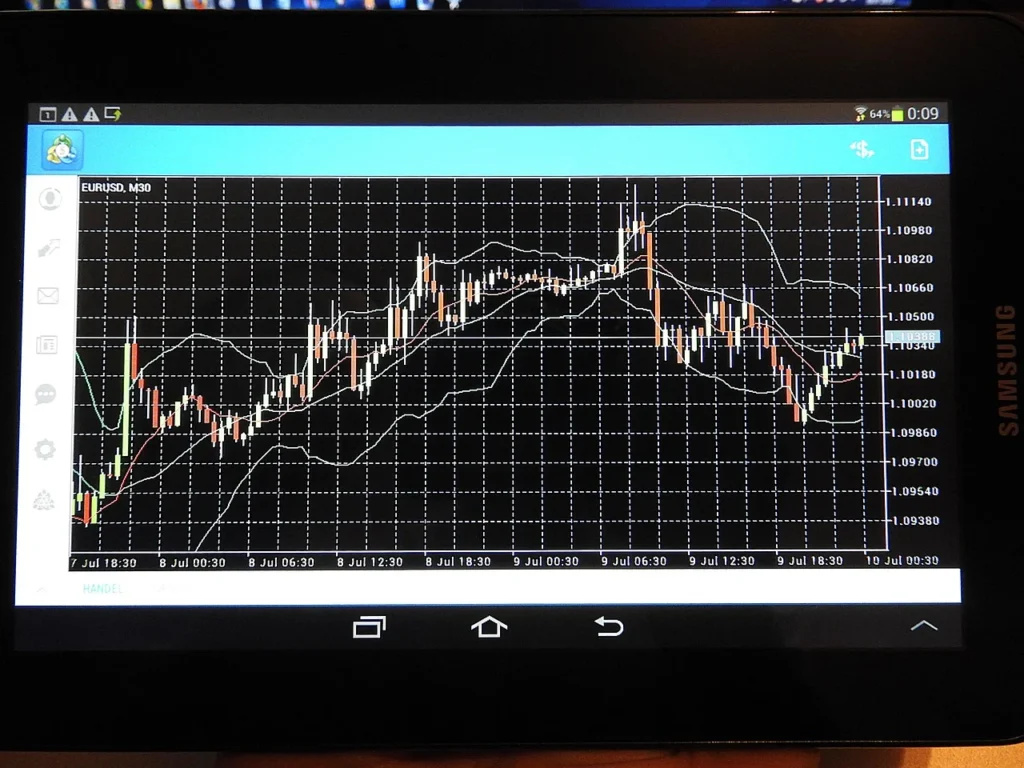
A forex vps is a specialized virtual private server designed to keep trading platforms running continuously, even when a personal computer is turned off, crashes, or loses internet access. In currency markets, where price changes can occur within seconds and liquidity can shift rapidly during news releases, uptime and stable connectivity become part of risk management. Many traders rely on Expert Advisors (EAs), scripts, or algorithmic systems that need uninterrupted execution. When the trading terminal stops—because of a local power cut, operating system update, Wi‑Fi drop, or a laptop going to sleep—orders may not be sent, stops may not adjust, and positions can remain unmanaged. A hosted environment reduces those operational hazards by placing the platform in a data center built for redundancy, with enterprise networking, backup power, and monitoring.
Table of Contents
- My Personal Experience
- Why a Forex VPS Matters for Modern Trading
- How a Forex VPS Works: Virtualization, Isolation, and Remote Access
- Uptime and Reliability: The Real Advantage Beyond Convenience
- Latency, Slippage, and Location: Choosing the Right Data Center
- Hardware Resources: CPU, RAM, Storage, and What Trading Platforms Actually Need
- Security and Account Protection on a Hosted Trading Server
- Installing and Optimizing MetaTrader on a Forex VPS
- Running Multiple Accounts, EAs, and Platforms Without Conflicts
- Expert Insight
- Managed vs Unmanaged Forex VPS: What You’re Actually Paying For
- Costs, Value, and Common Pricing Traps
- Migration Checklist: Moving From Home PC to a Forex VPS Without Downtime
- Operational Best Practices: Monitoring, Backups, and Discipline
- Choosing a Forex VPS Provider: Practical Evaluation Criteria
- Final Thoughts on Stability, Control, and Long-Term Use
- Watch the demonstration video
- Frequently Asked Questions
- Trusted External Sources
My Personal Experience
I started using a forex VPS after my home internet dropped in the middle of a London session and my EA missed a couple of exits that would’ve cut the loss. At first I thought it was overkill, but once I moved my MT4 setup to a VPS close to my broker’s server, execution felt noticeably smoother and my logs showed fewer slippage spikes during news. The biggest difference was peace of mind: I could leave trades running overnight without worrying about Windows updates, power outages, or my laptop going to sleep. It wasn’t a magic fix for a bad strategy, but it did make my results more consistent by removing the random “tech” mistakes that used to creep in.
Why a Forex VPS Matters for Modern Trading
A forex vps is a specialized virtual private server designed to keep trading platforms running continuously, even when a personal computer is turned off, crashes, or loses internet access. In currency markets, where price changes can occur within seconds and liquidity can shift rapidly during news releases, uptime and stable connectivity become part of risk management. Many traders rely on Expert Advisors (EAs), scripts, or algorithmic systems that need uninterrupted execution. When the trading terminal stops—because of a local power cut, operating system update, Wi‑Fi drop, or a laptop going to sleep—orders may not be sent, stops may not adjust, and positions can remain unmanaged. A hosted environment reduces those operational hazards by placing the platform in a data center built for redundancy, with enterprise networking, backup power, and monitoring.
Another reason a forex vps is widely used is latency control. While no server can guarantee profits, a predictable connection to the broker’s trading infrastructure can improve order routing consistency. If a trader is located far from the broker’s servers, round-trip time can be higher and more variable, increasing slippage risk during fast markets. By choosing a server location closer to the broker’s matching engine, traders often reduce delay and jitter, which can be helpful for scalping, high-frequency decision making, or any strategy that depends on timely order modification. Beyond speed, a managed server environment also helps with clean separation: the trading terminal runs on a dedicated instance, isolated from gaming software, family browsing, or conflicting applications that might consume CPU and memory. The result is a more controlled execution environment that supports disciplined trading operations.
How a Forex VPS Works: Virtualization, Isolation, and Remote Access
At its core, a forex vps is a virtual machine carved out of a powerful physical server. Virtualization software allocates a defined amount of CPU cores, RAM, storage, and network bandwidth to each customer instance. This ensures predictable resources for the trading platform, especially when multiple charts, indicators, and automated strategies run simultaneously. Traders typically connect using Remote Desktop Protocol (RDP) on Windows, or an equivalent remote access tool, and then install MetaTrader 4, MetaTrader 5, cTrader, NinjaTrader, or other supported terminals. Once installed, the platform runs continuously on the server, independent of the trader’s local device. The local computer becomes a window into the server rather than the place where the trading application actually operates.
Isolation is an important part of the value proposition. In a well-configured forex vps environment, the instance is separated from other tenants at the hypervisor level, reducing the chance that another customer’s heavy workload will impact performance. Reputable providers also implement resource limits, monitoring, and anti-abuse policies to keep the node stable. Traders can reboot the server, create snapshots, and manage updates in a controlled way. Some services offer managed options where the provider hardens the system, configures security settings, and optimizes Windows for trading terminals. Remote access also adds flexibility: a trader can log in from a phone, tablet, or office computer to check logs, adjust risk settings, or disable an EA, without needing the home PC. This approach is especially useful for travelers or anyone who wants to supervise positions without tying execution to a single physical device.
Uptime and Reliability: The Real Advantage Beyond Convenience
Many people first consider a forex vps for convenience, but the most meaningful benefit is reliability. Data centers typically provide redundant power feeds, battery backup (UPS), diesel generators, redundant network carriers, and continuous environmental monitoring. While no system is immune to outages, professional hosting significantly reduces the probability of the common disruptions that affect consumer setups: router failures, ISP maintenance, neighborhood power issues, and accidental computer shutdowns. If an automated strategy is responsible for managing open positions—moving stops, trailing profit targets, partial closes, or hedging—then continuity is not optional. A small downtime window can become costly if volatility spikes and the strategy cannot respond.
Reliability also influences psychological discipline. Traders who worry about whether their home internet will drop may be tempted to micromanage trades, frequently log in, or manually intervene, undermining an otherwise systematic approach. With a forex vps, the execution environment is stable enough that the trader can focus on strategy development, risk control, and performance review rather than troubleshooting. It also enables scheduled tasks such as daily platform restarts, log rotation, and automated backups. When combined with broker-side protections—hard stop-loss orders, server-side take-profit levels, and risk limits—hosting can become part of a layered defense. The practical goal is not to chase a theoretical “perfect” environment, but to reduce avoidable operational failures so trading outcomes reflect market behavior and strategy logic rather than technical interruptions.
Latency, Slippage, and Location: Choosing the Right Data Center
Latency refers to the time it takes for data to travel between the trading terminal and the broker’s servers. A forex vps can reduce latency when it is located near the broker’s infrastructure, often in major financial data centers or network hubs. Lower latency can lead to faster order acknowledgments and more consistent fills, especially during high-impact events. Slippage is influenced by liquidity and market speed, but connection quality can add variability. Traders running fast strategies, such as scalping or breakout systems that place and modify orders frequently, often look for stable ping times and minimal jitter. Even if a strategy is not “high frequency,” consistent connectivity can help with timely stop modifications and order management.
Location selection is not only about geography; it is also about network routes and peering relationships. Two servers in the same city can have different effective latency to the same broker depending on their upstream providers. Some hosting companies publish typical ping results to popular brokers, and many allow a trial period to test. When evaluating a forex vps location, it is useful to identify where the broker’s trading servers are hosted—often indicated by server names inside the platform or by broker support documentation. A practical approach is to prioritize stability over chasing the lowest possible millisecond reading. A consistently low and steady connection often matters more than a rare best-case ping. If multiple broker servers are used or if trades are placed across several accounts, choosing a central hub with robust connectivity may deliver better overall consistency than optimizing for a single endpoint.
Hardware Resources: CPU, RAM, Storage, and What Trading Platforms Actually Need
Right-sizing resources on a forex vps prevents both overpaying and underpowering. Trading terminals are not always heavy, but the load increases with multiple charts, custom indicators, tick data processing, and complex EAs. CPU matters when strategies compute signals frequently, scan many symbols, or run optimization-like logic in real time. RAM becomes important when multiple terminals run at once, when extensive historical data is loaded, or when the platform caches many chart objects. Storage is typically less critical for pure execution, but logs, screenshots, and historical data can accumulate, so SSD storage is preferred for responsiveness. A basic setup might run one or two terminals comfortably on modest resources, while a multi-account setup with several EAs may need additional cores and memory.
Performance issues often show up as delayed order handling, platform freezing, or missed ticks in extreme cases. Those symptoms can come from insufficient resources, but they can also come from misconfiguration or an overloaded host node. Choosing a forex vps with guaranteed allocations and SSD-backed storage reduces the chance of noisy-neighbor effects. It also helps to keep the environment lean: avoid installing unnecessary software, disable heavy visual effects, and limit background services. If a trader runs both MT4 and MT5, or duplicates terminals for separate accounts, the cumulative load can be significant. A practical method is to start with a plan that matches the current workload and then monitor CPU and memory usage during active sessions. If utilization frequently spikes near the limit, scaling up is safer than hoping the platform will cope during volatile periods when execution reliability matters most.
Security and Account Protection on a Hosted Trading Server
Security is a major consideration when running a forex vps because the server holds broker login credentials, API keys (in some setups), and potentially sensitive trading logic. Strong access control begins with changing default passwords, using long unique credentials, and enabling network-level protections such as firewalls and restricted RDP access. Some traders lock RDP to specific IP addresses or use a VPN as a gateway to the server. Keeping the operating system updated is essential, but updates should be scheduled thoughtfully to avoid unexpected restarts during trading hours. Many prefer to disable automatic reboots and instead apply patches during planned maintenance windows.
Additional hardening steps include enabling two-factor authentication where available (often through broker portals rather than the terminal itself), using reputable antivirus or endpoint protection that does not interfere with trading platform performance, and avoiding downloading unknown indicators or cracked software. A forex vps can be safer than a home PC in some respects because data centers implement physical security and network monitoring, yet it can also be a target because it is always online. Traders should follow the principle of least privilege: use a standard user account for day-to-day tasks if practical, keep backups of EA source files and set files offline, and consider encrypting sensitive archives. Provider reputation matters as well; a trustworthy host will have clear policies on access, logging, and incident handling. Security does not guarantee immunity, but a layered approach reduces the risk of account compromise and protects the continuity of automated execution.
Installing and Optimizing MetaTrader on a Forex VPS
MetaTrader remains one of the most common reasons people rent a forex vps. Installation is straightforward: connect via RDP, download the broker’s terminal installer, and complete the setup as on a normal Windows machine. After installation, traders typically log into the trading account, verify server connection, and then add EAs, indicators, and templates. The optimization step is where many gain stability. Setting the platform to limit maximum bars in history and charts can reduce memory usage. Disabling unnecessary news feeds, reducing the number of open charts, and using efficient indicators can also help. For automated strategies, it is wise to confirm that “Algo Trading” or “AutoTrading” is enabled and that the platform is configured to allow DLL imports only when needed and trusted.
Operational habits matter. Many traders schedule a daily or weekly restart of the terminal to clear memory leaks from third-party plugins, and some also restart the forex vps on a planned cadence, provided it does not interrupt active management. Logging should be monitored because excessive log growth can fill storage over time. If multiple terminals are required, installing them in separate directories prevents configuration conflicts. It is also important to test trade execution with small sizes after migration to confirm that symbols, contract specifications, and broker settings match expectations. The hosted environment can behave slightly differently than a local machine in terms of timeouts or file permissions, so verifying that EAs can read and write needed files is part of a professional setup. Once stable, the goal is to keep changes minimal and controlled, because frequent tinkering can introduce new failure points.
Running Multiple Accounts, EAs, and Platforms Without Conflicts
A forex vps becomes especially valuable when managing multiple strategies across several accounts. Traders may separate systems to reduce interference: one terminal per account, or even multiple terminals per account when isolating EAs. This separation ensures that a crash or bug in one EA does not take down all trading activity. It also allows different risk profiles, symbol lists, and timeframes to run simultaneously. However, the convenience of consolidation can create complexity. Each terminal consumes CPU and RAM, and each EA may generate frequent file writes and logs. Without planning, a server that feels fast with one terminal can become sluggish with five or ten instances.
| Feature | Standard VPS | Forex VPS (Trading-Optimized) |
|---|---|---|
| Latency to broker | General-purpose routing; may be farther from broker servers | Optimized locations/peering to reduce ping and improve order execution |
| Uptime & stability | Shared resources vary by provider; not always tuned for 24/5 trading | High-uptime focus with stable performance for continuous EA/MT4/MT5 operation |
| Trading-ready setup | Manual configuration (Windows/RDP, platform installs, firewall rules) | Pre-tuned Windows/RDP environment for MT4/MT5/cTrader with quick deployment |
Expert Insight
Choose a forex VPS located as close as possible to your broker’s trading servers to reduce latency and slippage; verify this by checking the broker’s server location and running a ping test before committing to a long-term plan.
Harden reliability by using a lightweight OS setup, disabling unnecessary services, and enabling automatic restarts for your trading platform and VPS; also schedule regular backups and set alerts for CPU/RAM spikes so you can act before execution quality degrades. If you’re looking for forex vps, this is your best choice.
Best practices include organizing folders clearly, using consistent naming for terminal shortcuts, and documenting which EA runs where. Many traders also use trade copiers, which can run on the same forex vps or across servers, to replicate trades from a master account to followers. That introduces additional network and CPU considerations, but it can simplify execution when scaling. Another approach is to mix platforms, such as running MT5 for one broker and cTrader for another, which may require different dependencies and update schedules. The key is to maintain isolation and predictability: avoid installing unnecessary toolbars or plugins, keep each terminal’s data directory separate, and monitor the Windows Task Manager for spikes. If resource usage becomes erratic, upgrading the plan or splitting workloads across two servers can be more reliable than pushing a single instance to its limit.
Managed vs Unmanaged Forex VPS: What You’re Actually Paying For
Not all forex vps offerings are the same. Some are unmanaged, meaning the provider delivers a server with an operating system and basic connectivity, while the trader handles installation, updates, security, and troubleshooting. This can be cost-effective for technically confident users who want full control. Managed services, by contrast, often include initial setup assistance, performance tuning, security hardening, monitoring, and sometimes even platform installation and migration help. The price difference reflects labor and support quality as much as raw hardware. For traders who rely on automation for significant account exposure, faster support response can be worth more than an extra CPU core.
Understanding service-level commitments helps avoid surprises. A forex vps plan may advertise high uptime, but the details matter: network uptime, node uptime, and support availability are different. Some providers offer rapid hardware failover, while others require manual intervention. Backups are another differentiator: is there automated snapshotting, how long are backups retained, and how quickly can a restore occur? Traders should also check whether the host allows easy scaling, because strategy complexity can increase over time. Support quality is not only about friendliness; it is about competence with trading-specific issues such as RDP settings, Windows time synchronization, MetaTrader permissions, and network diagnostics. Paying for managed service can reduce operational burden, but it does not remove the need for the trader to understand their own platform configuration and risk controls.
Costs, Value, and Common Pricing Traps
The cost of a forex vps ranges from budget plans to premium low-latency instances in top-tier data centers. Value is not determined by price alone; it is determined by stability, resource guarantees, network quality, and support responsiveness. Some low-cost servers oversubscribe CPU heavily, which can cause slowdowns during peak times. Others advertise “unlimited” bandwidth or “high speed” without specifying throughput or fair usage. Traders should look for clear specifications: dedicated or guaranteed CPU allocation, SSD storage, and transparent data center location. If a strategy is sensitive to execution timing, paying more for a better network route can be rational, but it should be tested rather than assumed.
Pricing traps often appear in renewal terms, add-on fees, or limitations hidden in fine print. A forex vps might have an attractive introductory rate that increases significantly later. Some providers charge extra for Windows licensing, managed support, backups, or additional IP addresses. Another overlooked cost is downtime: a cheap plan that fails during volatile markets can be more expensive than a reliable plan that costs slightly more each month. Traders should also factor in the time spent managing the server. If hours are lost troubleshooting updates, RDP access, or platform crashes, the opportunity cost can exceed the subscription fee. A practical evaluation method is to define the minimum acceptable performance—such as stable CPU headroom, consistent ping to the broker, and responsive remote desktop—and then choose a plan that meets those needs without paying for unnecessary extras like oversized storage or excessive RAM that will never be utilized.
Migration Checklist: Moving From Home PC to a Forex VPS Without Downtime
Moving an existing setup to a forex vps can be smooth if handled with a checklist mindset. First, confirm broker credentials and ensure account access works from the new environment. Then replicate the trading terminal configuration: copy templates, profiles, indicator files, EA files, DLL dependencies (only from trusted sources), and set files. Many traders export platform settings or copy the entire data folder, but care is needed because path differences and permissions can cause issues. Time synchronization is another key step; the server clock should be accurate to avoid log inconsistencies and potential timing problems with EAs. It is also wise to confirm that the server’s regional settings, decimal separators, and language settings do not break file parsing for custom tools.
To avoid downtime, run parallel for a short period. Keep the home terminal active but disable automated trading there while enabling it on the forex vps, or vice versa, depending on the migration plan. Confirm that EAs initialize correctly, that charts load, and that trade permissions are correct. Place small test orders to verify execution and modification. If a strategy relies on local files, ensure the correct folders are accessible and that file writes succeed. Finally, set up resilience: create a restore point or snapshot once everything is stable, store copies of critical configuration files outside the server, and document the exact versions of terminals and EAs. A controlled migration reduces the chance of duplicated trades, missed entries, or conflicting order management. Once the hosted setup is proven stable, the home PC becomes a monitoring console rather than the execution engine, reducing reliance on consumer-grade connectivity.
Operational Best Practices: Monitoring, Backups, and Discipline
Running a forex vps effectively is less about initial setup and more about ongoing discipline. Monitoring should include both system-level and trading-level checks. At the system level, keep an eye on CPU usage, memory consumption, disk space, and network stability. At the trading level, review platform logs, journal entries, and EA-specific logs for repeated errors, disconnections, or order rejections. Some traders set up alerts through email or messaging integrations when the platform disconnects or when account equity hits thresholds. While alerts do not replace broker-side risk controls, they provide an additional layer of awareness, especially when multiple strategies run unattended.
Backups are essential because corruption, accidental deletion, or failed updates can happen. A forex vps should have at least one reliable backup method: provider snapshots, scheduled file backups to cloud storage, or exporting critical configuration files regularly. The important point is restore speed. If an EA depends on specific settings and templates, rebuilding from memory during a market event is not ideal. Update management is another best practice: avoid installing random Windows utilities, keep the server lean, and test platform updates cautiously. Some traders disable automatic platform updates by using broker-provided installers and controlling when upgrades occur. Finally, maintain a change log: whenever an EA version changes, parameters are adjusted, or symbols are added, record it. This discipline helps with performance analysis and troubleshooting. A stable hosted environment can amplify both good and bad processes; strong operational habits ensure the server supports consistent execution rather than becoming another variable in trading performance.
Choosing a Forex VPS Provider: Practical Evaluation Criteria
Selecting a forex vps provider is a decision about trust, infrastructure quality, and fit with a trading style. Start with location options and network performance to the broker. Many providers list data centers in places like London, New York, Frankfurt, Amsterdam, Singapore, or Tokyo, which often align with broker infrastructure. Next, evaluate resource guarantees: are CPU and RAM dedicated or “shared”? Shared resources are not automatically bad, but oversubscription can lead to unpredictable performance. Look for clear terms on uptime, support response times, and maintenance windows. If the provider offers a trial, use it to install the actual terminals and run the real workload for several days, including during active market sessions.
Support competence is frequently underestimated. A forex vps host that understands trading platforms can resolve issues faster, such as RDP session limits, Windows updates that trigger restarts, or firewall settings that block platform connections. Transparency also matters: clear billing, straightforward cancellation, and honest specifications reduce friction. Consider scalability options, including easy upgrades and the ability to add a second server if strategies grow. Another criterion is backup and recovery: does the provider offer snapshots, and can you request a restore quickly? Finally, consider reputation signals that are meaningful: documented service policies, consistent customer feedback about stability, and a history of operating in the hosting space. The goal is not to find a perfect host, but to choose one that minimizes execution disruptions, provides predictable performance, and supports the level of control and assistance the trader needs.
Final Thoughts on Stability, Control, and Long-Term Use
A forex vps is best viewed as part of an overall trading infrastructure rather than a shortcut to better results. It can reduce preventable downtime, improve connectivity consistency, and create a cleaner environment for automated execution, especially when strategies must run continuously. The strongest benefits appear when the hosted setup is treated professionally: right-sized resources, secure access, careful update scheduling, and reliable backups. Traders who combine server-side discipline with broker-side protections—hard stops, sensible leverage, and conservative risk per trade—often gain peace of mind because fewer things can go wrong for non-market reasons.
Long-term success with a forex vps depends on maintaining a stable baseline and changing only what needs to change. When a strategy is adjusted, document it; when a platform is updated, test it; when a new EA is added, monitor resource usage and logs. Over time, the hosted server becomes a predictable execution workstation that can be accessed from anywhere, allowing the trader to focus on research, journaling, and risk management rather than worrying about whether the home computer is still running. For many, that operational stability is the real edge: not an edge over the market, but an edge over avoidable technical failures. With the right provider, location, and disciplined maintenance, a forex vps can remain a dependable foundation for both discretionary and algorithmic trading workflows.
Watch the demonstration video
In this video, you’ll learn what a Forex VPS is and how it helps traders run platforms and expert advisors 24/7 with faster, more stable execution. It explains key benefits like reduced downtime and lower latency, plus what to look for when choosing a VPS for your trading setup.
Summary
In summary, “forex vps” is a crucial topic that deserves thoughtful consideration. We hope this article has provided you with a comprehensive understanding to help you make better decisions.
Frequently Asked Questions
What is a Forex VPS?
A Forex VPS is a virtual private server that runs your trading platform (e.g., MT4/MT5/cTrader) 24/7 on a remote machine, helping keep automated strategies online even when your PC is off.
Why use a VPS for forex trading?
A **forex vps** helps minimize downtime, often reduces latency to your broker, and keeps your EAs/bots running smoothly with greater stability—while also safeguarding your trades from local power failures or internet outages.
How do I choose the best VPS location for forex?
Choose a data center located near your broker’s trading server to keep ping and latency as low as possible—when setting up a **forex vps**, many traders simply select the same city or region as their broker for the fastest, most reliable execution.
What specs do I need for MT4/MT5 on a VPS?
If you’re running just 1–2 trading terminals, a **forex vps** with around **1–2 vCPU** and **1–2 GB of RAM** is usually plenty. But if you plan to run multiple terminals or several EAs at once, it’s smart to step up to **2–4+ vCPU**, **4–8+ GB of RAM**, and **fast SSD storage** to keep everything smooth and responsive.
Is a Forex VPS secure?
Yes—using a **forex vps** can be secure if you follow a few key best practices: choose strong, unique passwords, enable 2FA wherever it’s available, lock down RDP access with an IP allowlist or VPN, keep your operating system fully updated, and avoid installing any untrusted or unnecessary software.
How do I set up a Forex VPS for automated trading?
Connect to your **forex vps** through Remote Desktop, install your preferred trading platform, and sign in to your trading account. Then add your EAs and indicators, switch on auto-trading, and set everything to launch automatically on startup so your platform stays running around the clock.
? Looking for more info about forex vps? Follow Our Site for updates and tips!

Trusted External Sources
- The Best Forex VPS Hosting for Trading – ForexVPS
Run your trading software 24/7 with our Virtual Private Servers (VPS). Located next to your broker’s servers, our lightning-fast connections ensure your trades …
- My Forex VPS: Cheap Forex VPS Hosting Solutions
Get the best Forex VPS hosting with a 20% discount ✓ Fast, secure servers in London, New York, and Amsterdam ✓ Cheap and reliable Forex VPS provider for …
- Forex VPS Hosting | Reliable and Fast Trading Servers | OVHcloud …
A Forex VPS (Virtual Private Server) ensures your trading platform runs smoothly, securely, and continuously, giving you a competitive edge in the market.
- Recommended Virtual Desktop / DaaS / VPS for Trading? – Reddit
Feb 7, 2026 … We have an overview of VPS providers and their VPS landscape for FX trading here in the wiki: … What’s the best Forex VPS? r/Forex. • 9y ago …
- Forex VPS Hosting – Kamatera
That’s a Virtual Private Server (VPS). Forex (Foreign Exchange) VPS hosting is a specialized service designed for the needs of forex traders. It provides a …