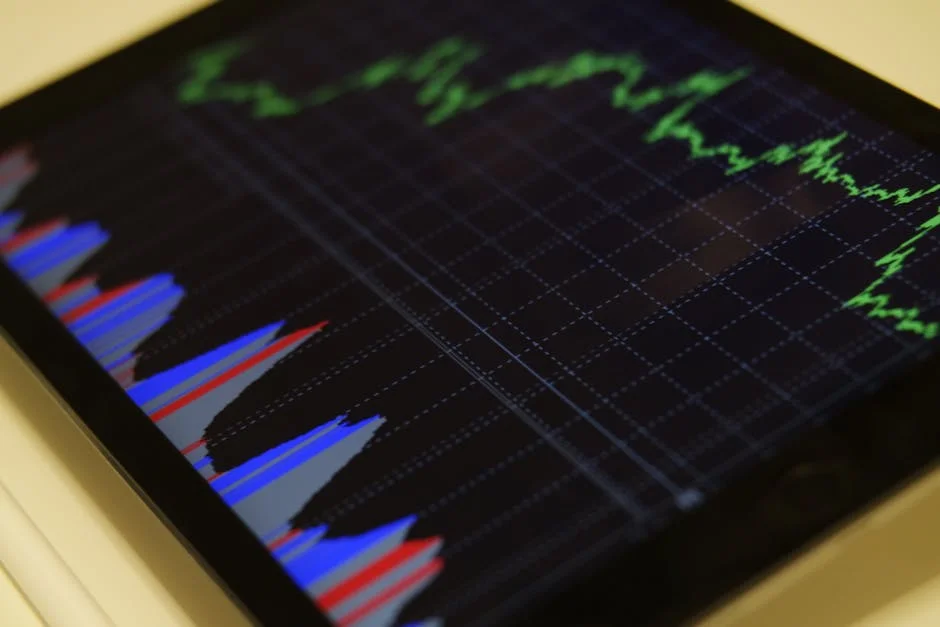
MetaTrader 4 forex trading remains one of the most familiar ways retail traders access the currency market, even after years of platform innovation. MT4 earned that position by being fast, lightweight, and stable on modest hardware, while still offering serious tools for analysis and order execution. The platform’s layout is intentionally practical: charts, a market watch list, order tickets, and a terminal window for trades and history. That simplicity helps new participants avoid getting overwhelmed, yet it also supports complex workflows for experienced traders who manage multiple pairs, timeframes, and strategies. A key reason the platform persists is the enormous ecosystem built around it: custom indicators, scripts, and automated strategies created in MQL4. When a platform becomes a shared language for brokers, educators, and developers, switching costs rise—not only financially but in time, habits, and data. Traders who have tested multiple platforms often return to MT4 because they can set it up quickly, replicate their templates, and execute with minimal friction when volatility spikes.
Table of Contents
- My Personal Experience
- Understanding MetaTrader 4 Forex Trading and Why It Still Matters
- Setting Up the Platform: Installation, Accounts, and Secure Access
- Navigating the Interface: Market Watch, Charts, and the Terminal
- Charting and Technical Analysis Tools Inside MT4
- Order Types, Execution, and Trade Management in MT4
- Risk Management and Position Sizing for Forex Traders on MT4
- Using Indicators and Templates Without Overcomplicating Your Charts
- Expert Insight
- Expert Advisors (EAs) and Automation in MT4 Trading
- Backtesting, Journaling, and Performance Review for Consistent Results
- Choosing a Broker for MT4: Spreads, Execution, Regulation, and Tools
- Common Mistakes in MT4 Forex Trading and How to Avoid Them
- Building a Practical Routine: From Market Scan to Execution and Review
- Final Thoughts on MetaTrader 4 Forex Trading for Long-Term Development
- Watch the demonstration video
- Frequently Asked Questions
- Trusted External Sources
My Personal Experience
I started using MetaTrader 4 for forex trading after getting tired of jumping between charts and random news sites, and it immediately felt more organized. I opened a demo account first and spent a couple of weeks just learning how to place market vs. pending orders, set stop-loss and take-profit levels, and read the basic indicators without overloading the chart. The first time I went live, I traded too big and watched a small EUR/USD move hit my stop faster than I expected, which taught me to respect position sizing and spreads—especially around session opens. What helped most was keeping everything simple: one or two pairs, a clean template, and journaling screenshots of my MT4 trades so I could see where I got impatient. I’m still not “crushing it,” but MT4 made my process consistent enough that I can actually measure what’s working instead of guessing. If you’re looking for metatrader 4 forex trading, this is your best choice.
Understanding MetaTrader 4 Forex Trading and Why It Still Matters
MetaTrader 4 forex trading remains one of the most familiar ways retail traders access the currency market, even after years of platform innovation. MT4 earned that position by being fast, lightweight, and stable on modest hardware, while still offering serious tools for analysis and order execution. The platform’s layout is intentionally practical: charts, a market watch list, order tickets, and a terminal window for trades and history. That simplicity helps new participants avoid getting overwhelmed, yet it also supports complex workflows for experienced traders who manage multiple pairs, timeframes, and strategies. A key reason the platform persists is the enormous ecosystem built around it: custom indicators, scripts, and automated strategies created in MQL4. When a platform becomes a shared language for brokers, educators, and developers, switching costs rise—not only financially but in time, habits, and data. Traders who have tested multiple platforms often return to MT4 because they can set it up quickly, replicate their templates, and execute with minimal friction when volatility spikes.
Another factor keeping MetaTrader 4 forex trading relevant is the diversity of broker integrations. Many brokers still provide MT4 as a primary terminal, meaning pricing feeds, execution models, and account types are designed around it. That doesn’t mean all MT4 broker offerings are equal; spreads, commissions, slippage behavior, and execution quality vary widely. Yet the availability of choice is an advantage: traders can compare conditions while keeping the same front-end experience. MT4’s charting may look dated compared with some modern platforms, but it remains effective: multiple chart types, dozens of built-in indicators, and highly customizable templates. The platform also supports a strong routine: mark higher-timeframe levels, refine entries on lower timeframes, place orders, manage positions, and export history for review. For many traders, profitability is less about having the newest interface and more about repeating a disciplined process. MT4 helps that by being consistent and by letting traders build a personal environment—profiles, templates, alerts, and automation—that supports their specific approach to the FX market.
Setting Up the Platform: Installation, Accounts, and Secure Access
Getting started with MetaTrader 4 forex trading typically begins with choosing a broker that offers MT4, then installing the platform on desktop or using the mobile app. The desktop version remains the most popular for serious chart work and automation because it supports Expert Advisors (EAs) and custom indicators with fewer limitations. Installation is straightforward, but the real setup work happens after the first login: organizing Market Watch symbols, enabling one-click trading, setting chart properties, and creating templates for your preferred indicators and color schemes. Many traders underestimate how much time is saved by building a clean, repeatable workspace. For example, if you trade major pairs during London and New York sessions, you might keep EURUSD, GBPUSD, USDJPY, and XAUUSD visible, while hiding exotics that clutter the list. You can also create profiles for different tasks—one profile for top-down analysis and another for execution—so switching contexts is instant rather than distracting. Small operational improvements reduce errors, especially when markets move quickly.
Account configuration is another practical step that shapes your outcomes. With MetaTrader 4 forex trading, your broker may offer standard accounts with spread-only pricing, or raw-spread accounts with commissions. The cost structure impacts strategy performance, especially for scalping, short-term mean reversion, or news trading. Leverage settings also matter: high leverage can make position sizing look easier, but it can amplify mistakes. A safer approach is to choose leverage that allows flexible margin without tempting oversized trades. Security is equally important. Use strong passwords, enable two-factor authentication where the broker provides it, and keep the platform updated. If you run EAs, separate your trading machine from casual browsing and downloads to reduce malware risk. Many traders also keep trade logs and account statements backed up outside the terminal, since a clean audit trail helps evaluate performance and resolve disputes. A stable setup isn’t glamorous, but it’s a competitive advantage: fewer crashes, fewer login issues, and fewer execution mistakes means more mental bandwidth for analysis and disciplined risk control.
Navigating the Interface: Market Watch, Charts, and the Terminal
The MT4 interface is designed around three core areas: Market Watch, chart windows, and the Terminal panel. In MetaTrader 4 forex trading, Market Watch is where you see live bid/ask prices, spreads, and quick access to symbols. Many traders customize it aggressively, showing only the instruments they actually trade and adding columns for spread and time. That helps you spot deteriorating conditions, such as widening spreads during low-liquidity hours or around major announcements. Charts are the main workspace. You can open multiple charts, tile them, and apply templates so your indicators and colors remain consistent. Consistency matters because it reduces interpretation errors: if your moving averages, levels, and candlestick colors always look the same, you spend less time re-orienting and more time making decisions. MT4 also supports multiple timeframes from one minute to monthly. A common workflow is to identify structure and key levels on higher timeframes, then refine entries on lower timeframes based on momentum, candle patterns, or indicator signals.
The Terminal panel consolidates trading functions: Trade (open positions and orders), Account History, Alerts, Mailbox, Experts, and Journal. For MetaTrader 4 forex trading, learning to read the Trade tab is essential. It shows your floating profit/loss, used margin, free margin, and equity. Those numbers are not just informational; they influence decision-making. For example, if equity drawdown is approaching a threshold you set in your plan, you may reduce risk or stop trading for the day. The Journal and Experts tabs are particularly important for automated traders because they log EA activity, errors, and connection events. If an EA stops trading, the logs often reveal why—invalid stops, trade context busy, off quotes, or a disconnect. Traders who ignore logs tend to repeat problems. Alerts can also be used creatively: you can set a price alert near a level, then step away until the market approaches your zone. That reduces screen fatigue and the temptation to overtrade. Mastering the interface is less about memorizing buttons and more about building a workflow that minimizes friction and supports repeatable execution.
Charting and Technical Analysis Tools Inside MT4
Charting is where MetaTrader 4 forex trading becomes practical for decision-making. MT4 includes a solid set of built-in indicators—moving averages, RSI, MACD, Bollinger Bands, ATR, stochastic, and more—that cover many classical approaches. The platform also includes drawing tools for trendlines, channels, Fibonacci retracements, and horizontal levels. While advanced traders sometimes prefer specialized charting software, MT4 remains capable when used with a clear methodology. A disciplined chart routine often starts with structure: identify swing highs and lows, define whether price is trending or ranging, and mark levels that have produced reactions. Then you can add indicators to answer a specific question rather than to decorate the chart. For instance, ATR can help estimate realistic stop distances and profit targets in current volatility, while a moving average can serve as a trend filter or dynamic support/resistance. The key is to keep charts readable. Too many indicators can create conflicting signals and encourage hesitation or impulsive switching between ideas.
Timeframe selection is another overlooked component of MetaTrader 4 forex trading analysis. A strategy that works on the H1 chart may behave differently on M5 because spread costs and noise dominate. MT4 makes it easy to flip timeframes, but frequent switching can also create confusion. Many traders benefit from a structured top-down approach: start with daily and H4 to mark major zones and trend context, then use H1 or M15 for entry triggers, and manage on the timeframe that matches the strategy’s holding period. MT4 templates and profiles help keep this organized. You can create one template for higher-timeframe analysis with minimal indicators and another for execution with entry tools. You can also use the crosshair tool to measure pip distances, which is useful for calculating risk and reward. Even simple features like the data window can improve accuracy by showing exact values for candles and indicators. Technical analysis in MT4 is effective when it is purposeful: each tool should support a decision—where to enter, where to exit, how to size, and when to stand aside.
Order Types, Execution, and Trade Management in MT4
Execution is where MetaTrader 4 forex trading moves from analysis to real risk. MT4 supports market orders, pending orders (buy limit, sell limit, buy stop, sell stop), and stop loss/take profit attachments. Understanding how these behave with your broker’s execution model is crucial. On some accounts, you may see instant execution with requotes; on others, market execution with slippage. In fast markets, a pending order can be triggered at a worse price than expected, and stop losses can slip too. That’s not necessarily manipulation; it’s often liquidity and speed. Traders can reduce surprises by avoiding illiquid hours, being cautious around high-impact news, and using realistic stop distances that account for volatility. MT4’s order ticket also allows you to set stops and targets upfront, which is a strong habit because it prevents “I’ll add the stop later” mistakes. One-click trading speeds up execution but should be used with pre-defined lot sizes and a clear plan, since speed can amplify impulsive entries.
Trade management in MetaTrader 4 forex trading can be as simple or as sophisticated as you want. You can manually move stops, trail behind structure, scale out partial profits using multiple positions, or automate management with scripts and EAs. The platform shows swap rates, which matter for swing and position trades held overnight. If your strategy relies on holding trades for days, swap can materially affect results, especially on pairs with large interest differentials. MT4 also supports hedging in many broker environments, allowing simultaneous long and short positions on the same symbol. Whether that is beneficial depends on your rules; hedging can also hide losses and complicate decision-making. A cleaner approach for many traders is to manage net exposure and keep risk transparent. Another practical feature is the ability to modify orders by dragging stop loss and take profit lines directly on the chart (when enabled). This visual approach reduces errors and speeds up adjustments. Ultimately, execution quality is a combination of broker conditions, platform stability, and trader discipline. MT4 provides the tools, but consistent outcomes come from using them in a systematic way.
Risk Management and Position Sizing for Forex Traders on MT4
Risk management is the foundation that keeps MetaTrader 4 forex trading sustainable. Without it, even a strong strategy can fail under a streak of losses or a sudden volatility event. MT4 makes risk visible through margin, equity, and floating P/L, but the trader must define the rules. A common professional approach is to risk a fixed percentage of account equity per trade—often 0.25% to 2% depending on experience, strategy variance, and account size. Position sizing then becomes a calculation: determine stop distance in pips, calculate pip value for the pair, and set lot size so the monetary risk matches your rule. MT4 doesn’t force you to do this, which is both a strength and a danger. Many traders use calculators or custom scripts to compute lot size quickly. The goal is consistency: if you risk the same fraction of equity each time, your performance reflects strategy edge rather than random bet sizing.
Drawdown control is another essential part of MetaTrader 4 forex trading risk planning. Many professionals define daily and weekly loss limits that trigger a stop-trading rule. This prevents emotional “revenge trading” and protects the account during periods when the strategy is out of sync with market conditions. Correlation risk also matters. If you open positions in EURUSD and GBPUSD simultaneously, you may be doubling exposure to USD moves rather than diversifying. MT4’s platform view won’t automatically warn you about correlated risk, so you need a portfolio mindset: track total exposure by currency and by theme (risk-on/risk-off). Stop placement should also be logical. Stops that are too tight relative to ATR or recent structure may be hit frequently, turning a good idea into a series of small losses. Stops that are too wide can reduce position size and change the trade’s reward-to-risk profile. A balanced approach uses structure-based stops, validated by volatility measures, and aims for reward-to-risk ratios that fit the strategy’s win rate. MT4 supports disciplined risk management, but only if you treat each order as part of a broader account-level plan.
Using Indicators and Templates Without Overcomplicating Your Charts
One of the attractions of MetaTrader 4 forex trading is the ability to add virtually endless indicators, including thousands of free and paid custom tools. The challenge is that more tools often lead to more confusion. A professional approach is to restrict indicators to a small set that each serve a distinct function: trend identification, momentum confirmation, volatility measurement, or timing. For example, a trader might use a 200-period moving average as a broad trend filter, RSI to spot momentum shifts and divergence, and ATR to set realistic stop distances. That’s already enough for many systems. If you add multiple oscillators that measure similar concepts, you can end up with redundant signals that don’t improve decision quality. MT4 templates help keep discipline. By saving a template, you ensure every chart uses the same settings, which prevents subtle differences from altering your interpretation. Templates also reduce setup time, making it easier to focus on execution rather than constant chart adjustments.
Expert Insight
Set up MetaTrader 4 to reduce decision fatigue: create a clean template with only the indicators you actually use, save it, and apply it to every chart. Then add price alerts at key levels (previous day high/low, session open, major support/resistance) so you react to your plan instead of watching every tick. If you’re looking for metatrader 4 forex trading, this is your best choice.
Use MT4’s tools to enforce risk control on every trade: calculate position size before entry so each stop-loss risks a fixed percentage of your account, and place the stop-loss and take-profit immediately when you open the order. Keep a simple journal by exporting your account history regularly and noting the setup, timeframe, and rule followed—this makes it easier to spot what’s working and what to cut. If you’re looking for metatrader 4 forex trading, this is your best choice.
Indicator settings and data quality matter more than most traders realize in MetaTrader 4 forex trading. Different brokers can have different server times, which affects daily candles and the appearance of some patterns. That can influence indicators that depend on daily closes or session boundaries. If your strategy is sensitive to candle shape, you should understand your broker’s time zone and consider whether it aligns with how you backtested. Another practical step is to keep indicators lightweight. Some custom indicators are poorly coded and can slow the platform, especially if you open many charts. Sluggish performance can lead to missed entries or delayed order modifications. Many traders also benefit from separating analysis tools from execution tools. For example, you might do broader analysis with clean charts and only add entry indicators on the execution timeframe. The aim is clarity. MT4 is at its best when it supports quick recognition: you can glance at a chart and immediately know the trend, key levels, and whether conditions match your setup. Complexity can be useful, but only if it measurably improves outcomes and remains consistent under real-time pressure.
Expert Advisors (EAs) and Automation in MT4 Trading
Automation is a major reason MetaTrader 4 forex trading has remained popular for so long. Expert Advisors (EAs) are programs written in MQL4 that can generate signals, place orders, manage trades, and even handle risk rules automatically. For traders with coding skills, MT4 offers a flexible environment to translate a strategy into rules and test them. For non-coders, the ecosystem includes many commercial EAs, though quality varies widely. Automation can be valuable when it enforces discipline: it executes the same logic every time, avoids hesitation, and can monitor multiple pairs simultaneously. It can also reduce emotional mistakes, such as moving a stop loss out of fear or closing winners too early. However, automation does not remove risk. An EA can fail if market conditions change, if spreads widen, if execution differs from the environment it was optimized for, or if the logic is overfitted to past data.
| Comparison | MetaTrader 4 (MT4) | Alternative Platforms |
|---|---|---|
| Forex Trading Features | Built for retail forex trading with robust charting, multiple order types, and broad broker support. | Often offer similar core forex tools, but broker availability and feature depth vary by platform. |
| Automation & Indicators | Supports Expert Advisors (EAs) and custom indicators via MQL4; large marketplace/community for add-ons. | May use different scripting languages; automation ecosystems can be smaller or more fragmented. |
| Ease of Use & Availability | Lightweight, widely available on desktop/mobile, and familiar to many forex traders. | Can be more modern or feature-rich, but may have a steeper learning curve or limited device support. |
Running EAs reliably in MetaTrader 4 forex trading requires operational planning. Many traders use a VPS (virtual private server) so the platform runs 24/5 with stable connectivity, reducing the risk of power outages or internet drops. MT4’s Strategy Tester allows backtesting, but traders should understand its limitations: modeling quality, spread assumptions, and the difference between tick data accuracy and simulated price paths. Forward testing on a demo or small live account is often necessary to validate real execution behavior, including slippage and swap. Risk controls should be built into the EA and into the account plan. For example, a maximum daily loss rule can prevent a runaway algorithm from digging a deep hole during abnormal volatility. It’s also wise to monitor logs and keep version control of your EA files, so changes are documented. Automation can be a competitive edge when it is treated like a production system: tested, monitored, and constrained by robust risk limits. MT4 provides a mature environment for that, which is why automated traders still consider it a practical choice.
Backtesting, Journaling, and Performance Review for Consistent Results
Consistency in MetaTrader 4 forex trading improves when you treat trading like a process that can be measured and refined. MT4 provides key data: trade history, timestamps, profit/loss, and comments. Yet the platform alone doesn’t automatically convert that data into insight. Many traders export statements and build performance summaries that track win rate, average win, average loss, expectancy, drawdown, and profitability by session or pair. This kind of review helps identify what is actually working. For instance, you might discover that your strategy performs well on EURUSD during London but poorly during late New York when liquidity fades. Or you might find that trades taken immediately after a major news release have worse slippage and lower expectancy. These findings can lead to specific rule changes, such as time filters or spread filters, rather than vague promises to “trade better.”
Journaling adds the context that raw numbers lack in MetaTrader 4 forex trading. A useful journal includes screenshots of entry and exit, the reason for the trade, the planned stop and target, and notes about execution and emotion. Over time, patterns emerge: maybe you break rules after two losses, or you take subpar setups when bored. MT4 makes screenshots easy, and templates ensure the chart looks consistent across entries. Backtesting can also be part of this feedback loop. If you adjust a rule, test it on historical data to see whether it improves or harms the system. Be cautious about over-optimization; a rule that perfectly fits last year’s market might fail next year. A more robust approach is to test across multiple market regimes—trending, ranging, high volatility, low volatility—and to validate with forward testing. The objective is not to find a perfect system but to build a repeatable edge and manage it intelligently. MT4 supports the data capture and execution side, while disciplined review turns activity into improvement.
Choosing a Broker for MT4: Spreads, Execution, Regulation, and Tools
Your broker choice can determine whether MetaTrader 4 forex trading feels smooth and cost-effective or frustrating and expensive. The same platform can deliver very different experiences depending on spreads, commissions, execution speed, and order handling. Traders who operate on short timeframes should pay special attention to average spreads during the hours they trade, not just advertised minimums. A broker might show a low minimum spread, but if spreads widen frequently during your active session, your effective costs rise and your strategy’s edge can disappear. Execution quality matters as much as spreads. If slippage is consistently negative or requotes are frequent, your fills may be worse than expected. Many traders test execution by running a small live account and comparing expected versus actual prices, especially during moderate volatility where slippage should be manageable.
Regulation and operational transparency should also be priorities for MetaTrader 4 forex trading. A regulated broker is not a guarantee of perfection, but it usually provides clearer rules about client funds, dispute processes, and reporting. Look for clarity about account segregation, negative balance protection (where applicable), and how margin calls and stop-outs are handled. Also consider platform-related tools: some brokers offer additional MT4 plugins, sentiment indicators, or enhanced analytics, while others keep it standard. Swap rates, contract specifications, and trading hours can differ by broker; these details affect swing traders and those who hold positions over weekends. Another practical factor is customer support and the reliability of deposits/withdrawals. A trader can tolerate a slightly higher spread if funding and withdrawals are consistently smooth and transparent. The platform is only one part of the trading stack; broker conditions are the environment in which your MT4 decisions become real results.
Common Mistakes in MT4 Forex Trading and How to Avoid Them
Many losses attributed to “bad luck” in MetaTrader 4 forex trading are actually the result of preventable mistakes. One common issue is inconsistent position sizing. Traders may risk more after a win or try to recover losses by increasing lot size, turning normal variance into destructive drawdowns. Another frequent mistake is ignoring trading costs. Spreads, commissions, and swap might seem small per trade, but over dozens or hundreds of trades they can dominate outcomes, especially for scalpers. MT4 makes it easy to place trades rapidly, which is helpful when used responsibly, but it also makes overtrading easier. Overtrading often comes from boredom, the desire to be active, or the false belief that more trades equals more profit. A structured trade plan with clear setup criteria and time filters reduces this behavior. So does using alerts to wait for price to reach key levels rather than chasing movement.
Execution errors are another category of avoidable problems in MetaTrader 4 forex trading. Traders sometimes place the wrong order type—using a buy stop when they intended a buy limit—or forget to set a stop loss. Others move stops farther away to avoid being stopped out, transforming a planned small loss into a large one. MT4’s ability to modify orders quickly is useful, but it should be used to tighten risk or manage a trade according to structure, not to rationalize avoiding a loss. Technical mistakes also happen: running too many heavy indicators can freeze the platform, or using unverified EAs can create unexpected trades. Keeping the platform clean, monitoring the Journal, and testing tools on demo first can prevent these issues. Another subtle mistake is focusing on predicting rather than reacting. A trader may become attached to a bias and keep trying to “catch the turn.” A more robust approach is to define invalidation levels and accept when the market proves the idea wrong. MT4 provides the mechanics; avoiding common mistakes requires rules, routine, and respect for risk.
Building a Practical Routine: From Market Scan to Execution and Review
A profitable routine in MetaTrader 4 forex trading often looks boring from the outside, which is a good sign. It starts with a market scan: check spreads and liquidity conditions, review the economic calendar for high-impact events, and identify pairs with clear structure. Then comes top-down analysis: mark key levels on higher timeframes and define the market state as trending, ranging, or transitioning. With that context, you wait for price to approach a level or pattern that fits your rules. MT4’s alerts and templates support this kind of patient workflow. When the setup is present, execution should be deliberate: confirm position size based on stop distance and risk percentage, place the order with stop loss and take profit attached, and record the rationale. This reduces impulsive “click trading” and creates a repeatable process. Traders who follow a routine also tend to trade fewer, higher-quality setups, which often improves expectancy even if the win rate doesn’t change dramatically.
After execution, trade management should follow predefined rules in MetaTrader 4 forex trading. Decide in advance whether you will trail stops, move to break-even at a certain point, or scale out. Avoid inventing new rules mid-trade unless there is a genuine change in market structure that your plan allows for. MT4 supports clean management through order modification and visual stop/target lines. At the end of the session, review is where improvement happens. Save screenshots of key trades, note whether you followed rules, and categorize mistakes: entry errors, sizing errors, emotional errors, or strategy limitations. Over time, you can refine your plan based on evidence rather than feelings. A practical routine also includes platform maintenance: update MT4 when appropriate, archive old templates, keep backups of profiles, and ensure your connection is stable. Discipline in routine doesn’t guarantee profits, but it prevents many avoidable losses and makes performance more consistent. That consistency is what turns MetaTrader 4 forex trading from random outcomes into a professional practice.
Final Thoughts on MetaTrader 4 Forex Trading for Long-Term Development
MetaTrader 4 forex trading continues to be a viable choice because it balances accessibility with depth. It supports manual trading with solid charting and order management, while also offering a mature environment for automation through EAs and scripts. The platform’s real strength is not that it is the newest, but that it is dependable and widely supported by brokers and third-party developers. Traders who build a clean workspace, use templates to stay consistent, and understand how their broker’s execution affects fills can operate efficiently even in fast markets. The most important improvements usually come from process rather than platform features: controlled risk, measured position sizing, realistic expectations about costs and slippage, and a journal-driven feedback loop that turns experience into skill.
Long-term progress with MetaTrader 4 forex trading comes from treating each trade as one sample in a larger system. When your methods are consistent, you can evaluate them honestly, refine them without overfitting, and scale risk cautiously as performance stabilizes. The platform can support many styles—trend following, range trading, breakout systems, and algorithmic approaches—but it rewards traders who keep charts clear, rules explicit, and risk small enough to survive inevitable losing streaks. If you focus on execution quality, broker conditions, and disciplined review, MetaTrader 4 forex trading can remain a practical and effective framework for developing real competence in the forex market.
Watch the demonstration video
In this video, you’ll learn the essentials of forex trading using MetaTrader 4 (MT4), including how to set up charts, place and manage trades, use indicators, and apply basic risk management. It also walks through key platform tools—like order types, stop loss, and take profit—so you can trade more confidently and efficiently. If you’re looking for metatrader 4 forex trading, this is your best choice.
Summary
In summary, “metatrader 4 forex trading” is a crucial topic that deserves thoughtful consideration. We hope this article has provided you with a comprehensive understanding to help you make better decisions.
Frequently Asked Questions
What is MetaTrader 4 (MT4) and how is it used for forex trading?
MetaTrader 4 is a popular platform for **metatrader 4 forex trading**, letting you analyze live currency charts, place and manage orders with ease, and enhance your strategy with built-in indicators and automated Expert Advisors—all through your chosen broker.
How do I place a forex trade in MT4?
To place a trade in **metatrader 4 forex trading**, start by choosing the currency pair you want to trade, then open the **New Order** window. Select your position size (lot volume), optionally set your **stop loss** and **take profit** levels, choose between **Market Execution** for an instant trade or a **Pending Order** to enter later, and finally click **Buy** or **Sell** to place your order.
What are lot sizes and leverage in MT4?
Lot size is trade volume (e.g., 1.00 standard lot = 100,000 units; 0.10 = 10,000; 0.01 = 1,000). Leverage is set by the broker and affects required margin and risk; MT4 shows margin and free margin in the Terminal. If you’re looking for metatrader 4 forex trading, this is your best choice.
How do stop loss and take profit work in MT4?
Stop loss closes a trade if price moves against you to limit losses; take profit closes it at a favorable price to lock gains. You can set them when opening a trade or modify the order afterward. If you’re looking for metatrader 4 forex trading, this is your best choice.
What are Expert Advisors (EAs) in MT4 and are they safe to use?
EAs are automated trading scripts that can place/manage trades based on rules. Safety depends on the strategy and code quality; test on a demo and in the Strategy Tester, use risk limits, and monitor performance. If you’re looking for metatrader 4 forex trading, this is your best choice.
How do I backtest a forex strategy in MT4?
Open the Strategy Tester, pick the EA you want to evaluate, then choose the symbol, timeframe, and date range. Next, select a modeling method, adjust your input parameters, and run the test. Once it’s finished, review the report and performance graph, paying close attention to key drawdown and risk metrics—an essential step for reliable **metatrader 4 forex trading**.
? Looking for more info about metatrader 4 forex trading? Follow Our Site for updates and tips!

Trusted External Sources
- MetaTrader 4 – App Store – Apple
Access the global currency markets right from your iPhone or iPad with MetaTrader 4. With **metatrader 4 forex trading**, you can connect to hundreds of brokers, monitor live quotes, analyze charts, and place trades on the go—all from a fast, user-friendly mobile platform.
- MetaTrader 4 Forex trading platform
MetaTrader 4 brings together powerful trading tools, advanced charting, and a range of built-in services in one easy-to-use platform—making **metatrader 4 forex trading** a smart choice for anyone who wants everything they need to trade the Forex market confidently.
- Metatrader 4 vs. 5 : r/Trading – Reddit
On May 4, 2026, I started exploring forex trading—especially the GBP/JPY pair—and I’m curious which platform feels smoother and more user-friendly. For anyone with experience in **metatrader 4 forex trading**, which app would you recommend and why?
- MetaTrader 4 Forex Trading – Apps on Google Play
Trade Forex anytime, anywhere from your smartphone or tablet with MetaTrader 4. As the world’s most widely used trading platform, MT4 makes **metatrader 4 forex trading** simple and flexible—letting you choose from hundreds of brokers, access real-time charts, place trades in seconds, and manage your positions on the go.
- Is MetaTrader 4 still the go to platform? : r/Forex – Reddit
Jan 1, 2026 … I prefer MT5 over MT4, because position managing is way better on MT5. I mainly trade on my computer but use MT5 to manage my positions when i’m … If you’re looking for metatrader 4 forex trading, this is your best choice.