
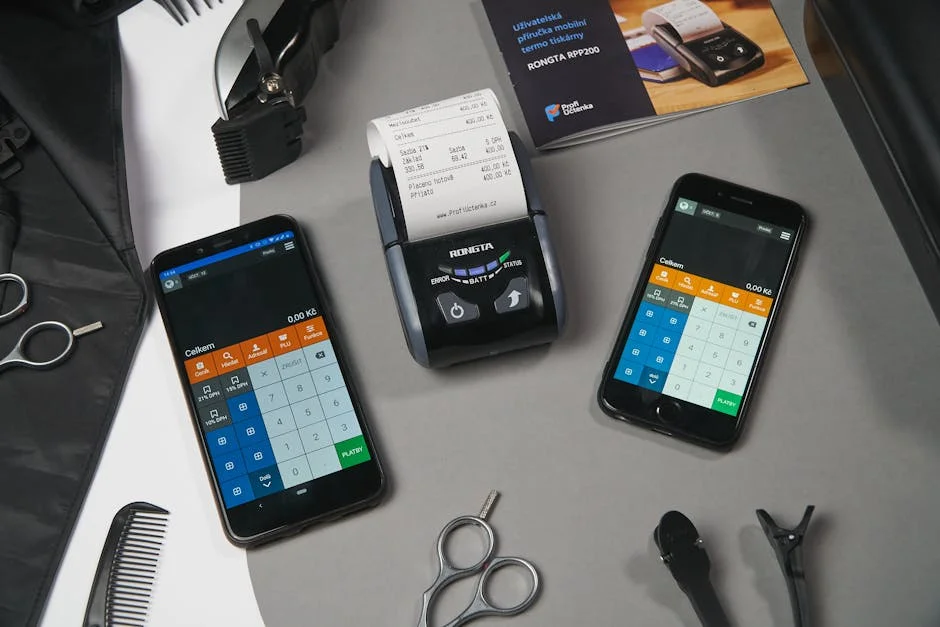
Choosing the right billing software for small business operations can determine whether cash flow feels predictable or constantly stressful. When invoices are created manually, small mistakes in totals, taxes, or customer details can trigger payment delays, disputes, and awkward follow-ups. A dedicated billing platform reduces those risks by standardizing invoice templates, calculating totals consistently, and keeping customer records organized. For many owners, the biggest value is time: less time building invoices, searching for client information, and reconciling payments means more time selling, delivering services, or managing staff. Even if the company only sends a handful of invoices per week, the cumulative time savings can be significant over a year, especially when billing tasks are repeated across multiple team members. A structured invoicing workflow also makes it easier to delegate billing without losing control, because the system enforces numbering, approvals, and standardized terms that match the business’s policies.
Table of Contents
- My Personal Experience
- Why Billing Tools Matter for Growing Companies
- Core Features to Look For in Billing Software
- Cloud-Based vs. Desktop Billing: Practical Differences
- Pricing Models and How to Evaluate Real Cost
- Setup, Customization, and Branding for Professional Invoices
- Automation: Recurring Invoices, Reminders, and Late Fees
- Integrations with Accounting, Payroll, and E-Commerce
- Expert Insight
- Security, Compliance, and Data Protection Considerations
- Industry Use Cases: Services, Retail, Contractors, and Freelancers
- Choosing the Right Solution: A Practical Selection Process
- Implementation Tips: Migration, Training, and Ongoing Maintenance
- Scaling Up: Managing Higher Volume, Multiple Locations, and Cash Flow
- Final Thoughts on Selecting a Billing Platform That Fits
- Watch the demonstration video
- Frequently Asked Questions
- Trusted External Sources
My Personal Experience
When I started my small home-repair business, I was sending invoices from a Word template and tracking payments in a notebook, which worked until I missed a couple of overdue balances and had no clear record of who’d paid what. I switched to a simple billing software made for small businesses, and it immediately cleaned things up—quotes turned into invoices in a click, recurring jobs billed automatically, and payment reminders went out without me having to chase people. The biggest difference was seeing everything in one dashboard: what was sent, what was viewed, and what was still outstanding. It wasn’t fancy, but it saved me hours each week and made me feel a lot more professional when customers asked for itemized invoices or receipts on the spot. If you’re looking for billing software for small business, this is your best choice.
Why Billing Tools Matter for Growing Companies
Choosing the right billing software for small business operations can determine whether cash flow feels predictable or constantly stressful. When invoices are created manually, small mistakes in totals, taxes, or customer details can trigger payment delays, disputes, and awkward follow-ups. A dedicated billing platform reduces those risks by standardizing invoice templates, calculating totals consistently, and keeping customer records organized. For many owners, the biggest value is time: less time building invoices, searching for client information, and reconciling payments means more time selling, delivering services, or managing staff. Even if the company only sends a handful of invoices per week, the cumulative time savings can be significant over a year, especially when billing tasks are repeated across multiple team members. A structured invoicing workflow also makes it easier to delegate billing without losing control, because the system enforces numbering, approvals, and standardized terms that match the business’s policies.
Billing is also a customer experience issue, not just an internal accounting task. Clear invoices, easy payment options, and professional branding can improve trust and reduce friction at the moment a customer decides whether to pay promptly. Modern billing systems often support online payment links, automatic reminders, and receipts that reduce back-and-forth communication. When customers have questions, the ability to quickly pull up invoice history and related notes can turn a potentially tense conversation into a fast resolution. Small businesses often compete on service and responsiveness, and a smooth invoicing and payment process reinforces that promise. As the business grows, the complexity increases: multiple products, tiered pricing, discounts, recurring services, and local taxes. A purpose-built billing solution helps keep those moving parts consistent so the owner can focus on growth rather than chasing paperwork. If you’re looking for billing software for small business, this is your best choice.
Core Features to Look For in Billing Software
Small companies benefit most from billing tools that match their day-to-day reality: quick invoice creation, accurate calculations, simple customer management, and straightforward reporting. Look for customizable invoice templates that allow you to add a logo, business details, payment terms, and line items that reflect how you sell. Automatic tax calculation is a major advantage when rates vary by region, product type, or customer category. If your work involves services, time-based billing or the ability to attach project notes can keep invoices aligned with what was delivered. If you sell products, inventory tracking, SKU support, and unit pricing reduce errors and help ensure you are charging correctly. Many billing systems also include estimates or quotes, which can convert to invoices when a customer approves, reducing double entry and improving consistency. If you’re looking for billing software for small business, this is your best choice.
Beyond creating invoices, payment collection features can change how quickly you get paid. An integrated payment option—such as card payments, bank transfers, or digital wallets—means customers can pay directly from the invoice. Automated reminders can be scheduled before and after the due date, which reduces the uncomfortable task of chasing payments while still being consistent and professional. Another important feature is recurring billing for subscriptions or retainers, where invoices are generated automatically on a schedule. For small businesses with monthly maintenance plans, coaching packages, or membership fees, recurring invoices can stabilize revenue and reduce administrative workload. Finally, consider reporting features: aging reports, sales summaries, tax reports, and customer payment histories. Even basic reporting helps owners spot late payers, identify seasonal patterns, and forecast cash flow more accurately. If you’re looking for billing software for small business, this is your best choice.
Cloud-Based vs. Desktop Billing: Practical Differences
When selecting billing software for small business needs, the choice between cloud-based and desktop solutions affects accessibility, security, and long-term flexibility. Cloud systems are typically accessible from any device with an internet connection, which helps owners who work remotely, travel to client sites, or manage multiple locations. Updates are handled by the provider, so you usually get the latest features and security patches without manual installs. Cloud platforms also make collaboration easier: a bookkeeper, office manager, and owner can work in the same system with different permissions, reducing file transfers and version confusion. Another advantage is integration—cloud billing tools often connect with payment processors, e-commerce platforms, CRM systems, and accounting software, creating a smoother workflow across the business.
Desktop billing software can appeal to businesses that prefer a one-time purchase or want to keep data primarily on local machines. In some environments with unreliable internet, a desktop option can feel more dependable for day-to-day invoicing. However, desktop solutions may require manual backups, periodic upgrades, and more effort to share data among team members. They can also be harder to integrate with online payments and third-party tools. For many small companies today, the deciding factor is mobility and collaboration. If you regularly send invoices from the field, need your accountant to access data, or want customers to pay online, cloud billing is often the more practical route. If you operate in a highly controlled environment with minimal staff and predictable billing, a desktop system can still work well, but it demands a disciplined approach to backups and device management. If you’re looking for billing software for small business, this is your best choice.
Pricing Models and How to Evaluate Real Cost
Billing platforms are priced in different ways, and understanding the real cost requires looking beyond the monthly subscription. Some vendors charge per user, others per invoice volume, and some package features into tiers. A low-cost plan can become expensive if it limits the number of invoices, customers, or automated reminders you can send. Payment processing fees are another major factor. Even if the billing tool itself is affordable, the cost of accepting card payments or certain bank transfers can add up quickly. Evaluate the fee structure based on how customers prefer to pay and your average invoice size. If most customers pay by bank transfer, a system that supports low-cost ACH or local bank methods may reduce fees compared to card-only options. If you’re looking for billing software for small business, this is your best choice.
Also consider the cost of time and errors. A cheaper tool that lacks automation may lead to more manual work, more mistakes, and slower payments. Calculate how long invoicing and follow-ups currently take each month, then estimate the savings from automated reminders, recurring billing, and template-based invoice creation. Another cost factor is support and onboarding. Some platforms include live support, guided setup, and data import tools, while others rely on help articles. For a small team without an in-house accountant, responsive support can be worth paying for, especially during tax season or when migrating from spreadsheets. Finally, consider scalability. Switching billing systems later can be disruptive, so it’s often better to choose a platform that can handle your next stage—more customers, more products, more staff—even if it costs slightly more now. If you’re looking for billing software for small business, this is your best choice.
Setup, Customization, and Branding for Professional Invoices
Your invoice is a customer-facing document that reflects your professionalism, so the ability to customize it matters. Good billing tools let you add a logo, adjust colors, and format line items clearly. You should be able to include payment terms, late fee policies, and notes that set expectations without sounding harsh. For service businesses, it helps to show a clean breakdown of labor, materials, and any reimbursable expenses. For product businesses, clarity around quantities, unit prices, discounts, and shipping can reduce confusion. Many small businesses also benefit from adding purchase order fields or customer reference numbers, because larger clients often require those details before they pay. A billing system that supports these fields avoids email back-and-forth and speeds up approval workflows on the customer’s side. If you’re looking for billing software for small business, this is your best choice.
Customization is also about aligning the billing workflow with how your business operates. If you run projects, you may want draft invoices, internal notes, and approvals before sending. If you offer recurring services, you may need proration, start/end dates, and automatic invoice schedules. If you operate in multiple regions, you may need multi-currency support and localized tax labels. The best approach is to map your current billing steps—quote, approval, delivery confirmation, invoicing, reminders, payment, receipt—and then choose software that supports those steps with minimal workarounds. A professional presentation combined with a consistent process can reduce disputes and reinforce trust. When customers see clear details and easy payment options, they are more likely to pay promptly and less likely to question charges. If you’re looking for billing software for small business, this is your best choice.
Automation: Recurring Invoices, Reminders, and Late Fees
Automation is one of the strongest reasons to invest in a modern billing system. Recurring invoices are especially useful for retainers, subscriptions, maintenance plans, and ongoing service agreements. Instead of manually creating the same invoice each month, you set the schedule, line items, and payment terms once. The system then generates and sends invoices automatically, often with the option to notify you before sending or to send without manual intervention. This reduces administrative workload and minimizes the risk of forgetting to invoice, which can quietly harm cash flow. For businesses with multiple recurring clients, automation can turn billing from a monthly scramble into a predictable routine. If you’re looking for billing software for small business, this is your best choice.
Payment reminders are another automation feature that can improve collections without damaging customer relationships. Well-timed reminders—such as a gentle note a few days before the due date, followed by a friendly follow-up after the due date—often increase on-time payments. The benefit is consistency: customers receive the same professional reminders, and you avoid the emotional burden of deciding when to chase each invoice. Some systems also support late fees or interest calculations based on your terms, which can encourage faster payment and compensate for delays. However, it’s important to configure these carefully and communicate them clearly on the invoice. Automation should feel fair and transparent, not punitive. When set up thoughtfully, automated billing workflows help small businesses maintain steady cash flow while preserving positive customer relationships. If you’re looking for billing software for small business, this is your best choice.
Integrations with Accounting, Payroll, and E-Commerce
Billing rarely exists in isolation. Many small businesses use separate tools for bookkeeping, inventory, payroll, customer relationship management, and online sales. A billing platform that integrates well can eliminate repetitive data entry and reduce errors. For example, syncing invoices and payments to accounting software can keep your books up to date without manual importing. This is especially useful during tax season, when accurate records and clear categorization matter. If you work with an external accountant or bookkeeper, integrations can reduce the time they spend cleaning up data, which may lower professional fees. Some billing tools also integrate with payroll or time tracking systems, allowing billable hours to flow into invoices with fewer steps. If you’re looking for billing software for small business, this is your best choice.
Expert Insight
Choose billing software that matches how you get paid: confirm it supports your preferred payment methods, recurring invoices, and automatic late-fee reminders. Before committing, run a one-week trial using real scenarios (quotes, partial payments, refunds) to ensure the workflow is fast and error-free. If you’re looking for billing software for small business, this is your best choice.
Set up your invoicing to reduce back-and-forth: create templates with clear line items, taxes, and payment terms, then save your top customers and services for one-click billing. Turn on automatic invoice numbering and sync with your accounting tool so payments, fees, and taxes reconcile without manual re-entry. If you’re looking for billing software for small business, this is your best choice.
E-commerce integrations can be valuable for product-based businesses. When online orders automatically create invoices or receipts, it reduces manual reconciliation and ensures consistent tax handling. Inventory-aware billing can prevent overselling and help you track what’s leaving the business. CRM integrations can also help by connecting customer communications, contracts, and invoice history, giving your team context when answering questions. When evaluating integrations, focus on reliability and depth. A basic “export” feature may not be enough if you want real-time syncing of customers, invoices, taxes, and payments. Also consider whether the integrations are included in the plan you’re buying or require additional fees. A well-integrated billing stack can feel like an operational upgrade, reducing administrative drag and allowing the business to scale with fewer headaches. If you’re looking for billing software for small business, this is your best choice.
Security, Compliance, and Data Protection Considerations
Billing data includes sensitive customer information, transaction details, and sometimes stored payment methods, so security should be a priority. Look for features such as role-based access controls, two-factor authentication, and audit logs that show who created, edited, or sent invoices. For small businesses, internal controls can be as important as external security. If multiple employees can adjust invoices or mark them as paid, you need permissions that align with responsibilities. Cloud providers should clearly describe how they encrypt data in transit and at rest, how they handle backups, and what their uptime history looks like. A billing system that frequently goes down or loses data can disrupt cash flow and damage customer trust. If you’re looking for billing software for small business, this is your best choice.
| Feature | Best for | Why it matters for small businesses |
|---|---|---|
| Invoicing & recurring billing | Service providers, retainers, subscriptions | Creates professional invoices fast, automates repeat charges, and reduces late payments. |
| Payments & integrations (card/ACH, accounting, CRM) | Teams that want everything connected | Lets customers pay online, syncs with tools like QuickBooks/Xero, and cuts manual data entry. |
| Reporting, taxes & compliance (sales tax/VAT, audit trail) | Owners needing clear cash-flow visibility | Tracks revenue and overdue invoices, supports tax calculations, and helps keep records organized. |
Compliance needs vary by industry and location, but common requirements include proper invoice numbering, tax reporting, and record retention. Some countries and regions have rules about electronic invoicing formats, digital signatures, or how long records must be stored. Even if you’re not subject to strict regulations today, choosing a platform that supports strong recordkeeping can help later. Another factor is privacy. If you operate in regions with data protection laws, you may need tools that provide clear data processing terms and support for customer data requests. While small businesses may not have legal teams, you can still reduce risk by choosing reputable vendors with transparent security practices and clear documentation. Protecting billing data is not only about avoiding breaches; it’s also about maintaining credibility and ensuring business continuity. If you’re looking for billing software for small business, this is your best choice.
Industry Use Cases: Services, Retail, Contractors, and Freelancers
Different business models require different billing approaches, and the best billing software for small business owners depends on how revenue is generated. Service-based companies often need itemized labor, billable hours, and the ability to attach supporting details. Consultants, agencies, and freelancers may rely on milestone billing or deposits, where part of the total is due upfront and the remainder after delivery. In these cases, features like partial payments, payment schedules, and the ability to convert estimates into invoices can be extremely helpful. Clear communication on invoices—project name, billing period, and deliverables—reduces disputes and helps clients understand what they are paying for.
Retail and product-based businesses may prioritize inventory-linked invoicing, barcode or SKU support, and accurate tax handling for different product categories. Contractors and tradespeople often need on-site invoicing from a phone or tablet, along with the ability to capture signatures or notes. Progress billing can be essential in construction, where invoices are tied to stages of work completed. For businesses dealing with purchase orders, the ability to reference PO numbers and include supplier or job codes can speed up client approvals. Across all these industries, speed and clarity matter. The goal is to send accurate invoices quickly, offer convenient payment options, and keep records organized for reporting and taxes. Matching the tool to your workflow reduces friction and makes billing feel like a natural extension of operations rather than a separate administrative burden. If you’re looking for billing software for small business, this is your best choice.
Choosing the Right Solution: A Practical Selection Process
A structured selection process can prevent costly mistakes and reduce the chance you’ll outgrow your billing tool too quickly. Start by listing the billing scenarios you handle today: one-time invoices, recurring clients, deposits, partial payments, discounts, refunds, and taxes. Then identify what is currently painful—late payments, manual reminders, duplicate data entry, or messy records. Use those pain points to define “must-have” requirements versus “nice-to-have” features. For example, if you regularly bill monthly retainers, recurring invoicing is a must-have. If you rarely bill internationally, multi-currency might be optional. Also consider who will use the system. A solo owner may prioritize simplicity and speed, while a small team may need approvals, user roles, and shared access. If you’re looking for billing software for small business, this is your best choice.
Testing matters. Most vendors offer trials or demos, and it’s worth using real scenarios rather than clicking around superficially. Create a few sample customers, generate invoices with your typical line items, apply taxes and discounts, and send a test invoice to yourself to see how it looks. Try recording a payment, issuing a receipt, and running a report for the month. Pay attention to how easy it is to correct mistakes without breaking your records. Also check export options—CSV exports, accountant access, and the ability to retrieve historical data if you ever switch tools. Finally, evaluate support. If you get stuck during setup, will you have chat support, email support, or phone support? A billing platform becomes a core system of the business, so responsiveness and reliability are worth prioritizing over flashy features you may never use. If you’re looking for billing software for small business, this is your best choice.
Implementation Tips: Migration, Training, and Ongoing Maintenance
Implementing billing software for small business teams is smoother when you treat it like a process rather than a one-time purchase. Start with data cleanup. If customer records in spreadsheets are inconsistent—different spellings, missing addresses, outdated contacts—cleaning them before import prevents confusion later. Many systems allow you to import customers and products in bulk, but the quality of your data determines how effective that import will be. Decide how much history to bring in. Some businesses import only open invoices and current customers, while others import multiple years for reporting continuity. If you have an accountant, align on how historical data should be handled so your books remain consistent. Also set up invoice numbering and tax settings early, because changing those later can complicate recordkeeping.
Training is another key element. Even if the tool is simple, define a consistent workflow: who creates invoices, who approves them, when reminders are sent, and how payments are recorded. Documenting a short internal checklist can prevent mistakes when someone is busy or new. For ongoing maintenance, schedule a monthly review of overdue invoices, customer contact accuracy, and any failed payments. Keep templates updated when terms change, and periodically review your payment methods to ensure you’re offering what customers prefer. If the billing system integrates with accounting, check that syncing is working as expected and that categories or tax codes align with your bookkeeping. A little maintenance prevents small issues from becoming larger operational problems. Over time, a well-implemented billing setup becomes a dependable part of running the business, supporting steady cash flow and professional customer communication. If you’re looking for billing software for small business, this is your best choice.
Scaling Up: Managing Higher Volume, Multiple Locations, and Cash Flow
As a company grows, billing volume increases and so does complexity. More customers means more chances for mismatched addresses, inconsistent terms, and overlooked overdue invoices. A scalable billing platform helps by supporting bulk actions, automated workflows, and segmentation. You may want different invoice templates for different brands or locations, separate tax rules for different regions, or different payment terms for wholesale versus retail clients. Some businesses also need multi-entity support, where separate branches or business units maintain their own numbering and reporting while still allowing consolidated oversight. When volume grows, reporting becomes more important. Aging reports, customer payment behavior, and revenue trends help you forecast and make staffing or inventory decisions with more confidence. If you’re looking for billing software for small business, this is your best choice.
Scaling also brings cash flow considerations into sharper focus. Faster invoicing and easier payments can reduce days sales outstanding, which can be the difference between smooth operations and relying on credit. Features like deposit invoices, progress billing, and partial payments can help you finance projects without overextending. For businesses with recurring revenue, consistent subscription billing can stabilize income and make forecasting easier. At the same time, you may need stronger controls: approvals for discounts, limits on editing sent invoices, and audit trails for compliance. A billing system that grows with you should offer these controls without becoming overly complicated for daily use. The goal is to keep billing efficient even as the business becomes more complex, ensuring that growth translates into improved profitability rather than administrative overload. If you’re looking for billing software for small business, this is your best choice.
Final Thoughts on Selecting a Billing Platform That Fits
The best billing setup is the one that matches how you sell, how your customers prefer to pay, and how you want your team to operate. Prioritize clarity, automation, and reliability over novelty. A well-chosen system reduces errors, speeds up payments, and creates a more professional customer experience. It should also support accurate records for taxes and reporting, with integrations that reduce duplicate entry across your tools. Consider not only your current needs but also your next stage of growth, because switching systems later can be disruptive. Testing a few options with real scenarios will reveal whether the interface feels natural and whether the features truly support your workflow. If you’re looking for billing software for small business, this is your best choice.
Most importantly, treat billing as a core process, not an afterthought. When invoices are sent promptly, payment options are convenient, and reminders are consistent, cash flow becomes steadier and planning becomes easier. Whether you’re a freelancer, contractor, retailer, or service provider, the right billing software for small business operations can remove friction from collections and give you clearer visibility into revenue. With a careful selection process and a thoughtful implementation, billing becomes less about chasing money and more about supporting stable, sustainable growth.
Watch the demonstration video
In this video, you’ll learn how billing software can simplify invoicing for small businesses—helping you create professional invoices, track payments, send reminders, and manage customer records in one place. It also covers key features to look for, common mistakes to avoid, and tips for choosing a tool that fits your workflow and budget. If you’re looking for billing software for small business, this is your best choice.
Summary
In summary, “billing software for small business” is a crucial topic that deserves thoughtful consideration. We hope this article has provided you with a comprehensive understanding to help you make better decisions.
Frequently Asked Questions
What is billing software for a small business?
Billing software helps you create invoices, track payments, manage customers, and generate basic financial reports in one place.
What features should small businesses look for in billing software?
Core features typically include customizable invoices, automated recurring billing, and shareable payment links, along with built-in tax and discount options. You’ll also get customer management tools, automated reminders, clear reporting, and seamless integrations with accounting platforms, banks, and e-commerce systems—everything you’d expect from reliable **billing software for small business**.
Can billing software accept online payments?
Absolutely—many modern invoicing platforms integrate with payment processors like Stripe, PayPal, or Square, allowing customers to pay by card or bank transfer straight from the invoice. With the right **billing software for small business**, you can get paid faster while making checkout simple and seamless for your clients.
How much does small business billing software cost?
Pricing can start with a free plan and scale up to around $10–$50+ per month, depending on your invoice volume, number of users, automation needs, and payment options. Some providers of **billing software for small business** also add per-transaction fees when you accept online payments.
Is billing software secure and compliant?
Trusted vendors protect your information with strong encryption and strict access controls, but compliance requirements can differ by region—whether that’s sales tax/VAT rules or mandatory e-invoicing. When choosing **billing software for small business**, be sure to verify where your data is stored, whether detailed audit logs are available, and if you can set role-based permissions for your team.
How do I choose the right billing software for my small business?
Choose **billing software for small business** that fits how you actually work—whether you send a few invoices or hundreds, sell services or products, handle taxes, accept multiple currencies, or need team access. Look for the right integrations and responsive support, then start with a free trial and run through your entire invoice-to-payment workflow to make sure it’s seamless end to end.
? Looking for more info about billing software for small business? Follow Our Site for updates and tips!

Trusted External Sources
- 10 Best Invoicing and Billing Software – Salesforce
As of Mar 24, 2026, Wave is a fast-growing accounting platform built with small businesses in mind—especially teams in marketing, advertising, and IT. With features that make it a strong option for **billing software for small business**, Wave helps streamline invoicing and day-to-day financial tasks, and it’s backed by an established parent company.
- Online Invoicing Software for Small Businesses – QuickBooks – Intuit
QuickBooks makes invoicing simple in 2026—create and send professional invoices in minutes, track payments in real time, and stay on top of your cash flow. If you’re looking for reliable **billing software for small business**, start a free trial and see why millions of customers trust QuickBooks to get paid faster.
- Looking for simple, easy to use business software to invoice and …
As of Feb 15, 2026, FreshBooks and QuickBooks Online are both strong choices if you’re looking for **billing software for small business** that also includes accounting features like invoicing and payment processing. QuickBooks Online is still my personal favorite, but plenty of business owners prefer other platforms depending on their workflow, budget, and reporting needs.
- Best Invoicing and Billing Software for Small Businesses of 2026
Top choices for **billing software for small business** include Square Invoices, Zoho Invoice, Harvest, Hiveage, Invoice Ninja, Invoice Home, and FreshBooks—each offering tools that make it easier to create professional invoices, track payments, and stay on top of cash flow.
- No-subscription Invoicing/Billing Software : r/smallbusiness – Reddit
Jan 19, 2026 … We use wave and it’s so easy to use. Invoices and estimates ability to add bills to keep up with your expenses. I added the 8/mo subscription … If you’re looking for billing software for small business, this is your best choice.

