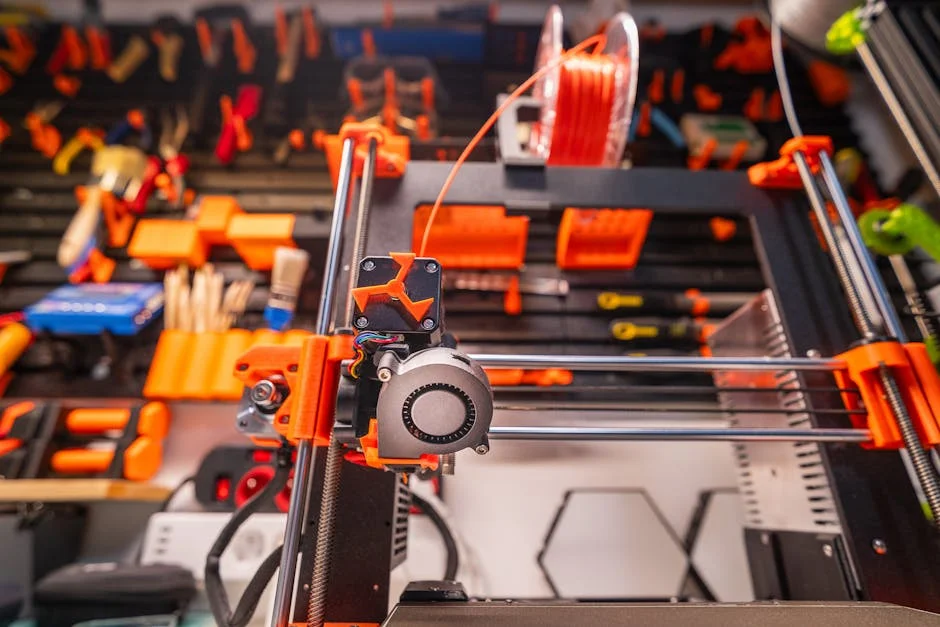
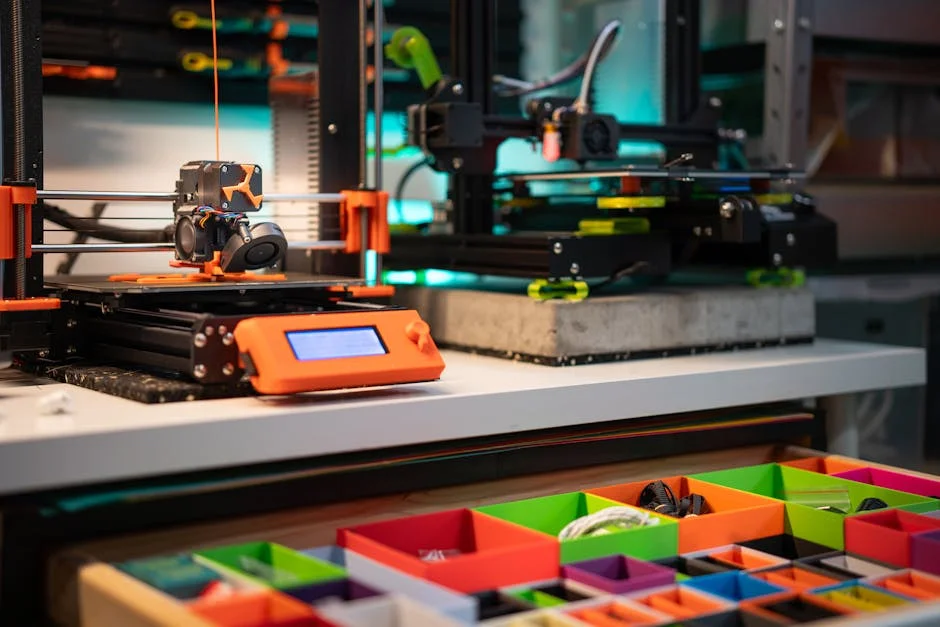
Searching for the fastest 3d printer can feel straightforward until speed turns out to be a bundle of different measurements that don’t always agree with each other. Some manufacturers advertise peak toolhead travel like 500–1000 mm/s, while others emphasize acceleration (for example 20,000–50,000 mm/s²) because a machine that accelerates quickly can keep average print times low even if its top speed is modest. Then there is volumetric flow rate—how many cubic millimeters of molten plastic can be pushed through the nozzle per second—which often becomes the real bottleneck once you start printing thick layers or large parts. A printer can “move” fast but still print slowly if the hotend can’t melt filament fast enough, if the extruder slips, or if the cooling system can’t solidify plastic quickly enough to support new layers. For resin systems, speed is tied to exposure time, lift speed, peel forces, and whether the printer can cure an entire layer at once with a fast light engine. If the goal is the shortest time from slicing to finished part, the definition of speed must include set-up time, reliability, and post-processing.
Table of Contents
- My Personal Experience
- Understanding What “Fastest 3D Printer” Really Means
- Core Technologies That Enable High-Speed 3D Printing
- FDM vs Resin: Which Platform Can Be the Fastest?
- Speed Metrics That Matter: From Acceleration to Volumetric Flow
- High-Speed FDM Printer Designs: CoreXY, Bed Slingers, and Beyond
- Slicer Settings That Unlock the Fastest Real-World Print Times
- Material Choices for High-Speed Printing: PLA, PETG, ABS, and Engineering Filaments
- Expert Insight
- Quality at Speed: Avoiding Ringing, Under-Extrusion, and Weak Layers
- Workflow Speed Beyond Printing: Setup, Reliability, and Post-Processing
- Choosing the Fastest 3D Printer for Your Use Case
- Maintenance and Tuning Habits That Keep a Fast Printer Fast
- Final Thoughts on Finding the Fastest 3D Printer
- Watch the demonstration video
- Frequently Asked Questions
- Trusted External Sources
My Personal Experience
I went down the rabbit hole trying to find the fastest 3D printer after getting tired of overnight prints that still failed at the last hour. I ended up borrowing a friend’s high-speed CoreXY machine for a weekend and, honestly, the first thing I noticed wasn’t just the speed—it was how much tuning mattered. With a bigger nozzle and a simple vase-mode test, I watched it crank out a clean part in about a third of the time my old bed-slinger needed, but when I tried a detailed bracket at the same “advertised” speeds, the corners got sloppy and the surface looked rough until I slowed it down and adjusted acceleration. The biggest win was practical: I could iterate twice in an evening instead of once every two days, which made designing feel fun again, even if the “fastest” setting wasn’t the one I actually used most.
Understanding What “Fastest 3D Printer” Really Means
Searching for the fastest 3d printer can feel straightforward until speed turns out to be a bundle of different measurements that don’t always agree with each other. Some manufacturers advertise peak toolhead travel like 500–1000 mm/s, while others emphasize acceleration (for example 20,000–50,000 mm/s²) because a machine that accelerates quickly can keep average print times low even if its top speed is modest. Then there is volumetric flow rate—how many cubic millimeters of molten plastic can be pushed through the nozzle per second—which often becomes the real bottleneck once you start printing thick layers or large parts. A printer can “move” fast but still print slowly if the hotend can’t melt filament fast enough, if the extruder slips, or if the cooling system can’t solidify plastic quickly enough to support new layers. For resin systems, speed is tied to exposure time, lift speed, peel forces, and whether the printer can cure an entire layer at once with a fast light engine. If the goal is the shortest time from slicing to finished part, the definition of speed must include set-up time, reliability, and post-processing.
Speed also depends on the kind of part. A small mechanical bracket with lots of corners forces constant deceleration, so a high-acceleration coreXY machine may beat a high top-speed bed slinger. A tall vase in “spiralize” mode can be printed quickly on many machines because the head moves smoothly with few interruptions, making peak speed less relevant than stable flow and consistent cooling. Infill percentage and pattern matter too: gyroid infill can be faster than grid at similar strength because it avoids sharp turns, letting the machine maintain momentum. Layer height and nozzle diameter change the equation again. A 0.6 mm nozzle at 0.3 mm layers can finish a prototype far faster than a 0.4 mm nozzle at 0.2 mm, even if the motion system is identical, because each pass lays down more material. When people ask for the fastest 3d printer, they often want “fastest while still producing parts I can actually use,” which is a better way to frame it. That means evaluating the whole printing pipeline: motion, extrusion, cooling, firmware, slicer settings, and the realistic speed you can sustain without defects like ringing, under-extrusion, poor layer adhesion, or warped corners.
Core Technologies That Enable High-Speed 3D Printing
The machines most often competing for “fastest 3d printer” status share a set of design choices that reduce moving mass, increase stiffness, and improve control. CoreXY kinematics are common because the bed can remain stationary in X/Y while the toolhead rides on lightweight gantries, reducing inertia and allowing higher acceleration with less ringing. Linear rails, rigid aluminum or steel frames, and carefully tensioned belts help the motion system respond accurately at high speeds. Many fast printers also use input shaping (also called resonance compensation) to counteract vibration, letting you accelerate hard without creating ripples on the surface. Pressure advance (or linear advance) is another key feature: it anticipates the pressure in the nozzle so corners and speed changes don’t cause blobs or gaps. Together, these control techniques turn raw speed specs into usable speed on real prints.
Extrusion and thermal design are equally important. High-flow hotends with longer melt zones, high-wattage heaters, and optimized heat breaks can maintain stable temperatures while pushing filament at high volumetric rates. Direct drive extruders improve retraction control and reduce stringing, especially at high travel speeds, though they add toolhead mass; many fast designs use lightweight direct drive systems to balance these tradeoffs. Cooling is often overlooked, but it becomes critical when a printer is moving quickly: the plastic must solidify fast enough to preserve overhangs and bridges. Dual or triple-part cooling ducts, high-static-pressure blowers, and well-designed shrouds can make the difference between a clean fast print and a droopy mess. Firmware matters too. Klipper-based systems are popular in the high-speed community because they offload computation to a host processor and support advanced tuning, though Marlin and proprietary stacks can also be fast when implemented well. When evaluating the fastest 3d printer for your needs, it helps to see whether the manufacturer has treated speed as a complete system rather than a single headline number.
FDM vs Resin: Which Platform Can Be the Fastest?
When comparing the fastest 3d printer options, it’s important to separate FDM (filament) and resin (MSLA/DLP) because they win speed contests in different ways. FDM printers excel at producing functional thermoplastic parts with minimal post-processing, and recent high-speed FDM designs can produce large objects quickly thanks to high acceleration and high-flow extrusion. However, FDM speed is constrained by how fast the hotend can melt filament, how quickly the extruded bead can cool, and how well the motion system can handle constant starts and stops. Even with a very fast motion platform, a complex model can force slowdowns at corners, small features, and thin walls. That said, FDM’s ability to use big nozzles and thick layers can dramatically reduce print time for prototypes and jigs, often making it the practical “fastest” in a workshop context.
Resin printers can feel like cheating in the speed race because they cure an entire layer at once. For many small parts, a resin machine can produce a full build plate in nearly the same time as a single part, making it effectively the fastest 3d printer approach for batches of miniatures, dental models, jewelry masters, and highly detailed figurines. The limiting factors shift to exposure settings, resin chemistry, lift mechanics, and peel forces. Some modern resin systems use advanced light engines, optimized vats, and special release films to reduce peel resistance, enabling faster layer cycling. Even so, resin workflows include washing, drying, and curing, and those steps can dominate the total time from start to usable part. There are also material considerations: many resins are brittle compared to engineering thermoplastics, and handling uncured resin requires safety precautions. If the goal is “fastest finished part in my hands,” a fast FDM printer can beat a resin printer for many functional items because it can finish with minimal cleanup. If the goal is “fastest batch of high-detail small parts,” resin often wins. The best choice depends on what “fastest” means for the kind of output you actually need.
Speed Metrics That Matter: From Acceleration to Volumetric Flow
Shopping for the fastest 3d printer is easier when speed claims are translated into metrics that affect real print time. Travel speed is the least informative number because travel moves don’t deposit material; they only reduce time between print segments. Print speed (the speed while extruding) is more meaningful, but it still doesn’t tell you whether the hotend can keep up. Acceleration is often the hidden hero: a printer set to 300 mm/s but limited to 2026 mm/s² may never reach that speed on small features, while a printer at 250 mm/s with 20,000 mm/s² can maintain a much higher average speed on typical models. Jerk or junction deviation settings influence how aggressively the printer takes corners, impacting both surface quality and time. Input shaping lets you raise acceleration without ugly artifacts, making it one of the most valuable tools for high-speed printing.
Volumetric flow rate brings everything together because it represents how much plastic you can lay down per second. If a hotend can sustain 20 mm³/s, then at 0.2 mm layer height and 0.45 mm line width, the maximum print speed is roughly 20 / (0.2 × 0.45) ≈ 222 mm/s—assuming perfect extrusion and thermal stability. A high-flow hotend capable of 30–40 mm³/s increases that ceiling substantially, which is why many “fastest 3d printer” contenders advertise high-flow hotends or offer upgrade paths. But flow isn’t the only limit: cooling must keep up, or you’ll see sagging overhangs and weak bridges; and the mechanical system must remain rigid to avoid ringing. Real-world speed also depends on slicer choices like maximum volumetric speed, minimum layer time, and feature-based speed adjustments. A printer might be capable of very high speeds on thick-walled parts, but slow down on tiny layers to allow cooling, which is still a form of “smart speed” that preserves quality. Comparing printers by a single speed number is rarely helpful; comparing them by sustainable flow, tuned acceleration, and consistent quality at high throughput is the most reliable way to identify the fastest solution for your workload.
High-Speed FDM Printer Designs: CoreXY, Bed Slingers, and Beyond
Many of today’s fastest 3d printer candidates in the FDM world use CoreXY motion because it reduces moving mass and keeps the bed from swinging in the Y direction, which can introduce vibration at high speeds. CoreXY machines often pair a stationary or slowly moving bed in Z with a lightweight X/Y gantry, allowing high acceleration and precise control. This architecture is especially effective for medium-to-large build volumes, where bed-slinger designs can struggle as the moving platform’s inertia increases with size and print weight. That said, modern bed slingers can still be quick, particularly in smaller formats with stiff frames, linear rails, and well-tuned firmware. A compact bed slinger with excellent input shaping can deliver impressive print times on smaller parts while remaining cost-effective and easy to maintain.
Beyond the basic kinematics, the fastest setups tend to incorporate features that improve stability and repeatability. Dual Z leadscrews or belt-driven Z systems keep the gantry level during fast moves and reduce Z wobble. Stiffer frames reduce resonance, allowing more aggressive acceleration without visible artifacts. Toolhead design matters: a lightweight extruder and hotend assembly can change direction faster with less ringing. Cable management and drag chains can also affect high-speed reliability; snagging or cable whip at high travel speeds can introduce layer shifts. Some high-speed printers add automated calibration routines like resonance measurement, pressure advance tuning, and bed leveling to make speed more accessible without constant tinkering. If you’re choosing the fastest 3d printer for production-like use, it’s worth prioritizing designs that keep speed consistent across long prints rather than those that only achieve impressive numbers on short demo prints. Sustained performance requires thermal stability, robust sensors, quality bearings, and firmware that handles high step rates cleanly. In practice, the “fastest” machine is often the one that stays fast without demanding endless re-tuning.
Slicer Settings That Unlock the Fastest Real-World Print Times
Even the fastest 3d printer can print slowly if the slicer profile is conservative. The slicer determines acceleration limits, per-feature speed caps, minimum layer times, cooling behavior, and maximum volumetric flow. A common reason users don’t experience the speed they expected is that the slicer is limiting flow to a safe default, or it is slowing down for small perimeters and top surfaces. Optimizing print time starts with choosing a nozzle and layer height appropriate to the job. For functional prototypes, increasing nozzle diameter to 0.6 mm and layer height to 0.28–0.32 mm can reduce time dramatically while keeping acceptable accuracy. Wall count and infill choices matter too. Two to three walls with a moderate infill like gyroid often prints faster than dense grid patterns that force frequent direction changes. Adaptive layer height can also reduce print time by using thicker layers in low-detail regions and thinner layers where detail matters.
Speed-focused slicer tuning also involves managing heat and cooling. If minimum layer time is too high, the printer will slow down on small layers, increasing total time. Instead of forcing slowdowns, improving cooling or printing multiple parts at once can keep the machine moving while allowing each layer to cool. Retraction settings can be reduced with a well-tuned direct drive and good filament, which cuts time spent on retractions and reduces the risk of clogs at high throughput. Travel optimization—like avoiding crossing perimeters and using efficient seam placement—can reduce wasted motion. Many slicers now support “maximum volumetric speed,” which caps extrusion based on hotend capability; setting this correctly prevents under-extrusion and keeps the printer in a stable high-speed zone. For anyone chasing the fastest 3d printer experience, the slicer is not an afterthought; it is the control room. A tuned profile that respects the printer’s flow limits, cooling capacity, and resonance characteristics will often cut print times more than simply raising the headline speed number.
Material Choices for High-Speed Printing: PLA, PETG, ABS, and Engineering Filaments
Material selection can determine whether a machine feels like the fastest 3d printer or an unreliable experiment. PLA is commonly the easiest filament for speed because it melts predictably, flows well, and can be cooled quickly, which helps with overhangs and bridges at high print speeds. High-speed PLA formulations exist and can support higher volumetric flow with fewer artifacts. PETG can also be printed quickly, but it tends to string more and can be sensitive to cooling; too much cooling may reduce layer adhesion, while too little can cause blobs and sagging. ABS and ASA introduce additional constraints: they often need an enclosure to prevent warping, and cooling must be managed carefully to reduce cracking. High speed with ABS-like materials is possible, but it requires stable chamber temperatures, good bed adhesion, and a printer designed for thermal consistency.
| Model | Max Print Speed | Best For |
|---|---|---|
| Creality K1 Max | 600 mm/s | Large, fast prints with a big build volume |
| Bambu Lab X1 Carbon | 500 mm/s | High-speed, high-quality prints with advanced automation |
| Anycubic Kobra 2 Pro | 500 mm/s | Budget-friendly speed for everyday fast printing |
Expert Insight
When shopping for the fastest 3D printer, prioritize real-world throughput over headline speed. Compare printers using the same benchmark model and settings, then choose the one that maintains accuracy at higher accelerations—look for strong frame rigidity, input shaping, and a high-flow hotend so speed doesn’t collapse into ringing or under-extrusion.
To get maximum speed from any machine, tune for flow and motion before pushing velocity. Calibrate extrusion and temperature for your filament, then raise acceleration gradually while enabling pressure/linear advance and input shaping; finish by widening line width slightly and using a larger nozzle (e.g., 0.6 mm) to increase volumetric output without sacrificing reliability. If you’re looking for fastest 3d printer, this is your best choice.
Engineering filaments like nylon, polycarbonate, and fiber-reinforced blends raise the bar further. These materials may need higher nozzle temperatures and can demand slower print speeds to maintain layer bonding, especially if the hotend cannot sustain the necessary melt rate. Abrasive filaments require hardened nozzles, and some hardened nozzles reduce thermal conductivity, which can lower maximum flow unless compensated with higher temperatures or specialized hotends. Moisture sensitivity also impacts speed: wet filament can cause popping, inconsistent extrusion, and weak layers, forcing you to slow down or reprint. Dry storage and pre-drying become part of a “fast” workflow because they prevent time-wasting failures. If the goal is the fastest 3d printer output for functional parts, choosing a material that prints reliably at higher flow rates is often smarter than forcing an exotic filament through a high-speed profile. Many users find that a well-tuned high-speed PLA or PLA+ profile delivers the shortest time-to-part for prototypes, while slower, more controlled profiles are reserved for demanding engineering materials where performance matters more than raw throughput.
Quality at Speed: Avoiding Ringing, Under-Extrusion, and Weak Layers
The fastest 3d printer is only useful if the parts meet dimensional and mechanical needs. At high acceleration, ringing and ghosting can appear as ripples near sharp corners. Input shaping helps, but mechanical fundamentals still matter: belt tension must be correct, pulleys must be secure, frames must be rigid, and linear rails or wheels must be properly aligned. Over-tight belts can increase wear and introduce binding; under-tight belts can cause backlash and layer shifts. Another common speed-related defect is under-extrusion, often caused by exceeding the hotend’s melting capacity or pushing filament faster than the extruder can grip. Symptoms include thin walls, gaps in top layers, and weak infill. Setting realistic maximum volumetric flow, using a high-flow nozzle/hotend, and ensuring the extruder has adequate torque and cooling are key fixes.
Layer adhesion is another speed constraint. Printing too cold or too fast can reduce bonding between layers, creating parts that look fine but fail under stress. Raising temperature slightly, reducing fan speed for certain materials, and slowing down outer walls while keeping infill fast can preserve strength without sacrificing overall time. Cooling must be balanced: aggressive cooling can improve overhangs but may cause warping or brittle layers, especially on PETG, ABS, and nylon. Small features introduce a different challenge: if the printer completes a layer too quickly, the plastic may not have time to solidify, leading to soft corners and deformed details. Instead of slowing the entire print, printing multiple parts or adding a sacrificial “cooling tower” can keep the toolhead moving while giving each part time to cool. The practical path to the fastest 3d printer performance is a profile that selectively applies speed—fast where geometry allows, controlled where quality and strength demand it. That approach often yields better results than chasing a single maximum speed number across every feature.
Workflow Speed Beyond Printing: Setup, Reliability, and Post-Processing
When people compare the fastest 3d printer options, they often focus on motion speed and forget the minutes or hours lost to failed first layers, clogged nozzles, and inconsistent calibration. A printer that starts reliably and finishes predictably can be “faster” over a week of production than a machine that is theoretically quicker but requires constant babysitting. Automatic bed leveling, accurate Z-offset management, and a stable build surface reduce first-layer failures, which are among the biggest time sinks. Filament runout sensors, power-loss recovery (when implemented well), and remote monitoring can also prevent wasted time. Quick-change nozzles or toolheads can speed up maintenance, especially if you frequently switch between standard and abrasive materials or between fine-detail and high-throughput nozzles.
Post-processing is another major factor in real-world throughput. FDM prints may need support removal and light sanding, but many functional parts can be used immediately. Resin prints require washing and curing, plus careful handling of uncured resin and disposal of contaminated materials. Even if a resin machine produces layers quickly, the total time from print completion to usable part can be longer than expected. For speed-focused workflows, minimizing supports through better orientation, using support-friendly materials, and dialing in support settings can reduce cleanup time. Plate management matters too: removable flex plates, magnetic build surfaces, and organized staging of prints can cut turnaround time between jobs. If the goal is to get more usable parts per day, the fastest 3d printer is the one that integrates speed with convenience—fast warm-up, quick calibration, easy part removal, and predictable success rates—so the entire process moves quickly, not just the toolhead.
Choosing the Fastest 3D Printer for Your Use Case
The best “fastest 3d printer” choice depends on whether you value rapid prototypes, production throughput, fine detail, or large-format speed. For rapid prototyping of functional parts, a high-speed CoreXY FDM printer with a high-flow hotend, strong part cooling, and a mature firmware stack often delivers the shortest time-to-part. If you frequently print large objects, look for a machine that stays rigid at size, has consistent bed heating, and can sustain high volumetric flow without overheating or skipping steps. If you print small detailed items in batches, a resin printer that can cure whole layers quickly may outperform FDM in sheer output per hour, especially when the build plate is fully utilized. The “fastest” decision also includes material compatibility: some printers handle high-temperature filaments and enclosed printing better, which can matter more than speed if your parts must survive heat or load.
Budget and support ecosystem shape speed in subtle ways. A printer with strong community profiles and proven high-speed tuning recipes can get you to reliable fast printing sooner than a niche machine with limited documentation. Spare parts availability affects downtime, which is the enemy of speed. Consider noise and vibration too; very fast printers can be loud, and resonance can transmit through desks and floors, making a stable setup important. Finally, think about how you will measure success: is it the shortest single print time, the most parts per day, or the least operator time per part? The fastest 3d printer for a design studio may be the one that produces a strong prototype before a meeting with minimal attention. For a small business, it may be the printer that runs overnight at high speed without failures. For a hobbyist, it may be the machine that makes printing feel immediate and fun without constant tuning. Matching the printer’s strengths to your workflow is the most reliable way to get truly fast results.
Maintenance and Tuning Habits That Keep a Fast Printer Fast
Speed performance degrades when maintenance is neglected, and that can quietly disqualify a machine from being the fastest 3d printer in day-to-day use. High accelerations amplify small mechanical issues: a slightly loose pulley can cause layer shifts, worn bearings can add play, and a dirty linear rail can create inconsistent motion that shows up as surface artifacts. Regular inspection of belts, set screws, and frame fasteners helps preserve crisp motion at high speed. Lubrication schedules for rails and lead screws matter more when the printer is moving aggressively for long periods. Extrusion components also need attention: partial nozzle clogs, worn drive gears, and heat creep issues can appear sooner when pushing high flow. Keeping the hotend fan clean, ensuring the heatsink is unobstructed, and replacing nozzles on a sensible schedule prevents slowdowns and failures.
Tuning is not a one-time event, especially for printers used at the edge of their performance envelope. Input shaping should be recalibrated if you change the toolhead mass, adjust belt tension, move the printer to a new surface, or add accessories like cable chains. Pressure advance may need retuning when switching materials, nozzle sizes, or temperatures. Filament quality and diameter consistency affect extrusion stability at high speed; choosing reliable brands and storing filament dry can prevent random under-extrusion that forces reprints. A practical approach is to maintain separate profiles: a “draft fast” profile for quick prototypes, a “fast strong” profile balancing speed and layer adhesion, and a “fine” profile for appearance parts. That way you can select speed intentionally instead of forcing every job into a single extreme setting. Consistent upkeep and smart profiling keep a printer operating like the fastest 3d printer you intended to buy, rather than a machine that only prints fast on the day it was unboxed.
Final Thoughts on Finding the Fastest 3D Printer
Choosing the fastest 3d printer is less about chasing a single advertised number and more about building a reliable system that maintains high average speed while producing usable parts. The printers that feel genuinely fast combine stiff mechanics, high acceleration, tuned resonance control, and hotends capable of sustained volumetric flow, supported by slicer profiles that match the machine’s real limits. Material choice, cooling capacity, and smart feature-based speed control often matter as much as raw motion specs, and workflow factors like first-layer reliability and post-processing time can easily outweigh differences of a few minutes in print duration. When speed, quality, and reliability are aligned, the fastest 3d printer is the one that consistently turns ideas into finished objects with the least total time spent waiting, troubleshooting, and reprinting.
Watch the demonstration video
Discover what makes today’s fastest 3D printers so quick, from high-speed motion systems to advanced firmware and cooling. This video breaks down real-world print speeds, quality trade-offs, and the settings that matter most. You’ll also see which models lead the pack and how to choose a fast printer for your projects.
Summary
In summary, “fastest 3d printer” is a crucial topic that deserves thoughtful consideration. We hope this article has provided you with a comprehensive understanding to help you make better decisions.
Frequently Asked Questions
What is considered the fastest 3D printer?
It’s the **fastest 3d printer** that can consistently deliver the quickest real-world print speeds—factoring in both mm/s and acceleration—while still meeting your standards for surface quality, part strength, and dimensional accuracy.
Is top speed measured in mm/s a good way to compare printers?
Not on its own—real-world print times are usually shaped more by acceleration, jerk/input shaping, volumetric flow (mm³/s), cooling performance, and firmware limits than by the headline mm/s speed, even when you’re chasing the **fastest 3d printer**.
What factors limit how fast an FDM/FFF printer can print?
Common bottlenecks are hotend melt capacity/flow, motion system rigidity, acceleration limits, part cooling, extrusion consistency, and resonance (vibration) control.
Do faster prints always mean lower quality?
Print speed can outpace a machine’s material flow, cooling, or motion stability, and when that happens, quality usually suffers. However, a well-tuned, high-acceleration setup can still deliver clean, accurate results at impressive speeds—so the **fastest 3d printer** can produce great quality too, as long as you’re using the right models and materials.
Which technologies are typically fastest: FDM, resin (SLA/DLP/MSLA), or others?
Resin printers can be very fast for batches because each layer exposes an entire area at once, while high-speed FDM can be fastest for single larger parts; the “fastest” depends on geometry, height, and quantity. If you’re looking for fastest 3d printer, this is your best choice.
How can I make my current 3D printer print faster safely?
To get closer to the **fastest 3d printer** performance, boost acceleration using input shaping, increase your max volumetric flow with a high-flow hotend and nozzle, upgrade part cooling, fine-tune extrusion and pressure advance, and choose larger layer heights or wider nozzles whenever print quality allows.
📢 Looking for more info about fastest 3d printer? Follow Our Site for updates and tips!

Trusted External Sources
- Looking for recommendations on fast printers. : r/3dprinter – Reddit
May 12, 2026 … The one I’m leaning on the most lately is the Formlabs Form 4 resin printer – which is incredibly fast and accurate, but doesn’t cost $300 … If you’re looking for fastest 3d printer, this is your best choice.
- Fastest 3D printers benchmarked: Top printers ranked by output time
Apr 17, 2026 … The fastest printer in our fleet is the K1 Max, which beat other brands by nearly 5 minutes with a 13 minute and 50 second Speed Benchy. If you’re looking for fastest 3d printer, this is your best choice.
- Best fast FDM printer that doesn’t break the bank? – Reddit
Dec 27, 2026 … I only print PLA and not fussed with multi-filament. I’ve not kept up to date with 3D printer advancements in the past years, so anyone got some … If you’re looking for fastest 3d printer, this is your best choice.
- Bambu Lab H2S Large Format 3D Printer | Fast. Precise. Full Color
With toolhead speeds up to 1000 mm/s and acceleration reaching 20,000 mm/s², your H2S can finally run at full throttle—cutting print times by up to 30%⁽⁷⁾ and putting you one step closer to the **fastest 3d printer** experience.
- Fastest 3D Printers: Compare FDM, SLA, and SLS 3D Printing Speed
The fastest 3D printers today are masked stereolithography (MSLA) resin 3D printers. In almost all cases, they offer the shortest time to part.